As an Amazon Associate we earn from qualifying purchases.
Choose a computer keyboard case by measuring the entire assembled keyboard, comparing those measurements with clearly labeled maximum compatible keyboard dimensions, and checking gentle closure with your accessories packed. A model compatibility label alone does not establish pressure-free fit: Keychron warns that its carrying case slightly presses Q-series Knob Version knobs.
This guide is for keyboard owners preparing to carry an assembled board between locations. It explains transport-case fit, keycap and knob clearance, and accessory packing, with a separate check for Keychron models and frame options.
Quick takeaways
- Measure the highest keycap or knob, along with the keyboard’s full length and depth.
- Keep a generic “Case Size” measurement separate from a maximum compatible keyboard measurement.
- Check the exact Keychron model, frame option, and knob warning before ordering.
- Inspect closure first with the keyboard alone, then with your usual accessories.
The comparisons below use manufacturer product excerpts captured on October 15, 2026. The inspection steps are practical recommendations inferred from those specifications and warnings; they are not hands-on test results.
On this page: Identify the product · Measure your keyboard · Compare dimension labels · Check Keychron options · Inspect packing and closure · Before ordering · FAQs
Identify the product you need
A carrying case is a transport bag or enclosure for an assembled keyboard. A replacement housing is the keyboard’s own enclosure around its components. A dust cover addresses covering the keyboard while it sits at a desk. Identify which object you need before using any product’s dimensions.
Keychron’s documentation illustrates the distinction. Its keyboard carrying case is described as canvas and EVA plastic, and the keyboard is excluded. Separately, the Keychron K2 keyboard product information lists ABS plastic under “Bottom Case Material.” Those material labels describe different objects.
For transport, start with the assembled keyboard and carrying-case specifications. For a replacement housing, identify the exact keyboard and version, then verify the printed circuit board, mounting arrangement, and dimensions separately. A carrying bag’s model list cannot establish replacement-housing compatibility.
If your goal is simply to cover a keyboard on a desk, use a separate dust-cover selection process. The transport dimensions below do not establish dust-cover fit.
Measure your keyboard for a computer keyboard case
Measure the keyboard as you intend to pack it. Include its installed keycaps, knob, frame, and any accessories that will remain attached. Treat the measurement as the smallest rectangular space that contains the complete assembly.
Use a ruler or tape measure and record each axis explicitly:
- Length: Measure between the keyboard’s farthest left and right points.
- Depth: Measure from its frontmost point to its rearmost point, including anything that remains attached.
- Height: Measure from the supporting surface to the tallest keycap, knob, or other protrusion in the intended packing position.
Keep the orientation consistent when comparing these measurements with a product specification. If the listing does not explain its dimension order, ask the manufacturer before treating the figures as a match. Use the same units throughout the comparison rather than mixing inches and millimeters.
The reason for measuring the whole assembly is straightforward: the fit question concerns everything inside the closed bag. Comparing the base alone leaves the controls out of the decision. Keychron’s knob-pressure warning is a documented example of why listed compatibility and control clearance are separate questions.
A practical fit worksheet
Use these questions to organize your measurements and product checks. They are inspection prompts, not a manufacturer certification.
| Check | What to record or confirm | Decision |
|---|---|---|
| Keyboard identity | Exact model, version, frame option, and knob configuration | Resolve an uncertain identity before selecting a model-specific case. |
| Complete dimensions | Length, depth, and height through the highest installed part | Compare every axis with a correctly labeled compatible-size field. |
| Packing configuration | Attached items and accessories stored separately | Inspect the configuration you will actually carry. |
| Product dimensions | Exact field label, units, and selected variant | Ask for usable dimensions if the listing gives only generic case size. |
| Closure and restraint | Whether controls remain clear and the keyboard stays seated during gentle handling | Stop if closure requires force or restraint presses a control. |
Repeat the measurement check after changing the keyboard’s assembled configuration. Keep your measurements with the exact case variant you are considering so a later selection change does not invalidate the comparison. If keycaps changed, the keycap profile guide helps identify the new height and row arrangement.
Compare dimension labels before comparing sizes
The label beside a dimension matters as much as the number. Keychron’s table uses “Case Size.” Geekria’s examples below use “Maximum compatible keyboard dimensions (case inside).” These fields should not be treated as equivalent descriptions of usable keyboard space.
The following manufacturer examples show how to read the fields. They are fit-documentation examples, not a ranking of travel protection.
| Exact product or documented row | Published dimension field | Published dimensions | How to use it |
|---|---|---|---|
| Keychron carrying-case row for K2 / K2 Pro / K2 Max | Case Size | 367 × 203 × 55 mm | Use with the exact model and frame selection; do not assume these are maximum usable interior dimensions. |
| Geekria 75% 84-Key Gaming Keyboard Case, Extra Space variant | Maximum compatible keyboard dimensions, case inside | 13 × 6 × 2.5 inches | Screen the complete keyboard against all dimensions, then inspect closure. |
| Geekria Full Size Keyboard Case, 108-key variant | Maximum compatible keyboard dimensions, case inside | 19 × 6.4 × 1.7 inches | Screen each dimension separately; the longer case has a lower listed height than the Extra Space example. |
Sources: Keychron carrying-case table, Geekria Extra Space variant, and Geekria full-size variant.
The Geekria comparison demonstrates a useful selection rule: greater listed length does not mean greater listed height. A keyboard that exceeds the full-size example’s 1.7-inch height limit cannot be cleared by its generous length. Check every axis independently.
A keyboard within the stated dimensions still needs a closure inspection. The dimensional screen does not establish that the lid, lining, restraint, and packed accessories leave every control untouched. There is no universal clearance allowance established by these sources, so avoid adding an arbitrary margin and calling the result guaranteed.
Choosing a Keychron keyboard case
For a Keychron keyboard case, begin with the exact keyboard name and frame option. Then read the product’s warnings before treating a matching model name as sufficient.
Match the frame option
Keychron distinguishes carrying cases for aluminum-frame and plastic-frame keyboards. It says the plastic-frame version’s inner edge is thicker than the aluminum-frame version’s inner edge. That distinction concerns the carrying case’s fit configuration.
Select the option corresponding to your exact keyboard rather than assuming the two variants are interchangeable. The K2 / K2 Pro / K2 Max table row is useful for locating the relevant entry, but its “Case Size” figures do not resolve the frame choice or certify control clearance. If your model or frame identification is uncertain, send that information to Keychron before ordering.
Treat the Q-series knob warning as a selection condition
Keychron states that Q-series Knob Version knobs are slightly pressed down when using its carrying case. The manufacturer also says the keyboard continues to work normally. Both statements belong together: reassurance about normal operation does not establish an absence of pressure.
If your requirement is no pressure on any key or control, this documented configuration does not satisfy that requirement. Seek confirmation of an alternative that addresses your exact keyboard and knob configuration. Do not turn a compatibility statement into a pressure-free promise. See Keychron’s carrying-case warning.
Check accessory space and gentle closure
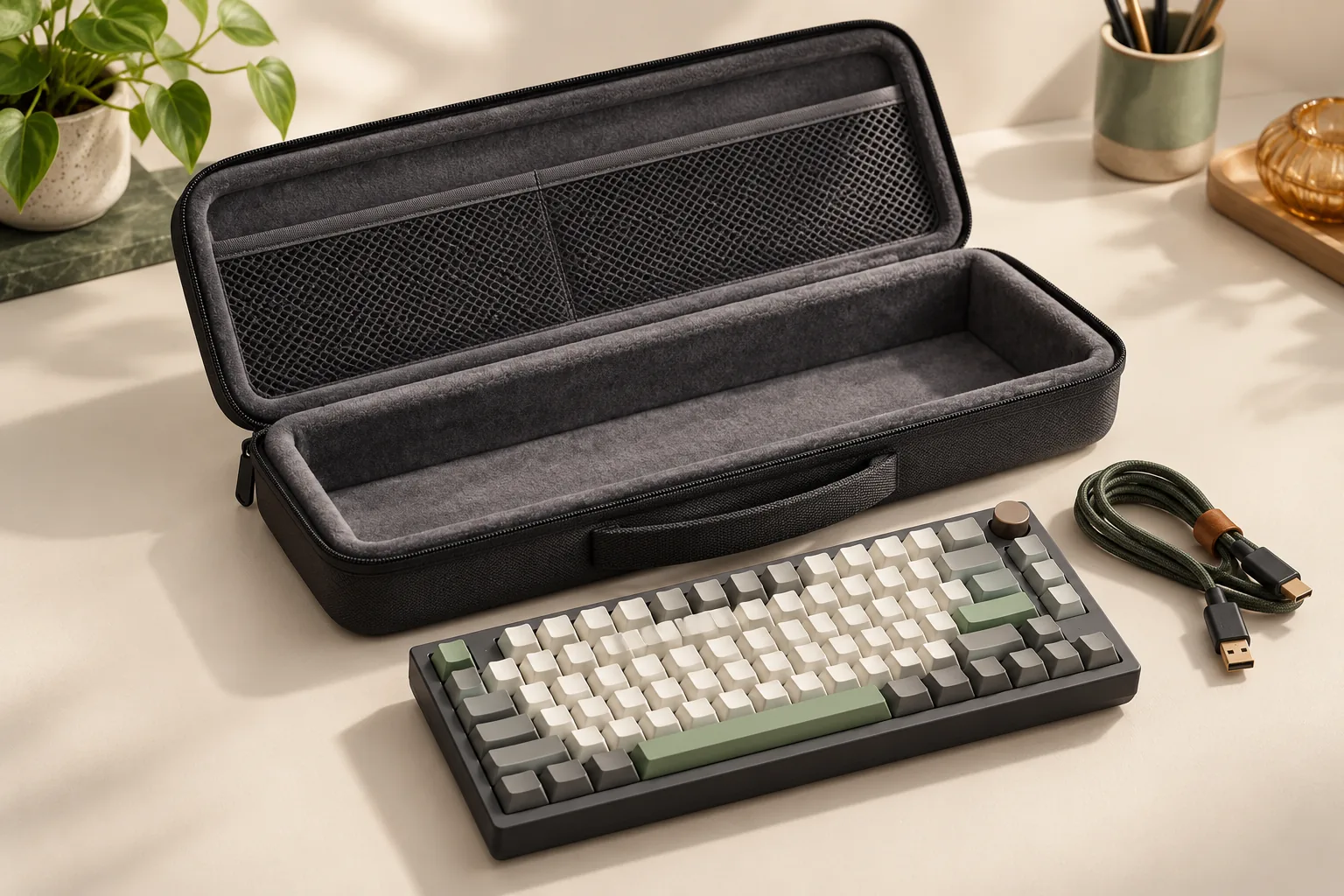
Both the documented Geekria Extra Space case and Geekria full-size case specify a zippered internal mesh accessory pocket. That documents a storage feature; it does not establish clearance with your chosen accessory load.
Use the following gentle inspection before relying on the packed arrangement. It is a practical fit check inferred from the documented dimensions, accessory pockets, and Keychron pressure warning.
- Inspect the empty case. Check the lining, closure, handle attachment, and any restraint for visible problems.
- Place the keyboard inside without accessories. Confirm it seats naturally without pushing the frame into position.
- Inspect any restraint. Check that it does not bear on keycaps, the knob, or other controls.
- Lower the lid gently. Watch accessible contact points and stop if the lid encounters a control or requires compression to close.
- Close without forcing the zipper. Do not use the closure to pull an obstructed lid down onto the keyboard.
- Add your normal accessories and repeat. Arrange pocket contents so their bulges remain clear of the controls.
- Check movement gently. With the case supported, observe whether the keyboard shifts from its intended position. Avoid shaking or drop testing.
If the keyboard fits alone but closure changes after loading the pocket, reduce or relocate the accessory load and inspect again. If the interior is concealed and you cannot determine whether a control is pressed, leave the result unresolved and ask the manufacturer for guidance. A closed zipper alone does not answer the clearance question.
This inspection does not measure drop, impact, crush, or water resistance. Its purpose is to identify an unsuitable packing arrangement before routine use.
Finish your check before ordering
Open the official listing for the exact variant and compare it with your worksheet. Confirm the model and frame selection, the meaning of the dimension field, and any control-pressure warning. If a listing leaves usable height unclear, ask specifically about clearance over your measured highest point.
Check the selected seller’s current delivered cost, stock status, return eligibility, and support process before paying. Confirm whether a gentle fit inspection is permitted under the applicable return terms and how to report a mismatch. No seller’s current terms or availability are established here.
For material care, consult the maker’s instructions for the selected product. Keychron’s canvas and EVA description identifies materials, but it does not establish a cleaning procedure. Keep cleaning decisions separate from the fit check and request care guidance if none is supplied.
Frequently asked questions
Does a listed compatible model guarantee untouched keycaps?
No. A model label does not establish clearance for every installed keycap, knob, or accessory arrangement. Keychron explicitly documents slight knob pressure for Q-series Knob Version keyboards. Use model matching as an initial screen, then assess your complete assembly and packed closure. The warning appears on Keychron’s official listing.
Should I choose the longest case available?
Choose by all dimensions and the packed fit. The documented Geekria full-size example lists 19 × 6.4 × 1.7 inches, while its Extra Space example lists 13 × 6 × 2.5 inches. The longer option has less listed height; the comparison table links both exact variants.
Can I use carrying-case dimensions to buy a replacement housing?
No. Carrying-case dimensions concern transport of an assembled keyboard. A replacement housing requires separate verification of the exact keyboard version, printed circuit board, mounting arrangement, and dimensions. Keychron documents the objects separately in its carrying-case listing and K2 keyboard information.
Your next step
For a computer keyboard case, start with your complete keyboard measurements and the exact product variant. Screen every dimension, resolve Keychron frame and knob conditions, and inspect gentle closure with accessories loaded. Use the worksheet to prepare a specific question for the manufacturer whenever a dimension or contact point remains unclear.