As an Amazon Associate we earn from qualifying purchases.
3-pin keyboard switches fit only when the exact keyboard, PCB, socket, and surrounding assembly support them. Five-pin switches add two plastic locating legs to the same basic arrangement of two electrical contacts and a central plastic post. Pin count helps identify mounting requirements; it does not establish complete compatibility. Gateron explains the distinction.
This guide is for keyboard owners choosing replacement normal-profile MX-style mechanical contact switches. Use it to separate a documented match from a pairing that needs more information.
Key takeaways
- Count electrical contacts and plastic supports separately.
- Check the PCB hole pattern and socket contact acceptance independently.
- Verify seating and clearance across the complete assembly.
- Stop when a required specification is missing or conflicts with the proposed switch.
This is a documentation-based guide, not a hands-on fit test. The cited source material was captured on October 15, 2026; the Mill-Max dimensional information comes from a manufacturer search excerpt.
On this page: Pin anatomy · Compatibility checks · Socket dimensions · Worked example · Worksheet · FAQs
What three and five pins mean
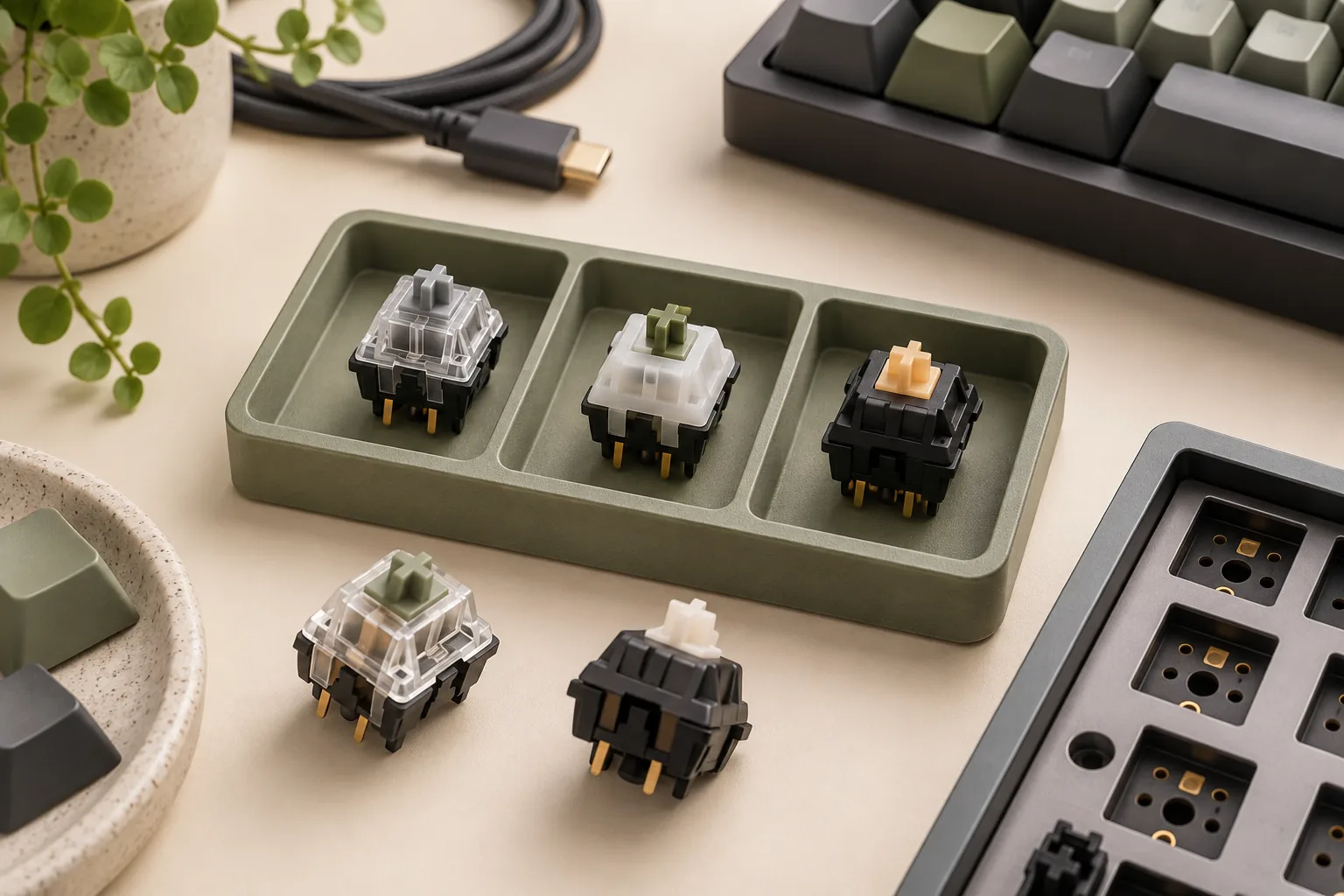
A normal-profile three-pin MX-style switch has two metal electrical contacts and one central plastic positioning post. A five-pin version adds two plastic locating legs. Those extra legs provide mechanical support; they do not add two more electrical signal contacts. Gateron's guide, dated March 27, 2026, describes this anatomy. Source: Gateron.
| Feature | Three-pin switch | Five-pin switch |
|---|---|---|
| Metal electrical contacts | Two | Two |
| Central plastic positioning post | One | One |
| Additional plastic locating legs | None | Two |
| Main mounting question | Does the board support this switch and its seating arrangement? | Does the board also accommodate the extra locating legs? |
The physical counts in this table follow Gateron's anatomy explanation. The mounting questions are a checklist for evaluating your particular board.
The distinction also explains why counting pins cannot predict sound or typing feel. Gateron identifies the stem, spring, housing, lubrication, and contact structure as more direct influences on those qualities. Choose the supported mounting arrangement first; pin count alone does not establish a sound or feel advantage. Source: Gateron.
How to check MX-style switch compatibility
Start with exact identities. Record the keyboard model and SKU, PCB revision if available, complete replacement-switch name, and socket manufacturer and part number where applicable. Gateron recommends beginning with the PCB, plate, and socket architecture; KEEBD's integration guide shows why individual socket references and assembly details matter. Gateron · KEEBD.
Check the board's stated switch support
Read the compatibility wording for your exact keyboard. Keep qualifiers such as “compatible three-pin switches” attached to the claim instead of shortening them to “MX-compatible.” A useful example is CORSAIR's K70 PRO MINI WIRELESS page for SKU CH-9189010-NA, which specifies CHERRY MX or compatible three-pin keyswitches. Source: CORSAIR.
For a replacement purchase, use that wording as your starting condition. If your proposed switch has a different mounting arrangement, seek exact confirmation before treating the pair as a match. A shared product-family label is a reason to investigate further, not a completed compatibility check.
Check PCB holes separately from socket acceptance
The PCB, or printed circuit board, must accommodate the switch's locating structure. The electrical socket must accept its metal contacts. Because the extra two legs on a five-pin switch are plastic supports, confirming their holes answers a different question from confirming the electrical contact fit. Source: Gateron.
KEEBD warns that some switch contacts are too wide for the Mill-Max sockets discussed in its guide. It also identifies PCB hole size as a separate compatibility concern. Therefore, an appropriate locating-hole pattern does not settle contact acceptance, and a suitable switch contact does not settle whether a socket suits the PCB. Source: KEEBD.
Treat an unknown socket as an unresolved field. Ask the board maker for its accepted switch specifications or confirmation of the exact replacement model. Do not substitute a visually similar socket's specifications.
Keep other switch platforms separate
Apply this workflow to normal-profile mechanical contact switches. For optical, magnetic, or low-profile products, begin with the exact board's own switch-platform documentation. Gateron's source specifically addresses normal-profile switches and separately identifies optical, magnetic, and low-profile product categories; it provides no universal interchangeability assurance between them. Source: Gateron.
Why socket dimensions need careful reading
“Mill-Max 7305” is useful shorthand, but preserve the complete part number when matching specifications. KEEBD distinguishes these references in its guide:
- 3305-0-15-15-47-27-10-0
- 7305-0-15-15-47-27-10-0
- 0305-1-15-80-47-80-10-0
KEEBD discusses differences in socket lip and overall height, along with switch-contact width and PCB compatibility. Its guide is secondary integration guidance, rather than a primary acceptance specification for every switch/socket combination. Source: KEEBD.
An exact Mill-Max example
For 7305-0-15-15-47-27-10-0, the manufacturer search excerpt captured on October 15, 2026, specifies accepted diameter leads of 0.025–0.037 inches (0.635–0.940 mm) and a mounting hole of 0.063 inches (1.600 mm). These fields belong to that exact reference. Source: Mill-Max.
Read the labels as carefully as the numbers. The lead-diameter range concerns the receptacle's accepted leads; the mounting-hole field concerns its mounting interface. Neither field, by itself, verifies a particular flat rectangular keyboard-switch contact or the tolerances of your PCB.
Do not turn the diameter range into an assumed maximum flat-contact width or thickness. To resolve a proposed pairing, request the applicable contact-geometry acceptance information and matched switch dimensions, or explicit manufacturer confirmation. If those details remain unavailable, leave the pairing unconfirmed rather than transferring specifications from another suffix.
Check seating, plate, LEDs, and keycaps
Socket fit also has a vertical dimension. KEEBD explains that socket lip height can increase the separation between the switch and PCB, affect how fully five-pin locating legs seat, and create problems in tightly spaced assemblies. Its guide also describes possible case-clearance issues beneath the PCB. Source: KEEBD.
Use the complete board assembly as the reference for your check. Confirm that the switch housing can seat as intended in the plate, that the locating structure reaches its intended position, and that socket height is consistent with the board's plate-to-PCB spacing. These are verification questions, not instructions to alter a board that does not match.
Then ask about the remaining interfaces:
- Does the switch housing clear the board's LED arrangement?
- Does the intended keycap mount match the replacement stem?
- Does the keycap have the necessary clearance throughout its movement?
- Does the assembled case provide the required space around and below the PCB? For the keycap side of that check, use the MX keycap fit guide.
These questions extend the architecture-first check recommended by Gateron and the spacing concerns documented by KEEBD. They do not certify any particular LED, stem, or keycap combination. Obtain exact assembly information where the product documentation does not answer them.
Worked example: CORSAIR and Akko
Consider the CORSAIR K70 PRO MINI WIRELESS, SKU CH-9189010-NA, and the Akko V3 Creamy Yellow Pro switch. CORSAIR specifies CHERRY MX or compatible three-pin keyswitches for that keyboard. Akko identifies the V3 Creamy Yellow Pro as a five-pin design. CORSAIR product page · Akko product page.
The supported decision is to stop and check this exact pairing. Those two product statements do not establish direct, unmodified fit. They also do not establish that every possible version or arrangement is impossible.
A useful support question is: “Does the unmodified Akko V3 Creamy Yellow Pro fit CORSAIR SKU CH-9189010-NA, including its locating legs, electrical contacts, housing, and seating height?” Keep the complete model names in the question. Until the answer resolves the mismatch, treat this as an unconfirmed replacement rather than an approved purchase.
Your switch compatibility worksheet
Copy this worksheet into your notes before ordering. Record the document or manufacturer response supporting each answer; use “unknown” whenever the evidence is incomplete.
| Check | What to record | Stop condition |
|---|---|---|
| Keyboard identity | Exact model, SKU, and applicable PCB revision | Documentation belongs to another version |
| Switch identity | Complete model name and three- or five-pin construction | Mounting arrangement is unclear |
| PCB support | Required locating holes and stated switch support | Required holes or support are unconfirmed |
| Electrical socket | Exact part or board-maker acceptance statement | Contact geometry is unsupported or unknown |
| Assembly | Plate seating, socket height, LED, keycap, and case clearance | A required clearance remains unresolved |
| Purchase terms | Exact item, seller, return terms, and applicable warranty | The purchase depends on an unverified alteration or policy assumption |
The technical checks synthesize Gateron's architecture guidance and KEEBD's integration warnings. For purchase terms, consult the actual seller before checkout; this guide makes no current price, stock, or return-offer recommendation.
Before considering an irreversible change
Read the applicable board, switch, and seller terms before changing parts. Akko's warranty statement covers manufacturing defects and excludes defects resulting from disassembly, improper use, incorrect installation, or irreversible repairs or modifications. It also says terms may vary by product, platform, and distributor, and directs purchases outside its official store to the authorized seller. Source: Akko warranty statement.
That wording does not decide coverage for every altered switch or resulting problem. Ask about the exact product and proposed change; avoid assuming either automatic coverage or automatic loss of all coverage. An unresolved compatibility check is a reason to seek clarification before proceeding.
Frequently asked questions
Do 3-pin keyboard switches fit a five-pin PCB?
The missing two plastic legs do not, by themselves, answer the complete fit question. Confirm the board's stated three-pin support, electrical socket acceptance, and intended seating arrangement. Gateron recommends checking the PCB, plate, and socket architecture before choosing the mounting structure. Source: Gateron.
Do 5-pin keyboard switches need five electrical sockets?
No. In the normal-profile anatomy discussed here, five-pin switches have two electrical contacts, a central plastic post, and two extra plastic locating legs. The additional legs serve mechanical support and positioning. They are not additional signal contacts requiring their own electrical sockets. Source: Gateron.
Does an MX-compatible label guarantee socket fit?
No. Treat that label as a starting point for checking the exact board and switch. KEEBD documents contact-width restrictions for the Mill-Max sockets it discusses, while Gateron recommends evaluating the whole mounting architecture. Neither source supports a universal fit promise for every MX-style pairing. KEEBD · Gateron.
Make the choice from the documented match
Choose 3-pin keyboard switches or five-pin replacements according to your exact board's supported mounting structure, socket acceptance, and assembly clearances. Pin count explains the locating supports; it leaves several separate fit questions to resolve. Complete the worksheet, then send any unknown fields to the manufacturer or seller before buying.