As an Amazon Associate we earn from qualifying purchases.
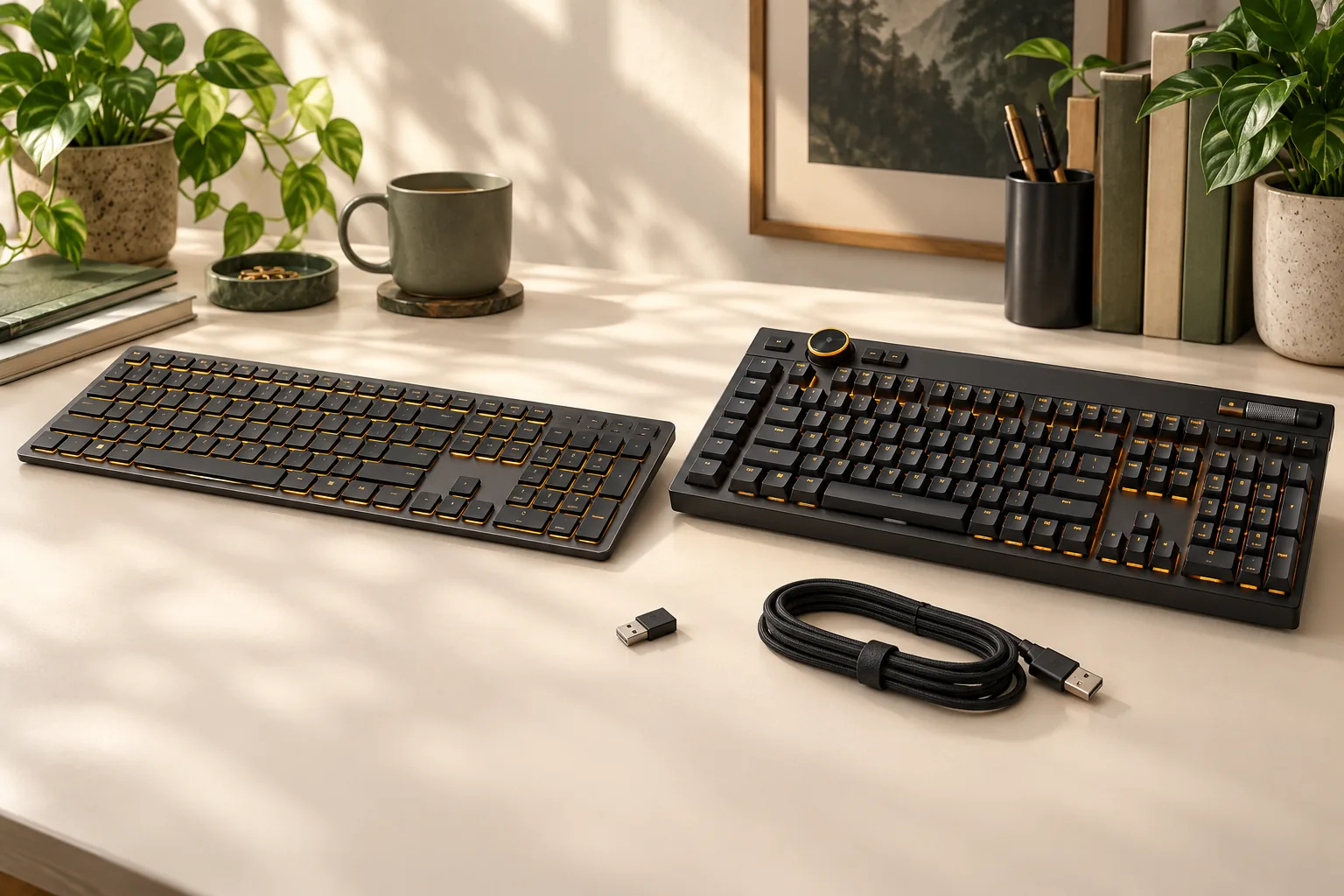
Choose the K100 AIR CH-913A01U-NA for its documented wireless options and CHERRY MX Ultra Low Profile Tactile mechanical switches. Choose the K100 RGB OPX CH-912A01A-NA for wired connectivity, CORSAIR OPX optical switches, six macro keys, and an iCUE control wheel. iCUE is Corsair’s configuration software. The shared K100 name does not make their specifications interchangeable. See Corsair’s AIR specifications and RGB OPX specifications.
If you are shopping for the Corsair K100 RGB optical-mechanical gaming keyboard and encounter an AIR listing, start with the part number. This comparison is for buyers checking the two exact North American configurations above, including their connections, controls, factory accessories, and maintenance limits.
This is a documentation-based comparison using Corsair’s product pages and AIR manual captured October 15, 2026. Recommendations reflect those documented features; they do not represent hands-on testing or measured performance results.
Key takeaways
- AIR provides SLIPSTREAM receiver-based wireless, Bluetooth, and USB wired modes; RGB OPX is the wired configuration compared here. Sources: AIR, RGB OPX.
- RGB OPX has six dedicated macro keys; AIR has four. Sources: AIR, RGB OPX.
- Corsair recommends leaving AIR’s keycaps installed because they are not designed for replacement. Source: AIR manual.
On this page: Identify the models · Switches · Connections and software · Controls and accessories · Maintenance · Checkout worksheet · FAQs
Identify the exact models
Read the full product label before comparing features. For this comparison, the identifying combinations are AIR + CH-913A01U-NA + CHERRY MX Ultra Low Profile Tactile and RGB + CH-912A01A-NA + CORSAIR OPX. Both official pages identify an NA layout, so check the selected layout as well as the model name. Sources: AIR, RGB OPX.
The following tables keep each configuration separate. Use the relevant table to check a listing rather than assembling a specification from different K100 pages.
K100 AIR WIRELESS RGB mechanical gaming keyboard
Factory specifications for CH-913A01U-NA, from Corsair’s AIR product page.
| Purchase check | Documented AIR configuration |
|---|---|
| Switch technology | CHERRY MX Ultra Low Profile Tactile mechanical |
| Advertised actuation | 0.8 mm |
| Layout and key matrix | NA; 108 keys |
| Dedicated macro keys | Four |
| Connection choices | SLIPSTREAM wireless, Bluetooth 4.2, USB wired |
| Media controls | Dedicated media keys and volume roller |
| Wrist rest | Not included |
| Listed package contents | Keyboard, SLIPSTREAM adapter, USB data/charging cable, safety leaflet, warranty card |
Corsair K100 RGB optical-mechanical gaming keyboard: OPX configuration
Factory specifications for CH-912A01A-NA, from Corsair’s RGB OPX product page.
| Purchase check | Documented RGB OPX configuration |
|---|---|
| Switch technology | CORSAIR OPX optical-mechanical; linear travel |
| Advertised actuation | 1.0 mm |
| Layout and key matrix | NA; 110 keys |
| Dedicated macro keys | Six |
| Wired connections | Two USB 3.0 or 3.1 Type-A connections |
| USB passthrough | USB 2.0 Type-A |
| Controls | Dedicated media keys, volume roller, iCUE control wheel |
| Installed keycaps | 1.5 mm double-shot PBT; standard bottom row |
| Cable construction | Braided |
| Listed accessories | Detachable magnetic cushioned palm rest, FPS/MOBA keycap sets, keycap puller |
Corsair’s RGB page also offers a separate CHERRY MX Speed switch selection. The OPX specification table above applies to the selected OPX part number; use separate documentation if you choose MX Speed. A switch selector does not establish user-swappable switch sockets. Source: RGB product page.
Switch technology and actuation
AIR’s switch is a tactile, ultra-low-profile mechanical design. Corsair describes a tactile bump and advertises 0.8 mm actuation. RGB OPX uses Corsair’s optical-mechanical switches, described as having linear travel and 1.0 mm actuation. Those are two different switch configurations, even though both products carry the K100 name. Sources: AIR, RGB OPX.
Use those specifications to confirm the switch design you want. The advertised actuation distances alone do not establish which keyboard will feel better to you or produce better results in a game. This comparison provides no measured latency, sound, typing-accuracy, or comfort ranking.
If your requirement is specifically a tactile ultra-low-profile switch, AIR is the documented match. If your requirement is specifically CORSAIR OPX optical switches, check for CH-912A01A-NA and the OPX selection. A listing that says only “K100 mechanical keyboard” leaves the configuration unresolved. Sources: AIR, RGB OPX.
Connections and software
Connection choice is the clearest practical reason to separate these models. AIR supplies wireless and wired options, while the selected RGB OPX model specifies a wired setup with USB passthrough. Plan around the exact connection you intend to use. Sources: AIR, RGB OPX.
AIR: receiver, Bluetooth, or USB
AIR’s manual describes three connection paths:
- SLIPSTREAM: connect the wireless adapter to an available USB 2.0 or better Type-A port.
- Bluetooth: pair up to three hosts, each with Bluetooth 4.0 or higher and support for standard keyboard HID input.
- USB wired: connect the keyboard’s cable to a USB 3.0 Type-A port or better; it automatically enters wired mode.
These instructions come from the AIR manual. HID support means the host can accept standard keyboard input. Check both Bluetooth 4.0-or-higher support and keyboard HID support on each device you plan to pair; the keyboard’s own Bluetooth 4.2 specification is a separate field. Sources: AIR manual, AIR specifications.
For a setup that alternates between a computer and Bluetooth devices, AIR’s documented host switching is a reason to consider it. The manual also allows switching back to wireless while the cable remains connected. Consult the illustrated manual for the actual shortcut keys before setup. Source: AIR manual.
RGB OPX: count the host connections and passthrough separately
The RGB OPX technical table specifies two USB 3.0 or 3.1 Type-A connections and separately lists a USB 2.0 Type-A passthrough port. When planning your desk, count the required host connections first, then decide whether the keyboard’s additional USB port is useful for your setup. Source: RGB OPX specifications.
Its braided cable construction is documented. Cable detachability remains unverified here, so confirm that separately if your purchase depends on removing or replacing the cable.
AIR’s input modes and iCUE support are separate checks
AIR operates in software mode under iCUE’s control when iCUE is running. Without iCUE, or on a device that does not support it, hardware mode uses profiles and settings saved to onboard storage. Successful keyboard input on a host therefore does not establish that every iCUE configuration feature is available there. Source: AIR manual.
The manual documents selecting up to 8,000 Hz polling through iCUE for USB wired operation. It also states that Xbox and PlayStation do not support polling above 1,000 Hz. Keep those conditions attached to the specification instead of treating the highest number as a promise for every connection or host. Source: AIR manual.
Before choosing AIR for a particular device, identify your connection method and the functions you need. If those include saved macros or lighting settings, check the manual’s hardware-mode guidance alongside the host’s support.
Controls and included accessories
RGB OPX supplies six dedicated macro keys and an iCUE control wheel alongside its media controls and volume roller. Corsair describes the wheel as programmable for functions such as brightness, application switching, and zoom. AIR supplies four macro keys, dedicated media controls, and a volume roller. Sources: RGB OPX, AIR.
Choose by the controls you expect to use. If you already have six distinct actions planned for dedicated macro keys, RGB OPX matches that count. If four dedicated macro keys meet your needs and wireless connectivity matters more, AIR is the more relevant configuration to evaluate. Those recommendations follow the documented feature counts rather than measured productivity gains.
The package difference also deserves a separate check. AIR lists its receiver and data/charging cable but no wrist rest; RGB OPX lists a detachable magnetic cushioned palm rest, FPS/MOBA caps, and a puller. Compare those factory lists with the seller’s actual contents, especially for an open-box or used unit. Sources: AIR package, RGB OPX package.
Keycaps and maintenance
Leave AIR’s keycaps installed. Corsair’s manual says the ultra-low-profile caps are not designed to be replaced and recommends against removing them to avoid potential damage. If routine keycap changes are part of your purchase plan, that restriction should affect your decision before checkout. Source: AIR manual.
An accessory recommendation displayed beside a product is insufficient evidence of fit. For AIR, follow the exact-model manual’s removal guidance rather than assuming a nearby keycap kit applies.
RGB OPX’s page documents double-shot PBT caps, a standard bottom row, and included alternate FPS/MOBA caps with a puller. It does not provide enough evidence here to approve a particular third-party replacement kit. Obtain confirmation for the exact keyboard, layout, and kit, including any spacebar, stabilizer, or macro-key requirements. Source: RGB OPX product page.
AIR’s manual also contains battery-removal instructions specifically for a product disabled for disposal and recycling. Treat that section as end-of-life guidance; it does not establish a routine battery-upgrade procedure. Source: AIR manual.
Checkout worksheet
Use this worksheet beside the listing you are considering. The model-specific entries follow the official AIR product page, RGB OPX product page, and AIR manual; the seller checks are questions to resolve before ordering.
| Check | AIR purchase | RGB OPX purchase |
|---|---|---|
| Exact identity | Match CH-913A01U-NA | Match CH-912A01A-NA and OPX |
| Layout | Confirm the selected NA layout matches your needs | Confirm the selected NA layout matches your needs |
| Connection plan | Choose SLIPSTREAM, Bluetooth, or USB | Plan for the specified two Type-A connections |
| Required contents | Confirm receiver and data/charging cable | Confirm palm rest and listed accessory caps/puller |
| Customization plan | Accept the no-keycap-removal guidance | Obtain separate proof for any replacement kit |
| Host functions | For Bluetooth, confirm Bluetooth 4.0 or higher plus keyboard HID support; check hardware/iCUE requirements | Verify required software functions for your host |
| Physical fit | Obtain complete dimensions if clearance matters | Obtain complete dimensions if clearance matters |
| Seller terms | Check condition, total price, returns, and regional eligibility | Check condition, total price, returns, and regional eligibility |
For example, suppose your desk computer has a suitable receiver port and you also want to switch to two Bluetooth devices. AIR is the relevant model to investigate because its manual supports SLIPSTREAM and up to three paired Bluetooth hosts. Confirm that each Bluetooth device has Bluetooth 4.0 or higher and supports standard keyboard HID input, then check that the functions you need work in the applicable mode. Source: AIR manual.
Alternatively, suppose you want OPX switches, six dedicated macro keys, and the control wheel for a wired desk setup. RGB OPX matches those documented requirements; your next checks are its exact part number, available host ports, and actual package contents. Source: RGB OPX specifications.
This comparison does not establish current seller prices, stock, return policies, or warranty eligibility. Resolve those details for the selected unit after confirming the configuration.
Frequently asked questions
Is the K100 RGB OPX wireless like the K100 AIR?
The selected K100 RGB OPX CH-912A01A-NA is documented as wired. K100 AIR CH-913A01U-NA provides SLIPSTREAM, Bluetooth, and USB wired modes. Match the full product label and part number before relying on a listing’s connection description. Sources: RGB OPX, AIR.
Does “optical-mechanical” describe the AIR’s switches?
The AIR configuration compared here uses CHERRY MX Ultra Low Profile Tactile mechanical switches. CORSAIR OPX optical-mechanical switches belong to the separate RGB OPX configuration. Check the switch field on the exact selected product rather than transferring a description from another K100 listing. Sources: AIR, RGB OPX.
Can I buy a generic keycap kit for either model?
For AIR, Corsair recommends against removing the keycaps because they are not designed for replacement. For RGB OPX, the documented standard bottom row does not settle every replacement-kit requirement. Obtain exact kit compatibility confirmation before buying replacement caps. Sources: AIR manual, RGB OPX.
Which configuration should you choose?
Choose AIR when its wireless options and tactile ultra-low-profile switches match your requirements, with its keycap restriction understood. Choose the Corsair K100 RGB optical-mechanical gaming keyboard in the verified OPX configuration when you want its wired connections, six macro keys, control wheel, and included palm rest. Sources: AIR, RGB OPX, AIR manual.
Open the official page for your preferred configuration and compare its full part number with the seller’s selected unit before ordering.
Official references: K100 AIR product specifications · K100 RGB OPX product specifications · K100 AIR manual. Documentation captured October 15, 2026.