As an Amazon Associate we earn from qualifying purchases.
Choose an optical-mechanical keyboard by its exact switch configuration, software requirements, and replacement support. Consider the Corsair K100 OPX if its listed 1.0 mm actuation point fits your needs. Consider the Razer Huntsman V2 Analog if you want per-key actuation adjustment from 1.5 to 3.6 mm through Synapse. Those are model-specific specifications, not evidence that one keyboard performs better. (Corsair specifications; Razer specifications)
This guide is for buyers choosing a complete keyboard for gaming and everyday typing, especially those planning future keycap changes or repairs.
Quick takeaways
- Match the full model, switch option, and regional layout before comparing features.
- Choose adjustable actuation or analog controls only when you have a specific use for them and can verify the required software and game support.
- Check keycap fit and switch replacement separately. Corsair's OPX support excerpt describes a cross-style cap stem but answers the hot-swap question with “Not presently.” (Corsair OPX FAQ)
Editorial method: This guide uses manufacturer product and support excerpts captured on October 15, 2026. Recommendations reflect those documented features; no hands-on performance testing was conducted.
Jump to: Configuration comparison · Actuation · Software and typing · Computer requirements · Replacement checks · Buying worksheet · FAQ
Compare the Exact Keyboard Configurations
Start with the complete product identity. The Corsair example here is the K100 RGB with CORSAIR OPX switches, part number CH-912A01A-NA. Its captured specifications identify a wired keyboard, NA layout, 110 keys, and six macro keys. Keep that configuration separate from a K100 listing with a different switch option. (Corsair K100 OPX specifications)
The Razer example is the Huntsman V2 Analog. Keep the word “Analog” in your comparison and order details; the specifications below belong to that exact model. (Razer Huntsman V2 Analog specifications)
| Buying question | Corsair K100 OPX, CH-912A01A-NA | Razer Huntsman V2 Analog |
|---|---|---|
| What switch system is identified? | CORSAIR OPX Optical-Mechanical | Razer Analog Optical |
| What actuation is documented? | Listed 1.0 mm actuation point | Per-key adjustment from 1.5 to 3.6 mm through Synapse |
| What control feature matters here? | Six dedicated macro keys | Dual-step bindings at two actuation points through Synapse |
| What software needs checking? | iCUE requirements for your computer and intended configuration | Synapse for the documented settings; latest Synapse for Rapid Trigger |
| What switch replacement boundary applies? | Corsair's captured OPX FAQ says “Not presently” to hot-swapping | Replacement service and user removal procedures need separate manufacturer confirmation |
Table sources: Corsair K100 product specifications, Corsair OPX FAQ, and Razer Huntsman V2 Analog specifications. The Razer replacement entry identifies a question to resolve, not a claim that its switches are removable.
Use the table to identify a feature you need. If changing the actuation point is essential, Razer documents that capability for the retained Analog model. If you are considering the K100, evaluate its listed actuation point and exact configuration rather than assuming it offers the same settings.
Match Actuation to Your Controls
Actuation is the point in a keypress where an input registers. Corsair lists 1.0 mm for this K100 OPX configuration. Razer documents an adjustable range of 1.5 to 3.6 mm for each key on the Huntsman V2 Analog through Synapse. These figures describe actuation positions; they are not measured response times. (Corsair specifications; Razer specifications)
Decide whether you want a documented actuation point or the ability to configure that point by key. For example, a buyer who specifically wants different actuation settings for different controls has a reason to investigate the Huntsman V2 Analog. That is a feature-based selection condition, not a prediction of better aim, fewer mistakes, or faster play.
Adjustable Actuation, Analog Input, and Dual-Step Bindings
Keep these requirements separate when shopping. Razer describes per-key actuation adjustment, analog input for gamepad-compatible games, and dual-step bindings that assign a keybind to two actuation points on one switch. Each feature answers a different control question. (Razer feature descriptions)
Write down the behavior you want: choosing where a key registers, using controller-style input, or assigning actions at two press depths. Then check the exact model's documentation for that behavior. The word “optical” alone does not establish all three capabilities, and these optical product descriptions should not be relabeled as Hall effect specifications.
Check Software, Game Input, and Typing Behavior
Razer says the Huntsman V2 Analog's per-key actuation settings and dual-step bindings are configured through Synapse. Its captured guidance also says Rapid Trigger requires the latest version of Synapse. If one of those features is your reason to buy, confirm the current software requirements for your computer before ordering. (Razer software guidance)
For analog input, Razer points to games that can be used with a gamepad. Treat that as manufacturer guidance and check your exact game, intended bindings, and use of other input devices. The documentation does not establish how every game handles your preferred combination of keyboard, mouse, and controller-style input. (Razer analog-input guidance)
A useful question is: “Can I use the controls I want together in this game?” Name the game and describe the intended setup when asking its support team or the keyboard manufacturer. A general statement that a game supports controllers may not answer the full question you need resolved.
Plan the Return to Normal Typing
Razer warns that keys mapped to analog actuation or custom settings no longer function as standard keys for normal typing. That matters if the same keyboard serves games, chat, documents, and work applications. Before buying for mixed use, establish how you will restore the normal key behavior you need. (Razer typing-behavior warning)
For example, suppose you want analog movement controls in a game and ordinary letter entry afterward. Make both behaviors part of your buying check. After setup, verify the game configuration and then verify normal typing before relying on that workflow for daily use.
Check the K100 NA Computer and Port Requirements
The captured K100 CH-912A01A-NA specifications list PC or Mac compatibility, two USB 3.0 or 3.1 Type-A ports, Windows 10 or macOS 10.15 or later, and an internet connection for the iCUE download. These are manufacturer-listed requirements, not a tested guarantee for your present computer or every software feature. (Corsair host requirements)
Compare that list with your actual setup. Count the available ports, confirm their type, and check the current iCUE requirements for the functions you intend to configure. If your setup depends on an adapter or dock, resolve that connection question with exact-model support before purchasing.
Check the regional layout at the same time. This comparison uses the NA part number; verify that the selected listing and order confirmation identify the layout and OPX switch option you want. A matching product-family name is only the beginning of that check.
Separate Keycap Fit From Switch Replacement
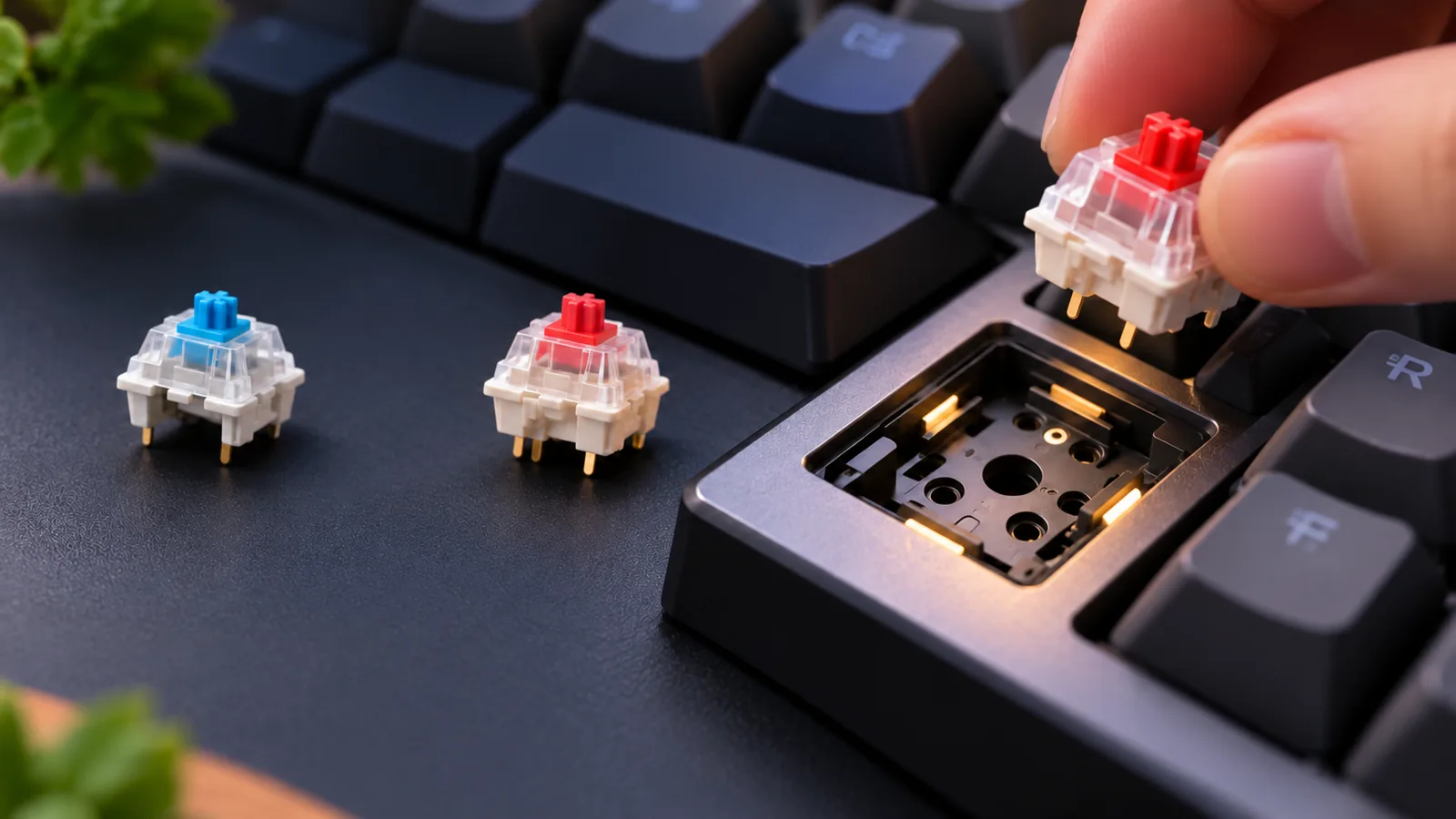
Corsair's OPX FAQ discusses keycaps and hot-swapping separately. It describes a traditional cross-style cap stem and says regular keycaps fit, while answering the hot-swap question with “Not presently.” A cap mounting statement therefore should not be used as a promise of user switch replacement. (Corsair OPX FAQ)
For buying purposes, separate the decision into three checks:
- Cap engagement: Does the proposed cap's mount match the documented stem?
- Complete kit coverage: Does the set provide the correct caps for every position you intend to replace?
- Switch replacement: Does the manufacturer support the proposed replacement for that exact keyboard?
A positive answer to the first question leaves the others open. If your main reason to buy is experimenting with replacement switches, resolve the third question before choosing the keyboard.
Audit the Whole Keycap Set
Ask the cap seller or manufacturer to confirm the kit against your exact keyboard and layout. Request a position-by-position check of row profiles, key widths in units, stabilizer mounts, bottom-row coverage, and clearance throughout key travel. Treat these as compatibility questions to verify, not as problems proven to affect a particular kit.
Include every key you plan to change. The retained K100 configuration lists 110 keys and six macro keys, so a kit decision should account for those positions rather than relying on a stem photograph alone. No complete replacement set is certified by this guide. (Corsair key count; Corsair stem guidance)
Confirm the Service Route Before Planning Repairs
Use Corsair's captured non-hot-swap statement as a buying boundary. If future switch replacement is essential, ask Corsair about support for the exact part number before purchasing. The FAQ's wording does not establish future parts availability. (Corsair OPX support)
For the Huntsman V2 Analog, obtain model-specific service guidance before planning a switch repair. The cited Razer product excerpt does not establish a removal procedure or a compatible replacement switch. Neither a similar-looking cap stem nor another keyboard's repair instructions answers that question.
Optical-Mechanical Keyboard Buying Worksheet
Use this worksheet to turn a feature comparison into a purchase decision. Record concrete answers for the exact listing you are considering; an unresolved requirement is a reason to pause that selection.
| Decision | What to record or confirm |
|---|---|
| Exact identity | Full model name, part number where available, switch option, and regional layout |
| Actuation requirement | Whether the listed point meets your needs or per-key adjustment is essential |
| Game controls | Exact game, desired bindings, and support for the intended input combination |
| Software workflow | Current software requirements, installation access, and the settings you need |
| Everyday typing | How you will restore ordinary typing after custom mappings |
| Computer connection | Required ports and confirmation of any adapter or dock arrangement |
| Keycap plans | Written confirmation of mounts, row profiles, key sizes, stabilizers, coverage, and clearance |
| Repair expectations | Manufacturer-supported service route for the exact model |
| Checkout details | Matching configuration, seller identity, price, delivery terms, and return terms |
For a buyer who wants configurable actuation and plans to use analog controls, the Huntsman V2 Analog is the documented candidate to investigate. Complete the game, software, and typing checks before deciding. For a buyer satisfied with the K100 OPX's listed actuation point, focus on its NA configuration, host requirements, and support boundary.
If user switch swapping is essential, the captured OPX FAQ is a reason to reconsider that selection. The Razer excerpt leaves its replacement route unresolved. A successful buying decision can be to keep looking until a manufacturer documents the support you require.
Frequently Asked Questions
Are All Optical Keyboards Analog or Hall Effect?
No. Keep the exact switch identity attached to the exact model: Corsair identifies this K100 configuration as OPX Optical-Mechanical, while Razer identifies the Huntsman V2 Analog as analog optical. Neither label establishes Hall effect operation, and Razer's documented analog features should not be transferred to every optical keyboard. (Corsair; Razer)
Does an MX-Looking Stem Prove a Whole Keycap Kit Fits?
No. Corsair's OPX FAQ supports a cross-style cap mounting claim, but it does not certify every replacement kit for every keyboard position. Check the proposed set's row profiles, key widths, stabilizer mounts, bottom-row coverage, and travel clearance separately. Stem appearance also does not establish switch replacement compatibility. (Corsair OPX FAQ)
Can the Huntsman V2 Analog Handle Gaming and Normal Typing?
Plan a verified configuration for each use. Razer warns that keys mapped to analog actuation or custom settings stop functioning as standard typing keys. Before buying for both tasks, confirm how you will restore ordinary typing and check your intended game's input behavior. (Razer typing and analog guidance)
Make Your Choice
Choose an optical-mechanical keyboard after matching its documented controls to your needs. The K100 OPX offers the listed 1.0 mm actuation point in the exact NA configuration discussed here; the Huntsman V2 Analog documents per-key adjustment through Synapse. Keep game behavior, typing workflow, cap coverage, and switch service on your checklist.
Your next step is to open the official page for your preferred model and complete the worksheet against the exact configuration you intend to order.
Sources: Manufacturer product and support excerpts captured October 15, 2026: Corsair K100 OPX specifications, Corsair OPX FAQ, and Razer Huntsman V2 Analog specifications.