As an Amazon Associate we earn from qualifying purchases.
What is a Low-Profile Mechanical Keyboard?
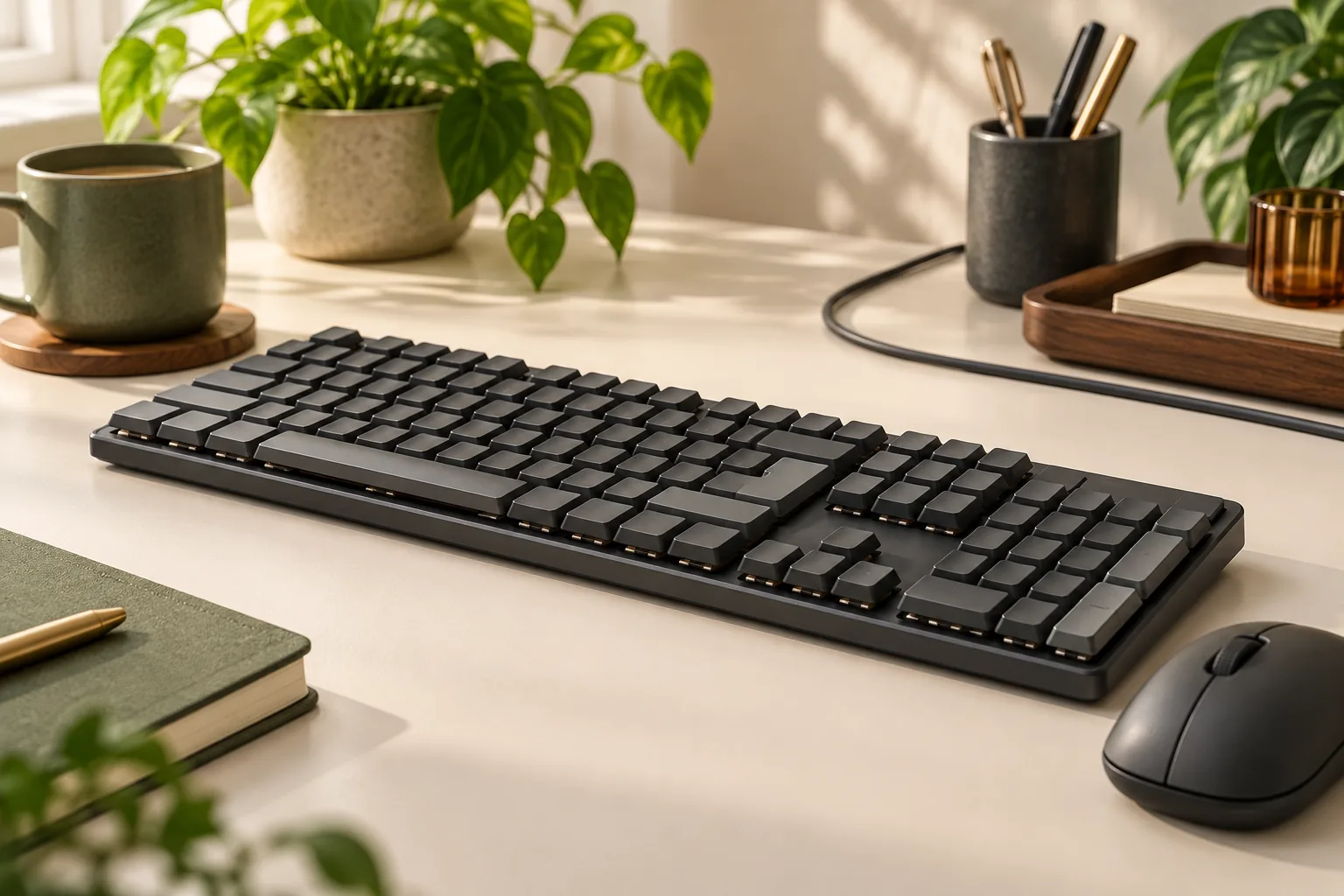
A low-profile mechanical keyboard distinguishes itself through a significantly reduced overall height compared to traditional mechanical keyboards. This design is primarily achieved by employing specialized, shorter mechanical switches and thinner keycaps, resulting in a sleeker chassis. Unlike their full-sized counterparts, which often feature taller switches and a more pronounced key travel, low-profile versions aim for a more compact and streamlined aesthetic.
The core appeal of these keyboards lies in their slim design and modern appearance, often complementing minimalist desk setups or portable workstations. Many users find the reduced height contributes to a more neutral wrist position, potentially lessening strain during extended typing sessions. This design choice sets them apart from both traditional mechanical keyboards, known for their robust build and longer key travel, and membrane keyboards, which typically offer a softer, less tactile typing experience with even shorter travel. Low-profile mechanical keyboards bridge a gap, offering the tactile feedback and durability of mechanical switches within a more condensed form factor. This makes them particularly appealing to laptop users seeking an external keyboard with a familiar feel, minimalists prioritizing desk space, and individuals who frequently travel or desire a more portable mechanical typing solution.
Understanding Low-Profile Switches and Their Impact
Low-profile mechanical keyboards distinguish themselves primarily through their specialized switches, which are engineered for a significantly reduced physical footprint compared to traditional mechanical switches. This design choice directly influences the keyboard's overall slimness and, critically, the user's typing experience.
The core difference lies in the switch's internal mechanics: low-profile switches feature a shorter total travel distance and a higher actuation point. While standard mechanical switches often have a travel of around 4mm, low-profile variants typically reduce this to approximately 2.5mm to 3mm. This means the key registers a press with less downward movement, allowing for a quicker perceived input.
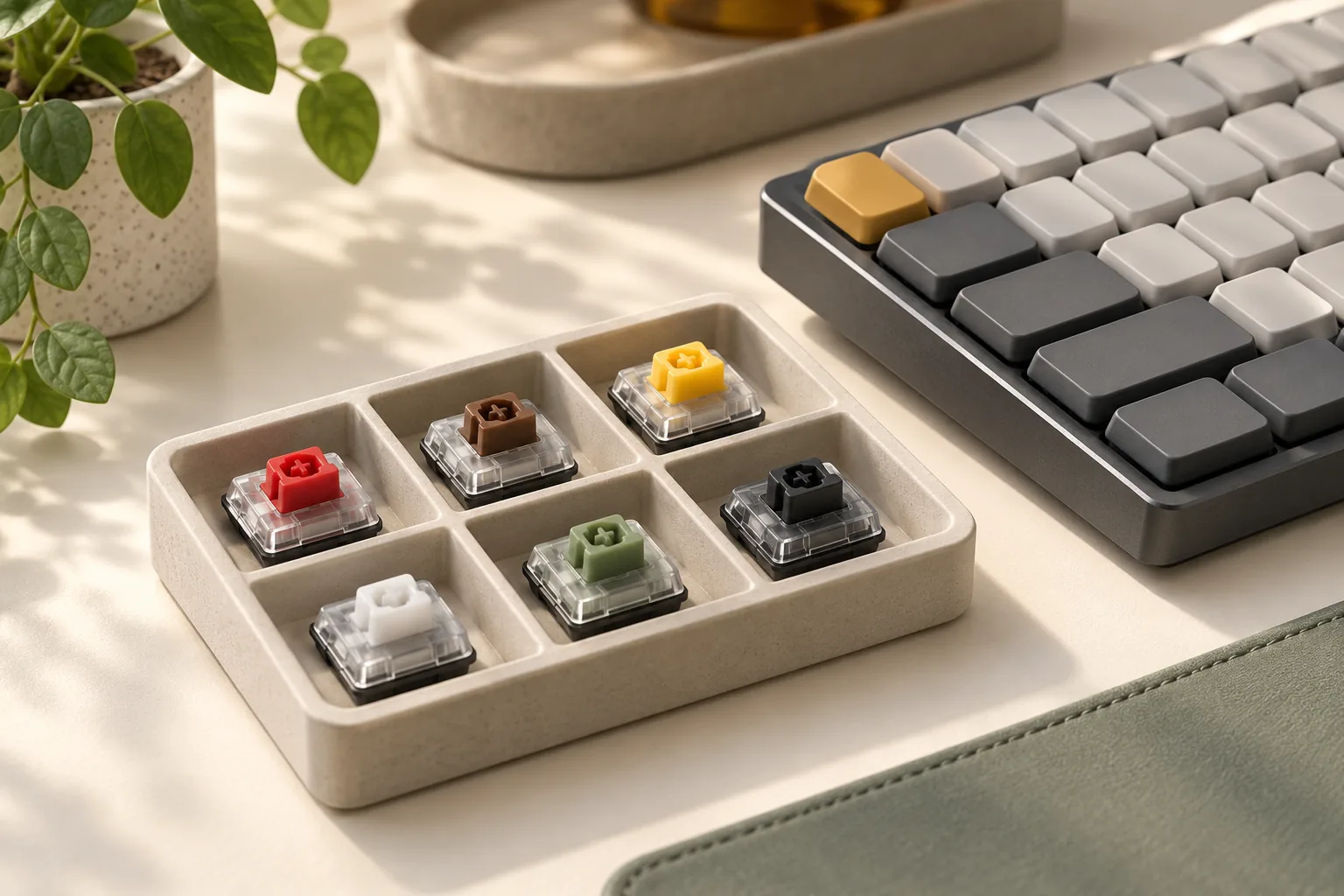
Several manufacturers produce distinct low-profile switch types, each with its own characteristics:
- Kailh Choc: Known for their square stems and a wide range of linear, tactile, and clicky options. They are popular for their very low height.
- Cherry MX Low Profile: Cherry's entry into the low-profile market, aiming to replicate the feel of their full-size switches in a slimmer package.
- Gateron Low-Profile: Often found in popular low-profile keyboards, offering various feel options similar to their standard line.
These design variations profoundly affect the typing feel. The reduced travel distance can lead to a sensation of faster typing, as less effort is required to actuate a key. However, it also means a quicker bottom-out, which can alter the perceived impact and feedback. Some users find the shorter travel makes the keyboard feel less "mechanical" than its full-profile counterparts. The quietness can also vary; while the reduced travel generally leads to less noise, the specific housing and stem design of each low-profile switch type will dictate its acoustic profile. Tactile feedback, if present, may feel less pronounced or have a different force curve compared to full-profile switches, as the "banana" switch action in some low-profile designs illustrates, where an early click might not always correspond with actuation.
When comparing low-profile switch characteristics (linear, tactile, clicky) to their full-profile counterparts, it's important to recognize that the feel is not identical. A low-profile linear switch will still provide a smooth, consistent press, but with a shorter path. A low-profile tactile switch will offer a bump, but its prominence and location in the key travel can differ. Similarly, a low-profile clicky switch will produce an audible click, but its sound profile and crispness might be distinct. These nuances mean that while the fundamental switch categories remain, the specific feel within the low-profile form factor is unique and requires direct experience to fully appreciate.
Key Considerations When Choosing a Low-Profile Mechanical Keyboard
Selecting a low-profile mechanical keyboard involves evaluating how specific features align with your intended use and ergonomic preferences. The compact nature and distinct switch types of these keyboards introduce unique considerations compared to their full-height counterparts. Understanding these factors helps ensure the keyboard you choose enhances your typing experience without unexpected compromises.
-
Form Factor & Layout Low-profile mechanical keyboards come in various sizes, from ultra-compact 60% layouts to more expansive full-size options. Your choice directly impacts desk space, portability, and access to dedicated keys.
- 60% and 65%: Offer maximum desk space savings and portability, often favored by minimalists or laptop users. These layouts typically require function layers for arrow keys or F-row access.
- Tenkeyless (TKL): Eliminates the numpad, providing a balance between compactness and retaining essential navigation and function keys.
- Full-size: Includes a numpad, suitable for data entry or users who prefer a complete layout, while still maintaining the low-profile aesthetic and reduced height. The inherently flatter design of low-profile keyboards can make even a full-size version feel less imposing than a traditional mechanical keyboard.
-
Connectivity Options The method your keyboard connects to your device affects its versatility and user experience. Low-profile keyboards often prioritize wireless solutions to complement their sleek design.
- Wired (USB-C): Offers the most reliable connection with zero latency and no battery concerns. Ideal for competitive gaming or stationary setups.
- Bluetooth: Provides wireless convenience for multi-device pairing and portability, but may introduce minor latency and requires battery management. Battery life can be a significant trade-off, with some users reporting short durations (e.g., two days with RGB on).
- 2.4GHz Wireless: Utilizes a dedicated USB dongle for a more stable and lower-latency wireless connection than Bluetooth, often preferred for wireless gaming. Like Bluetooth, it relies on battery power.
-
Build Quality & Materials The construction materials contribute to a keyboard's durability, weight, and tactile feel.
- Chassis: Options range from robust aluminum, which offers a premium feel and increased stability, to lighter plastics that enhance portability. The slim design of low-profile boards benefits from rigid materials to prevent flex.
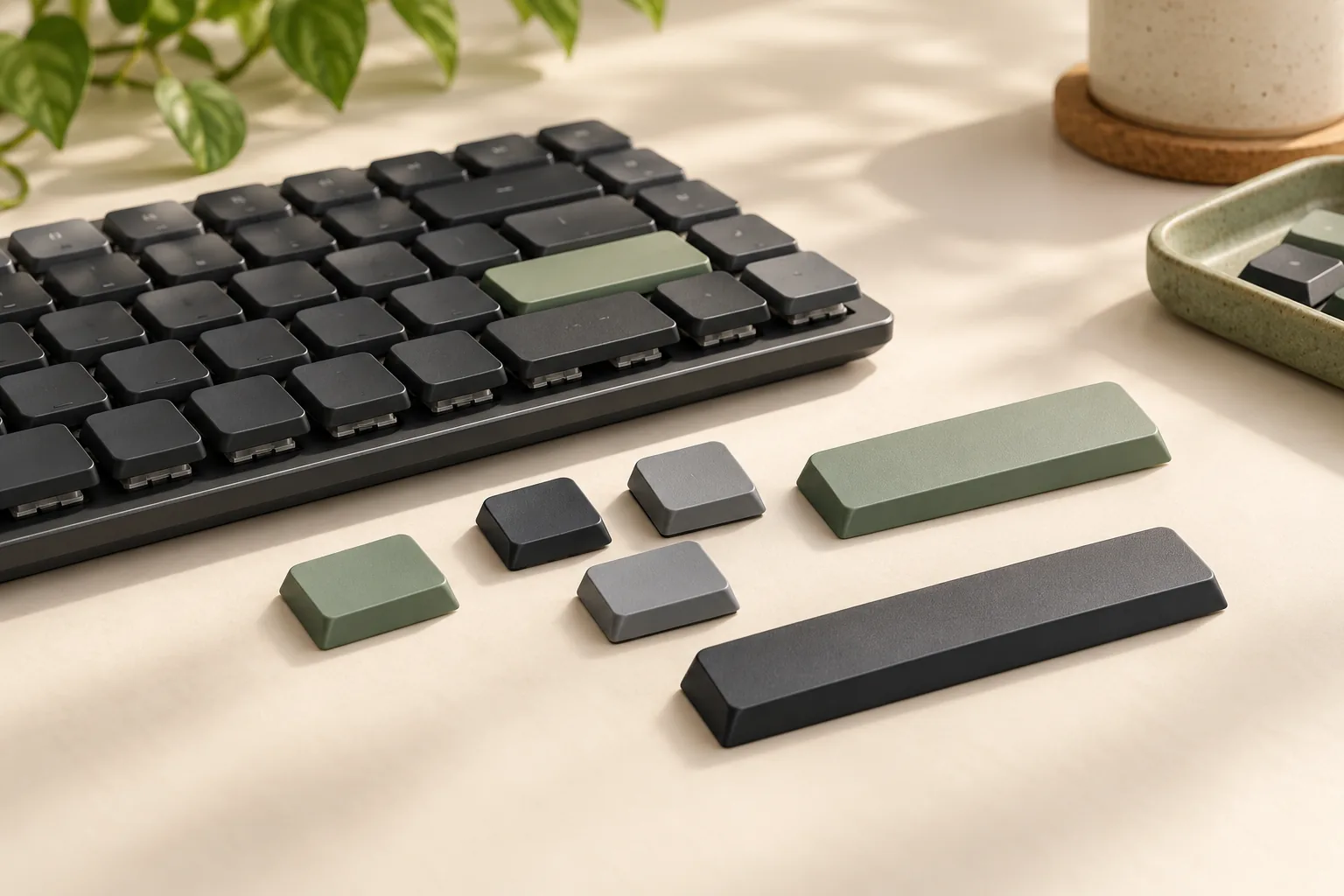
- Keycaps: Common materials include ABS (Acrylonitrile Butadiene Styrene) and PBT (Polybutylene Terephthalate). PBT keycaps are generally more durable and resistant to shine over time compared to ABS, which can develop a smooth, glossy finish with prolonged use. Low-profile keycaps often have a unique stem design, which can limit aftermarket replacement options.
-
Customization Potential For enthusiasts, the ability to modify switches and keycaps or program keyboard functions is a key draw.
- Hot-Swappable Switches: Allows users to change switches without soldering, enabling experimentation with different low-profile switch types (e.g., clicky, tactile, linear) to find a preferred typing feel. Note that low-profile switches are distinct from standard MX-style switches, limiting the variety of compatible options.
- Keycap Compatibility: Due to their unique stem designs, low-profile mechanical keyboards often have limited compatibility with standard aftermarket keycap sets. Users typically rely on manufacturer-specific or specialized low-profile keycaps.
- Software Programmability: Features like macro creation and key remapping through software (e.g., QMK/VIA compatibility) can significantly enhance workflow efficiency, particularly on smaller layouts where functions are accessed via layers.
-
Ergonomics & Comfort Features The design of a low-profile keyboard inherently aims to reduce wrist strain by minimizing typing height.
- Typing Angle: The reduced overall height of low-profile keyboards naturally promotes a flatter wrist posture, which many find more comfortable for extended typing sessions. Some users report a neutral wrist position even after several hours.
- Adjustable Feet: While inherently low, many models still include adjustable feet to allow for minor tweaks to the typing angle, catering to individual preferences.
- Integrated Wrist Rests: Less common on low-profile designs due to their already reduced height, but some models may offer detachable options. The primary ergonomic benefit comes from the keyboard's low profile itself.
-
Backlighting & RGB Backlighting serves both aesthetic and functional purposes, especially in dim environments.
- White Backlighting: Provides clear key visibility and can be less power-intensive than full RGB.
- Per-Key RGB: Offers extensive aesthetic customization with a spectrum of colors and effects. However, for wireless low-profile keyboards, continuous RGB use can significantly reduce battery life, requiring more frequent charging. Consider your priority between visual flair and battery longevity.
Navigating the Trade-offs and Potential Challenges
While low-profile mechanical keyboards offer distinct advantages, potential buyers should be aware of several inherent limitations and challenges that differentiate them from traditional mechanical keyboards. Understanding these trade-offs is crucial for making an informed decision that aligns with individual preferences and use cases.
-
Limited Switch Variety: The ecosystem of low-profile mechanical switches is considerably smaller than that for full-height switches. This means users seeking a very specific tactile, linear, or clicky feel might find their options restricted, as fewer manufacturers produce low-profile variants. The range of force curves and acoustic profiles is less diverse.
-
Customization Constraints: Low-profile designs often lead to reduced compatibility with aftermarket components. Keycap selection is particularly limited due to unique stem designs and the shorter profile required to maintain the keyboard's slimness. Furthermore, modification options like switch films or specialized dampening materials may be less available or more challenging to implement compared to standard mechanical keyboards.
-
Typing Experience Adjustment: For individuals accustomed to the longer key travel and pronounced tactile feedback of full-height mechanical switches or even membrane keyboards, transitioning to a low-profile model can require an adaptation period. The distinct feel of shorter key travel (often around 2.5mm to 3mm total travel) and different actuation points can initially alter typing speed and accuracy until muscle memory adjusts.
-
Battery Life Concerns: Wireless low-profile models, especially those featuring extensive RGB backlighting, typically have shorter battery life compared to their wired counterparts or wireless keyboards without illumination. The power demands of vibrant lighting can necessitate more frequent recharging, which is a practical consideration for users prioritizing portability and wire-free setups.
-
Cost Considerations: Quality low-profile mechanical keyboards often command a premium price. The specialized engineering required for compact switches, slim chassis designs, and advanced wireless connectivity can contribute to a higher initial investment compared to many standard mechanical keyboard options.
-
Compatibility Issues: Before purchasing, it is essential to verify the keyboard's compatibility with your specific devices and operating systems. This includes checking connection types (e.g., USB-C, Bluetooth version), required drivers, and any proprietary software needed for customization or functionality. Incompatibility can lead to frustrating setup processes or limitations in feature access.
Is a Low-Profile Mechanical Keyboard Right for You?
Deciding if a low-profile mechanical keyboard aligns with your needs involves evaluating your daily workflow, aesthetic preferences, and typing habits. This keyboard type offers a distinct experience that suits specific users, while others might find traditional mechanical keyboards more appropriate.
Consider a low-profile mechanical keyboard if you:
- Prioritize Portability and Space: Their slim design and often compact layouts make them ideal for frequent travelers, those with limited desk space, or users seeking a clean, minimalist setup.
- Seek a Laptop-Like Typing Experience with Mechanical Benefits: If you appreciate the shorter travel distance and flatter angle of a laptop keyboard but desire the tactile feedback and durability of mechanical switches, low-profile options bridge this gap.
- Desire a Quieter Mechanical Keyboard: While not universally silent, many low-profile switches, particularly linear and tactile variants, produce less noise than their full-size counterparts, making them suitable for shared office environments or late-night use.
- Are Ergonomics-Conscious: The reduced height can promote a more neutral wrist posture, potentially alleviating strain during extended typing sessions without requiring a dedicated wrist rest as often.
Conversely, a traditional mechanical keyboard might be a more suitable choice if you:
- Demand Extensive Customization: Standard mechanical keyboards offer a vast ecosystem of switch types, keycap profiles, and modding options, allowing for deeper personalization that low-profile keyboards currently cannot match.
- Prefer a Specific Switch Feel: If you have a strong preference for the distinct feel or sound of certain traditional switches (e.g., very heavy linear, specific clicky switches), low-profile alternatives may not replicate that exact experience. The feel of low-profile switches can be quite different from traditional ones, even within the same switch type category.
- Value Maximum Robustness or Weight: While low-profile keyboards are durable, their lighter and thinner construction might feel less substantial to users accustomed to the heft of some full-size mechanical keyboards.
- Require Maximum Key Travel: Although low-profile mechanical switches offer more travel than typical membrane or scissor-switch keyboards, they still have less travel than traditional mechanical switches. If you prefer a deeper keystroke, a standard mechanical keyboard might be more satisfying.
Ultimately, the best choice hinges on personal preference. Balancing the sleek aesthetics and portability of a low-profile design against the broader customization and varied typing feels of traditional mechanical keyboards is key. Experimenting with different switch types and form factors can help you determine which best supports your comfort and productivity.
Frequently Asked Questions About Low-Profile Mechanical Keyboards
Navigating the world of low-profile mechanical keyboards often brings up specific questions regarding their performance, customization, and ergonomic benefits. Understanding these common queries can help clarify expectations and inform your purchasing decision.
-
Are low-profile mechanical keyboards good for gaming? Yes, many low-profile mechanical keyboards are well-suited for gaming. Their switches often feature shorter travel distances and actuation points compared to standard mechanical switches, which can translate to quicker response times in fast-paced games. Some competitive gamers appreciate this reduced key travel for rapid key presses. However, individual preference for switch feel (linear, tactile) and the specific game genre can influence whether a low-profile keyboard is ideal for a particular user.
-
Can I replace the keycaps on a low-profile mechanical keyboard? Keycap replacement on low-profile mechanical keyboards is generally more limited than on standard mechanical keyboards. Low-profile switches, such as Kailh Choc or Gateron Low Profile, use proprietary stem designs that are not compatible with the widely available MX-style keycaps. While some manufacturers offer alternative low-profile keycap sets, the selection is significantly smaller. This is a key consideration for users who prioritize extensive aesthetic customization.
-
Do low-profile mechanical keyboards reduce wrist strain? The reduced height of low-profile mechanical keyboards often promotes a more neutral wrist posture. By keeping the hands flatter and closer to the desk surface, they can potentially alleviate some wrist extension, which is a common contributor to strain during prolonged typing sessions. User feedback frequently highlights a more comfortable wrist position. However, proper ergonomics also depend on overall desk setup, chair height, and typing technique, so a low-profile keyboard is one component of a holistic ergonomic approach.
-
How do low-profile switches differ from standard mechanical switches? Low-profile mechanical switches are engineered to be significantly shorter than their standard counterparts, resulting in a thinner keyboard profile. This reduction in height is achieved through a shorter total travel distance and often a higher actuation point. They also frequently utilize different stem designs (e.g., square stems for Kailh Choc versus the cross-shaped stems of MX-style switches), which impacts keycap compatibility. This design difference primarily affects the physical dimensions of the keyboard and the feel of the key press, offering a snappier, less deep keystroke.
-
Are low-profile mechanical keyboards louder or quieter? Generally, low-profile mechanical keyboards tend to be quieter than many standard mechanical keyboards, especially those equipped with clicky switches. The shorter travel distance and often lighter actuation force can contribute to less audible impact noise. However, the exact sound profile varies significantly depending on the specific switch type (linear, tactile, clicky low-profile switches exist), the keyboard's build materials, and whether the switches are factory-lubricated. While often quieter, they are not universally silent, and some tactile or clicky low-profile options can still produce distinct auditory feedback.
Making an Informed Choice
Navigating the landscape of low-profile mechanical keyboards ultimately leads to a personal decision, shaped by individual priorities and usage patterns. These keyboards offer distinct advantages, primarily their slim design and enhanced portability, making them an attractive option for users seeking a compact desk setup, frequent travelers, or those transitioning from laptop keyboards. The reduced height can also contribute to a more neutral wrist posture, potentially aiding ergonomics for some users.
However, these benefits come with specific trade-offs that warrant careful consideration:
- Unique Typing Feel: The shorter key travel and actuation distance of low-profile switches create a typing experience distinct from full-profile mechanical keyboards. This can require an adjustment period and may not appeal to everyone accustomed to deeper key presses.
- Limited Customization: While options are growing, the ecosystem for low-profile keycaps and switches is generally less diverse than for standard mechanical keyboards, potentially limiting personalization.
The "best" low-profile mechanical keyboard is not a universal truth but rather the one that aligns most closely with your specific requirements. We encourage you to weigh the criteria discussed throughout this guide—such as switch type, connectivity options, build quality, and layout—against your own daily tasks, preferred typing feel, and aesthetic preferences. Understanding these factors will empower you to select a keyboard that genuinely enhances your computing experience.
Final verification for low profile mechanical keyboard
Before ordering
Confirm layout, switch type, socket and keycap compatibility, connection modes, operating-system support, and the current return terms.
Before daily use
Set up key mappings and ergonomics deliberately, then evaluate comfort, sound, and workflow fit during the return period.