As an Amazon Associate we earn from qualifying purchases.
Introduction: The Enduring Appeal of the Full-Size Layout
The full-size mechanical keyboard, characterized by its comprehensive 104- or 108-key layout, stands as a cornerstone in the world of computing peripherals. This traditional design includes a dedicated numeric keypad (numpad), a full complement of function keys, navigation cluster, and arrow keys. Historically, this layout served as the standard for data entry and desktop computing, providing immediate access to every common input function without requiring key combinations or layers.
Despite the rise of more compact keyboard form factors, the full-size layout maintains its popularity for specific user needs. Its enduring appeal stems from a blend of familiarity, comprehensive functionality, and the tactile typing experience inherent to mechanical switches. For many, the presence of a dedicated numpad is not merely a convenience but a workflow necessity, while the complete array of keys supports diverse professional and personal tasks.
This article aims to clarify whether a full-size mechanical keyboard aligns with your specific requirements. We will explore the advantages of this layout, examine the trade-offs compared to smaller alternatives, and provide critical considerations to help you confidently decide if a full-size mechanical keyboard is the right tool for your desk.
Why a Full-Size Mechanical Keyboard Might Be Your Best Fit
For users whose daily tasks involve extensive data manipulation, complex software navigation, or a preference for an uncompromised layout, a full-size mechanical keyboard offers distinct advantages. Its comprehensive design addresses specific workflow needs that smaller form factors often compromise.
-
Unmatched Productivity with a Dedicated Numpad The most defining feature of a full-size keyboard is its dedicated numeric keypad (numpad). For professions and tasks requiring frequent numerical input, this is a significant efficiency booster.
- Rapid Data Entry: Accountants, financial analysts, data entry specialists, and anyone working with spreadsheets can input numbers at a significantly faster pace than using the top-row number keys. The ergonomic layout of the numpad allows for touch-typing numerical sequences without shifting hand position.
- Software Command Execution: Many professional applications, from CAD software to video editing suites, utilize numpad keys for specific commands, shortcuts, or precise adjustments. A dedicated numpad ensures these functions are always at your fingertips, streamlining complex operations.
- Calculations: For quick calculations, the numpad provides an intuitive interface, mirroring traditional calculators and reducing errors associated with less ergonomic number input methods.
-
Familiarity and Comprehensive Key Access A full-size layout provides every standard key, including a complete set of function keys (F1-F12), a dedicated navigation cluster (Insert, Home, Page Up, Delete, End, Page Down), and arrow keys.
- Seamless Transition: For touch typists or those accustomed to traditional keyboard layouts, the full-size form factor requires no adjustment period. Muscle memory translates directly, minimizing errors and maximizing typing speed from day one.
- Reduced Cognitive Load: All essential keys are physically present, eliminating the need to memorize layered key combinations (Fn + key) common on smaller keyboards. This direct access can improve focus and reduce mental fatigue during long work sessions.
- Extensive Shortcut Support: Many operating systems and applications rely heavily on F-key shortcuts or combinations involving navigation keys. A full-size keyboard ensures these are immediately available, supporting a wide range of power-user functions and macros without compromise.
-
Ideal for Specific Use Cases Certain activities inherently benefit from the comprehensive nature of a full-size mechanical keyboard.
- Professional Accounting & Finance: As noted, the numpad is indispensable for high-volume numerical data input and financial modeling.
- Programming & Development: Programmers often utilize a wide array of symbols, function keys, and navigation keys for coding, debugging, and navigating large codebases. The full layout provides direct access to these without interruption.
- Extensive Gaming with Macros: For genres like MMORPGs, RTS games, or simulations, a full complement of keys allows for extensive keybinds, macros, and quick access to in-game functions without relying on software remapping or awkward key combinations.
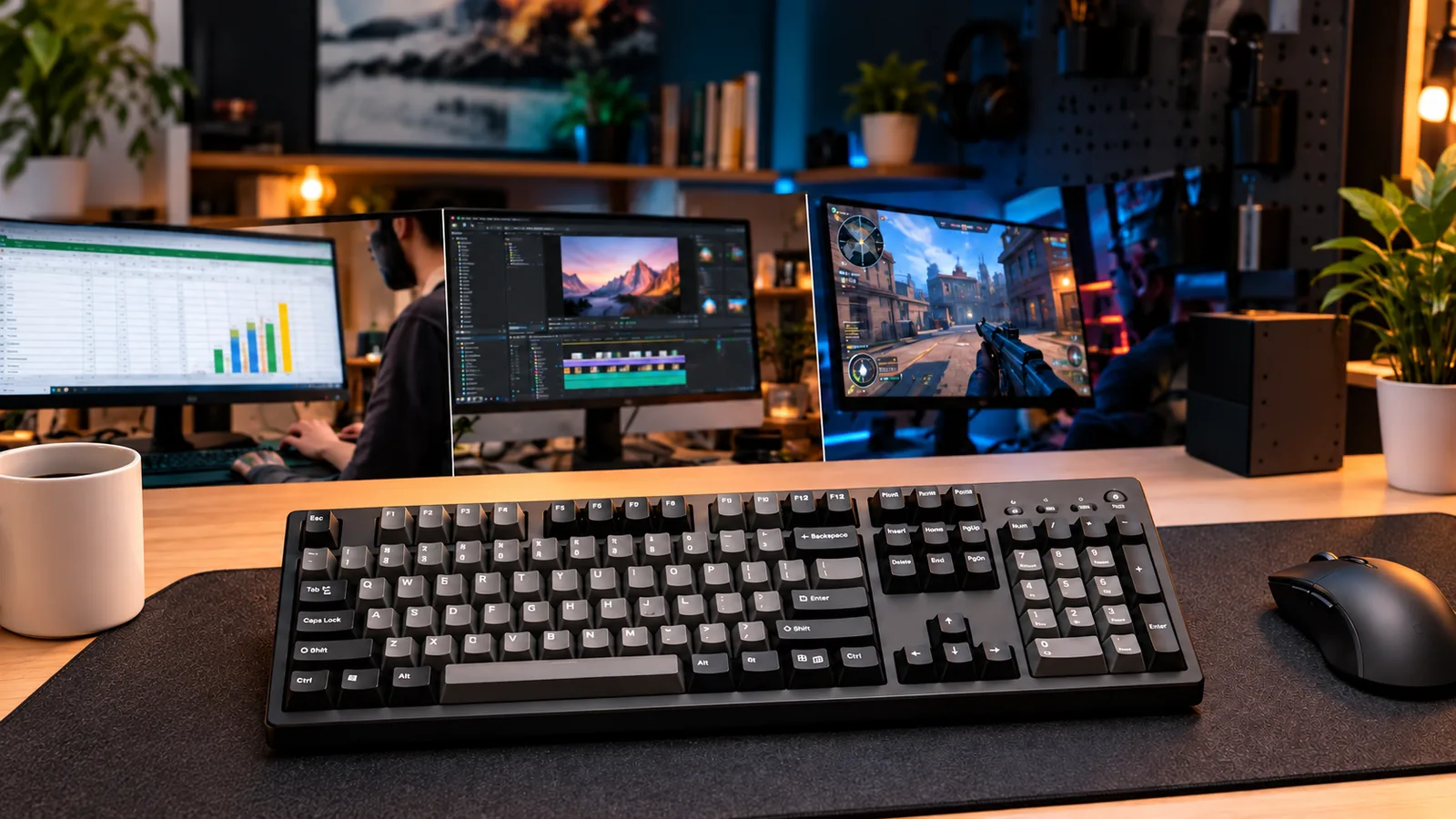
- Content Creation & Editing: Video editors, graphic designers, and audio engineers frequently use function keys and the navigation cluster for timeline scrubbing, tool selection, and precise adjustments, making the full layout a productivity asset.
Essential Criteria for Selecting Your Full-Size Mechanical Keyboard
Choosing a full-size mechanical keyboard involves more than just selecting a comprehensive layout; it requires evaluating several key aspects to ensure it aligns with your specific workflow and preferences. These criteria help refine your choice, balancing functionality with personal comfort and durability.
-
Key Switch Types: Finding Your Perfect Feel The core of a mechanical keyboard's experience lies in its switches. For a full-size board, where you might engage in extensive typing, data entry, or gaming, the switch type significantly impacts comfort and performance.
- Linear switches offer a smooth, consistent press from top to bottom, ideal for rapid, repetitive keystrokes often found in gaming or fast touch-typing on the main alpha keys and numpad.
- Tactile switches provide a noticeable "bump" midway through the press, offering feedback without an audible click. This can enhance typing accuracy for those who prefer to feel the actuation point, beneficial for both general use and precise data entry.
- Clicky switches combine the tactile bump with an audible "click" sound, providing both tactile and auditory confirmation of actuation. While satisfying for some, the sound profile may be a consideration in shared environments.
-
Build Quality and Materials: Durability and Typing Experience A full-size keyboard is often a central component of a desk setup, making its construction crucial for longevity and consistent performance.
- PBT keycaps are a common indicator of quality, known for their resistance to shine and wear over time compared to ABS alternatives.
- A sturdy case minimizes flex and contributes to a more solid typing feel, often made from robust plastics or aluminum.
- Smooth, lubricated stabilizers on larger keys (like the spacebar, enter, shift, and numpad enter) are important for preventing rattle and ensuring a consistent keypress across the entire keycap, a detail that significantly impacts the overall typing experience.
-
Connectivity Options: Wired, Wireless, or Both? Your choice of connectivity impacts desk aesthetics, portability, and reliability.
- Wired connections offer maximum stability and lag-free performance, often preferred for critical tasks like gaming or professional data entry where every keystroke counts. They eliminate battery concerns.
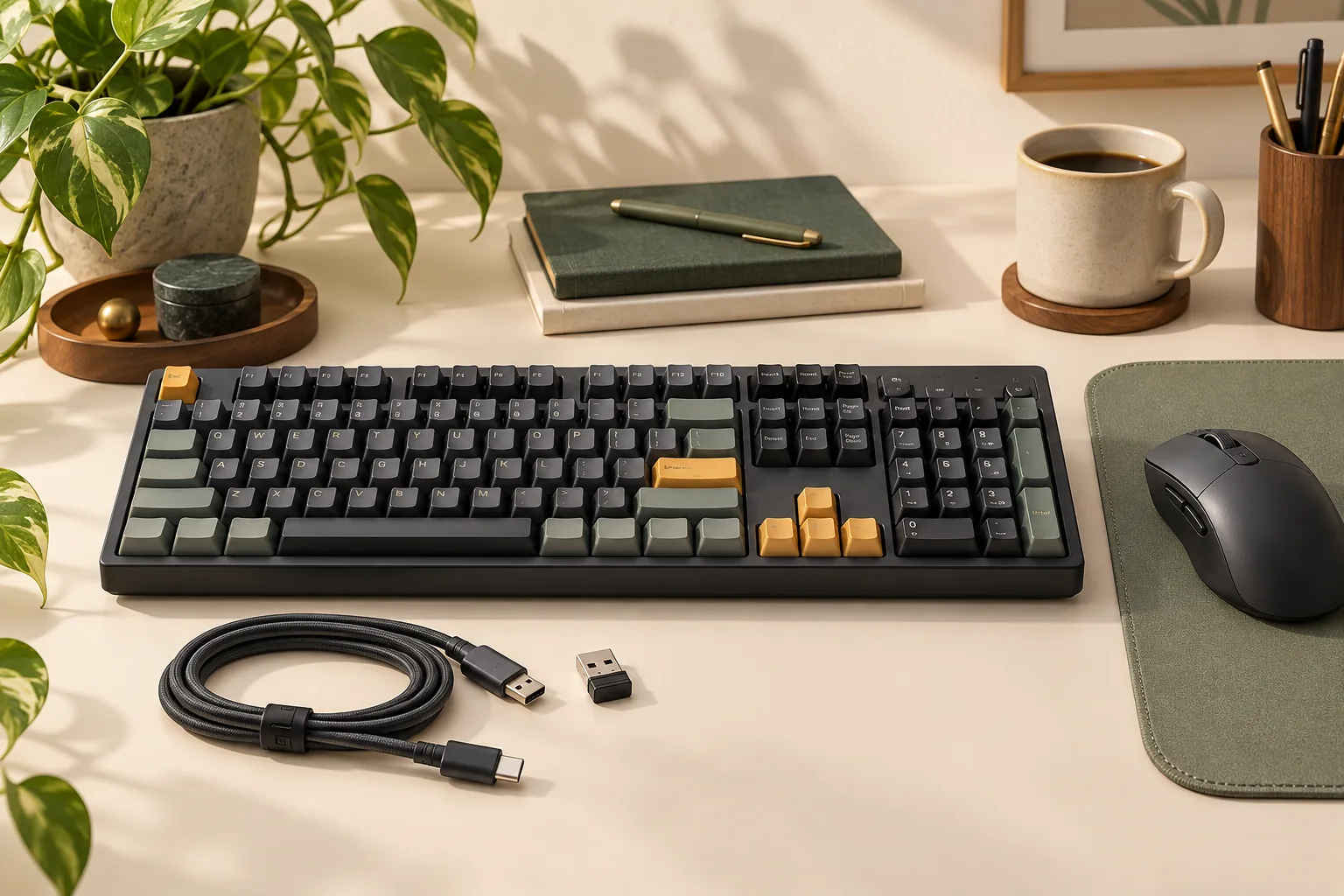
- Wireless options (Bluetooth or 2.4GHz dongle) provide a clutter-free desk and greater flexibility in placement. However, they introduce the need for battery management and potential for minor latency, though modern wireless mechanical keyboards have significantly reduced this.
- Keyboards offering both wired and wireless connectivity provide the best of both worlds, allowing you to switch based on your immediate needs.
-
Customization and Features: Hot-Swappable Switches, RGB, Software Modern mechanical keyboards often come with features that enhance personalization and functionality.
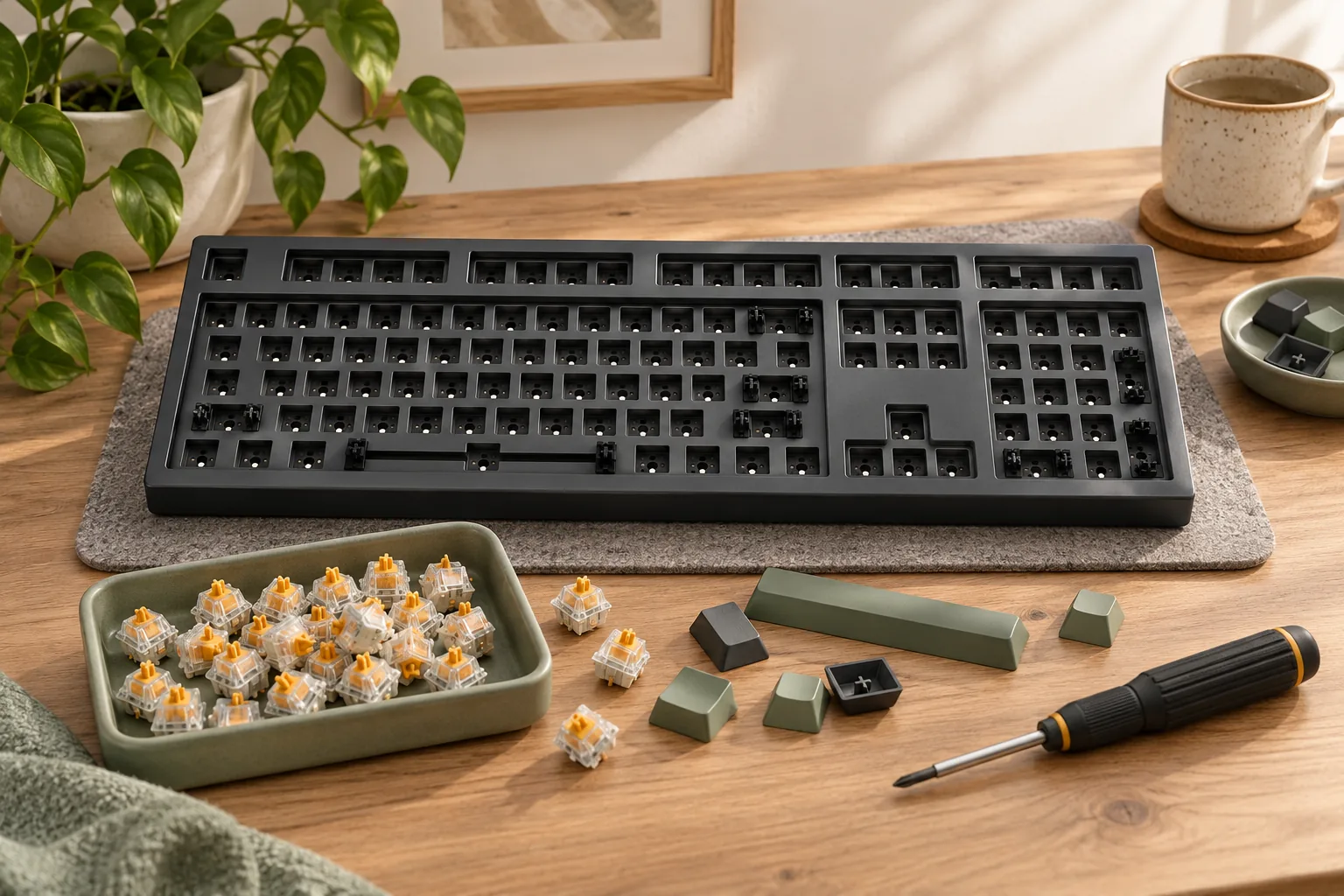
- Hot-swappable switches allow you to change switches without soldering, offering flexibility to experiment with different switch types or replace faulty ones, extending the keyboard's lifespan and adaptability.
- RGB backlighting provides aesthetic customization, allowing you to match your keyboard's lighting to your setup or mood. Some implementations also offer per-key lighting for functional purposes.
- Accompanying software can unlock extensive customization, including key remapping (especially useful for a comprehensive layout), macro creation, and lighting control. Be aware that some brands may have less refined software experiences.
-
Ergonomics and Desk Space Considerations The larger footprint of a full-size keyboard inherently impacts your desk setup and potential ergonomic implications.
- Its width requires more desk space, which might necessitate adjusting your monitor or other peripherals.
- The presence of the numpad often pushes the mouse further to the right for right-handed users, potentially leading to a wider reach and increased shoulder strain over long periods. Consider your mouse usage habits and whether a wider stance is comfortable for your arm and shoulder.
Understanding the Trade-offs: When Full-Size Isn't the Only Answer
While the comprehensive layout of a full-size mechanical keyboard offers undeniable advantages for specific tasks, it's important to consider its potential drawbacks. These limitations often relate to physical space, workflow efficiency for certain users, and ergonomic considerations that can influence long-term comfort. Recognizing these trade-offs is crucial for determining if a full-size model truly aligns with your personal setup and usage habits.
- Desk Real Estate and Portability Concerns: A full-size mechanical keyboard occupies a significant amount of desk space due to its 104 or 108 keys. This larger footprint can be a constraint for users with limited desk depth or width, potentially cluttering the workspace or forcing other peripherals into less optimal positions. Furthermore, their size and often robust construction mean they are generally heavier and less convenient to transport than smaller form factors, making them a less practical choice for those who frequently move their setup or work on the go.
- Potential for Redundancy in Certain Workflows: The defining feature of a full-size keyboard, the dedicated numpad, is indispensable for data entry, accounting, or specific gaming macros. However, for users whose primary activities involve writing, programming, or general browsing without frequent numerical input, the numpad can become redundant. In such cases, the extra keys contribute to the keyboard's overall size without providing proportional utility, potentially leading to wasted space and an unoptimized layout for their specific needs.
- Ergonomic Implications for Mouse Hand Position: The width of a full-size keyboard inherently pushes the mouse further to the right (for right-handed users) or left (for left-handed users). This increased reach can lead to an unnatural arm extension and shoulder abduction over prolonged periods. For users who frequently switch between typing and mousing, this ergonomic compromise might contribute to discomfort or strain, making a more compact keyboard that allows the mouse to be positioned closer to the body a more suitable option.
Navigating Common Pitfalls and Quality Concerns
While the comprehensive layout of a full-size mechanical keyboard offers significant advantages, potential buyers should be aware of common quality issues that can detract from the user experience. The market for mechanical keyboards is broad, and not all offerings deliver the same level of construction or refinement. Understanding these potential pitfalls can help in making an informed purchase.
A frequent point of frustration involves stabilizer quality, particularly on larger keys such as the spacebar, Shift, Enter, and Backspace. Poorly manufactured or untuned stabilizers can result in a "rattly" sound, a "mushy" feel, or inconsistent keypresses, making these crucial keys less satisfying to use. This issue can significantly impact the overall typing experience, especially given the frequent use of these modifiers and the spacebar. Keyboards with pre-lubricated stabilizers or those designed for easy tuning often indicate a higher attention to detail.
Build inconsistencies are another concern, manifesting as case flex, hollow acoustics, or a generally flimsy feel. A keyboard's case design and materials play a crucial role in its perceived solidity and sound profile. Some full-size models, despite their larger footprint, may exhibit noticeable flex when pressure is applied, suggesting inadequate internal support or thinner materials. This can lead to a less stable typing platform. Similarly, a hollow sound when typing can indicate a lack of internal dampening, making the keyboard's acoustics less premium and potentially more distracting.
Beyond the physical hardware, software bloat and firmware issues can undermine the functionality of an otherwise capable keyboard. Many mechanical keyboards rely on proprietary software for key remapping, macro creation, or RGB lighting customization. This software can sometimes be clunky, resource-intensive, or lack intuitive controls. Furthermore, buggy firmware can lead to inconsistent performance, dropped inputs, or connectivity problems, particularly for models offering wireless capabilities. Buyers should investigate the reputation of a brand's software and firmware support.
To mitigate some of these acoustic and tactile issues, the inclusion of features like gasket mounts and sound dampening has become increasingly important. A gasket-mounted design isolates the keyboard's plate from its case, often resulting in a more flexible, less harsh typing feel and a more pleasant acoustic profile. Similarly, internal sound-dampening materials, such as foam or silicone, can significantly reduce hollow sounds and pinging, contributing to a deeper, more refined sound. These design choices directly address common quality concerns related to typing feel and keyboard acoustics, making them valuable considerations for a full-size mechanical keyboard.
Your Decision Path: Is a Full-Size Mechanical Keyboard Right for You?
Deciding on a full-size mechanical keyboard involves more than just appreciating its comprehensive layout; it requires a personal assessment of your workflow, physical space, and feature priorities. This section guides you through critical considerations to help you determine if this traditional form factor aligns with your specific needs.
Your Numpad Usage Patterns
The presence of a dedicated numpad is the hallmark of a full-size keyboard and often the primary reason users choose this layout. Before committing, honestly evaluate how frequently and effectively you utilize a numeric keypad in your daily tasks.
- Frequent Data Entry: If your work involves extensive numerical input, such as accounting, financial analysis, spreadsheet management, or scientific calculations, a dedicated numpad can significantly enhance speed and reduce errors compared to using the top-row number keys.
- Software Shortcuts: Certain professional software applications (e.g., CAD, video editing, 3D modeling) often map critical functions to the numpad for quick access. Verify if your essential programs rely on these keys for efficient operation.
- Gaming Preferences: Some gamers, particularly those playing simulation or strategy games, prefer the numpad for custom keybinds or specific in-game controls.
- Infrequent Use: If you rarely input numbers or use numpad-specific functions, the space occupied by this section might be better repurposed by a more compact keyboard layout.
Workspace and Comfort Considerations
A full-size mechanical keyboard, by definition, occupies a significant amount of desk space. Its dimensions directly impact your ergonomic setup and overall workspace efficiency.
- Desk Real Estate: Measure your available desk space. A full-size keyboard typically measures around 17-18 inches (43-46 cm) in width. Ensure you have ample room for the keyboard itself, plus comfortable space for your mouse and any other peripherals.
- Mousing Arm Position: The wider footprint of a full-size keyboard can push your mouse further to the right (for right-handed users), potentially leading to a more outstretched arm position. This might impact shoulder and wrist comfort over long periods. Consider if a wider stance for your mouse is tolerable or if it would necessitate ergonomic adjustments.
- Portability Needs: Full-size keyboards are generally less portable due to their size and weight. If you frequently move your setup or travel with your keyboard, a smaller form factor might be more practical.
Feature Set: Core Functionality or Advanced Customization?
Full-size mechanical keyboards are available across a spectrum of features, from straightforward, plug-and-play models to highly customizable enthusiast-grade options. Your decision should reflect your technical comfort and desire for personalization.
- Ready-to-Use Simplicity: Many users prioritize a reliable keyboard that works out of the box without requiring extensive setup. These models often focus on robust build quality, standard keycap materials, and a consistent typing experience.
- Deep Customization Potential: For those interested in modifying their keyboard, options like hot-swappable switch sockets, programmable layouts (via software like QMK/VIA), and advanced acoustic dampening features (e.g., gasket mounts, foam layers) offer significant personalization. These features allow users to fine-tune typing feel, sound, and key assignments.
- Connectivity Options: Consider if you require wired-only reliability, or if wireless connectivity (Bluetooth, 2.4GHz) is essential for a clutter-free desk or multi-device use. Wireless options can introduce latency or battery management considerations.
- Aesthetic Preferences: Features like RGB backlighting, specific keycap profiles, and case materials contribute to the keyboard's overall look. Decide if these aesthetic elements are important for your workspace.
Frequently Asked Questions About Full-Size Mechanical Keyboards
Navigating the options for a full-size mechanical keyboard often brings up specific questions regarding their design, utility, and long-term viability. Here are answers to common queries to help clarify your purchasing decision.
What is the difference between a full-size and a 100% keyboard?
The terms "full-size" and "100%" are frequently used interchangeably to describe mechanical keyboards that include a complete 104-key (ANSI layout) or 105-key (ISO layout) configuration. This typically means a dedicated numeric keypad, a full function row (F1-F12), a navigation cluster (e.g., Home, End, Page Up, Page Down), and arrow keys. While "100%" refers to this standard key count, "full-size" can sometimes be a slightly broader term that might also encompass minor variations or even 96% layouts that condense the full key set into a more compact footprint while retaining most keys. For practical purposes, when seeking a keyboard with a numpad and all standard keys, either term generally applies.
Are full-size mechanical keyboards good for gaming?
Yes, full-size mechanical keyboards can be very effective for gaming. The core benefits of mechanical switches—such as tactile feedback, rapid actuation, and durability—are present in this form factor. For games that utilize a wide array of hotkeys, macros, or require numerical input (e.g., flight simulators, strategy games, MMOs), the dedicated numpad and comprehensive key layout can be advantageous. However, their larger physical footprint might reduce available desk space for mouse movement, which could be a consideration for gamers who prefer very low mouse sensitivity and wide sweeps.
Can I customize a full-size mechanical keyboard?
Many full-size mechanical keyboards offer significant customization potential. This often includes:
- Keycap Swapping: Users can replace keycaps to alter aesthetics, material feel, or profile.
- Switch Replacement: Keyboards featuring hot-swappable sockets allow switches to be changed without soldering, enabling experimentation with different switch types (e.g., linear, tactile, clicky) to fine-tune the typing experience.
- Software Configuration: Most modern full-size keyboards come with companion software for remapping keys, creating custom macros, and personalizing RGB lighting effects.
- Internal Modifications: Enthusiasts may also perform modifications such as lubing stabilizers for smoother key travel or adding sound-dampening foam to alter acoustic properties.
Are full-size keyboards ergonomic, given their size?
The ergonomics of a full-size keyboard are a common point of discussion due to its width. A primary concern is that its expansive layout can position the mouse hand further away from the body's centerline, potentially leading to an extended reach that might contribute to shoulder or wrist discomfort over prolonged use. While the comprehensive layout offers convenience for many tasks, the "ergonomic" suitability can be highly individual. Some users find the familiar layout comfortable and efficient for their specific workflows, especially with the aid of wrist rests, while others may prefer more compact layouts to keep their hands closer together.
What is the average lifespan of a full-size mechanical keyboard?
Mechanical keyboards, including full-size models, are generally designed for longevity, often outlasting membrane keyboards. Their lifespan is primarily determined by the durability of the mechanical switches, which are typically rated for 50 million to 100 million keystrokes per switch. With proper maintenance, a well-constructed full-size mechanical keyboard can reliably perform for many years, often exceeding a decade. Factors influencing its overall lifespan include the quality of the switches, the material and construction of the keycaps (e.g., durable PBT), the overall build quality of the chassis, and how consistently the keyboard is used and maintained.
Conclusion: Making an Informed Choice for Your Typing Needs
Choosing a full-size mechanical keyboard is a deliberate decision, primarily driven by specific workflow demands and a preference for comprehensive functionality. This layout excels for users who frequently engage in numerical data entry, complex software operations requiring a full suite of function and navigation keys, or simply prefer the traditional, uncompromised keyboard experience. Its benefits—enhanced productivity, tactile feedback, and robust build quality—are significant for the right individual.
However, the advantages come with considerations, notably the larger desk footprint and reduced portability compared to smaller form factors. Your ideal keyboard is one that seamlessly integrates into your daily tasks and physical workspace. By evaluating your primary use cases, assessing your need for a dedicated numpad, and considering your available desk real estate, you can confidently determine if a full-size mechanical keyboard is the optimal tool for your typing needs. For those whose work and preferences align with its comprehensive design, the full-size layout continues to offer enduring value and an unmatched typing experience.