As an Amazon Associate we earn from qualifying purchases.
Unlocking Efficiency: Why a Tenkeyless Mechanical Keyboard Might Be Your Next Upgrade
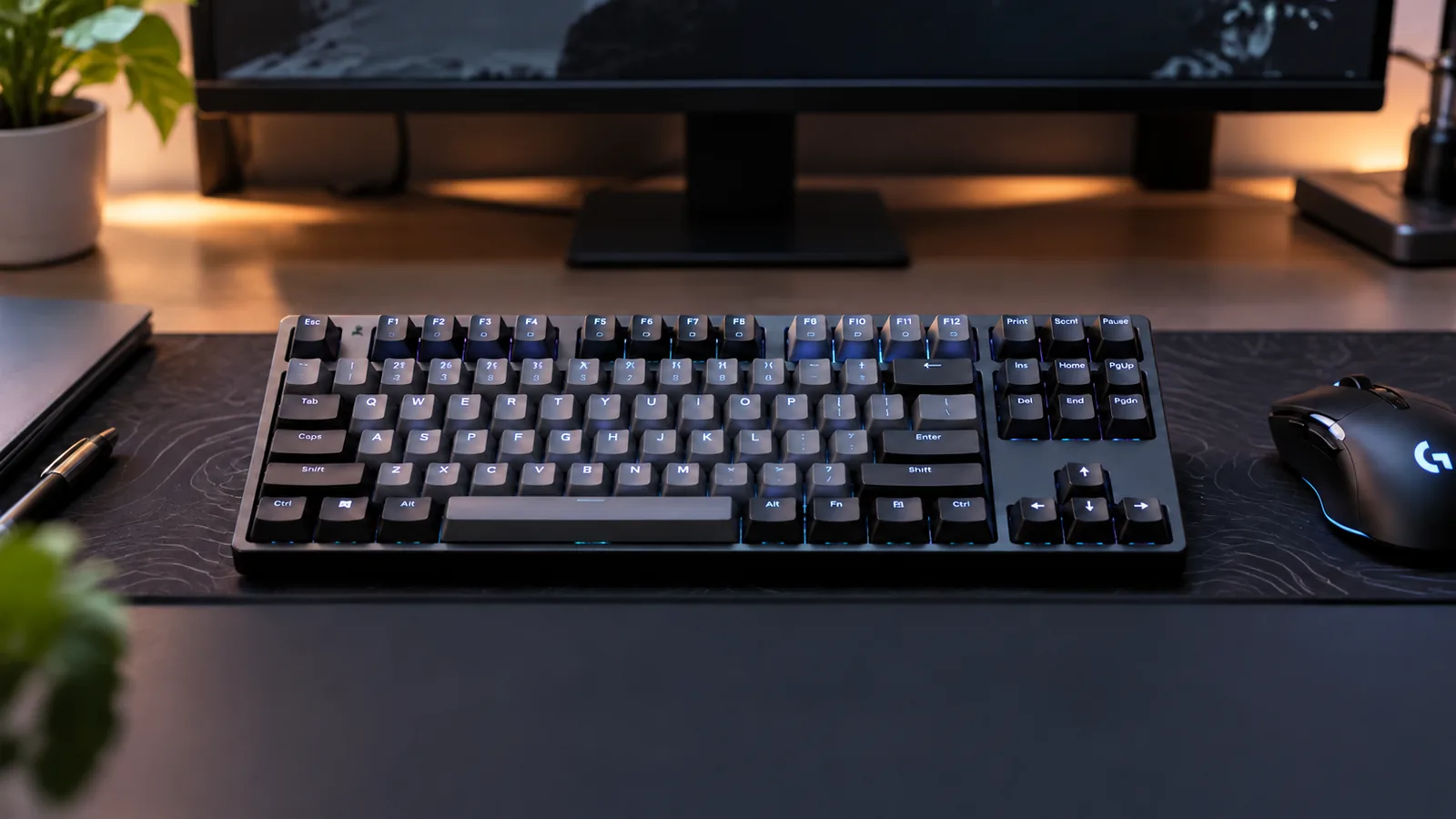
A tenkeyless (TKL) mechanical keyboard has become a favored choice for many users, expertly balancing a compact design with essential functionality. Often described as an 80% layout, TKL keyboards are characterized by the absence of a dedicated numeric keypad, while retaining all other critical keys, including the function row, navigation cluster, and arrow keys.
This streamlined design offers practical benefits that appeal to a wide audience:
- Space-Saving: By removing the numpad, TKL keyboards significantly reduce their physical footprint, liberating valuable desk space. This is particularly advantageous for smaller workstations or setups where every inch counts.
- Ergonomic Comfort: The more compact size allows your mouse to be positioned closer to the keyboard's center. This can promote a more natural arm and shoulder posture, potentially reducing strain during prolonged typing or gaming sessions.
This guide is designed to help you determine if a tenkeyless mechanical keyboard is the optimal layout for your specific requirements. We will delve into its practical advantages, examine potential trade-offs, and outline crucial factors to consider, enabling you to confidently select a model that suits your workflow and preferences.
What Defines a Tenkeyless Keyboard? The TKL Advantage Explained
The tenkeyless (TKL) mechanical keyboard, often referred to as an 80% form factor, represents a strategic reduction from a full-size layout. Its defining characteristic is the removal of the dedicated number pad, typically located on the right side of a standard keyboard. Despite this omission, the TKL layout purposefully retains the essential function row (F1-F12), the complete arrow key cluster, and the critical navigation keys such as Home, End, Page Up, Page Down, Insert, and Delete. This design philosophy aims to offer a comprehensive typing experience without the bulk of a numeric keypad.
This streamlined design translates directly into significant space savings on a desk. A TKL keyboard is roughly 33% narrower than a full-size board, freeing up valuable real estate. This reduction in width offers tangible ergonomic benefits, particularly for mouse users. By allowing the mouse to be positioned closer to the keyboard's center, users can reduce the distance their hand travels between the keyboard and mouse. This shorter reach can contribute to improved arm and shoulder posture, potentially reducing strain over extended periods by keeping the mouse closer to the body.
The practical advantages of a TKL layout make it particularly appealing to specific user segments. For instance, gamers often prioritize ample mouse space for broad, unhindered movements during intense gameplay, making the TKL a dominant choice in competitive settings. Similarly, individuals with smaller desks or those seeking a minimalist setup benefit from the compact footprint. Furthermore, professionals and general users who rarely utilize a dedicated number pad find the TKL layout offers a balanced blend of functionality and efficiency without unnecessary width.
TKL vs. The Competition: How it Compares to Other Keyboard Layouts
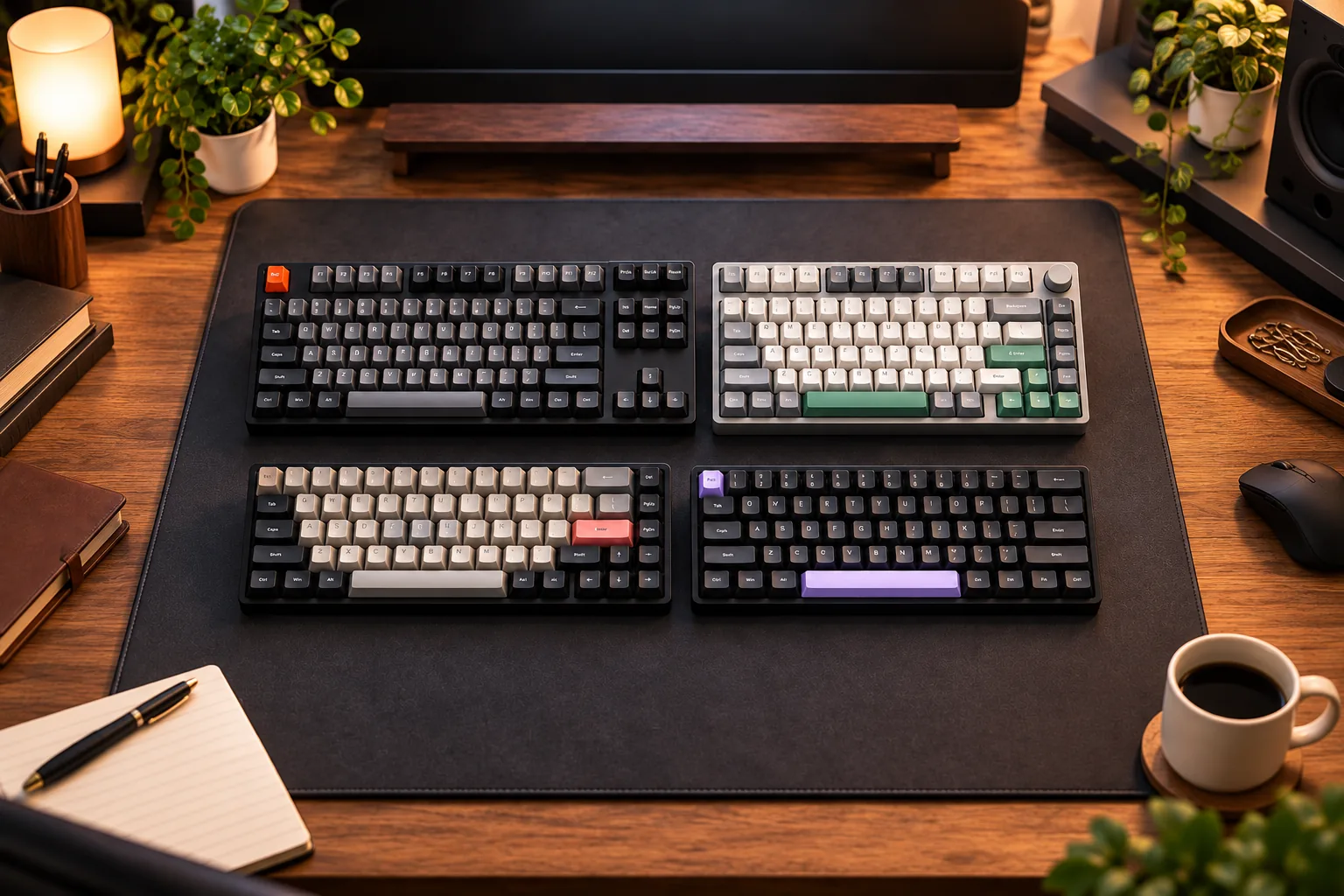
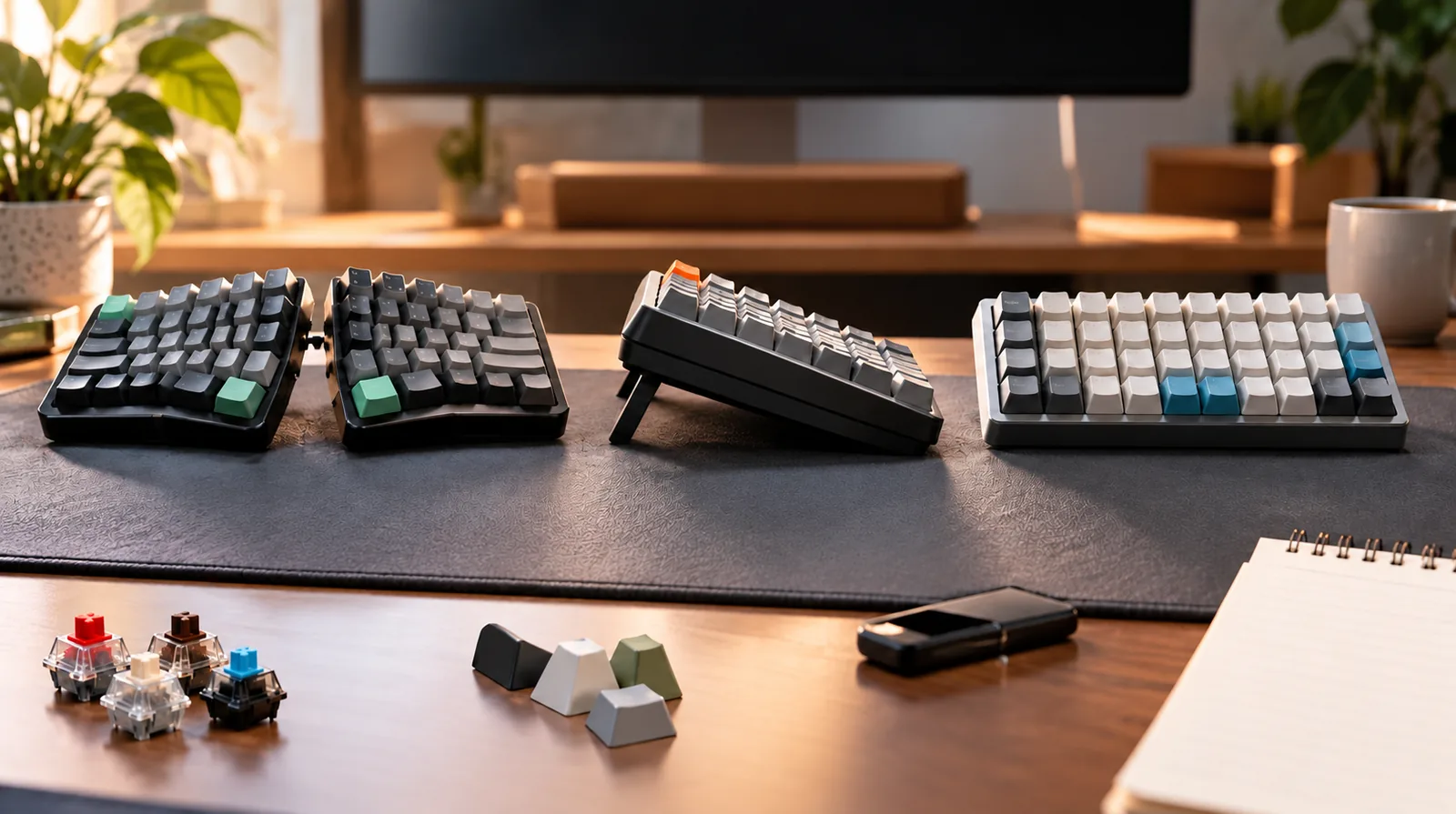
Understanding the tenkeyless (TKL) layout often becomes clearer when viewed in contrast to its mechanical keyboard counterparts. Each size offers a distinct balance of features, footprint, and functionality, making the TKL a specific choice for particular user needs.
-
Full-Size Keyboards (100%): These layouts include a dedicated numeric keypad, a full function row, arrow keys, and a navigation cluster. While offering maximum key count, they occupy the most desk space. The TKL's primary advantage over a full-size board is its significantly reduced width—approximately 33% narrower—which frees up desk real estate and allows for a more centralized mouse position. This can be crucial for gamers requiring large mouse movements or professionals seeking improved ergonomics by bringing the mouse closer to the body. The trade-off for TKL users is the absence of the numpad, which is essential for data entry specialists or those accustomed to its quick calculations.
-
Smaller Layouts (e.g., 60%, 65%): These keyboards prioritize extreme compactness, often omitting the function row, navigation cluster, and even dedicated arrow keys in favor of multi-layered functions.
- 60% layouts typically only include alphanumeric keys, requiring extensive use of a function (Fn) key to access arrows, F-keys, and navigation.
- 65% layouts often reintroduce dedicated arrow keys but still rely on Fn layers for F-keys and most navigation. The TKL layout retains all these critical elements—the full function row (F1-F12), dedicated arrow keys, and the navigation cluster (Home, End, Page Up, Page Down, Insert, Delete). This means users gain significant space savings compared to a full-size keyboard without sacrificing the immediate accessibility of commonly used keys, avoiding the learning curve and potential workflow interruptions associated with heavy function layer reliance.
-
Compact Full-Size Layouts (e.g., 75%, 1800/96%): These layouts aim to bridge the gap between TKL and full-size by compacting keys to reduce footprint while retaining most functionality.
- 75% layouts are more compact than TKL, often by compressing the navigation cluster and bringing it closer to the main alphanumeric block. They retain the function row and arrow keys.
- 1800 or 96% layouts essentially offer a full-size key count but in a "smashed" or highly compressed arrangement, including a numpad. While space-efficient, these layouts can sometimes feature non-standard key sizes, particularly around the numpad or bottom row, which can complicate finding replacement keycaps or introduce a less intuitive typing experience for some.
The tenkeyless layout often hits a "sweet spot" for many users. It offers a substantial reduction in size and an ergonomic benefit by removing the numpad, yet it preserves the complete set of alphanumeric, function, arrow, and navigation keys. This balance makes it a highly popular choice for those who value both desk space optimization and comprehensive, immediately accessible keyboard functionality without venturing into the complexities of heavily layered or non-standard key layouts.
Key Features to Consider When Buying a TKL Mechanical Keyboard
When evaluating a tenkeyless mechanical keyboard, several technical and functional aspects influence its performance, durability, and overall user experience. Understanding these features will help you align a keyboard's capabilities with your specific needs.
-
Switch Types The core of a mechanical keyboard's feel comes from its switches.
- Linear switches offer a smooth, consistent keystroke without any tactile bump or audible click, often preferred by gamers for rapid, uninterrupted presses.
- Tactile switches provide a noticeable bump during actuation, giving feedback without a click, which can be beneficial for typing accuracy.
- Clicky switches combine a tactile bump with an audible click, providing distinct feedback for each keystroke. Consider your primary use case—gaming, typing, or a balance of both—to guide your switch selection.
-
Keycap Material Keycaps are the interface between your fingers and the switches, impacting both feel and longevity.
- PBT (Polybutylene Terephthalate) keycaps are known for their durability, resistance to shine, and often a slightly textured feel. They tend to last longer without developing a greasy or smooth surface.
- ABS (Acrylonitrile Butadiene Styrene) keycaps are common, offering a smoother feel. While generally durable, they can develop a shine over time with heavy use.
-
Build Quality The construction of a TKL keyboard contributes significantly to its perceived quality and lifespan.
- Case materials range from robust plastics to premium aluminum, affecting the keyboard's weight, rigidity, and acoustic properties. Aluminum cases typically offer greater stability and a more premium feel.
- Plate materials (e.g., steel, aluminum, polycarbonate) sit between the switches and the PCB, influencing typing feel; stiffer plates offer a more solid bottom-out, while flexible plates can provide a softer typing experience.
- Overall construction should feel solid, without excessive flex or creaking, ensuring durability for sustained use.
-
Connectivity Options How your keyboard connects to your devices impacts its versatility and desk setup.
- Wired connections offer reliable, lag-free performance, ideal for competitive gaming or professional use where latency is critical.
- Wireless options include Bluetooth for multi-device pairing and convenience, and 2.4GHz via a dedicated dongle, which often provides lower latency closer to a wired connection.
- Some keyboards offer multi-device support, allowing seamless switching between several paired devices.
-
Backlighting Backlighting enhances visibility in low-light conditions and adds aesthetic appeal.
- RGB backlighting offers extensive color customization and dynamic effects, allowing users to personalize their setup.
- White backlighting provides a clean, functional illumination.
- Keyboards with no backlighting can be a more budget-friendly option or preferred for minimalist setups, and typically offer longer battery life for wireless models.
-
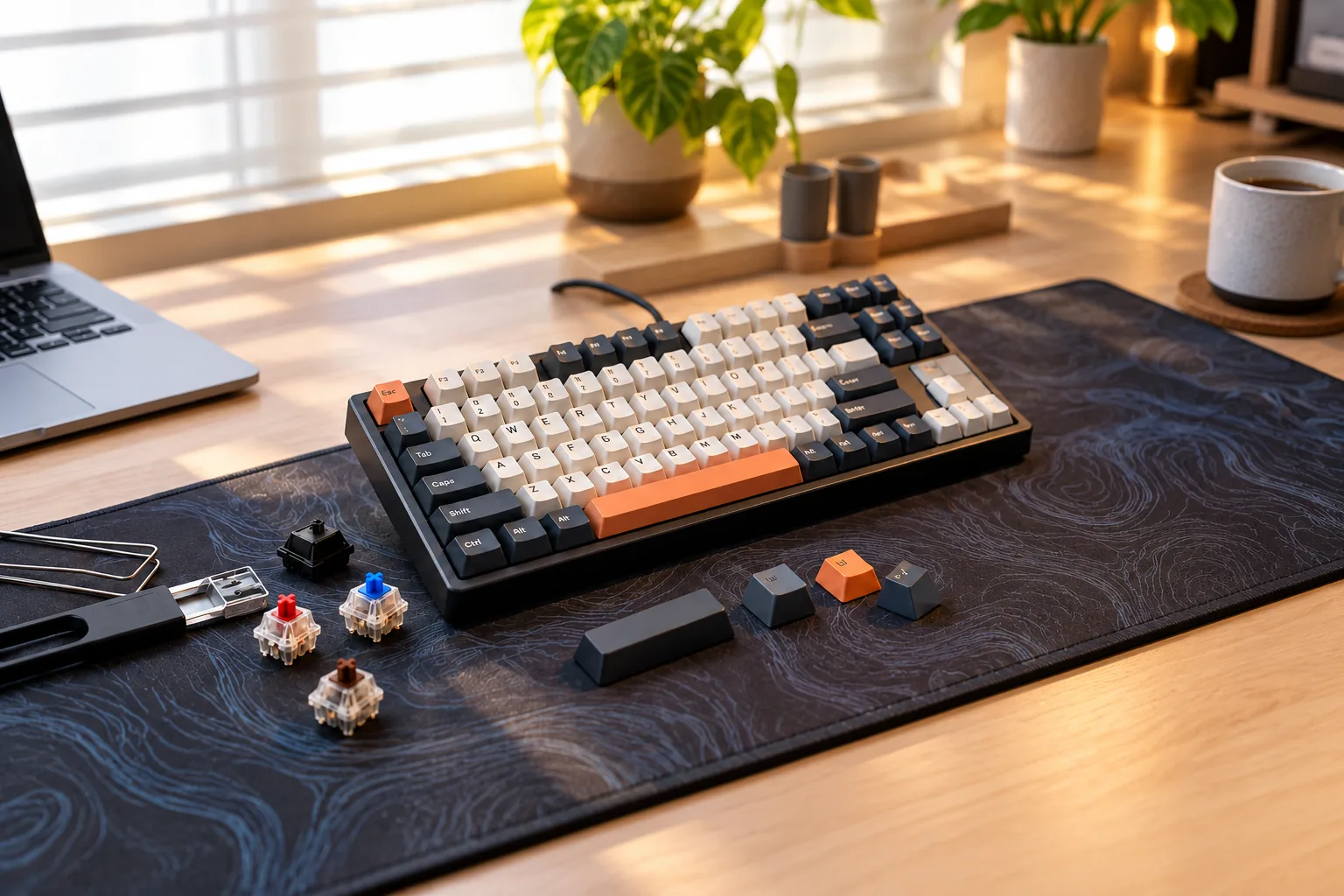
Hot-Swappable Switches This feature allows users to change switches without soldering, providing significant benefits.
- It enables easy customization, letting you experiment with different switch types to find your preferred feel.
- It simplifies maintenance and repair, as a faulty switch can be replaced quickly without specialized tools or technical skills.
-
Programmability Advanced software features allow for greater control over your keyboard's functionality.
- Key remapping lets you assign any function to any key, optimizing your workflow or gaming controls.
- Macro creation allows you to record sequences of keystrokes and assign them to a single key, automating complex tasks. Look for intuitive software (e.g., QMK/VIA compatibility) for comprehensive customization.
-
Stabilizers Stabilizers are crucial components for larger keys like the spacebar, shift, enter, and backspace.
- Well-implemented and smooth, lubricated stabilizers prevent these keys from wobbling and ensure a consistent, even press regardless of where the key is struck. Poor stabilizers can lead to rattling sounds and an inconsistent typing experience.
Is a TKL Keyboard Right for You? Weighing the Pros, Cons, and Fit
Deciding if a tenkeyless (TKL) mechanical keyboard is the optimal choice involves evaluating your daily tasks, desk setup, and ergonomic preferences. This layout excels in specific scenarios, but its core omission—the numeric keypad—is a critical factor for certain users.
Who Benefits Most from a TKL Layout?
The TKL form factor addresses several common user needs by providing a balance of functionality and compactness.
- Gamers: The tenkeyless layout has become a dominant format in competitive gaming. By removing the numpad, a TKL keyboard is approximately 33% narrower than a full-size board. This reduction in width allows for significantly more mouse space, enabling more consistent and repeatable mouse movements, which can be crucial in aim-dependent games.
- Users with Limited Desk Space: For anyone working or gaming on a smaller desk, the TKL's compact footprint frees up valuable real estate. This makes it easier to maintain an organized workspace and accommodate other peripherals or documents.
- Ergonomics-Focused Individuals: A key ergonomic advantage of the TKL layout is its ability to position your mouse closer to the keyboard's center. This reduces the need to extend your arm outward to reach the mouse, promoting a more natural and comfortable posture for your shoulders and wrists during extended use. This solves the buyer problem of strain from reaching too far for the mouse, a common issue with full-size keyboards.
- Those Prioritizing Portability: While not as small as 60% or 65% keyboards, TKLs offer a good balance of essential keys and a manageable size for transport between different workstations or events.
Understanding the Trade-offs and Limitations
The primary limitation of a TKL mechanical keyboard is the absence of a dedicated numeric keypad. While most TKLs allow numpad input via a function layer (often accessed by holding a function key and using keys like U, I, O, J, K, L, M, comma, period), this is not as intuitive or efficient as a dedicated block.
- Heavy Data Entry: If your work frequently involves inputting large amounts of numerical data, such as in accounting, finance, spreadsheet management, or specific CAD software, the lack of a dedicated numpad can significantly hinder workflow efficiency. For these users, a TKL might not be the best choice, as constantly switching to a function layer or relying on the top-row number keys can be slow and cumbersome.
- Specialized Software: Certain legacy software or applications are designed with numpad shortcuts in mind. Users of such software might find a TKL less convenient or require a period of adaptation.
- Preference for Integrated Numpad: Some users simply prefer the convenience of having all keys readily available on the primary layer without needing to remember function layer combinations.
In summary, a TKL keyboard solves the problem of excessive desk footprint and poor mouse ergonomics better than a full-size alternative. However, the trade-off is a reduced efficiency for tasks heavily reliant on numerical input. If your daily tasks do not involve frequent numpad use, the benefits of a TKL in terms of space, ergonomics, and aesthetics are substantial. If a numpad is integral to your workflow, consider alternatives like a full-size keyboard, an 1800-layout (which integrates a numpad more compactly), or pairing a TKL with a separate, external numpad.
Common Questions About TKL Mechanical Keyboards Answered
Understanding the nuances of a tenkeyless mechanical keyboard can clarify whether it aligns with your specific needs. Here are answers to frequently asked questions that address common considerations for potential buyers.
-
Are TKL keyboards good for gaming? Yes, TKL keyboards are a dominant choice in competitive gaming. By eliminating the numeric keypad, they significantly reduce the keyboard's width. This creates more desk space, allowing for wider, more consistent mouse movements, which can be crucial for precision and reaction time in many game genres. The compact form factor also allows for a more centered posture, potentially reducing arm fatigue during extended play.
-
Are they good for typing and productivity? Absolutely. For general typing and most productivity tasks, TKL keyboards are highly effective. They retain all alphanumeric keys, function row, and navigation cluster, meaning no core typing functionality is lost. Their ergonomic benefit of positioning the mouse closer to the keyboard can also contribute to a more comfortable and efficient workflow, especially for those who type extensively but rarely use a numpad.
-
Can I use an external numpad with a TKL keyboard? Yes, this is a common and practical solution. If your workflow occasionally requires a numeric keypad for data entry or calculations, an external USB or wireless numpad can be purchased separately. This setup offers the best of both worlds: a compact main keyboard for daily use and an on-demand numpad when needed, without permanently occupying valuable desk space.
-
Are TKL keyboards generally cheaper than full-size models? While TKL keyboards often require fewer materials and components than full-size keyboards, leading to a potentially lower manufacturing cost, this does not always translate to a significantly lower retail price. The overall cost is heavily influenced by factors such as switch type, build quality, keycap material, wireless capabilities, and advanced features like hot-swappable switches or extensive programmability. A premium TKL can easily cost more than a basic full-size board.
-
What about Mac compatibility? Most tenkeyless mechanical keyboards are compatible with macOS, often functioning as plug-and-play devices. The primary considerations for Mac users typically revolve around software support for remapping keys (especially
CommandandOptionkeys) and the availability of Mac-specific keycaps, as some models may ship with only Windows-layout keycaps. Many modern TKL keyboards support open-source firmware like QMK or VIA, which offer extensive customization across operating systems. -
How noisy are TKL mechanical keyboards? The noise level of a tenkeyless mechanical keyboard is almost entirely dependent on the type of mechanical switches installed, not the TKL layout itself. Switches come in various types (linear, tactile, clicky), each producing different sound profiles. For example, clicky switches are designed to be audible, while linear switches are generally quieter. The keyboard's build materials, case design, and the presence of sound-dampening foam can also influence the overall acoustic experience.
Making Your Choice: Finding the Perfect TKL for Your Setup
The tenkeyless (TKL) mechanical keyboard presents a compelling balance of functionality and form, making it a strong contender for many users seeking an optimized computing experience. By thoughtfully omitting the numeric keypad, TKL layouts reclaim valuable desk space, contribute to improved ergonomic posture by allowing closer mouse placement, and provide competitive advantages for gamers requiring expansive mouse movement.
As you finalize your decision, remember to align your priorities with the TKL's inherent strengths and your specific needs:
- Prioritize Your Workflow: Evaluate how frequently you use a numeric keypad. If it's seldom, the TKL's compact design offers clear benefits without sacrificing essential keys.
- Assess Desk Real Estate: For smaller workstations or multi-monitor setups, the reduced footprint of a TKL can significantly declutter your space.
- Consider Ergonomic Comfort: The ability to keep your mouse hand closer to your body can mitigate strain during extended use, a notable advantage for many.
- Match Features to Use Case:
- Switch Type: Choose based on your preference for tactile feedback, linear smoothness, or audible clicks, aligning with your primary activities like typing or gaming.
- Build Quality: Look for durable materials and stable construction to ensure longevity.
- Connectivity: Decide between wired reliability or the flexibility of wireless options.
- Programmability: If custom macros or key remapping are crucial for your productivity or gaming, seek models with robust software support.
Ultimately, selecting a TKL mechanical keyboard is about identifying a tool that enhances your interaction with your computer. By weighing these factors against your personal habits and preferences, you can confidently choose a layout that not only fits your physical space but also elevates your daily computing, gaming, or typing experience.
Decision checklist for tenkeyless mechanical keyboard
- Confirm the layout includes the keys and navigation functions required by your daily workflow.
- Verify switch, socket, keycap, firmware, operating-system, and connection compatibility before ordering.
- Compare sound, typing feel, ergonomics, repairability, and desk-space tradeoffs rather than one headline specification.
- Read the current warranty, return policy, and manufacturer documentation before making a final choice.
Frequently Asked Questions About tenkeyless mechanical keyboard
Is tenkeyless mechanical keyboard the right choice for every user?
No. The right fit depends on layout, switch feel, sound tolerance, operating-system support, connection needs, desk space, and whether the user values repairability or customization.
What should I verify before buying tenkeyless mechanical keyboard?
Confirm the physical layout, switch and socket compatibility, keycap support, firmware features, connection modes, operating-system mappings, warranty, and return policy using current manufacturer documentation.