As an Amazon Associate we earn from qualifying purchases.
Unlocking Typing Excellence: Why a Mechanical Keyboard Matters
For individuals who spend significant time at the keyboard—be it writers crafting prose, programmers developing code, data entry specialists, or students tackling assignments—the quality of their typing experience directly impacts productivity and comfort. Mechanical keyboards offer a distinct advantage over traditional membrane alternatives by providing a precise, responsive, and often more satisfying interaction with every keystroke.
Unlike the soft, sometimes "mushy" feel of membrane keyboards, mechanical keyboards feature individual switches beneath each key. This design delivers enhanced tactile feedback, clear auditory cues, and consistent actuation, which can lead to greater typing accuracy and reduced fatigue over long sessions. Beyond their robust durability, these keyboards also offer extensive customization options, allowing users to tailor their typing sound, feel, and overall aesthetic.
This guide aims to empower you with a comprehensive understanding of mechanical keyboard features. By exploring how elements like switches, layout, and build quality influence comfort, sound, and tactile feedback, you can make an informed decision that aligns perfectly with your personal preferences and optimizes your daily typing workflow.
The Heart of Typing: Choosing Your Ideal Mechanical Switch
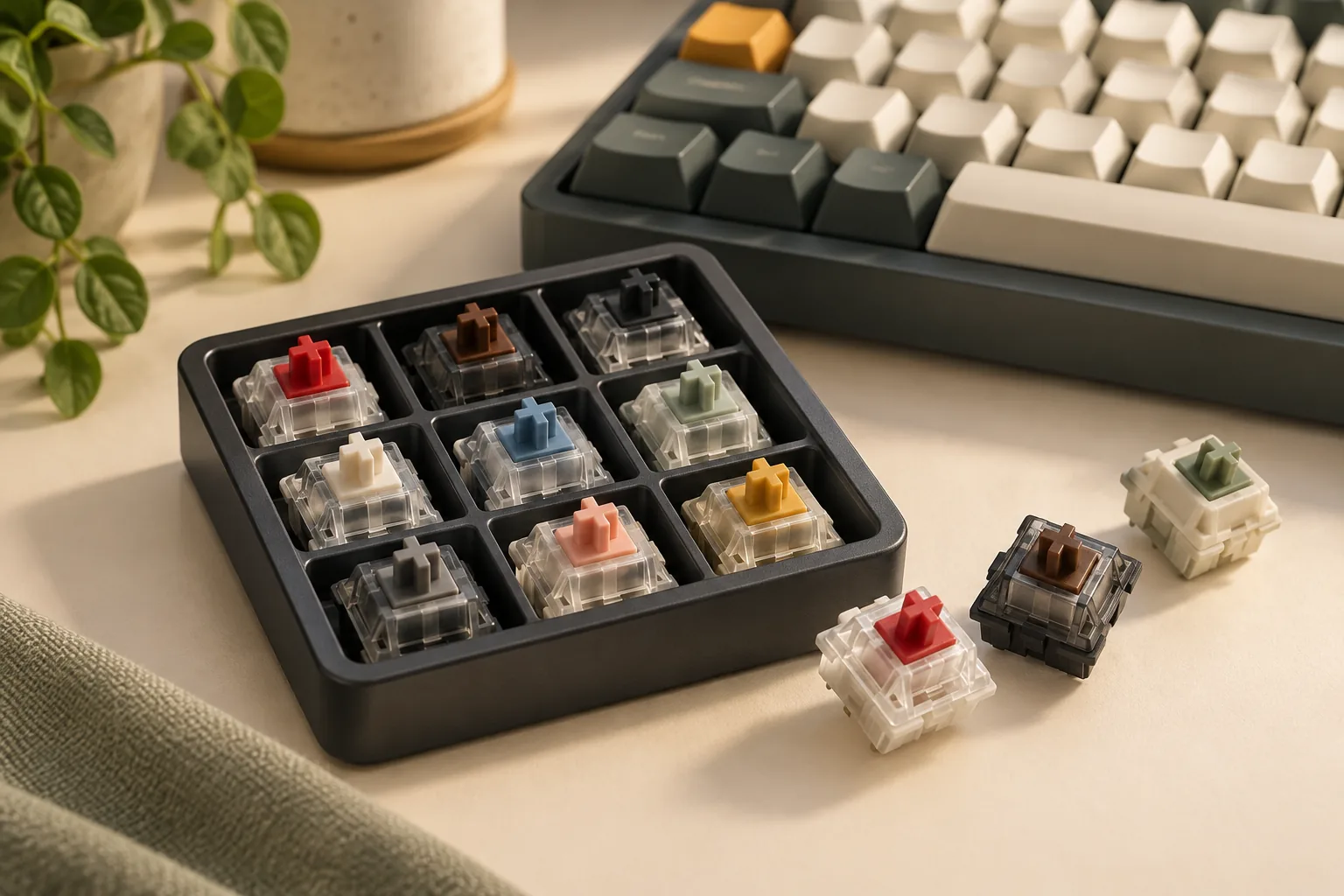
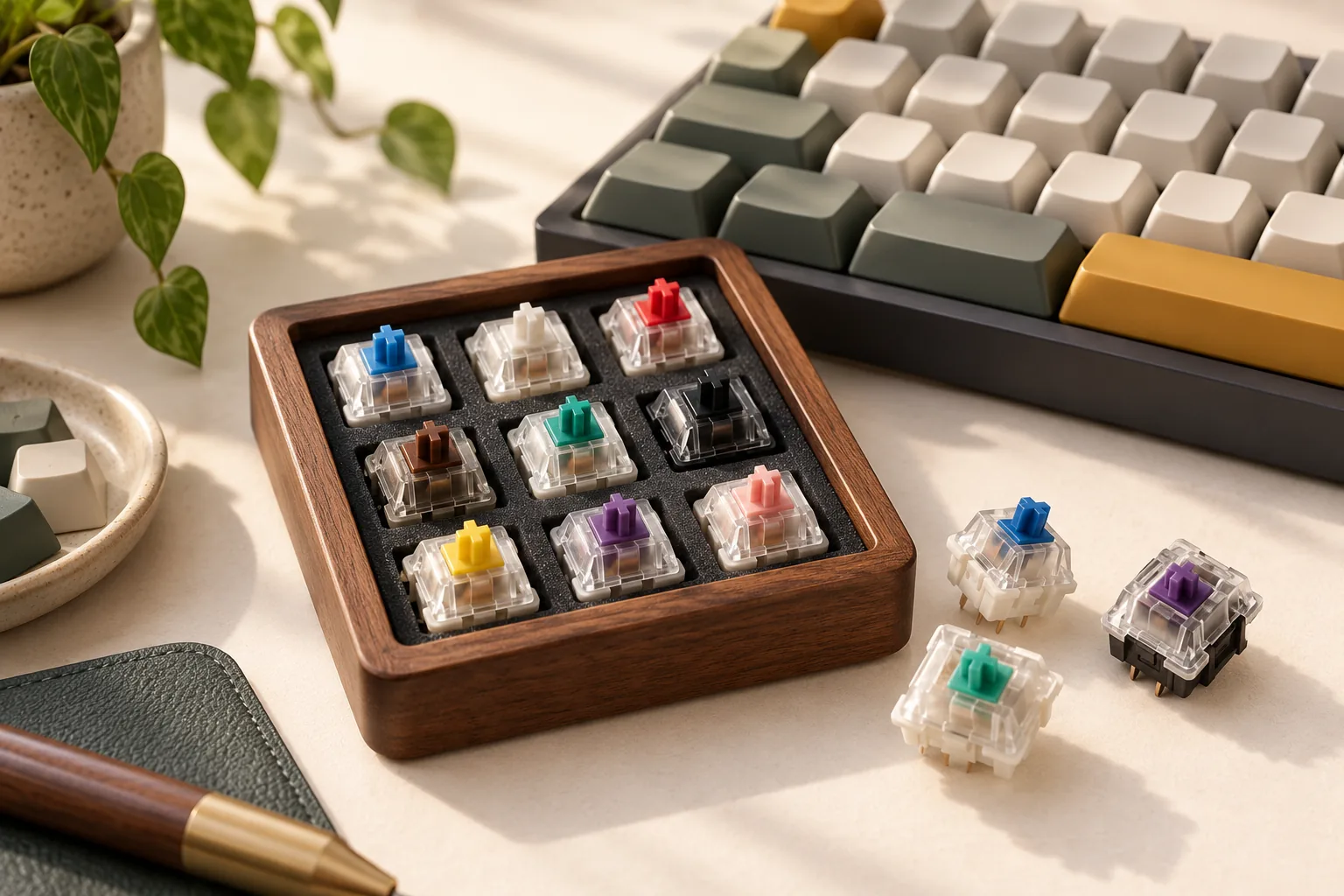
The mechanical switch beneath each keycap is the primary determinant of a keyboard's typing feel, auditory feedback, and overall comfort. Understanding the nuances of different switch types is crucial for typists seeking to optimize their experience, as the right choice can significantly impact productivity and reduce fatigue during extended sessions. Each switch type offers a distinct interaction, influencing how your fingers engage with the keyboard and the acoustic response of every keystroke.
Linear Switches: Smooth and Uninterrupted
Linear switches provide a consistent, smooth keystroke from the very top to the bottom, without any tactile bump or audible click. This uninterrupted travel path makes them feel fluid and fast.
- Characteristics: Consistent, even resistance throughout the keypress.
- Sound Profile: Generally the quietest of the main switch types, though the sound of bottoming out (when the keycap hits the keyboard's base) can still be present.
- Ideal For: Fast typists who prefer a seamless keypress, environments where minimal noise is desired, and those who value speed and uninterrupted motion over tactile feedback.
Tactile Switches: The Confirming Bump
Tactile switches are characterized by a noticeable "bump" or resistance point partway through the keypress. This bump provides physical feedback that indicates the key has actuated, often without needing to press the key all the way down.
- Characteristics: A distinct, non-audible bump that signals actuation.
- Sound Profile: Moderate sound, typically stemming from the keycap returning to its position or the gentle sound of the tactile bump itself.
- Ideal For: Typists prioritizing accuracy and clear feedback on actuation. They are a popular choice for general typing, programming, and users who appreciate a definitive response without excessive noise.
Clicky Switches: Auditory and Tactile Affirmation
Clicky switches offer both a tactile bump and a distinct, audible "click" sound, usually produced by a separate mechanism within the switch. This combination provides immediate sensory confirmation of each keypress.
- Characteristics: A pronounced tactile bump accompanied by a sharp, audible click.
- Sound Profile: The loudest of the three primary switch types due to the integrated click mechanism.
- Ideal For: Typists who enjoy strong, unambiguous feedback and find the auditory click satisfying for establishing typing rhythm. Best suited for private environments where noise will not disturb others.
Actuation Dynamics: Force and Travel
Beyond the basic type, two critical specifications—actuation force and travel distance—further refine a switch's feel and impact typing comfort and speed. Actuation force refers to the amount of pressure (measured in grams) required to register a keypress. Lighter actuation forces (e.g., 45g) can reduce finger fatigue over long typing sessions but might lead to more accidental presses for some users. Heavier forces (e.g., 60g+) can prevent misfires and provide a more deliberate feel but may contribute to fatigue for light typists.
Travel distance involves both the total distance a key can be pressed and the actuation distance—the point at which the key registers. Shorter actuation distances can enable faster typing by reducing the required key travel, potentially benefiting high-speed typists. Conversely, longer total travel can offer a more cushioned bottom-out experience, which some typists find more comfortable or less jarring. The interplay of these factors determines how quickly and comfortably you can type.
Aligning Switches with Your Typing Needs
Selecting the right switch involves matching these characteristics to your personal typing style and environment.
- Typing Style:
- If you type with a light touch and prefer speed, linear switches with a lower actuation force might be suitable.
- For those who value precision and want clear confirmation of each keystroke, tactile switches offer a balanced approach.
- If you enjoy a strong, audible, and tactile response that reinforces every press, clicky switches can enhance your typing rhythm.
- Environment:
- In shared workspaces or quiet environments, linear switches are often preferred for their minimal sound output. Tactile switches can also be acceptable, depending on their specific sound profile.
- For private home offices, all switch types are viable, allowing personal preference to be the primary driver.
Considering these factors helps ensure your chosen mechanical switch supports your typing habits and promotes a comfortable, productive experience.
Optimizing Your Typing Posture: Layouts and Ergonomics for Comfort
The physical arrangement and design of a mechanical keyboard significantly influence typing comfort and long-term wrist health. For typists, selecting a layout and incorporating ergonomic features that promote a neutral posture can mitigate strain and enhance productivity over extended sessions. This goes beyond mere aesthetics, impacting how hands and arms interact with the device.
Keyboard Layouts and Their Typing Implications
Different keyboard layouts present distinct advantages and disadvantages for typists, primarily concerning desk footprint and key accessibility.
- Full-size (104-key/108-key): These layouts include a dedicated numeric keypad, function row, and navigation cluster. While offering complete functionality, their wider form factor can force the mouse further to the right for right-handed users, potentially leading to increased shoulder abduction and discomfort over time. They are ideal for those who frequently perform data entry or calculations.
- Tenkeyless (TKL - 87-key/88-key): By omitting the numeric keypad, TKL keyboards reduce the width, allowing the mouse to be positioned closer to the typing hand. This can improve shoulder and arm ergonomics. They retain the function row and dedicated navigation keys, making them a popular choice for typists who value both compactness and full key access for text editing.
- 75% Layout: This compact design integrates the navigation cluster more tightly with the main alphanumeric block and function row, often eliminating some spacing. It offers a smaller footprint than TKL while retaining most essential keys, though some key sizes or placements might be non-standard, requiring a brief adjustment period.
- 60% Layout: These highly compact keyboards remove the numeric keypad, function row, and dedicated navigation cluster, relying heavily on a "Fn" (function) key layer to access these commands. While they maximize desk space and centralize the hands, the frequent use of modifier keys for common functions can introduce a steeper learning curve and potentially slow down typists who rely on quick access to arrow keys or F-keys.
Ergonomic Considerations for Reduced Strain
Beyond layout, specific ergonomic features can further refine a typist's experience by promoting more natural hand and wrist positions.
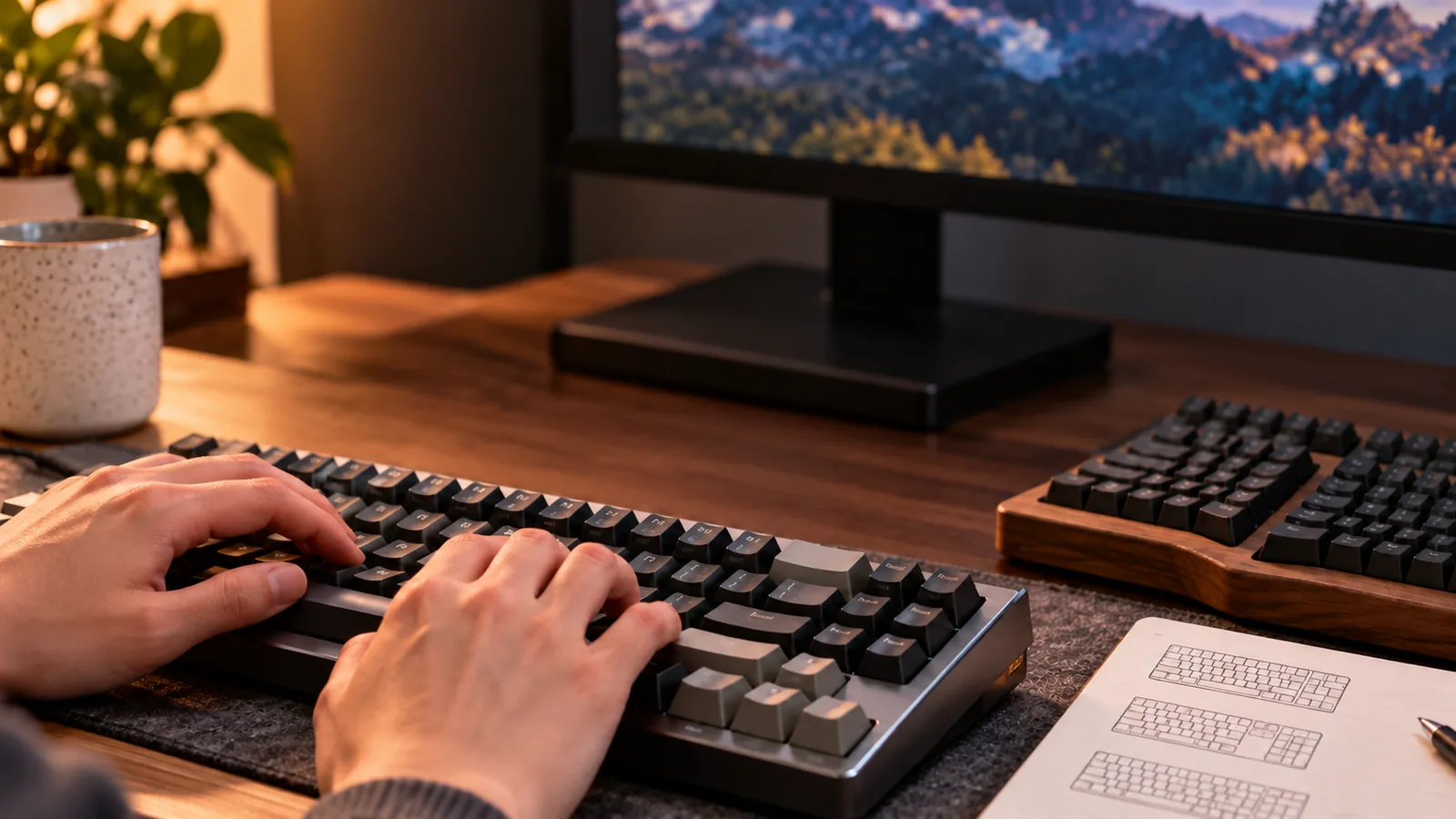
- Split Keyboards: These designs separate the keyboard into two distinct halves, allowing users to position them at shoulder width. This reduces ulnar deviation (bending wrists outwards) and promotes a more neutral shoulder posture, which can be beneficial for preventing repetitive strain injuries.
- Tenting: Often found in conjunction with split keyboards, tenting elevates the inner edges of the keyboard halves, angling them upwards. This reduces pronation (palms facing downwards) and allows the hands to rest in a more natural, handshake-like position.
- Low-Profile Designs: Keyboards with low-profile switches and thinner keycaps reduce the overall height of the keyboard. This minimizes wrist extension (bending wrists upwards) and can decrease the distance fingers need to travel, potentially reducing finger fatigue.
- Wrist Rests: A properly used wrist rest supports the palms, not the wrists, helping to maintain a neutral wrist angle. It should be used to rest between typing bursts, rather than during active typing, to avoid pressure on the carpal tunnel.
The angle and height of the keyboard also play a critical role in wrist health. Ideally, your forearms should be parallel to the floor, and your wrists should remain straight and neutral. Using a keyboard's built-in kickstands to create a positive tilt (lifting the back edge) can increase wrist extension, which may contribute to strain. Some ergonomic setups advocate for a negative tilt, where the front edge is slightly lower than the back, to help maintain a neutral wrist position.
Ultimately, the choice of layout and ergonomic features involves a trade-off between compact size and functional key access. Typists who prioritize desk space and a centralized mouse position might lean towards smaller layouts, accepting the learning curve associated with function layers. Conversely, those who require immediate access to every key for their workflow may find TKL or even full-size layouts more efficient, despite their larger footprint. Evaluating your specific typing habits and physical comfort needs is key to making an informed decision.
Building Your Perfect Typing Tool: Components, Customization, and Connectivity
Beyond the choice of switches, the overall construction, material selections, and functional features of a mechanical keyboard significantly influence its durability, aesthetic appeal, and seamless integration into a typist's daily workflow. These elements collectively shape the typing experience, affecting everything from the sound and feel of each keystroke to long-term comfort and productivity. Understanding these components allows typists to select a keyboard that not only performs reliably but also feels like a natural extension of their hands.
The foundational build materials of a keyboard case contribute substantially to its typing resonance and structural integrity.
- Plastic (ABS, PC): Often lighter and more affordable, plastic cases can offer a softer typing feel and a higher-pitched sound profile. While durable, some plastics may flex more than metal under pressure.
- Aluminum: Known for its rigidity and weight, aluminum cases typically provide a more solid typing feel and can contribute to a deeper, more muted sound profile by reducing unwanted vibrations. This material often enhances the perceived premium quality of a keyboard.
- Steel: Similar to aluminum in rigidity, steel can offer an even heavier, more robust feel, further influencing sound characteristics and overall desk stability.
Keycaps, the visible tops of the keys, are crucial for both tactile feel and longevity. Their material and profile directly impact finger comfort and typing accuracy over extended periods.
- ABS (Acrylonitrile Butadiene Styrene): Common due to its ease of manufacturing, ABS keycaps often have a smoother, slightly slicker texture. However, they are prone to developing a shine over time from finger oils, which can alter their feel and appearance.
- PBT (Polybutylene Terephthalate): Generally more durable and resistant to shine, PBT keycaps offer a drier, textured feel that many typists prefer for its grip and long-term consistency. They are less likely to show wear and tear, maintaining their original feel and look for longer.
The keycap profile refers to the shape and height of the individual keycaps and their overall arrangement on the board. Different profiles can significantly alter finger travel and typing posture.
- OEM Profile: A common, sculpted profile with varying heights and angles across rows, designed for ergonomic finger placement.
- Cherry Profile: Similar to OEM but generally lower in height, offering a slightly less aggressive sculpt and a more uniform feel across rows for some typists.
- SA Profile: A tall, spherical, and deeply sculpted profile that provides a distinct vintage aesthetic and a unique, often satisfying, feel due to its height and dished tops.
- XDA/DSA Profile: Uniform, flat profiles where all keycaps have the same height and shape, allowing for flexible key remapping without visual inconsistency. These can reduce finger travel for some users.
For typists who value flexibility and longevity, hot-swappable switches are a significant advantage. This feature allows users to change switches without soldering, facilitating experimentation with different switch types to find the ideal feel and sound. It also simplifies repairs, as a faulty switch can be easily replaced rather than requiring specialized tools or a full keyboard replacement.
Software customization, often powered by open-source firmware like QMK or VIA, empowers typists to tailor their keyboard's functionality. This includes remapping keys to suit personal preferences, creating custom macros for frequently used text snippets or complex commands, and configuring multiple layers for specialized functions. Such customization can significantly boost productivity, especially for programmers, writers, and data entry professionals who rely on efficient input methods.
Connectivity options present a trade-off between reliability and desk aesthetics.
- Wired (USB): Offers the most stable and reliable connection with virtually no latency, ensuring consistent performance without battery concerns. This is often preferred for critical, uninterrupted typing tasks.
- Wireless (Bluetooth, 2.4GHz): Provides a clutter-free desk and portability. Bluetooth is convenient for multi-device pairing but can sometimes introduce minor latency or connection drops. Dedicated 2.4GHz wireless connections, often using a USB dongle, generally offer lower latency and greater stability than Bluetooth, approaching wired performance. Battery life is a key consideration for wireless keyboards, requiring periodic recharging.
For fast and accurate typing, N-key rollover (NKRO) and anti-ghosting are essential features. Anti-ghosting prevents missed keystrokes when multiple keys are pressed simultaneously, while NKRO ensures that every single keypress is registered, regardless of how many keys are held down at once. These features are critical for typists who routinely press multiple keys in quick succession, preventing errors and maintaining typing speed.
Finally, backlighting serves both functional and aesthetic purposes.
- White Backlighting: Provides clear visibility of key legends in low-light environments, aiding accuracy during late-night typing sessions.
- RGB Backlighting: Offers customizable color options for aesthetic personalization, allowing users to match their keyboard to their workspace or mood. While primarily aesthetic, it can also be configured to highlight specific key zones for productivity.
Navigating the Nuances: Common Challenges and Trade-offs for Typing Keyboards
While mechanical keyboards offer significant advantages for typists, it's important to approach a purchase with realistic expectations regarding potential downsides and necessary compromises. Understanding these factors helps ensure that the benefits outweigh any inconveniences for your specific typing environment and preferences.
-
Potential Technical Glitches: Even well-built mechanical keyboards can encounter issues. Common problems include key chatter, where a single keypress registers multiple times, or unresponsive keys that fail to register at all. Switch failure can occur over time, leading to inconsistent actuation for individual keys. Additionally, LED issues, such as flickering or dead backlights, and keycap damage, like fading legends or physical wear, are possible with prolonged use or lower-quality components.
-
Acoustic Considerations: The satisfying sound of mechanical switches can also be a source of noise. In shared office spaces, libraries, or quiet home environments, the distinct sound profiles of certain switches—especially clicky types—might be disruptive. Even quieter linear or tactile switches can produce noticeable noise from key bottom-out, requiring consideration for those around you. Selecting a switch type with a sound profile appropriate for your environment is a key trade-off.
-
Investment vs. Value: Mechanical keyboards generally represent a higher initial investment compared to membrane alternatives. While they often offer superior durability and a more enjoyable typing experience, understanding the point of diminishing returns is crucial. Extremely high-end models may offer marginal improvements in typing feel for a significantly increased cost, which might not translate to proportional benefits for every typist.
-
Learning Curve for Adaptation: Switching to a mechanical keyboard, especially with a new switch type or a different layout (e.g., from a full-size to a compact tenkeyless or 60% board), can involve an initial learning curve. Adjusting to the different actuation force, tactile bump, or key spacing might temporarily impact typing speed and accuracy until muscle memory adapts.
-
Ongoing Maintenance Requirements: To maintain optimal performance and longevity, mechanical keyboards benefit from regular maintenance. This includes routine cleaning to remove dust, crumbs, and debris that can accumulate under keycaps and affect switch performance. For some advanced keyboards, periodic firmware updates may also be necessary to address bugs or introduce new features, requiring a small time commitment from the user.
Your Perfect Typing Companion: A Step-by-Step Decision Guide
Selecting a mechanical keyboard tailored for typing involves more than just picking a popular model; it requires a thoughtful alignment of keyboard features with your personal typing habits and environment. This structured approach empowers you to make an informed decision, ensuring your new keyboard enhances comfort, provides satisfying feedback, and supports your productivity without unnecessary compromises.
Self-Assessment: Understanding Your Typing Profile
Before diving into specifications, take a moment to evaluate your own needs. Your answers to these questions will form the foundation of your decision-making process.
- Typing Volume: How many hours do you type daily? (e.g., occasional emails, full-time writing, extensive coding) High volume users benefit from robust build quality and ergonomic considerations.
- Work Environment: Is your workspace shared, open-plan, or private? This dictates acceptable noise levels from your keyboard.
- Budget Range: What is your realistic spending limit? This will influence material quality, customization options, and overall durability.
- Sound Preference: Do you prefer an audible click, a muted thock, or near silence with each keystroke?
- Tactile Preference: Do you desire a distinct bump to indicate actuation, a smooth linear press, or a light touch?
- Layout Needs: Do you require a full-size keyboard with a number pad, a compact tenkeyless (TKL) for desk space, or an even smaller layout for portability?
Translating Needs into Keyboard Features
Your self-assessment directly informs which features to prioritize. For instance, a programmer who types for hours in a shared office will prioritize different aspects than a student who occasionally writes essays at home.
- For High-Volume Typists: Focus on switch durability (often rated in millions of keystrokes), ergonomic design (adjustable feet, wrist rest compatibility), and a stable, heavy build that resists movement.
- For Quiet Environments: Prioritize linear or silenced tactile switches, often paired with sound-dampening materials within the keyboard case.
- For Portability or Limited Desk Space: Compact layouts (e.g., 60%, 65%, TKL) become crucial, potentially sacrificing a dedicated number pad or function row.
- For Specific Feedback: Your sound and tactile preferences directly guide switch selection. A distinct tactile bump can improve typing accuracy by signaling actuation without bottoming out the key.
Your Pre-Purchase Evaluation Checklist
As you explore options, use this checklist to ensure you're considering all critical aspects that contribute to a superior typing experience.
- Switch Type: Linear (smooth), Tactile (with a bump), or Clicky (with a bump and audible click). Consider the actuation force (light vs. heavy) as well.
- Keyboard Layout: Full-size, TKL (Tenkeyless), 75%, 65%, 60%, or other specialized layouts.
- Build Materials: Case material (plastic, aluminum), plate material (steel, brass, polycarbonate), and overall construction rigidity.
- Keycap Material & Profile: ABS (smoother, can shine over time), PBT (textured, more durable). Profile refers to the keycap's shape and height (e.g., OEM, Cherry, DSA).
- Connectivity Options: Wired (USB-C), Wireless (Bluetooth, 2.4GHz dongle), or both.
- Customization Potential: Hot-swappable switches (allows changing switches without soldering), programmable keys, and software for macro creation.
- Ergonomics: Adjustable tilt feet, integrated wrist rest, or compatibility with external wrist rests.
Navigating the Compromises
No single mechanical keyboard is universally "perfect." Your ideal choice will involve weighing trade-offs based on your personal priorities.
- Sound vs. Tactility: Highly tactile or clicky switches often produce more noise. If a quiet environment is paramount, you might compromise on a very pronounced tactile bump for a smoother, quieter linear or silenced tactile switch.
- Compactness vs. Functionality: Smaller layouts gain desk space and portability but might require using function layers for keys that are dedicated on larger boards. This can impact workflow if you frequently use a number pad or specific function keys.
- Budget vs. Build Quality/Features: More affordable keyboards might use lighter plastic cases, non-hot-swappable switches, or basic keycaps. Investing more often yields premium materials, advanced customization, and enhanced durability, which can be a long-term benefit for high-volume typists.
- Risk Awareness: Be mindful that even well-regarded mechanical keyboards can occasionally exhibit issues like key chatter (unintended multiple key presses) or unresponsive keys, particularly with prolonged heavy use. Researching user experiences with specific models can help manage expectations regarding long-term reliability.
By methodically answering these questions and evaluating features against your unique typing profile, you can confidently select a mechanical keyboard that feels like a natural extension of your hands, transforming your daily typing into a more comfortable and enjoyable experience.
Frequently Asked Questions About Mechanical Keyboards for Typing
Understanding the nuances of mechanical keyboards can seem complex, but addressing common questions helps clarify their benefits and considerations for typists.
Are mechanical keyboards really better for typing than membrane keyboards?
For many typists, mechanical keyboards offer a superior experience due to their individual switch mechanisms. Unlike the rubber domes in membrane keyboards that can feel "mushy" and inconsistent, mechanical switches provide distinct tactile feedback and clear actuation points. This precision can lead to more accurate typing, a more satisfying feel, and potentially reduced errors because each keypress registers reliably. They also tend to be more durable and offer greater customization.
How long do mechanical keyboard switches last?
Mechanical keyboard switches are designed for longevity, often rated for tens of millions of keystrokes per switch. This far exceeds the typical lifespan of membrane keyboards. While individual switch lifespan can vary by manufacturer and type, their robust construction means a well-maintained mechanical keyboard can last for many years, making them a durable investment for frequent typists.
Can mechanical keyboards reduce typing fatigue or improve speed?
While individual results vary, mechanical keyboards can contribute to reducing typing fatigue and potentially improving speed for several reasons. The consistent feedback from each switch allows typists to develop a more precise muscle memory, often requiring less force to actuate a key. This can translate to less strain over long typing sessions. The clear actuation point means you don't have to "bottom out" every key, which can also reduce finger fatigue. Improved speed can be a byproduct of increased accuracy and reduced effort.
Are mechanical keyboards too loud for an office environment?
Not necessarily. The perceived loudness of a mechanical keyboard largely depends on the switch type chosen.
- Clicky switches (like Cherry MX Blue) are designed to produce an audible "click" and tactile bump, making them the loudest option and potentially disruptive in quiet office settings.
- Tactile switches (like Cherry MX Brown) have a tactile bump but no distinct click, making them quieter than clicky switches while still providing feedback.
- Linear switches (like Cherry MX Red) offer a smooth, consistent press without a bump or click, generally making them the quietest mechanical switch type. Additionally, features like sound-dampening foam within the keyboard case or O-rings on keycaps can further reduce noise levels, making many mechanical keyboards suitable for office use.
Is it worth spending more on a premium mechanical keyboard for typing?
For dedicated typists, investing in a premium mechanical keyboard can be highly beneficial. Higher-priced keyboards often feature superior build materials (like aluminum cases), more advanced switch options (including hot-swappable sockets for easy switch changes), better keycap quality, and more sophisticated software for customization. These enhancements can translate to a more comfortable, durable, and personalized typing experience. The improved acoustics, feel, and aesthetic can significantly enhance enjoyment and productivity for those who spend many hours typing.
Elevate Your Typing Experience: Final Thoughts on Mechanical Keyboards
A mechanical keyboard represents more than just a peripheral; it's a fundamental tool that can significantly enhance your daily interaction with technology, especially for those who spend extensive hours typing. By carefully considering elements like switch type, layout, and build quality, you're not just buying a device, but investing in a more comfortable, productive, and enjoyable workflow.
The journey through understanding mechanical switches, their tactile responses, and distinct sound profiles empowers you to tailor your typing experience. This informed approach ensures your chosen keyboard delivers:
- Superior Comfort: Reducing finger fatigue and promoting a more natural typing posture over prolonged periods.
- Precise Feedback: Offering clear tactile or auditory cues with each keystroke, leading to fewer errors and increased typing accuracy.
- Personalized Sound: Aligning the keyboard's acoustics with your preference, contributing to a more satisfying and less distracting environment.
Ultimately, the right mechanical keyboard transforms a mundane task into a more engaging and efficient process. With the insights gained from this guide, you are now equipped to confidently navigate the options and select a keyboard that perfectly aligns with your individual needs and preferences, turning every keystroke into a deliberate and pleasant action.