As an Amazon Associate we earn from qualifying purchases.
Elevate Your Code: The Programmer's Guide to Mechanical Keyboards
Programmers spend countless hours interacting with their keyboards, making the choice of input device a critical factor in both productivity and long-term comfort. In recent years, mechanical keyboards have seen a surge in popularity within the programming community, moving beyond niche enthusiast circles to become a preferred tool for many developers. This growing trend is driven by distinct advantages that directly address the demands of extensive text-based input and complex shortcut execution inherent in coding workflows.
Unlike traditional membrane keyboards, mechanical keyboards feature individual switches under each key, providing a more precise and consistent keystroke. This design contributes significantly to a superior and more comfortable typing experience, which can be crucial during prolonged coding sessions. For programmers, the benefits extend beyond general typing feel:
- Enhanced Comfort: The distinct tactile feedback and often lower actuation force of mechanical switches can reduce finger fatigue over long periods, promoting healthier typing habits.
- Improved Precision: The clear feedback from each keystroke aids in accurate input, minimizing errors when dealing with intricate syntax, special characters, and frequent command execution.
- Workflow Customization: Many mechanical keyboards offer advanced programmability, allowing developers to remap keys, create custom macros, and set up multiple layers for quick access to specific functions or complex shortcuts. Some even feature hot-swappable switches, enabling users to experiment with different switch types without needing to solder.
This guide aims to equip you with the knowledge necessary to navigate the diverse world of mechanical keyboards. You will explore key considerations such as keyboard layouts and switch types, empowering you to select a mechanical keyboard that seamlessly integrates with your coding style, enhances your productivity, and supports your comfort throughout your development journey.
Beyond the Basics: Why Mechanical Keyboards Are a Programmer's Ally
Programming demands prolonged, precise text input, making the keyboard a central tool in a developer's workflow. Traditional membrane keyboards often fall short in meeting these rigorous demands, leading to common pain points that mechanical keyboards are uniquely positioned to address.
One significant challenge for programmers is fatigue during extended coding sessions. Unlike membrane keyboards, which often require keys to be pressed fully to register, mechanical switches typically offer a distinct actuation point that provides tactile or auditory confirmation of a key press before it "bottoms out." This clear feedback can reduce the cumulative force exerted by fingers over hours, potentially alleviating strain and discomfort. The consistent key travel and actuation force across all keys also contribute to a more predictable and less fatiguing typing experience.
Accuracy is paramount in coding, where a single misplaced character can lead to compilation errors or unexpected behavior. Mechanical keyboards enhance typing accuracy through their superior tactile feedback. This distinct physical response for each keystroke helps programmers confirm key presses instantly, minimizing typos and the time spent correcting them. For developers, this translates directly to more efficient code writing and less debugging time.
Furthermore, mechanical keyboards offer notable durability and longevity compared to their membrane counterparts. Mechanical switches are engineered for millions of keystrokes, often significantly outlasting membrane domes. This robust construction means a mechanical keyboard can withstand the intensive daily use of a programmer, providing a reliable tool that performs consistently over many years without degradation in key feel or responsiveness. This long-term reliability can be a practical advantage for professionals who rely heavily on their input devices.
Beyond the physical benefits, many mechanical keyboards offer advanced customization capabilities, such as programmable key layers and macro support. While not inherent to all mechanical keyboards, this feature is common in models favored by programmers. The ability to remap keys, create custom shortcuts, or assign complex sequences to a single key can streamline workflows, reduce repetitive keystrokes for common coding tasks, and ultimately enhance productivity. This level of adaptability allows programmers to tailor their keyboard to their specific coding environment and personal preferences, contributing to improved comfort and a more fluid interaction with their development tools.
Decoding Your Needs: Essential Features and Customization for Programming
Selecting a mechanical keyboard for programming involves more than just aesthetics; it's about optimizing your daily workflow, enhancing comfort, and boosting efficiency. Understanding key features and how they align with coding demands is crucial for making an informed choice.
Keyboard Layouts: Tailoring to Your Code
The physical arrangement of keys, or layout, directly impacts how you interact with your code. Programmers often rely on specific key groups for navigation, debugging, and executing commands.
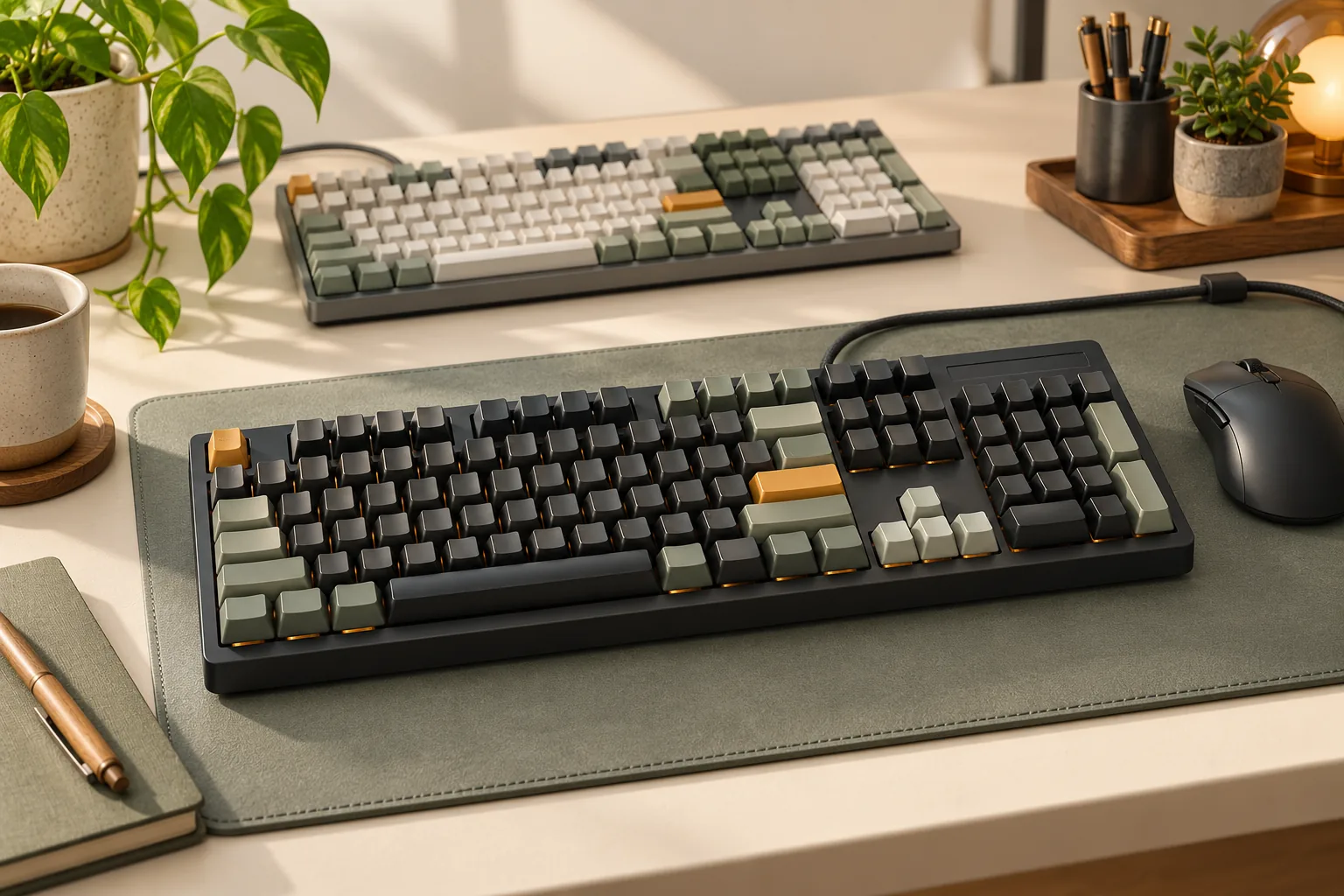
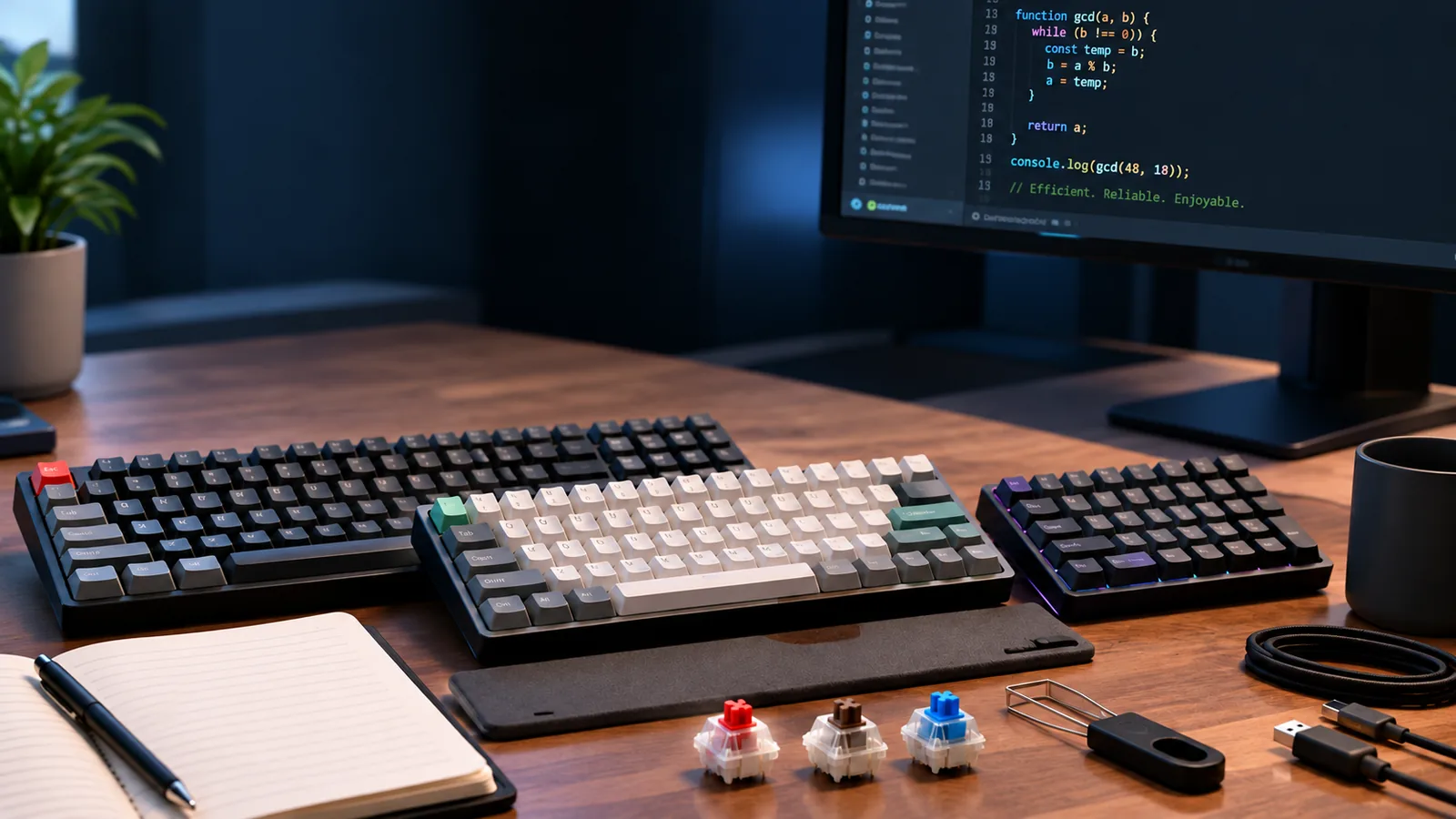
- Full-size (104/108 keys): Includes a dedicated number pad, function row, and navigation cluster. While comprehensive, the numpad is often underutilized by programmers, leading to a larger desk footprint and potentially wider mouse travel.
- Tenkeyless (TKL - 87/88 keys): Omits the number pad, significantly reducing width while retaining the function row (F-keys) and dedicated arrow and navigation keys (Home, End, PgUp, PgDn). This is a popular compromise for many programmers seeking a balance between compactness and full functionality.
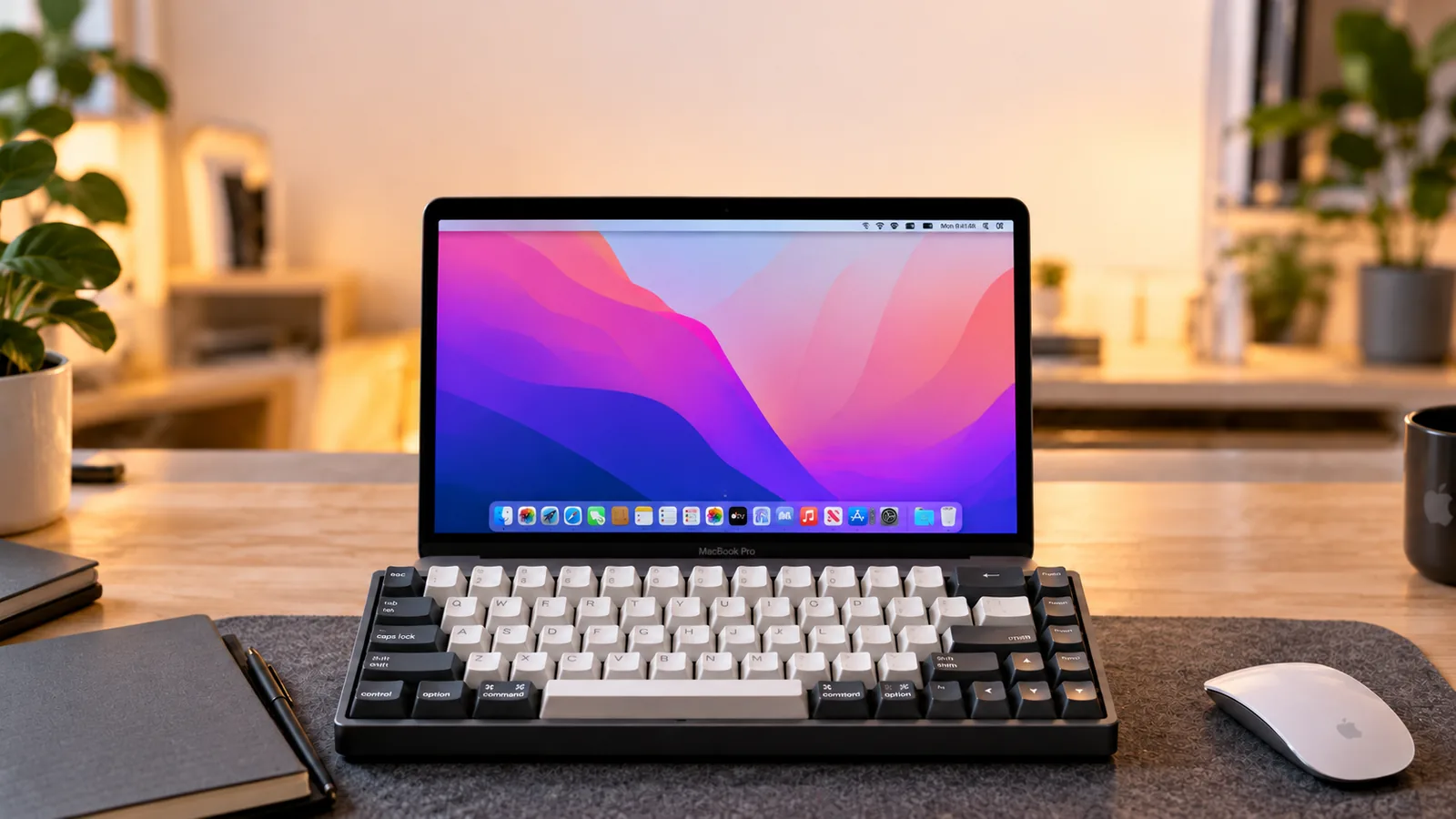
- 75% Layout: A more compact version of TKL, often achieved by compressing the navigation cluster and sometimes placing the function row closer to the main alphanumeric block. It maintains the crucial F-keys and arrow keys, making it a strong contender for those prioritizing desk space without sacrificing essential shortcuts.
- 65% Layout: Removes the function row and most navigation keys but retains dedicated arrow keys. Accessing F-keys or other missing functions requires using a modifier key and a separate layer, which can be efficient with practice but has a learning curve.
- 60% Layout: The most compact common layout, containing only the alphanumeric keys and a few modifiers. Nearly all non-alphanumeric functions, including F-keys and arrow keys, are accessed via layers. This layout offers maximum desk space and can be highly efficient for experienced users who master its layers.
For programming, the presence of easily accessible F-keys (for debugging and IDE shortcuts) and dedicated arrow keys (for code navigation) are often prioritized. The choice between layouts involves balancing these needs with available desk space and willingness to adapt to layered functions.
Mechanical Switches: The Heartbeat of Your Typing
Mechanical switches determine the tactile and auditory feedback of each keystroke, directly influencing typing comfort and speed during long coding sessions. They generally fall into three categories:
- Linear Switches: Provide a smooth, consistent keystroke from top to bottom without any tactile bump or audible click. They are often favored for their quiet operation and fast, uninterrupted key presses, which can reduce finger fatigue over extended periods.
- Tactile Switches: Feature a noticeable "bump" partway through the key's travel, indicating key actuation without needing to bottom out. This tactile feedback can help programmers confirm keystrokes, potentially improving accuracy and reducing typing errors, especially during intensive coding.
- Clicky Switches: Offer both a tactile bump and a distinct audible "click" sound at the actuation point. While providing clear feedback, the sound can be distracting in shared workspaces. Some programmers find the auditory confirmation satisfying, but their use often depends on personal preference and environment.
The ideal switch for programming often comes down to individual preference for feedback and noise tolerance. Many programmers find tactile switches beneficial for their precise feedback, while others prefer the smooth, quiet nature of linear switches for rapid input.
Programmability (QMK/VIA) and Macros
Firmware-level programmability, often supported by open-source solutions like QMK (Quantum Mechanical Keyboard) and VIA, is a significant advantage for programmers. This feature allows for deep customization of key assignments and keyboard behavior.
- Custom Keymaps: Remap any key to suit your ergonomic preferences or specific software shortcuts. This is particularly useful for optimizing compact layouts by assigning frequently used symbols or commands to easily accessible locations.
- Macros: Create sequences of keystrokes to automate repetitive tasks. Programmers can use macros for boilerplate code, complex terminal commands, or multi-step IDE actions, streamlining workflows and reducing manual effort.
- Layers: Define multiple "layers" of key functions, accessible by holding down a modifier key. This enables compact keyboards to access a full range of characters and commands without sacrificing desk space, making them surprisingly versatile for coding.
The ability to tailor your keyboard's functionality at this level can directly translate to increased productivity and a more personalized, efficient coding environment.
Hot-Swappability: Future-Proofing and Customization
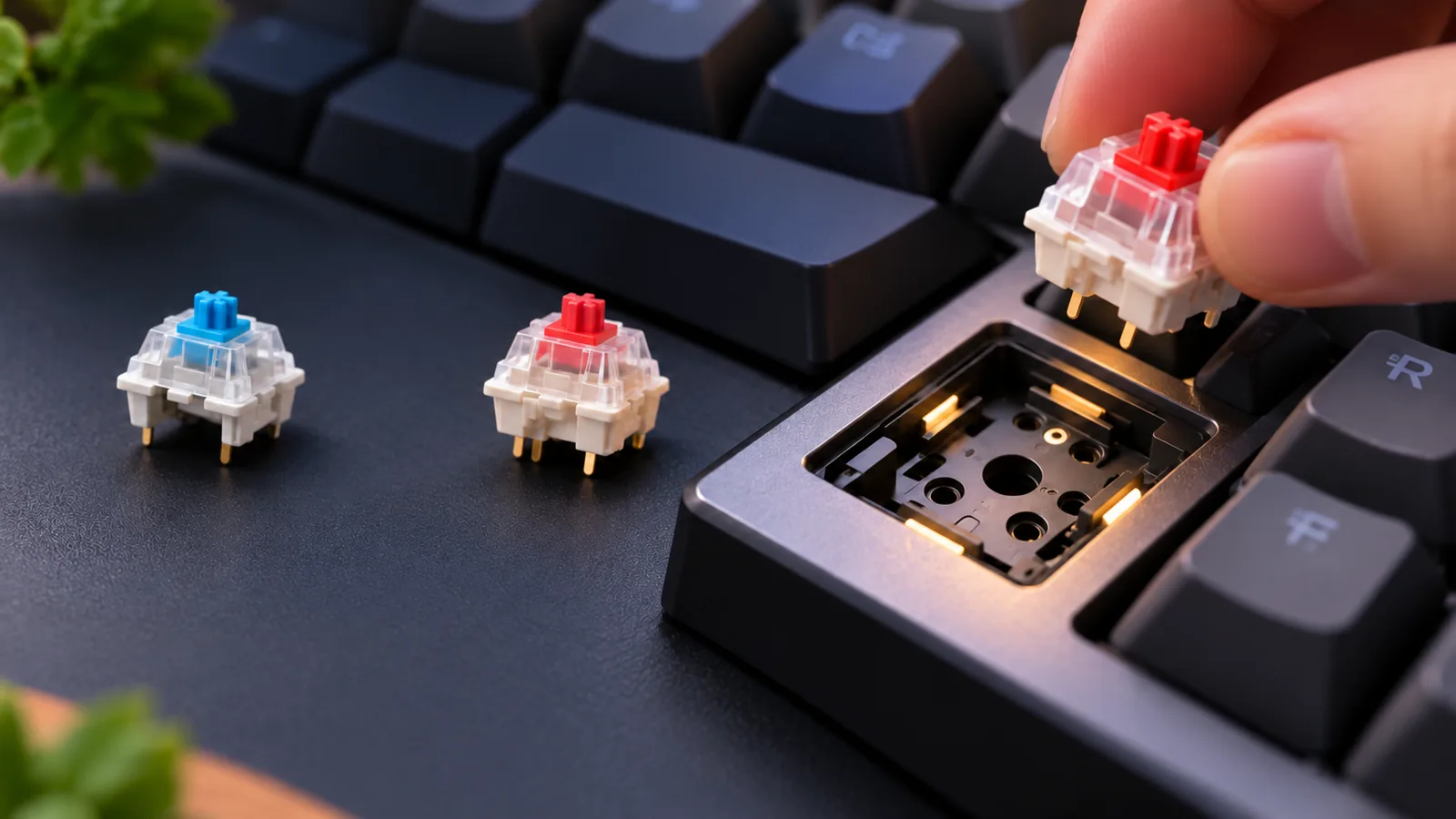
Hot-swappability refers to the ability to change mechanical switches on your keyboard without soldering. This feature offers several practical benefits for programmers:
- Switch Experimentation: Easily try different switch types (linear, tactile, clicky, or variations within these) to find what feels best for your coding style without committing to a single type or purchasing multiple keyboards.
- Maintenance and Repair: If a switch becomes faulty, it can be replaced quickly and cost-effectively, extending the lifespan of your keyboard.
- Long-Term Customization: As your preferences evolve or new switch technologies emerge, you can adapt your keyboard to maintain an optimal typing experience, ensuring your investment remains relevant.
This flexibility allows programmers to fine-tune their keyboard's feel and sound over time, adapting it to changing needs or simply exploring new options for comfort and performance.
Connectivity and Compatibility
The way your keyboard connects to your computer and its compatibility with various operating systems are practical considerations for any programmer.
- Wired Connectivity (USB-C/A): Offers reliable, low-latency performance without battery concerns. It's often preferred for stationary workstation setups where maximum responsiveness and uninterrupted operation are critical.
- Wireless Connectivity (Bluetooth/2.4GHz): Provides a cleaner desk setup and increased portability. While modern wireless technologies have reduced latency, battery management is a factor. Wireless options are suitable for programmers who frequently move their setup or prefer a minimalist workspace.
- Operating System Compatibility: Ensure the keyboard supports your primary operating system (Windows, macOS, Linux). Keyboards designed with cross-platform compatibility often include specific keycaps (e.g., "Cmd/Win" and "Alt/Opt") or software modes to seamlessly integrate with different environments.
Choosing between wired and wireless often depends on whether portability and a clutter-free desk outweigh the desire for absolute reliability and no battery dependence. Comprehensive OS support ensures a smooth experience regardless of your development environment.
Navigating the Keyboard Landscape: Potential Trade-offs and Considerations
While mechanical keyboards offer significant advantages for programmers, selecting one involves navigating a series of practical trade-offs. Understanding these compromises beforehand can help manage expectations and ensure the chosen keyboard aligns with individual workflow and environment.
Budget vs. Features
The cost of a mechanical keyboard can vary widely, directly impacting the availability of advanced features crucial for programming. Entry-level options provide the core mechanical experience but often lack sophisticated customization. As the budget increases, so does access to features like QMK/VIA programmability, which allows for deep key remapping, macro creation, and multi-layer configurations essential for complex coding tasks. Similarly, hot-swappable switches, enabling users to change switch types without soldering, are typically found in mid-to-high-tier models. Programmers must weigh the long-term benefits of these advanced functionalities against their initial investment.
Learning Curve for New Layouts/Switches
Transitioning to a mechanical keyboard, especially one with a compact layout (e.g., 60%, 65%, 75%) or a different switch type, often involves an adjustment period. Muscle memory developed over years on a full-size membrane keyboard may need retraining for new key positions or the distinct feel of linear, tactile, or clicky switches. This learning curve can temporarily affect typing speed and accuracy, requiring patience to adapt before fully realizing the productivity gains.
Noise Levels
Mechanical switches inherently produce more sound than their membrane counterparts, a factor that requires careful consideration. Clicky switches are the loudest, providing distinct auditory feedback with each actuation, which can be disruptive in shared office spaces or quiet home environments. Even tactile switches, while generally quieter than clicky ones, can still be noticeably louder than a typical office keyboard. Programmers working in close proximity to others or in noise-sensitive settings might need to prioritize quieter switch types, such as silent linear or silent tactile options, or consider modifications like O-rings to dampen sound.
Portability Needs
For programmers who frequently work from different locations or travel, portability becomes a key consideration. Smaller layouts (60%, 65%, 75%) offer reduced footprints, making them easier to transport, but often at the expense of dedicated keys like a number pad, function row, or navigation cluster. Reaching these functions might require using a function layer, which can introduce an additional cognitive load. Conversely, full-size keyboards retain all dedicated keys but are bulkier and less convenient for on-the-go use. Wireless connectivity can enhance portability but may introduce concerns about battery life or potential input lag, which are generally minor for programming but worth noting.
Your Personalized Code Companion: A Programmer's Decision Path
Selecting a mechanical keyboard is a personal journey, particularly for programmers whose daily work heavily relies on this tool. Rather than chasing trends, focus on what genuinely enhances your individual workflow and comfort. This framework guides you through critical self-reflection to align keyboard features with your specific coding needs.
-
1. Evaluate Your Core Programming Environment Consider where and how you primarily code. This shapes fundamental requirements beyond switch type or layout.
- Fixed Desk Setup vs. Mobile: Do you work exclusively at one desk, or do you frequently move between locations? This influences the need for wireless connectivity, portability, and overall keyboard footprint.
- Operating System: Are you primarily on Windows, macOS, or Linux? Ensure the keyboard offers compatible keycaps and firmware support for your OS-specific shortcuts and modifiers.
- Peripheral Integration: How does the keyboard fit with your mouse, monitor setup, and other desk accessories? Consider the space available and how a keyboard's size might impact your overall ergonomic posture.
-
2. Define Your Layout Essentials The layout directly impacts key accessibility and desk space. Reflect on which key groups are indispensable for your coding style.
- Dedicated Function Keys (F1-F12): Are these frequently used for debugging, IDE shortcuts, or specific commands? If so, a layout that retains them without a function layer might be preferable.
- Navigation Cluster (Home, End, PgUp, PgDn, Arrows): How often do you use these for text manipulation? Some compact layouts integrate these into layers, which requires adaptation.
- Numeric Keypad: Is data entry or specific numerical operations a significant part of your work? If not, a tenkeyless (TKL) or smaller layout could free up mouse space.
- Specialized Keys: Do you rely on specific keys like Print Screen, Scroll Lock, or Pause Break, or can these be remapped to a layer?
-
3. Pinpoint Your Switch Preference Your ideal switch type balances tactile feedback, sound, and actuation force with your typing habits.
- Tactile Feedback: Do you prefer a distinct bump to confirm actuation, or a smooth, uninterrupted press?
- Auditory Feedback: Is a quiet keystroke essential for your environment, or is a more pronounced sound acceptable?
- Actuation Force: Do you prefer a lighter touch to reduce finger fatigue, or a heavier switch to prevent accidental presses? Experimentation with switch testers can inform this choice.
-
4. Assess Customization and Connectivity Needs Modern mechanical keyboards offer significant flexibility, which can be a boon for programmers.
- Programmability: How important is the ability to remap keys, create custom macros, or set up multiple key layers (e.g., via QMK/VIA firmware)? This can significantly streamline complex coding tasks.
- Hot-Swappability: Do you anticipate wanting to try different switch types in the future without buying a new keyboard or soldering? Hot-swappable sockets allow for easy switch changes.
- Wired vs. Wireless: Is a cable-free desk setup a priority, or do you prefer the reliability of a wired connection without battery management?
-
5. Consider Ergonomics and Budget Long-term comfort and investment value are crucial for a tool used extensively.
- Ergonomic Features: Are features like adjustable incline, tenting, or a split design important for your wrist and hand health?
- Build Quality and Materials: What level of durability and aesthetic quality do you seek? This often correlates with budget, with options ranging from entry-level to premium pre-built or custom kits.
- Investment Horizon: View your keyboard as a long-term tool. A higher initial investment in a well-suited board can pay dividends in comfort and productivity.
By systematically addressing these questions, you can move beyond generic recommendations and identify a mechanical keyboard that genuinely serves as an optimized, comfortable, and efficient companion for your unique programming journey.
FAQs: Your Programming Keyboard Questions Answered
Choosing a mechanical keyboard for programming involves specific considerations beyond general typing. Here are answers to common questions that can help guide your decision.
Is a mechanical keyboard truly better for programming?
For many programmers, yes. Mechanical keyboards offer distinct advantages over standard membrane keyboards for extensive coding:
- Enhanced Precision: The individual switches provide clear, consistent feedback with each keystroke, reducing ambiguity and potential errors during rapid input of code, symbols, and commands.
- Reduced Fatigue: Many mechanical switches require less force to actuate and offer a distinct tactile or auditory cue, which can help prevent bottoming out keys. This can lead to less finger and hand fatigue during long coding sessions.
- Customization Potential: A significant benefit for programmers is the ability to remap keys, create macros, and set up multiple layout layers. This level of customization allows for highly optimized workflows, placing frequently used functions or complex command sequences at your fingertips.
What's the best switch type for programming?
There isn't a single "best" switch, as preference is subjective. However, many programmers favor tactile switches.
- Tactile Switches: These provide a noticeable bump in the key travel, signaling key actuation without needing to press the key all the way down. This feedback can improve typing accuracy and reduce finger strain by confirming the keystroke.
- Linear Switches: Offer a smooth, consistent press from top to bottom without any tactile bump. Some programmers prefer these for fast, uninterrupted key presses, though they lack the physical feedback of tactile switches.
- Clicky Switches: Similar to tactile but include an audible click sound at the actuation point. While providing strong feedback, the noise can be distracting in shared work environments.
Consider trying a switch tester to experience different types before committing, or opt for a hot-swappable keyboard to easily change switches later.
Do I need a full-size keyboard for programming?
Not necessarily. While a full-size keyboard includes a dedicated numpad, which can be useful for data entry, it's often less critical for pure coding tasks. Many programmers find smaller layouts more beneficial:
- Tenkeyless (TKL): Removes the numpad, saving desk space and allowing the mouse to be positioned closer to the keyboard, which can improve ergonomics. It retains the function row and arrow keys essential for navigation and shortcuts.
- 75% Layout: Even more compact than TKL, typically condensing the navigation cluster while still retaining the function row and dedicated arrow keys. This offers a good balance of size and functionality.
- 60% or 65% Layouts: These are highly compact, often requiring the use of function layers to access arrow keys, the function row, or other less-used keys. While saving significant desk space, they may involve a steeper learning curve for some programmers accustomed to dedicated keys.
The ideal layout depends on your desk space, ergonomic preferences, and how frequently you use specific keys like the numpad.
What is QMK/VIA and why is it important for programmers?
QMK (Quantum Mechanical Keyboard) is an open-source firmware, and VIA is a user-friendly graphical interface used to configure QMK-compatible keyboards. They are important for programmers because they enable unparalleled customization:
- Key Remapping: Change the function of any key, allowing you to optimize the layout for your specific coding environment or preferences (e.g., remapping Caps Lock to Control).
- Macros: Program single keys to execute complex sequences of keystrokes or commands, significantly speeding up repetitive tasks or inserting common code snippets.
- Multiple Layers: Create different keyboard layouts that can be toggled with a keypress. This allows access to specialized symbols, programming language-specific shortcuts, or even entirely different keybindings for various applications without cluttering the primary layout.
This level of programmability enhances efficiency, reduces reliance on complex key combinations, and can adapt the keyboard to your evolving workflow.
How much should I spend on a programming mechanical keyboard?
The cost of a mechanical keyboard for programming can range widely based on features, materials, and customization options:
- Under $80: Entry-level options can provide a solid mechanical typing experience and are a good starting point to evaluate if a mechanical keyboard fits your workflow.
- $80 - $150: This range often includes keyboards with better build quality, hot-swappable switches (allowing you to change switch types without soldering), and frequently, QMK/VIA compatibility. These keyboards offer a strong balance of features and value for programmers.
- $150 - $250+: Premium pre-built keyboards or components for custom builds fall into this category. They typically feature higher-grade materials (like aluminum cases), advanced mounting styles, and superior acoustics, offering a highly refined and personalized typing experience.
Consider your budget in conjunction with the desired features like programmability (QMK/VIA), switch hot-swappability, and build quality. Investing in a keyboard that enhances your daily productivity and comfort can be a worthwhile long-term decision.
Empowering Your Workflow: The Right Keyboard for Your Code
Ultimately, selecting a mechanical keyboard for programming is an investment in your daily productivity and long-term comfort. The nuanced differences in layout, switch type, and programmable features directly impact how efficiently and comfortably you interact with your code. This choice moves beyond a simple peripheral upgrade; it's about tailoring a fundamental tool to the specific demands of your development workflow.
The optimal mechanical keyboard isn't a universal solution but a personal one. Your unique coding habits, preferred programming languages, ergonomic needs, and workspace environment should guide your decision. Consider the trade-offs between compact layouts for desk space and full-size options for dedicated navigation keys, or the feel of a tactile switch versus a linear one for sustained typing. Prioritizing features like programmable layers, hot-swappable switches, and robust build quality can significantly enhance your coding experience.
By carefully evaluating these factors against your individual requirements, you gain more than just a keyboard; you gain a finely tuned instrument that supports precision, reduces fatigue, and streamlines your coding process. An optimized setup empowers you to focus more on problem-solving and less on input mechanics, fostering a more enjoyable and productive development journey.
Decision checklist for mechanical keyboard for programming
- Confirm the layout includes the keys and navigation functions required by your daily workflow.
- Verify switch, socket, keycap, firmware, operating-system, and connection compatibility before ordering.
- Compare sound, typing feel, ergonomics, repairability, and desk-space tradeoffs rather than one headline specification.
- Read the current warranty, return policy, and manufacturer documentation before making a final choice.