As an Amazon Associate we earn from qualifying purchases.
For optical vs mechanical switches, choose the keyboard with documented support for the switches you want to use and replace. Optical is a reasonable choice when you like its approved switch options and can verify a repair route. If you want to experiment with contact-based switches, choose a platform that explicitly documents your intended replacements.
This comparison is for people choosing a keyboard for everyday typing or gaming, especially those planning future switch changes. It focuses on sensing, compatibility, typing characteristics, and replacement planning.
Quick takeaways
- Check the exact generation. Gateron explicitly says KS-22 optical switches cannot replace KS-15 optical switches. A shared optical label does not establish compatibility. Gateron KS-22
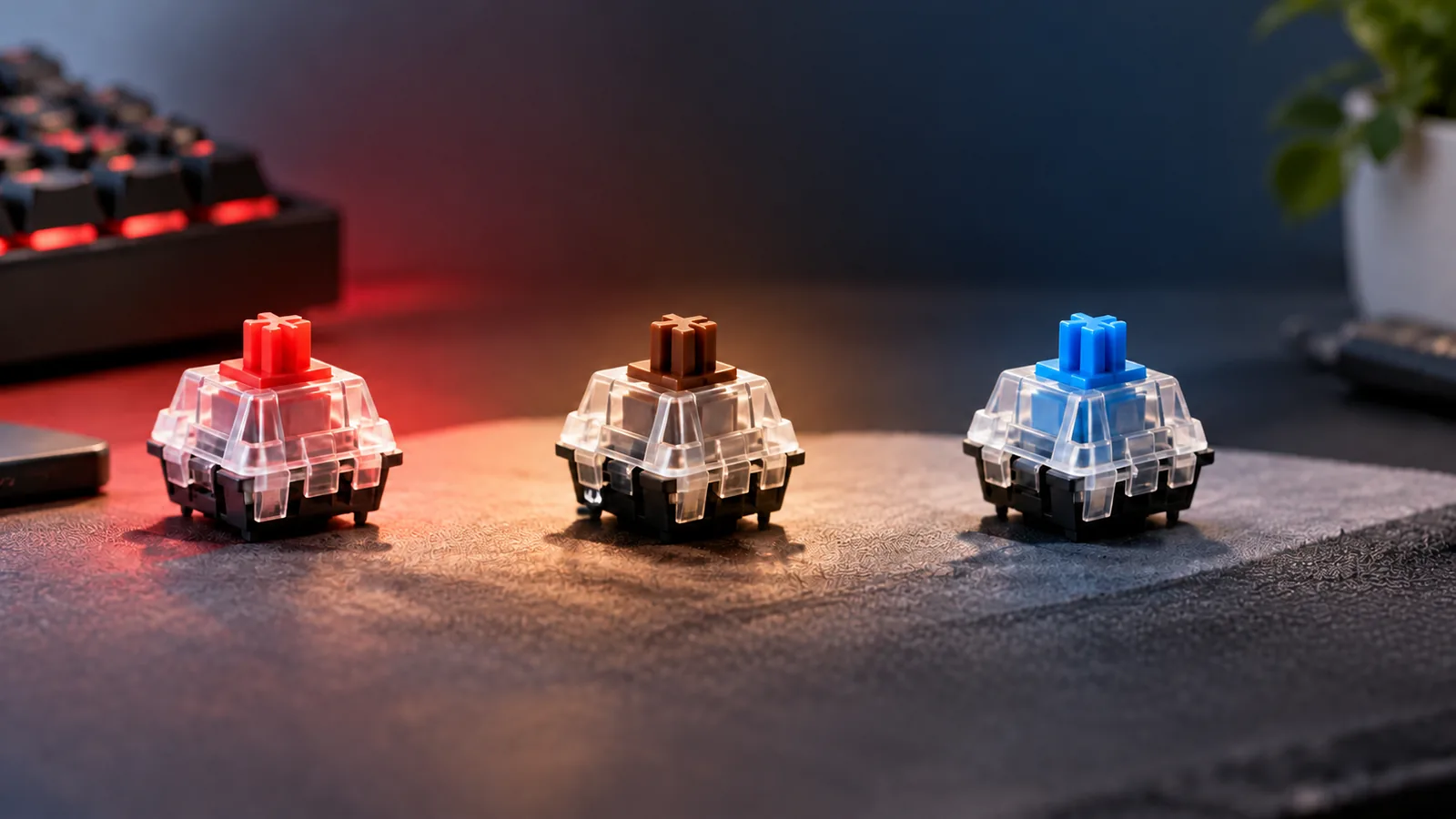
- Choose feel separately. Gateron's KS-15 lineup includes linear, tactile, and clicky variants. Optical sensing does not limit you to one typing characteristic. Gateron KS-15
- Compare complete keyboards for latency. Scanning, debounce, USB polling, and processing contribute to input latency; switch technology alone cannot establish a winner. KeebsForAll latency guide
Editorial method: This is a documentation-based comparison using source information accessed October 15, 2026. It includes no hands-on performance testing. The latency discussion uses available search excerpts from QMK documentation and KeebsForAll's guide.
On this page
- Comparison at a glance
- How a keypress registers
- Switch and PCB compatibility
- Reading latency claims
- Typing feel and sound
- Repair planning worksheet
- Frequently asked questions
- Making your choice
Optical vs mechanical switches at a glance
The examples below show documented differences between specific designs. They are not a compatibility chart for every keyboard.
| Decision point | Gateron optical examples | CHERRY contact-based example |
|---|---|---|
| How a press is sensed | KS-22 stem movement blocks or permits infrared light. Gateron | MX RED uses electrical Gold Crosspoint contacts. CHERRY |
| Documented typing characteristics | KS-15 offers linear, tactile, and clicky variants. Gateron | MX RED is linear and specified without a click. CHERRY |
| Replacement boundary | Gateron excludes these optical switches from regular mechanical keyboards and prohibits KS-22 as a KS-15 replacement. Gateron | The MX RED product description establishes its mechanism; it does not approve a swap into your particular keyboard. CHERRY |
| What to verify before choosing | Exact approved optical family, generation, and replacement procedure. | Exact approved contact-switch part and replacement procedure. |
Treat the final row as a buying checklist. Both choices need documentation for the actual keyboard you intend to own.
How a keypress registers
An optical switch uses light sensing to register a press; a contact-based mechanical switch uses an electrical contact. In Gateron's KS-22, stem movement changes infrared light transmission. CHERRY MX RED instead uses Gold Crosspoint contacts, with a moving stem and coil spring. These examples separate sensing from physical movement. Gateron KS-22, CHERRY MX RED
That distinction helps keep the buying decision clear. Ask how the switch registers, which typing characteristic the exact variant offers, and which replacements the keyboard supports. Answer each question separately before treating the sensing label as a recommendation.
Check switch and PCB compatibility first
Start with the keyboard's printed circuit board, or PCB, and the sensing system it supports. For the Gateron examples here, the manufacturer explicitly warns that its optical switches are incompatible with regular mechanical keyboards. Do not treat a similar appearance as permission to substitute one system for the other. Gateron KS-15
Compatibility also requires checking the generation within an optical family. Gateron describes KS-22 as having a larger stem diameter and a larger bottom-housing positioning pole than KS-15. The same page explicitly says KS-22 is not to be used as a replacement for KS-15. Gateron KS-22
Worked example: replacing a KS-15 switch
Suppose your keyboard documentation identifies KS-15, and you find a KS-22 listing from the same manufacturer. The listing's optical label does not resolve the choice: Gateron's specific replacement prohibition rules out KS-22 for that substitution. Return to the keyboard maker's documentation to identify the approved part and procedure. Gateron KS-22 replacement warning
This example establishes an incompatibility, not a complete list of compatible alternatives. It also does not establish the reverse substitution. Require explicit approval for the direction of the swap you actually want to make.
Before ordering, record the keyboard's full model and revision, the approved switch family and generation, and the manufacturer's replacement instructions. Treat a matching stem shape or a generic “hot-swap” label as a reason to investigate further. Require documentation naming the supported replacement before counting a proposed swap as an upgrade path.
Read latency claims at the keyboard level
A switch description tells you how a press is sensed. To judge responsiveness, look for a measurement of the complete keyboard. The available excerpt of KeebsForAll's latency guide identifies matrix scanning, debounce, USB polling, and processing as contributors to total input latency.
Debounce is one reason contact-based keyboards should not be assigned a single fixed delay. The available excerpt of QMK's debounce documentation distinguishes eager reporting, which reports a detected change immediately and then ignores further changes for the debounce interval, from deferred reporting, which waits for a stable interval before reporting the change. “Immediately” describes that firmware step; it does not mean the entire keyboard has zero latency.
The useful conclusion is limited but practical: a switch-only speed claim cannot establish which complete keyboard reports your input sooner. No matched optical-versus-contact keyboard benchmark supports a numerical winner in this comparison.
A checklist for reading a latency test
Before using a result to choose between keyboards, look for these details:
- Measurement endpoints: What event starts the timer, and what event stops it? Does the result describe switch activation, a keyboard report, or an on-screen response?
- Connection mode: Was the keyboard tested wired or wirelessly? Does that match how you plan to use it?
- Firmware and settings: Which firmware version and relevant settings were used? Is the debounce behavior identified where applicable?
- Scope of the result: Is the headline number a polling specification or an actual latency measurement?
- Repeated measurements: Were several keys and repeated presses included, or is the result based on a single observation?
These are comparison questions, not instructions to modify firmware. They turn the documented signal-chain dependencies and the guide's recommendation for repeated measurements into a practical reading tool. QMK, KeebsForAll
If two reviews use different endpoints or connection modes, leave the ranking unresolved until you find comparable results. Keep latency evidence specific to the tested keyboard and settings.
Choose typing feel and sound by the exact switch
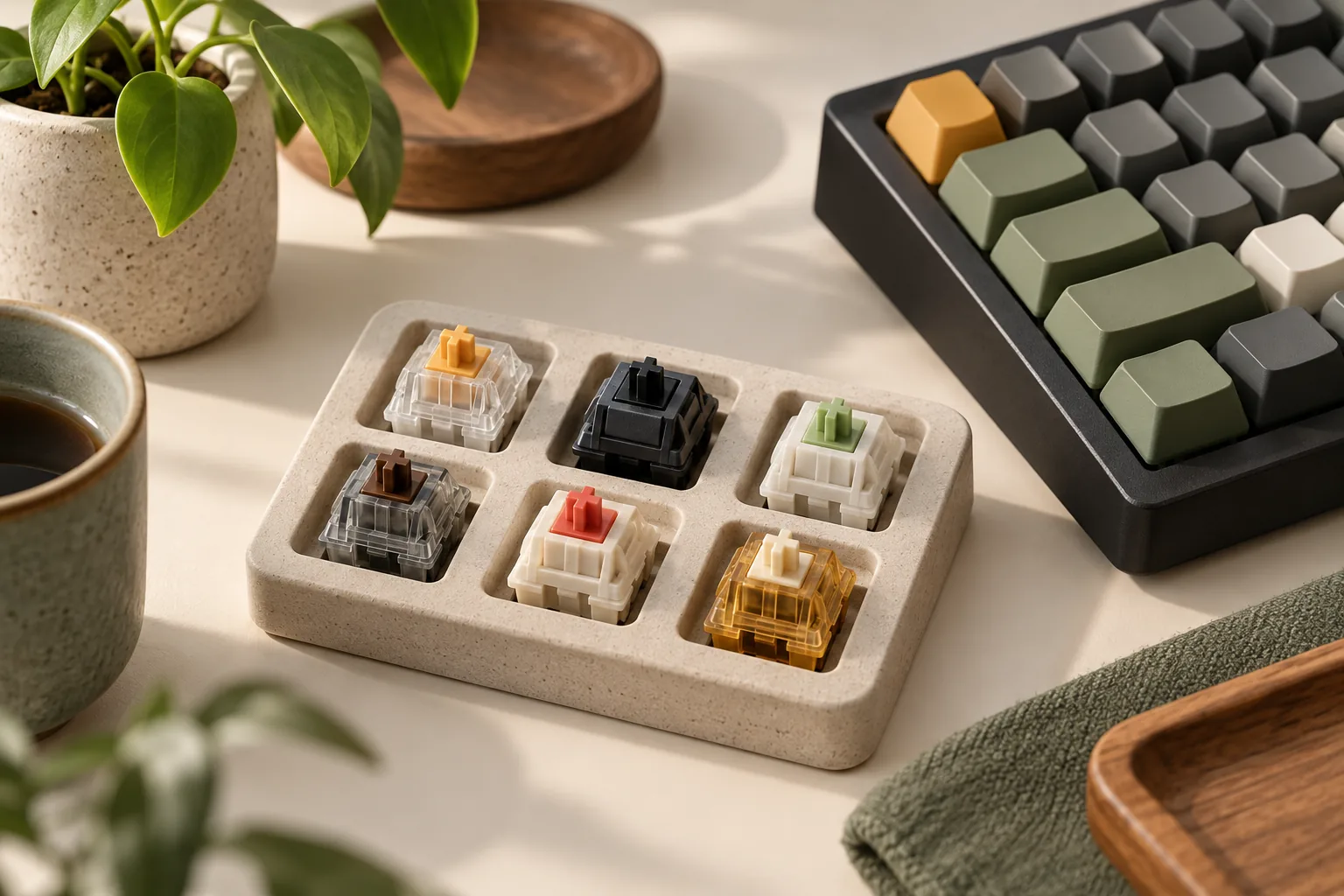
Optical sensing does not prescribe one typing characteristic. Gateron's KS-15 table lists Red as linear, Brown as tactile, and Blue as clicky, along with other linear variants. CHERRY describes its contact-based MX RED as linear without a click. These documented examples show why sensing system and typing characteristic belong in separate columns on your shortlist. Gateron KS-15 specifications, CHERRY MX RED
For everyday typing, first identify the exact variant you want to evaluate. Then check whether the keyboard maker approves that variant and generation. If you already like a particular optical keyboard, investigate its supported alternatives before assuming a different sensing system is necessary to change typing characteristics.
For sound, ask for evidence about the exact keyboard and switch configuration. CHERRY's “no click” specification describes MX RED's switching characteristic; it is not a measured sound ranking for a finished keyboard. This comparison supplies no acoustic measurements and names no quietness winner. CHERRY MX RED specifications
Plan repairs before buying
Gateron has product pages for both KS-15 and KS-22 switch sets. Those pages provide a route to investigate replacement parts, but their existence does not guarantee present US stock, future supply, or compatibility with your keyboard. Verify the exact approved part before making a purchase decision around repairability. KS-15 switch set, KS-22 switch set
Use this worksheet for each candidate keyboard. Copy the questions into your notes and answer them from the keyboard maker's documentation or a written support response.
| Question | What to record | If you cannot verify it |
|---|---|---|
| Which keyboard do I have or plan to buy? | Full model name and hardware revision. | Resolve the identity before selecting switches. |
| Which sensing system does it support? | The manufacturer's stated switch technology. | Ask for confirmation of the supported system. |
| Which replacement is approved? | Exact switch family, generation, and variant. | Leave the proposed swap unconfirmed. |
| How is replacement performed? | The official procedure and whether it is intended for owners. | Contact support before attempting removal. |
| Can I obtain the approved part? | A current listing or support-confirmed ordering route. | Treat spare-part access as unresolved. |
| Does the offer suit my purchase? | Correct selected variant, quantity, US delivery, and applicable return terms. | Resolve the checkout details before paying. |
For an existing keyboard, keep the approved switch identification with its manual. For a new keyboard, complete the worksheet before choosing it mainly for future customization. This makes the repair plan concrete without assuming that any particular listing will remain available.
Frequently asked questions
Can optical switches replace regular mechanical switches?
Gateron explicitly says its optical switches are incompatible with regular mechanical keyboards. For the KS-15 and KS-22 examples, do not buy them as substitutes for contact-based switches. For another platform, require exact keyboard documentation approving the proposed replacement; a shared shape does not establish that approval. Gateron
Are optical switches always faster for gaming?
A sensing label alone cannot establish a whole-keyboard latency winner. Scanning, debounce behavior, USB polling, and processing also contribute to the result. Compare measurements for the exact keyboards, connection modes, and settings you will use. This comparison does not provide a measured optical-versus-contact speed ranking. KeebsForAll, QMK
Can I replace Gateron KS-15 with KS-22?
No. Gateron expressly prohibits using KS-22 to replace KS-15 and documents dimensional differences between them. The common manufacturer and optical branding do not override that warning. Use your keyboard maker's exact approved replacement specification and procedure rather than treating KS-22 as a drop-in generation upgrade. Gateron KS-22
Make your choice
For optical vs mechanical switches, make the decision around your intended use and future changes. Choose an optical keyboard when its documented switch options meet your needs and its approved repair route is acceptable. If you want contact-switch experimentation, choose a platform that explicitly supports the parts you plan to try. Use the repair worksheet to verify your preferred keyboard before buying.