As an Amazon Associate we earn from qualifying purchases.
Unlocking Your Ideal Typing Experience: A Guide to Mechanical Keyboard Switches
Mechanical keyboard switches are the fundamental components that define your interaction with a keyboard. Often considered the "heart" of a mechanical keyboard, these individual mechanisms beneath each keycap dictate the tactile sensation, audible feedback, and overall responsiveness of every keystroke. This critical difference from other keyboard types means that the choice of switch profoundly impacts your typing speed, gaming performance, and long-term comfort.
The diverse world of mechanical switches offers a spectrum of experiences. From the smooth press of a linear switch to the distinct bump of a tactile one, or the satisfying click of another, each type presents unique characteristics. This guide aims to demystify these options, providing you with the knowledge to make an informed decision. Our goal is to empower you to confidently select switches that perfectly align with your personal preferences and specific usage requirements, ensuring a truly satisfying and efficient keyboard experience.
Understanding the Fundamentals of Mechanical Keyboard Switches
Mechanical keyboard switches are the individual mechanisms beneath each keycap that register a keystroke. Unlike membrane keyboards, which use a rubber dome to complete a circuit, mechanical keyboards employ a physical switch for each key. This design contributes to a distinct typing experience, offering consistent feedback and durability.
Each mechanical switch comprises several core components working in unison. The stem is the part that moves vertically when pressed, and it's what the keycap attaches to. The housing encases the internal components and guides the stem's movement. A spring provides resistance and returns the stem to its original position after actuation. Finally, metal contacts inside the switch close to complete an electrical circuit when the stem is pressed down, sending a signal to the keyboard's controller.
When a key is pressed, the stem travels downwards, compressing the spring. At a specific point in this travel, known as the actuation point, the metal contacts briefly touch. This momentary connection registers the keystroke. The distance the stem travels before actuation (pre-travel) and the total distance it can travel (total travel) vary between switch types, influencing the responsiveness and feel.
Mechanical keyboard switches are broadly categorized into three main types, each offering a unique tactile and auditory experience:
- Linear Switches: Provide a smooth, consistent keystroke from top to bottom without any bump or click.
- Tactile Switches: Feature a noticeable bump or resistance partway through the keystroke, indicating actuation without an audible click.
- Clicky Switches: Offer both a tactile bump and a distinct audible click sound, usually at or near the actuation point.
Exploring Each Switch Type: Feel, Sound, and Ideal Use Cases
Mechanical keyboard switches are the fundamental components that define a keyboard's typing experience, influencing everything from the sound produced to the tactile feedback received. Understanding the core distinctions between linear, tactile, and clicky switches is crucial for matching a keyboard to individual preferences and specific applications. Each type offers a unique interaction, shaping how users perceive their keystrokes.
Linear Switches: Smooth and Consistent
Linear switches are characterized by a smooth, uninterrupted press from top to bottom, without any tactile bump or audible click. The resistance remains consistent throughout the keystroke until actuation. This design prioritizes speed and fluidity, making them a popular choice for specific user groups.
- Feel: Extremely smooth, no physical feedback point, consistent resistance.
- Sound: Generally quiet, often described as a soft "thock" or "clack" depending on the keyboard's construction and keycaps.
- Ideal Use Cases:
- Gaming: The absence of a bump allows for rapid, repeated key presses without obstruction, which can be advantageous in fast-paced games. The smooth travel can also reduce finger fatigue during extended sessions.
- Office Environments: Their typically quieter nature makes them less disruptive in shared workspaces compared to clicky switches.
- Considerations: Some users might find the lack of tactile feedback leads to more accidental key presses or a less satisfying typing experience, as there's no clear indication of actuation beyond bottoming out.
Tactile Switches: The Feedback Bump
Tactile switches provide a noticeable "bump" or resistance point partway through the key travel, signaling that the key has actuated. This feedback mechanism allows users to feel when a key press has registered without needing to press the key all the way down.
- Feel: A distinct, non-audible bump that provides physical feedback upon actuation.
- Sound: Moderate, typically quieter than clicky switches but often slightly louder than linear switches due to the internal mechanism of the bump. Can range from a muted "thock" to a more pronounced "clack."
- Ideal Use Cases:
- Typing and Productivity: The tactile bump helps typists achieve faster speeds and greater accuracy by providing a clear signal of actuation, reducing the need to bottom out keys. This can lead to less finger strain over long typing sessions.
- General Use: A good middle-ground for users who want feedback but prefer to avoid the louder sound of clicky switches.
- Considerations: While beneficial for typing, the tactile bump can be perceived as an impediment by some gamers who prefer the unhindered travel of linear switches for quick double-taps.
Clicky Switches: Audible and Tactile Feedback
Clicky switches combine the tactile bump of tactile switches with an additional, distinct audible "click" sound at the actuation point. This provides both physical and auditory confirmation of a key press.
- Feel: A clear tactile bump followed by an audible click.
- Sound: Loud and distinct, a sharp "click" sound. This is the most pronounced sound profile among the three main types.
- Ideal Use Cases:
- Typing Enthusiasts: Many typists enjoy the satisfying auditory and tactile feedback, finding it enhances their typing rhythm and confidence.
- Novelty and Preference: Some users simply prefer the classic mechanical keyboard sound and feel that clicky switches offer.
- Considerations: The primary drawback of clicky switches is their noise level. They are generally not recommended for shared office environments, quiet homes, or streaming setups where microphone pickup could be an issue. Their sound can be disruptive to others nearby.
Key Considerations for Choosing Your Ideal Switches
Selecting the right mechanical keyboard switches involves a blend of personal preference, intended use, and practical compatibility. Moving beyond the basic types, several nuanced characteristics directly influence your daily interaction with the keyboard. Evaluating these factors thoughtfully will guide you toward switches that truly enhance your typing or gaming experience.
-
Actuation Force: The Pressure Point This refers to the amount of pressure, typically measured in grams, required to register a keypress. It dictates how light or heavy a switch feels.
- Lighter Switches (e.g., 35-50g): These require less effort to press, which can lead to faster typing speeds and reduced finger fatigue during extended sessions. The trade-off is a higher propensity for accidental keypresses, especially for those with a heavy-handed typing style or during intense gaming where quick, unintended taps might occur.
- Heavier Switches (e.g., 60g+): These demand more deliberate force, significantly reducing accidental presses and providing a more "solid" feel. However, they can lead to increased finger strain over long periods or feel sluggish for rapid-fire inputs.
-
Travel Distance and Actuation Point: Responsiveness and Feedback Travel distance is the total path a key moves from its resting position to bottoming out. The actuation point is the specific distance along that path where the keypress registers.
- Shorter Travel/Actuation: Switches with shorter pre-travel (distance to actuation) and total travel can feel more responsive, as keystrokes register quickly with minimal movement. This can be advantageous for competitive gaming where milliseconds matter. The downside can be less tactile feedback and a higher chance of accidental presses if not accustomed.
- Longer Travel/Actuation: Switches with longer travel provide a more extended and often more deliberate keypress. This can offer a more satisfying and less error-prone typing experience, as there's more physical feedback before and after actuation. They may feel slower for rapid, repeated inputs.
-
Sound Profile: Auditory Feedback and Environment The sound a switch produces is a significant part of the mechanical keyboard experience, but it's highly subjective and context-dependent.
- Clicky Switches: Known for a distinct audible "click" in addition to a tactile bump, offering clear feedback that a key has been actuated. Often preferred by typists who enjoy the auditory confirmation, but can be disruptive in quiet office environments or shared living spaces.
- Tactile Switches (non-clicky): Provide a noticeable bump without an accompanying click. They offer physical feedback that a key has registered without being overly loud, making them a popular choice for both typing and general use in various settings.
- Linear Switches: Offer a smooth, consistent keystroke from top to bottom without any tactile bump or audible click. They are generally the quietest type, favored by gamers for rapid, unobstructed presses and by those in noise-sensitive environments.
-
Durability and Lifespan: Long-Term Reliability Mechanical switches are renowned for their longevity compared to membrane keyboards. Quality switches are typically rated for tens of millions of keystrokes, signifying robust construction designed for extended use. Factors like manufacturing quality and materials play a role in this lifespan. While highly durable, regular cleaning can prevent issues caused by debris, which is a common cause of switch malfunction.
-
Compatibility: Your Keyboard's Future Flexibility The way switches are installed in your keyboard dictates how easily they can be changed or replaced.
- Hot-Swappable Keyboards: These keyboards feature sockets that allow switches to be easily plugged in and pulled out without any soldering. This offers immense flexibility for users to experiment with different switch types, replace faulty switches, or customize their typing feel without specialized tools. This is a key consideration for enthusiasts who anticipate trying various switches.
- Soldered Keyboards: In these keyboards, switches are permanently soldered to the circuit board. Changing switches requires desoldering the old ones and soldering new ones, a process that demands specific tools and skills. While offering a potentially more stable connection, it limits easy customization.
-
Your Primary Use: Tailoring to Your Activities The optimal switch choice often aligns with your main activity on the keyboard.
- Gaming: Many gamers prefer linear switches for their smooth, consistent travel, enabling rapid, unobstructed keypresses and quick double-taps. Lighter actuation forces can also be favored for speed, though some prefer heavier switches to prevent misclicks during intense moments.
- Typing: Typists often gravitate towards tactile or clicky switches, as the feedback bump or sound can improve accuracy and provide a more satisfying experience. The specific actuation force and travel can be a matter of personal preference, balancing speed with comfort.
- Balanced/General Use: For those who split their time between gaming, typing, and general productivity, a tactile switch often provides a good middle ground, offering feedback without being overly loud or hindering rapid inputs. Linear switches can also serve well for general use if a smooth, quiet experience is prioritized.
Navigating Common Switch Challenges and Maintenance
Even with careful selection, mechanical switches can encounter issues over time, impacting performance and typing feel. Understanding common problems, their causes, and basic maintenance can extend switch lifespan and improve your keyboard experience. These challenges often stem from accumulated debris, general wear, or, in rare cases, manufacturing inconsistencies.
Common switch problems include:
- Chatter: A single keypress registers multiple times. This can be caused by dust or debris interfering with the switch contacts, or worn-out contact leaves.
- Sticky Keys: A switch feels sluggish or doesn't return fully after actuation. Spilled liquids, excessive or improper lubrication, or debris can lead to this.
- Failure to Actuate: A keypress doesn't register at all. This might indicate debris blocking the contact points, a broken spring, or damaged internal contacts.
- Inconsistent Actuation: The force required to actuate a switch varies, or it actuates at different points in its travel. This often points to general wear and tear on internal components or manufacturing defects.
Proactive maintenance is key to preventing many of these issues. Regular cleaning helps remove potential obstructions before they become problems. For instance, using compressed air can dislodge dust and crumbs from around and within the switches. For minor spills, a cotton swab lightly dampened with isopropyl alcohol can be used to carefully clean around the affected switch, ensuring the keyboard is unplugged first and allowed to dry completely.
To promote longevity:
- Utilize Dust Covers: When not in use, a simple dust cover can significantly reduce the accumulation of airborne particles.
- Regular Dusting: Periodically use compressed air to clear debris from between keycaps and switches.
- Careful Cleaning: Address spills immediately and gently, avoiding harsh chemicals that could damage plastics or lubricants.
- Avoid Excessive Force: While mechanical switches are durable, consistently bottoming out keys with extreme force can accelerate wear.
For persistent issues, especially on hot-swappable keyboards, considering individual switch replacement is the most straightforward solution. Hot-swap sockets allow users to pull out a faulty switch and insert a new one without soldering. For keyboards with soldered switches, repair typically requires desoldering the problematic switch and soldering a new one in its place, a process that often requires specialized tools and expertise.
Making Your Informed Switch Decision
Selecting the ideal mechanical keyboard switch ultimately hinges on individual preference and specific use cases. There is no universally "best" switch; instead, the optimal choice is the one that aligns most closely with your personal typing style, desired auditory feedback, and environmental considerations. The information you've gathered on switch types, actuation forces, and sound profiles now serves as a foundation for this personal assessment.
To confidently narrow down your options, consider these aspects:
- Self-Assess Your Typing Habits:
- Force: Do you tend to bottom out keys with significant force, or do you prefer a lighter, more delicate touch? This influences the ideal actuation force.
- Speed & Accuracy: Are you a fast typist who values rapid key presses, or do you prioritize deliberate, accurate keystrokes? This might guide you towards smoother linear switches or feedback-rich tactile types.
- Gaming vs. Typing: For gaming, quick actuation and minimal resistance might be paramount. For extended typing sessions, comfort and clear feedback could take precedence.
- Evaluate Your Environment:
- Noise Tolerance: Will a clicky switch be disruptive in a shared office or quiet home? If so, linear or quiet tactile switches might be more suitable.
- Feedback Preference: Do you prefer audible confirmation of each keystroke, or is a silent operation more important?
Making a confident choice involves synthesizing these personal factors with the characteristics of different switch types. While research provides a valuable starting point, the subjective nature of feel and sound means that direct experience can be highly beneficial.
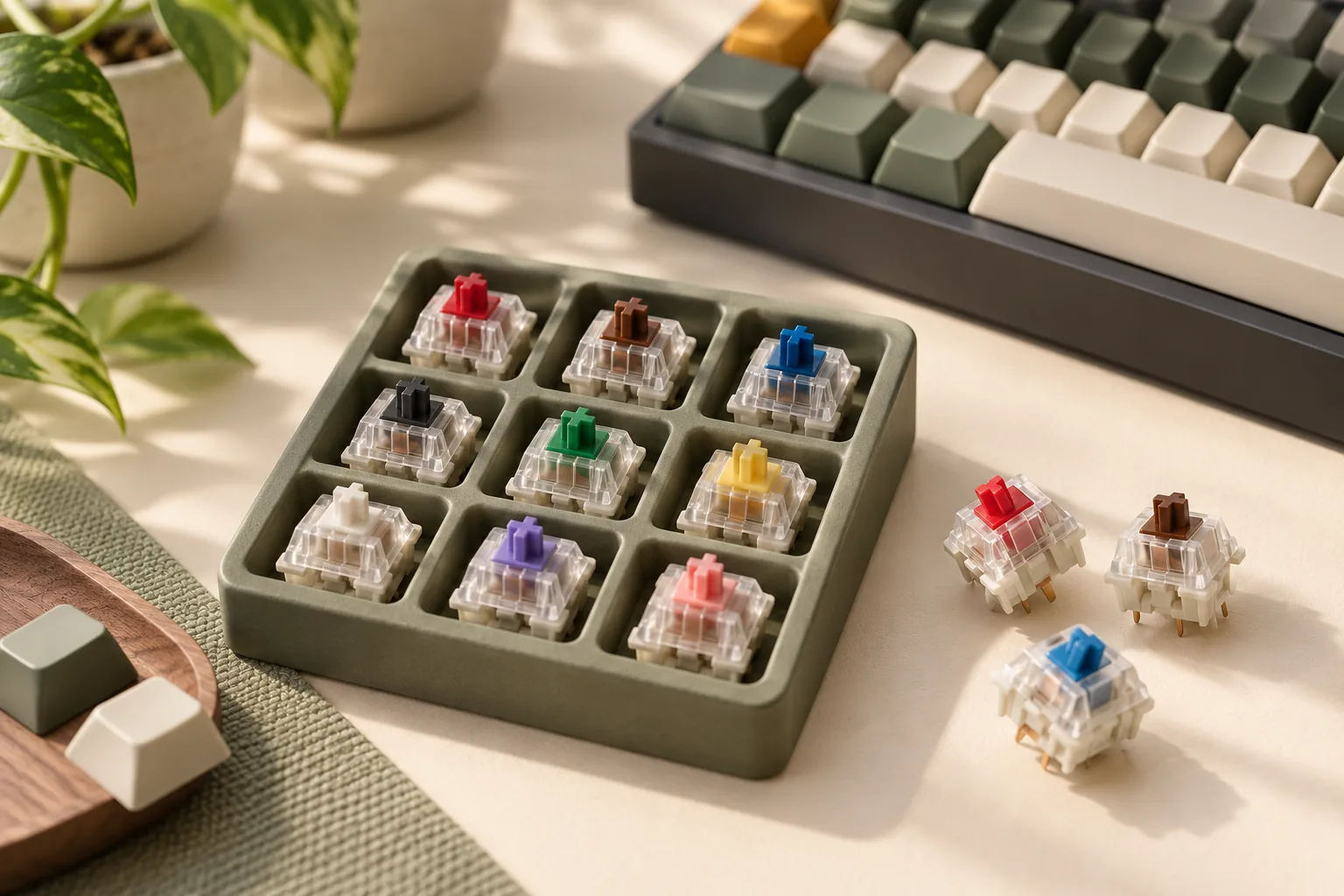
- Sample Different Switches: Whenever possible, try various switch types in person or through switch samplers. This allows you to experience the tactile bump, linear smoothness, or audible click firsthand, which often differs from theoretical descriptions.
- Prioritize Your Core Needs: Decide which characteristics are non-negotiable for you—be it a specific sound, a certain feel, or a noise level. Let these priorities guide your final selection.
- Consider Future Flexibility: If uncertainty remains, opting for a keyboard with hot-swappable switch sockets can mitigate risk. This feature allows you to change switches without soldering, providing the flexibility to experiment or adapt your setup over time.
Frequently Asked Questions About Mechanical Keyboard Switches
Understanding mechanical keyboard switches can lead to several common questions, especially for those new to the hobby or looking to refine their setup. Here are answers to some frequently asked inquiries to help clarify key aspects of switch selection and maintenance.
-
Can I change the switches on my existing mechanical keyboard? It depends on your keyboard's design. Keyboards are either "hot-swappable" or "soldered." Hot-swappable keyboards feature sockets that allow you to pull out and insert new switches without soldering. This offers flexibility for experimentation and repair. Soldered keyboards, conversely, have switches permanently attached to the circuit board. Changing switches on these requires desoldering the old ones and soldering new ones, a process that demands specific tools and technical skill.
-
What is the difference between 3-pin and 5-pin switches? The pin count refers to the number of plastic pins on the bottom of the switch housing that help secure it to the keyboard's circuit board (PCB).
- 3-pin switches (also known as plate-mount) have two metal pins for electrical contact and one larger plastic pin for alignment. They rely more heavily on the keyboard's top plate for stability.
- 5-pin switches (also known as PCB-mount) include the two metal contact pins and three plastic pins (one large central pin and two smaller side pins). These extra pins provide additional stability, reducing wobble and often negating the need for a switch plate on certain PCB designs. Most hot-swappable keyboards support 5-pin switches, but 3-pin switches can generally be used in 5-pin sockets by clipping the two smaller plastic pins.
-
Are there 'silent' mechanical switches? Yes, "silent" mechanical switches are available. These switches incorporate dampening materials, typically silicone or rubber, within the switch housing or on the stem itself. This dampening reduces the noise generated when the stem bottoms out against the housing and when it returns to its top position. While they eliminate much of the audible click or clack, they often introduce a slightly softer or "mushier" feel compared to their non-silent counterparts.
-
How do I know which switch actuation force is right for me? Actuation force, measured in grams (g), is the amount of pressure required to register a keystroke. The ideal actuation force is highly subjective and depends on individual typing style and preference.
- Lighter switches (e.g., 35-45g) can feel quick and effortless, potentially reducing finger fatigue for some, but might lead to more accidental presses if you have a heavy hand.
- Heavier switches (e.g., 60-80g+) provide more resistance, which can feel more deliberate and reduce errors for those who prefer a firmer keypress. The most effective way to determine your preference is through direct experience, often by using a switch tester that features various actuation forces.
-
What is switch lubing and is it necessary? Switch lubing is a modification process where a specialized lubricant is applied to the internal components of a mechanical switch, such as the stem, spring, and housing. The primary goals of lubing are to:
- Reduce friction: This results in a smoother keypress.
- Improve sound: It can eliminate spring ping and reduce scratchiness, leading to a deeper, more uniform sound profile.
- Enhance feel: The overall typing experience often feels more refined and consistent. While lubing can significantly enhance the performance and acoustics of switches, it is generally not necessary for the basic function of a mechanical keyboard. It is an enthusiast-level modification aimed at optimizing the user experience beyond the stock feel and sound.
Enhance Your Keyboard Experience with the Right Switches
The journey through the diverse landscape of mechanical keyboard switches ultimately leads to a more personalized and satisfying interaction with your computer. As the primary interface between your fingers and the digital world, the switches you select fundamentally shape the feel, sound, and responsiveness of every keystroke. This choice is not merely a technical specification but a critical factor in optimizing your typing comfort, gaming precision, and overall daily productivity.
Understanding the distinctions between linear, tactile, and clicky switches, alongside factors like actuation force and travel distance, empowers you to move beyond generic options. An informed decision ensures that your keyboard becomes an extension of your personal preference, whether you prioritize a silent, smooth glide for focused work, a distinct bump for confident typing, or an audible click for sensory feedback.
Ultimately, selecting the right mechanical keyboard switches is about tailoring your equipment to your unique needs and desires. Embrace the opportunity to explore these characteristics and enjoy the enhanced experience that a perfectly matched switch set brings to your desk.
Decision checklist for mechanical keyboard switches
- Confirm the layout includes the keys and navigation functions required by your daily workflow.
- Verify switch, socket, keycap, firmware, operating-system, and connection compatibility before ordering.
- Compare sound, typing feel, ergonomics, repairability, and desk-space tradeoffs rather than one headline specification.
- Read the current warranty, return policy, and manufacturer documentation before making a final choice.