As an Amazon Associate we earn from qualifying purchases.
Choose keycaps for south-facing LEDs by checking the stem mount, complete keyboard layout, legend placement, and clearance separately. LED direction alone cannot establish complete compatibility. If you are replacing a keyboard’s keycaps, start with its exact model, version, switches, and regional layout, then match those details against the candidate kit’s specifications. This approach follows the separate orientation and compatibility fields in Keychron’s RGB explanation and OSA set specifications.
Quick selection checklist
- Confirm that an individual keycap matches your switch mount.
- Confirm that the package covers every required key, size, row, and legend.
- Check legend lighting and physical clearance as separate questions.
- Treat missing dimensions or compatibility details as unknown until confirmed.
This guide uses excerpts of Keychron’s specifications and explanations captured on October 15, 2026. Its recommendations are based on those documents; no hands-on fit or lighting tests were performed.
On this page: LED orientation · Three compatibility checks · Legend placement · The OSA example · Fit worksheet · Comparison method · Buying checks · FAQs
What south-facing LEDs mean
South-facing RGB describes light coming from the side of the switch closest to the typist when viewed from above. That is Keychron’s definition. Use it to identify the lighting orientation, then check the keycap mount and layout independently before selecting a replacement set.
An MX-style stem specification answers a different question: which mount the keycap uses. For example, Keychron’s OSA side-printed set separately lists an MX-style stem, OSA profile, shine-through legends, and ANSI layout. Reading those fields together shows why “south-facing keycaps” is an incomplete shopping description.
Record the full keyboard name and version before comparing kits. Include any switch replacements and the regional layout you actually own. Use those details throughout the checks below rather than relying on a shared brand or a similar product name.
Check keycaps for south-facing LEDs in three stages
Keep three decisions on your buying checklist. The distinction below is a practical synthesis of Keychron’s separate stem and layout specifications and its discussion of cap-to-housing interference.
| Stage | What to establish | What remains unresolved |
|---|---|---|
| Individual cap mounting | The cap’s mount matches the actual switch stem. | Complete kit coverage, large-key fit, lighting, and clearance. |
| Complete keyboard coverage | The package supplies the required sizes, row positions, and legends. | Whether the actual cap and switch housing clear each other through full travel. |
| Clearance and illumination | The specific cap, switch, and row combination has suitable clearance; the legends meet your lighting needs. | Any different switch, kit variant, or keyboard version you have not checked. |
Use a separate result for each stage: confirmed, excluded, or unknown. A matching stem belongs in the first field. A manufacturer’s model list belongs in the layout assessment, alongside the package contents. A lighting photograph belongs in the illumination assessment.
This separation also makes support questions more useful. Instead of asking whether a set “works with south-facing LEDs,” ask whether the exact package covers your board’s keys and whether the manufacturer confirms clearance with your switches.
Top legends and side-printed shine-through keycaps
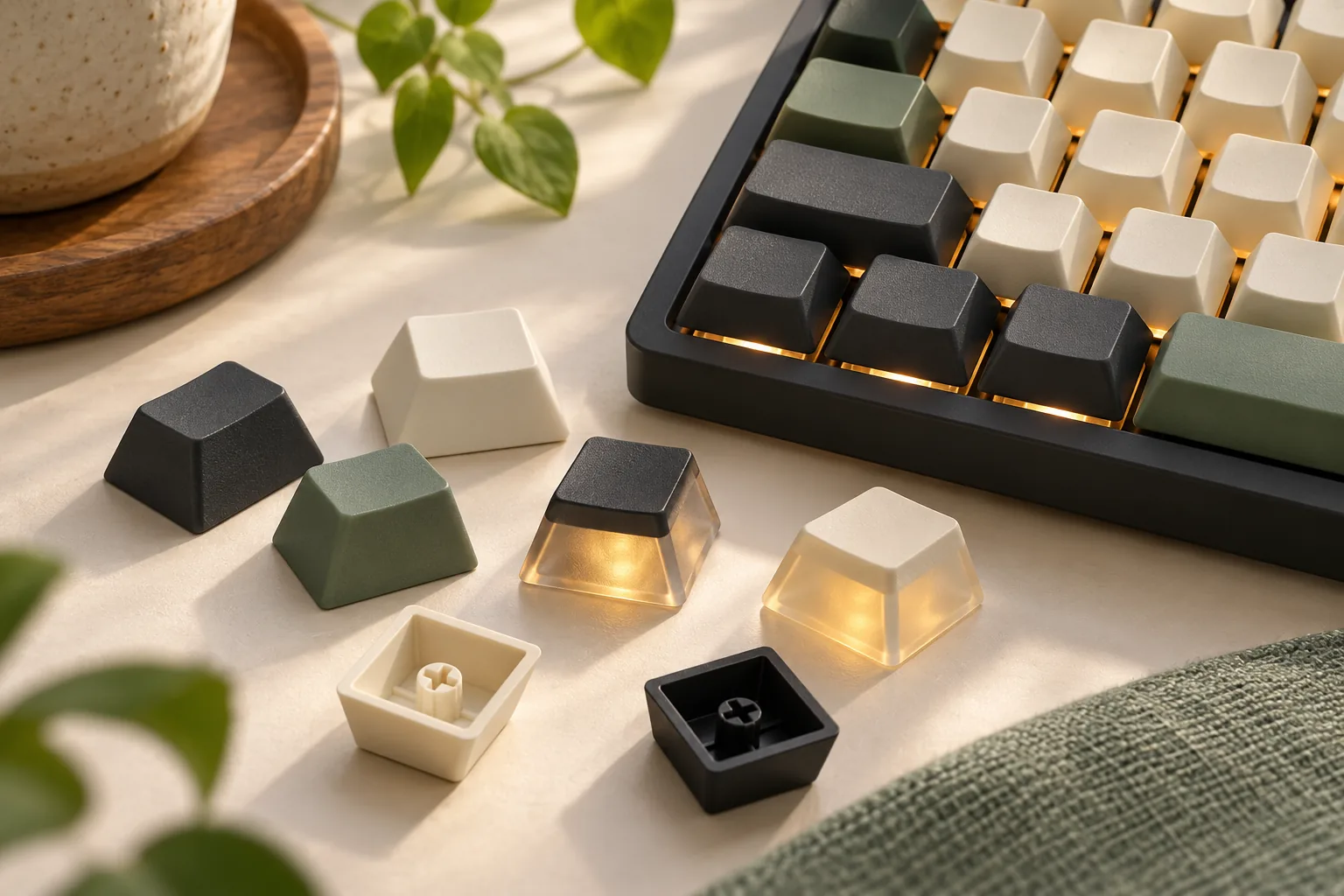
Top-aligned shine-through legends deserve a specific lighting check. Keychron’s south-facing RGB guidance says legends on some top-aligned shine-through keycaps may appear dimmer than on north-facing boards. That is conditional manufacturer guidance, rather than a measured brightness result for every board and keycap combination. Use the backlit legend selection guide to compare legend placement rather than assuming equal illumination.
If readable top legends are your priority, request photographs of the candidate caps on the same keyboard and switch combination you plan to use. Inspect the characters themselves. General light around the keys does not answer the same question as light through each legend; Keychron’s guidance discusses both effects separately.
Side printing and shine-through should both be specified. The documented Keychron OSA set identifies side-printed legends in its product name and backlight shine-through in its specification block. Use that combination as a model for reading another listing: find an explicit statement about legend position and another about light transmission.
For top-printed candidates, make the same distinction. Confirm whether the top legend is described as shine-through before judging its backlit readability. The word “printed” alone should not substitute for that specification.
Consider a side-printed set when you want that legend position and its documented fit matches your board. Keep a top-legend candidate under consideration when suitable photographs or manufacturer confirmation address your lighting needs. The available evidence does not establish universal side-print superiority.
A documented example: Keychron’s OSA side-printed set
The Keychron Double-Shot OSA PBT Side-Printed Full Keycap Set provides one concrete example to evaluate. Its manufacturer specification excerpt, captured October 15, 2026, identifies the following fields. For the named Keychron alternatives, compare the Keychron PBT set comparison.
| Product field | Documented specification |
|---|---|
| Material and construction | Double-shot PBT |
| Stem | MX style |
| Legend placement | Side-printed |
| Backlighting | Backlight shine-through |
| Profile | OSA |
| Regional layout | ANSI |
| Keyboard coverage | Listed ANSI models; Q60 and Q60 Max explicitly excluded from the stated Q/Q Max coverage |
This makes the set a candidate for someone seeking side-printed, shine-through OSA caps for an explicitly listed ANSI keyboard. Retain the exclusions when checking the model list: Q60 and Q60 Max are excluded. A broad family name should not override that qualification.
The same captured specification does not supply numerical stabilizer spacing, spacebar geometry, or a complete inventory organized by row. Leave those fields unknown until you obtain the relevant kit diagram or confirmation. The product’s “Full Keycap Set” name should not replace an item-by-item check against your board.
Its stated layout is ANSI. ISO and JIS labels elsewhere in the surrounding site navigation do not establish coverage for this set. Likewise, do not extend the MX-style stem statement into an unsupported fit promise for a low-profile, optical, or magnetic keyboard; request confirmation for the exact model and version.
Complete your board-and-kit fit worksheet
Use this worksheet for each candidate package. The documented entries below come from the OSA product specification; the remaining fields are checks to complete for your own keyboard. “Unknown” identifies information still needed for a buying decision.
| Check | Your keyboard: record or verify | Named OSA set: documented or unknown |
|---|---|---|
| Identity | Exact model, generation, regional variant, and any modifications | Exact product name documented; confirm selected package |
| Switch mount | Exact installed switch and its keycap mount | MX style |
| Regional layout | Actual regional layout | ANSI; other layouts unconfirmed |
| Model coverage | Exact model/version against manufacturer list | Listed ANSI models; Q60/Q60 Max excluded |
| Bottom row | Width and position of every required key | Complete dimensional inventory unknown |
| Spacebar | Required size and underside mounting positions | Dimensions and mounting positions unknown |
| Stabilizers | Required large-key mounting arrangement and spacing | Numerical geometry unknown |
| Rows and heights | Required cap profile and row assignment | OSA; complete per-row inventory unknown |
| Legends | Required language, modifiers, and function labels | Side-printed shine-through; complete legend inventory unknown |
| Full-travel clearance | Exact switch, cap, and row combination | No measured result available here |
Work across the bottom row key by key rather than checking only the spacebar. Then compare the other large keys, required row positions, and legends against the package diagram. Record the source of each confirmation so you can distinguish a specification from an assumption.
For example, suppose an owner of a listed ANSI model wants illuminated side legends. The regional layout and legend preference make the OSA set worth investigating, but the worksheet still needs the actual switch information and any unresolved package details. This is a hypothetical selection example, not a tested compatibility result.
For a Q60 or Q60 Max owner, the named set’s explicit exclusion resolves the initial decision: choose another candidate with documented coverage. Further resemblance to a supported model does not remove that exclusion.
Check clearance and compare lighting fairly
Verify the actual cap, switch, and row
Interference means physical contact between a keycap and the switch housing during a press. Keychron’s profile guide describes the issue with certain Cherry-profile caps on north-facing configurations and expressly says that not all Cherry-profile caps have it. The profile and row-shape guide helps identify the exact cap geometry to include in the request.
The useful question is therefore specific: does this cap, on this switch, in this row, have suitable clearance through full travel? Ask the manufacturer or seller for confirmation covering that combination. If you evaluate a sample after purchase, follow the keyboard and keycap makers’ handling instructions and check the intended row positions.
Do not turn a general south-facing compatibility statement into a guarantee for every cap and housing design. The documented explanation identifies an interference mechanism; it does not provide measured results for your particular assembly.
Request comparable lighting photographs
Use the following method when asking for photographs or comparing samples yourself:
- Keep the keyboard and switches the same between candidate sets.
- Use the same lighting mode, brightness setting, and color.
- Match ambient light, camera exposure, and viewing angle.
- Include a view from your normal typing position.
- Compare individual legend readability separately from light around the caps.
These are proposed comparison controls, not a report of an experiment performed for this guide. If the photographs use different conditions, leave the brightness comparison unresolved. A brighter-looking image alone is insufficient to rank the keycap sets.
Before you order
Return to the official OSA product page if it remains your candidate. Confirm the exact selected package and its current documentation, then resolve any unknown worksheet fields with the seller before paying.
Check:
- The selected variant’s package diagram and included keys.
- Written confirmation for your exact keyboard version and switches.
- Any unresolved spacebar, stabilizer, bottom-row, or row-profile requirements.
- Current price, stock, shipping, and applicable return conditions.
A useful support request is: “Can you confirm this exact package for my keyboard model, version, regional layout, and installed switches, including the spacebar, stabilizer mounting positions, bottom row, and required row profiles?” Attach your completed worksheet and identify the fields you could not verify.
Frequently asked questions
Do south-facing LED keyboards need a special keycap mount?
South-facing describes LED orientation. It does not establish the keycap mount. Check the switch’s actual mount against the cap specification, then verify layout coverage separately. Keychron’s OSA set, for example, specifies an MX-style stem and ANSI layout as distinct fields.
Are side-printed shine-through keycaps always brighter?
The supplied manufacturer guidance does not establish that. Keychron says some top-aligned shine-through legends may appear dimmer on south-facing boards, but provides no controlled brightness ranking here. Compare the specific candidate sets under matched conditions and judge readability from your typing position.
Are Cherry-profile caps always free of interference on south-facing boards?
Treat clearance as a combination-specific check. Keychron’s profile guide describes certain Cherry-profile caps contacting north-facing housings and notes that other designs avoid the issue. That explanation does not establish a universal clearance result for every south-facing switch, cap, and row combination.
Does the named OSA set cover ISO, JIS, Q60, or Q60 Max?
The documented OSA specification states ANSI layout and explicitly excludes Q60 and Q60 Max from its stated Q/Q Max coverage. ISO and JIS coverage is unconfirmed for this set. Use a different candidate with explicit support for your exact regional layout and keyboard version.
Choose with the whole board in mind
Select keycaps for south-facing LEDs by resolving the mount, whole-kit coverage, legend lighting, and clearance fields individually. The named OSA set offers documented MX-style, ANSI, side-printed shine-through specifications with clear model exclusions. Your next step is to complete the worksheet for your exact board and send the unresolved fields to the seller before ordering.
Sources
All sources below are Keychron manufacturer materials. The evidence used was captured as search excerpts on October 15, 2026; the full pages were not reviewed for this guide.
- Double-Shot OSA PBT Side-Printed Full Keycap Set — product specifications and model exclusions.
- Keychron Q1 south-facing RGB explanation — orientation definition.
- South-Facing RGB — conditional top-legend lighting guidance.
- OEM vs. Cherry Profile: Which Should You Choose? — interference mechanism and design exceptions.