As an Amazon Associate we earn from qualifying purchases.
Unlocking Comfort: Why an Ergonomic Mechanical Keyboard Matters
For many, prolonged computer use often leads to typing-related discomfort, manifesting as strain in the wrists, hands, and shoulders. While standard keyboards prioritize a compact, uniform layout, they rarely address the natural alignment of the human body. This is where the ergonomic mechanical keyboard offers a distinct advantage, merging the robust performance and customizable feel of mechanical switches with designs engineered for physical well-being.
An ergonomic mechanical keyboard is fundamentally a keyboard built with mechanical switches, but critically, its physical design incorporates principles aimed at reducing strain and promoting a more natural typing posture. Unlike membrane or scissor-switch keyboards, mechanical variants provide distinct tactile feedback and greater durability, which, when combined with ergonomic considerations, can significantly enhance the user experience.
The integration of mechanical keyboard technology with ergonomic design principles delivers several key benefits:
- Reduced Physical Strain: Ergonomic layouts often minimize unnatural wrist angles and finger travel, potentially alleviating discomfort associated with repetitive motion.
- Improved Posture: Features like split designs, tenting, or negative tilt encourage a more neutral hand and arm position, which can positively impact overall posture at the desk.
- Enhanced Comfort: The combination of responsive mechanical switches and a body-conscious design can make long typing sessions more comfortable and less fatiguing.
This guide aims to empower you with the knowledge to navigate the unique landscape of ergonomic mechanical keyboards. By understanding their design principles, adjustment features, and potential trade-offs, you can make an informed purchasing decision that aligns with your specific needs for comfort, productivity, and long-term health.
Understanding the Science of Comfort: Key Ergonomic Principles
Prolonged or improper typing habits can lead to significant physical discomfort and potential long-term injuries, such as Carpal Tunnel Syndrome, various forms of Repetitive Strain Injury (RSI), and general muscle fatigue in the hands, wrists, and shoulders. Ergonomic mechanical keyboards are specifically designed to counteract these issues by aligning with fundamental biomechanical principles, aiming to reduce strain and promote a more natural typing posture.
The core of ergonomic keyboard design revolves around mitigating specific anatomical stresses:
- Neutral Wrist Posture: This principle emphasizes keeping the wrist in a straight line with the forearm, avoiding upward (extension), downward (flexion), or sideways (ulnar/radial deviation) bending. Traditional flat keyboards often force wrist extension.
- Reduced Ulnar Deviation: When hands are placed close together on a standard keyboard, the wrists tend to bend outwards, away from the body's midline. Ergonomic designs, particularly split keyboards, allow users to position their hands shoulder-width apart, minimizing this outward bend.
- Minimized Pronation: Pronation refers to the inward rotation of the forearm, causing palms to face downwards. Some ergonomic keyboards incorporate "tenting" – angling the keyboard halves upwards from the center – to reduce forearm pronation, allowing the hands to rest in a more neutral, handshake-like position.
Beyond physical layout, the characteristics inherent to mechanical switches also play a role in ergonomic comfort. The distinct tactile feedback provided by many mechanical switches can help users identify the actuation point without needing to "bottom out" the key, potentially reducing the impact force on fingertips and joints over time. Similarly, switches with lighter actuation forces require less pressure per keystroke, which can decrease overall finger and hand fatigue during extended typing sessions. Conversely, switches that are too heavy or lack clear feedback might inadvertently encourage users to press keys with more force than necessary, potentially detracting from ergonomic benefits.
It is crucial to recognize that an ergonomic keyboard is a component of a larger system. Its benefits are maximized when integrated into a properly adjusted workspace. This includes maintaining correct chair height, ensuring the monitor is at eye level, and positioning the keyboard and mouse within easy reach to support good posture. Without a holistic ergonomic setup, even the most advanced ergonomic keyboard may not fully alleviate discomfort.
Exploring Ergonomic Layouts and Adjustable Designs
Ergonomic mechanical keyboards distinguish themselves through specialized layouts and adjustable features designed to counter common typing discomforts. These design choices aim to promote more natural hand, wrist, and shoulder postures, moving beyond the traditional flat, staggered keyboard structure. Understanding these variations is crucial for selecting a keyboard that aligns with individual physiological needs and typing habits.
Split and Articulated Designs
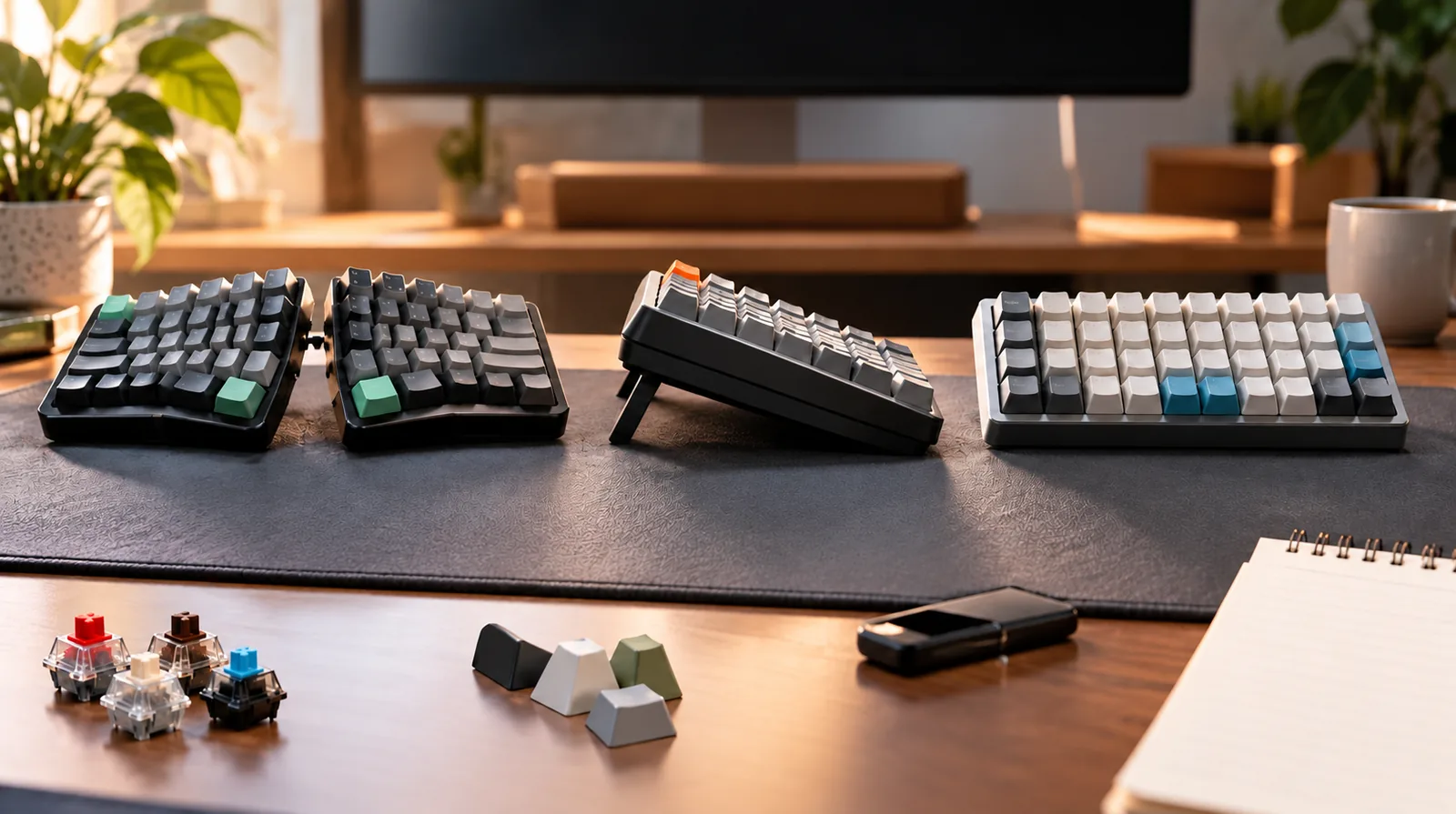
Split keyboards separate the key clusters, often into two distinct halves, allowing users to position their hands at a more natural, shoulder-width distance. This can significantly reduce ulnar deviation (wrist bending outwards) and internal shoulder rotation, which are common contributors to wrist and shoulder strain.
- Fully Split: These designs offer complete separation, enabling independent positioning of each half. This provides maximum flexibility for shoulder and wrist alignment, accommodating various body types and desk setups.
- Partially Split: Some keyboards feature a fixed split in the middle, creating a gap between the left and right hand key groups. While less customizable than fully split options, they still encourage a straighter wrist posture than a traditional monolithic keyboard.
The primary trade-off for split designs is the learning curve, particularly for touch typists accustomed to a single-piece board. They also typically require more desk space.
Tenting and Negative Tilt Mechanisms
Beyond horizontal separation, ergonomic keyboards often incorporate vertical adjustments:
- Tenting: This feature raises the inner edges of the keyboard halves, creating an upward slope from the center outwards. Tenting helps to reduce forearm pronation, allowing the wrists and hands to rest in a more neutral, "handshake" position. This can alleviate pressure on the carpal tunnel and surrounding tissues.
- Negative Tilt: Unlike standard keyboards that often have a positive tilt (front lower than back), negative tilt angles the keyboard so the front edge is higher than the back. This can help prevent wrist extension, keeping the wrists in a more neutral or slightly flexed position, which is beneficial for maintaining a straight line from forearm to hand.
Both tenting and negative tilt features are typically adjustable, allowing users to fine-tune the angle to their specific comfort. However, finding the optimal angle may require experimentation, and some users might find the initial feel unfamiliar.
Ortholinear vs. Staggered Key Arrangements
The arrangement of keys also plays a role in ergonomics:
- Staggered Layouts: The conventional QWERTY layout, inherited from typewriters, features keys offset horizontally in each row. This historical design requires lateral finger movements that do not align with the natural vertical motion of fingers.
- Ortholinear Layouts: These keyboards arrange keys in a precise grid, with columns directly above one another. This geometric alignment can reduce unnecessary horizontal finger travel, potentially leading to more efficient and comfortable typing by minimizing strain and cognitive load associated with reaching for offset keys.
Transitioning to an ortholinear layout often presents a substantial learning curve, as muscle memory developed on staggered keyboards needs to be re-trained.
Key Well Designs
Key well designs represent a more advanced approach to ergonomic shaping. These keyboards feature a concave or "dished" surface where the keys are situated. The keys themselves are often at varying heights and angles, designed to conform to the natural arc and reach of fingers.
- Benefit: By contouring to the hand's natural resting position, key wells can significantly reduce finger extension, travel distance, and overall strain. They aim to keep the fingers within a more confined, natural range of motion.
- Trade-off: Key well designs are typically found in highly specialized, often more expensive, ergonomic keyboards. They demand a significant adaptation period, as the three-dimensional layout is a radical departure from flat keyboards.
Compact vs. Full-Size Ergonomic Options
The overall footprint of an ergonomic mechanical keyboard also influences user experience:
- Compact Ergonomic Options: These keyboards omit less frequently used keys (like the numpad or function row) to reduce the board's width, even while incorporating split or tenting features. This can reduce the distance a user needs to reach for their mouse, potentially alleviating shoulder strain.
- Full-Size Ergonomic Options: Some ergonomic designs retain a full numpad and navigation cluster. While offering complete functionality without relying on function layers, these keyboards naturally occupy more desk space and may still necessitate a wider reach for the mouse.
The choice between compact and full-size ergonomic keyboards involves balancing functionality requirements with desk space constraints and the desire to minimize mouse-related reaching. A compact ergonomic design might offer a more holistic ergonomic benefit by reducing mouse reach, even if it introduces the need for key layers.
Customizing Your Comfort: Switches, Keycaps, and Programmability
Beyond the fundamental ergonomic layout, the true personalization of an ergonomic mechanical keyboard lies in its customizable components, allowing users to fine-tune their typing experience for optimal comfort and efficiency. These elements offer a pathway to address individual physiological differences and specific typing habits, transforming a general ergonomic design into a truly personal tool.
Mechanical switches are central to the typing feel, and their choice has direct ergonomic implications. Linear switches offer a smooth, consistent keystroke from top to bottom, often preferred by those who desire a light, uninterrupted press. This can reduce finger fatigue over long periods by eliminating a tactile bump. Tactile switches provide a noticeable bump partway through the keypress, signaling actuation without requiring the key to be bottomed out. This feedback can help reduce the force exerted on each keystroke, potentially lessening impact on fingers. Clicky switches add an audible click to the tactile bump, providing clear feedback, though their noise profile might be ergonomically detrimental in shared or quiet environments. For such settings, silent variations of linear or tactile switches (e.g., those designed with dampening materials) are a critical consideration to prevent auditory distraction and maintain a serene workspace.
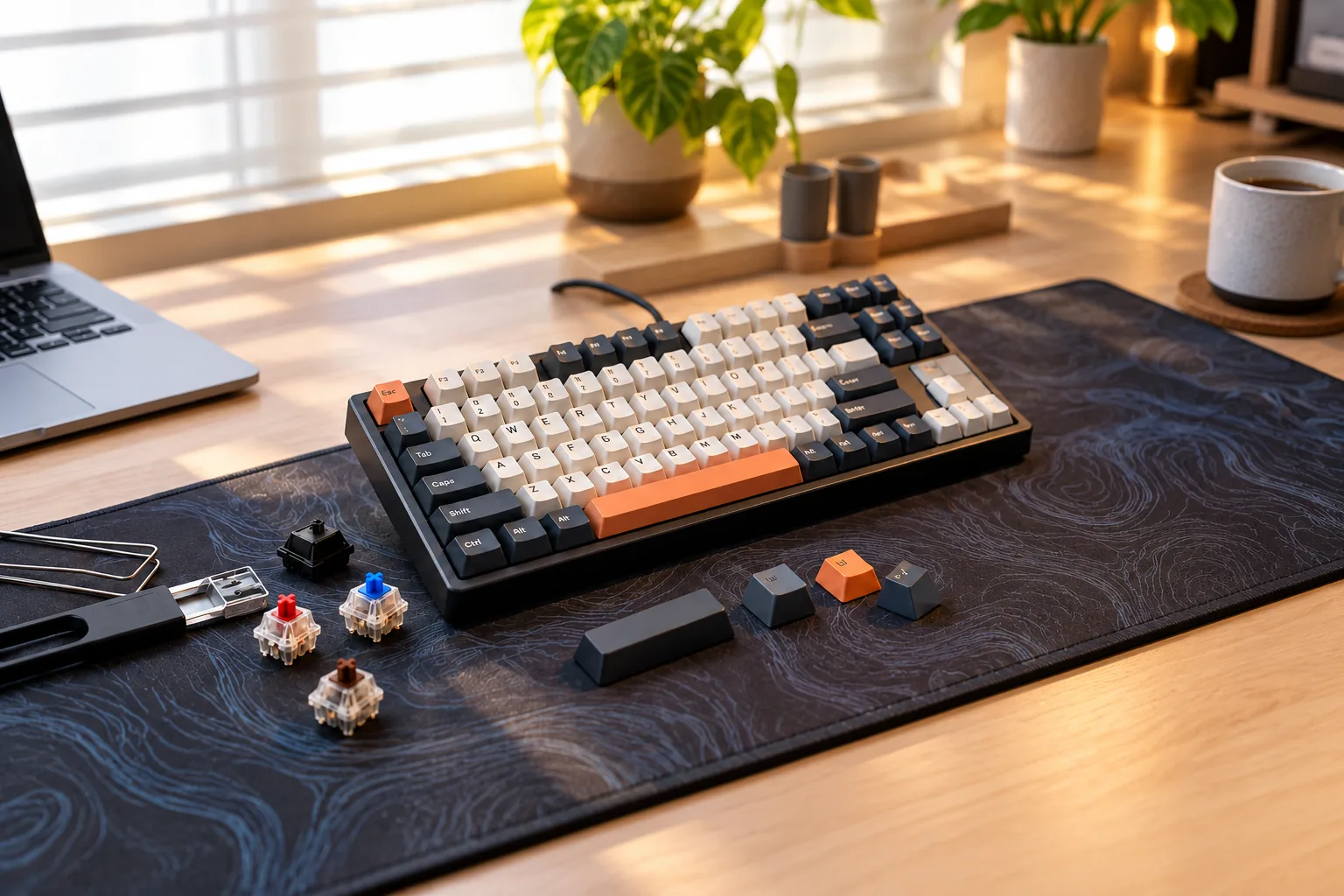
The advent of hot-swappable switches significantly enhances the ergonomic customization journey. This feature allows users to easily remove and replace switches without soldering, enabling experimentation with different switch types to discover the most comfortable and least fatiguing option for their unique typing style. This flexibility mitigates the risk of committing to a switch type that proves uncomfortable over time and extends the keyboard's longevity by allowing easy replacement of individual faulty switches.
Keycaps, the covers on top of the switches, also play a role in finger comfort and typing ergonomics through their profile. Different profiles, such as Cherry, OEM, SA, or DSA, vary in height, shape, and sculpting across rows. Sculpted profiles (like Cherry or SA) are designed to cradle the fingertips and guide them to the home row, potentially reducing finger travel and awkward stretches. Uniform profiles (like DSA) offer a consistent feel across all keys, which some users find comfortable for touch typing. The choice of keycap profile can subtly influence finger posture, reducing strain over extended typing sessions.
Programmability and remapping capabilities offer a powerful ergonomic advantage by allowing users to customize key functions. This enables the creation of macros for frequently used sequences, reassigning less-used keys to more accessible locations, or even shifting entire key layers. By tailoring the keyboard layout to specific workflows, users can minimize repetitive hand movements, reduce the need for awkward finger stretches to reach distant keys, and optimize key access for their hand size, directly contributing to reduced strain and increased efficiency.
Finally, the inclusion of integrated wrist rests or palm supports is a direct ergonomic feature aimed at maintaining a neutral wrist posture. These supports elevate the palms and wrists to prevent them from bending upwards (extension) or downwards (flexion) while typing. A neutral wrist position is crucial for reducing pressure on the carpal tunnel and minimizing the risk of conditions like Carpal Tunnel Syndrome, making them an essential consideration for sustained typing comfort.
Navigating the Transition: Potential Challenges and Considerations
Adopting an ergonomic mechanical keyboard, while beneficial in the long run, often involves a period of adjustment and some potential considerations that buyers should anticipate. Understanding these upfront can help manage expectations and mitigate post-purchase regret.
The most significant hurdle for many users is the learning curve associated with new layouts. Split, ortholinear, or columnar staggered designs fundamentally alter the traditional QWERTY finger placement. This requires relearning muscle memory, which can initially impact typing speed and accuracy. It's common for users to experience a temporary decrease in productivity as they adapt to the new key positions and hand separation. Patience and consistent practice are key during this transition phase.
Another area of potential concern involves the mechanical switches themselves. While a core appeal, the vast array of switch types (linear, tactile, clicky, various weights) means that an "unexpected feel" or even issues like "switch binding" can arise if the chosen switch doesn't align with personal preference or typing style. While many ergonomic mechanical keyboards are hot-swappable, allowing switch replacement, this introduces an additional layer of complexity and cost that buyers should be prepared for.
Customization, while a powerful feature of mechanical keyboards, can also present challenges. Replacing switches, keycaps, or fine-tuning software settings to optimize the ergonomic experience can be a time-consuming and sometimes costly endeavor. What might seem like a simple upgrade can involve an "unexpected amount of work" and additional financial outlay, especially for those new to the mechanical keyboard hobby.
Durability concerns are also worth noting. Like any electronic device, mechanical keyboards can experience issues over time. Common problems include "LED lighting fading" due to prolonged exposure to direct sunlight or general "switch failure" after extensive use. While many reputable brands offer robust products, selecting models known for quality components can help mitigate these risks.
Finally, the importance of personal fit cannot be overstated. Ergonomic designs are highly personal; a keyboard that perfectly suits one individual's "hand size" and typing posture might be uncomfortable for another. Factors like hand span, finger length, and individual wrist angles dictate the effectiveness of features like tenting, negative tilt, and split angles. Without the ability to test a specific design, there's an inherent risk that the chosen layout may not perfectly align with individual biomechanics, highlighting the need for careful consideration of dimensions and adjustability features.
Making Your Choice: Matching Ergonomics to Your Workflow
Selecting an ergonomic mechanical keyboard is a personal journey that requires careful consideration of your unique needs, habits, and environment. The ideal choice balances ergonomic benefits with your specific workflow demands, ensuring comfort without compromising productivity. Approaching this decision systematically can help you identify a keyboard that truly enhances your typing experience.
To begin, evaluate your primary use cases and physical interactions with your current setup:
- Typing Volume and Type: Do you engage in heavy, continuous typing (e.g., writing, programming) or more sporadic use? High-volume typists benefit most from advanced ergonomic features like split designs, tenting, and negative tilt to maintain neutral wrist posture.
- Gaming Requirements: While ergonomics are crucial for long gaming sessions, consider if specific layouts (e.g., smaller form factors for mouse space) or programmable keys are more critical. Some ergonomic designs might require an adjustment period that could impact competitive gaming.
- Hand Size and Shape: The size and natural resting position of your hands directly influence the comfort of split angles, key spacing, and overall keyboard dimensions. A keyboard that is too wide or too narrow for your natural reach can introduce new strains.
- Budget Considerations: Ergonomic mechanical keyboards can range significantly in price. Advanced features like highly adjustable splits, specialized keycaps, or extensive customization software often correlate with a higher cost.
- Aesthetic Preferences: While secondary to function, the visual appeal and desk footprint of the keyboard can contribute to overall satisfaction. Some highly ergonomic designs may have a less conventional appearance.
Before making a purchase, ask yourself these guiding questions:
- What are my primary pain points? Identify specific discomforts (e.g., wrist pain, shoulder tension, finger fatigue) to target features that directly address them. For instance, wrist pain might point to the need for a split or tented design, while shoulder tension could indicate a need for a narrower, more compact layout.
- How much adjustment am I willing to make? Drastically different ergonomic layouts, such as fully split or columnar staggered designs, require a learning curve. Be prepared for a temporary dip in typing speed as you adapt.
- What features are essential for my daily tasks? Consider if you need a dedicated number pad, specific function rows, macro keys, or hot-swappable switches for future customization.
Understanding the inherent trade-offs is also critical:
- Extreme Ergonomics vs. Portability: Keyboards with highly split or contoured designs are often less compact and more challenging to transport, making them better suited for a fixed workstation.
- Cost vs. Customization Options: While mechanical switches offer inherent customization, advanced ergonomic models with programmable layers, hot-swappable switches, or specialized keycap profiles typically come at a higher price point. This investment can offer long-term flexibility but requires a larger initial outlay.
- Familiarity vs. Long-Term Comfort: Moving from a traditional layout to an ergonomic one often means sacrificing immediate familiarity for potential long-term health benefits. The initial awkwardness is a common experience.
Ultimately, personal preference plays a significant role in ergonomic effectiveness. What feels comfortable and beneficial to one individual may not be for another. Where possible, seeking opportunities to physically try different ergonomic layouts before committing can provide invaluable insight into which design principles best align with your body and typing style.
Common Questions About Ergonomic Mechanical Keyboards
Navigating the options for ergonomic mechanical keyboards can raise several practical questions. Understanding these aspects helps clarify expectations and guides a more informed purchasing decision.
-
What specific problems do ergonomic mechanical keyboards aim to solve? Ergonomic mechanical keyboards primarily address discomfort and potential injury risks associated with prolonged and improper typing. They are designed to mitigate issues such as:
- Wrist and Hand Strain: By promoting more neutral wrist angles and reducing excessive finger travel.
- Repetitive Strain Injuries (RSIs): Including Carpal Tunnel Syndrome, by altering typing posture to lessen stress on tendons and nerves.
- Muscle Fatigue: Through layouts that spread the workload across more muscle groups and mechanical switches that offer consistent, responsive feedback with varying actuation forces.
- Poor Posture: By encouraging a more natural alignment of the hands, wrists, and shoulders relative to the keyboard and desk.
-
Is the learning curve for ergonomic mechanical keyboards difficult? Yes, there can be a noticeable learning curve, particularly for layouts that deviate significantly from standard QWERTY designs, such as split or ortholinear keyboards. Initial typing speed may decrease as muscle memory adapts to new key positions and finger movements. However, this adjustment period is often temporary, and many users find that the long-term comfort benefits outweigh the initial challenge. Features like programmable keys can also add a layer of complexity for customization, though many users find this optional.
-
What are the common trade-offs when choosing an ergonomic mechanical keyboard? Selecting an ergonomic mechanical keyboard often involves balancing several factors:
- Cost: They typically cost more than standard mechanical or membrane keyboards due to specialized designs and components.
- Portability: Split or highly adjustable models can be larger or require more setup, making them less convenient for frequent travel.
- Availability: The selection is generally smaller compared to conventional mechanical keyboards.
- Aesthetics: Their unconventional shapes may not appeal to all users or fit seamlessly into every desk aesthetic.
- Initial Adaptation: As noted, there's an investment of time and effort to adapt to new layouts and typing habits.
-
Can an ergonomic mechanical keyboard prevent or alleviate wrist pain? An ergonomic mechanical keyboard can be a significant component in a strategy to prevent or alleviate wrist pain, but it is not a standalone solution. By promoting more neutral wrist postures, reducing ulnar deviation (bending the wrist outward), and providing responsive mechanical switches that may require less force, these keyboards can reduce strain. However, effectiveness is maximized when combined with:
- Proper overall workstation ergonomics (monitor height, chair adjustment, desk height).
- Regular breaks and stretching exercises.
- Mindful typing habits that avoid excessive force or awkward angles. Consulting with a healthcare professional for persistent pain is always recommended.
-
How do I choose the right switch type for ergonomic comfort? The "right" switch type is highly subjective and depends on individual preference and typing style. For ergonomic comfort, consider these characteristics:
- Actuation Force: Lighter switches (e.g., some linear or tactile switches with lower grams of force) may reduce finger fatigue over long typing sessions.
- Tactile vs. Linear:
- Tactile switches provide a bump, offering feedback that a keypress has registered without needing to bottom out, which some find reduces strain.
- Linear switches offer a smooth, consistent press, which can be preferred by those who type quickly or desire a fluid feel.
- Auditory Feedback: While clicky switches provide distinct sound, they are not directly linked to ergonomic comfort and are primarily a preference for audible feedback.
- Hot-Swappable Sockets: Keyboards with hot-swappable switch sockets allow you to experiment with different switch types without buying a new keyboard, providing flexibility to find what feels most comfortable for you. Trying a switch tester before committing to a full keyboard can also be beneficial.
Final Thoughts on Ergonomic Mechanical Keyboards
In summary, ergonomic mechanical keyboards offer a strategic blend of advanced layouts and adjustable features designed to mitigate typing discomfort and enhance user experience. By understanding the principles behind split designs, tenting, and programmable keys, you can actively reduce strain and foster a healthier typing posture.
Investing in such a keyboard is an investment in your long-term comfort and productivity. The tactile feedback and durability of mechanical switches, combined with thoughtful ergonomic design, provide a superior typing experience that can alleviate common issues. As you consider your options, prioritize your unique physical needs and leverage the insights from this guide to make an informed decision that supports your well-being.
Decision checklist for ergonomic mechanical keyboard
- Confirm the layout includes the keys and navigation functions required by your daily workflow.
- Verify switch, socket, keycap, firmware, operating-system, and connection compatibility before ordering.
- Compare sound, typing feel, ergonomics, repairability, and desk-space tradeoffs rather than one headline specification.
- Read the current warranty, return policy, and manufacturer documentation before making a final choice.
Frequently Asked Questions About ergonomic mechanical keyboard
Is ergonomic mechanical keyboard the right choice for every user?
No. The right fit depends on layout, switch feel, sound tolerance, operating-system support, connection needs, desk space, and whether the user values repairability or customization.
What should I verify before buying ergonomic mechanical keyboard?
Confirm the physical layout, switch and socket compatibility, keycap support, firmware features, connection modes, operating-system mappings, warranty, and return policy using current manufacturer documentation.