As an Amazon Associate we earn from qualifying purchases.
Unlocking Your Potential: Why a Mechanical Gaming Keyboard Matters
For many gamers, a keyboard is more than just an input device; it's a critical interface that can significantly impact performance and overall experience. A mechanical gaming keyboard distinguishes itself from standard membrane keyboards by utilizing individual mechanical switches under each key. This design provides distinct advantages tailored to the demands of competitive and immersive gaming.
The shift to a mechanical keyboard can be transformative for gameplay. These keyboards are engineered for precision and longevity, offering specific benefits that cater to a gamer's needs:
- Enhanced Responsiveness: Mechanical switches actuate with less travel distance and force compared to membrane alternatives, leading to faster response times for critical in-game actions. This precision can be the difference in fast-paced scenarios.
- Superior Durability: Built with robust components, mechanical switches are designed to withstand millions of keystrokes, ensuring reliability through countless gaming sessions. This contributes to a longer lifespan for the peripheral.
- Tailored Feedback: Different mechanical switch types offer varied tactile feedback and audible clicks, allowing gamers to choose a feel that matches their playstyle and preference. This physical confirmation can improve keypress accuracy and confidence.
- Customization Potential: Beyond switch types, many mechanical gaming keyboards offer extensive customization, including programmable keys, macro capabilities, and per-key backlighting, enabling players to personalize their setup for optimal efficiency and immersion.
Understanding these core benefits is the first step toward making an informed decision. This guide will delve into the essential features that genuinely impact your gaming, helping you navigate the options and select a mechanical keyboard that aligns with your specific requirements, enhancing both your performance and enjoyment.
The Heart of the Keyboard: Choosing Your Mechanical Switches
The switches beneath each keycap are the core component distinguishing a mechanical gaming keyboard, directly influencing responsiveness, feel, and ultimately, gaming performance. Understanding the characteristics of different switch types is crucial for making an informed decision that aligns with your specific play style.
Mechanical switches generally fall into three primary categories based on their feedback mechanism:
- Linear Switches: These switches offer a smooth, consistent keystroke from top to bottom without any tactile bump or audible click. This direct, uninterrupted travel path is often favored by gamers in fast-paced genres like first-person shooters (FPS) and rhythm games, where rapid, repeated key presses and quick double-taps are common. The absence of a tactile bump can lead to faster actuation, as there's no resistance point to overcome before the key registers. Common examples include Cherry MX Red and Gateron Yellow, known for their relatively light actuation force.
- Tactile Switches: Characterized by a noticeable bump or "tactile event" partway through the keypress, tactile switches provide physical feedback indicating when the key has actuated. This feedback can be beneficial for strategy games, MOBAs, or RPGs, where deliberate, precise key presses are important and accidental activations need to be minimized. The bump confirms the input without requiring the key to be bottomed out. Cherry MX Brown is a widely recognized tactile switch.
- Clicky Switches: These switches combine a tactile bump with an audible "click" sound at the actuation point. While the distinct sound and feel can be satisfying for typing, the noise can be distracting in some gaming environments or for teammates in voice chat. For gaming, the primary benefit of clicky switches is the clear confirmation of actuation, similar to tactile switches, but with an added auditory cue. Cherry MX Blue is a classic example.
Beyond these traditional categories, optical switches are gaining traction in gaming keyboards. These switches use a beam of light to detect key presses, often resulting in faster response times compared to traditional mechanical switches that rely on physical contacts. This can translate to a marginal but potentially critical advantage in competitive gaming where every millisecond counts.
For gamers who value flexibility and longevity, hot-swappable switches are a significant feature. A hot-swappable keyboard allows users to remove and replace individual switches without soldering. This capability offers several practical advantages:
- Customization: Gamers can experiment with different switch types on specific keys (e.g., linear switches for movement keys, tactile for ability keys) to optimize their setup for various games or personal preference.
- Maintenance: If a switch becomes faulty or "sticky," it can be easily replaced, extending the lifespan of the keyboard. This addresses common buyer problems like unresponsive or inconsistent keys.
- Adaptability: As gaming preferences evolve or new switch technologies emerge, a hot-swappable board allows for upgrades without purchasing an entirely new keyboard.
Ultimately, the choice of switch should align with your primary gaming activities and personal preference for feedback. Linear switches often suit rapid inputs, while tactile switches provide confidence for deliberate actions. Consider how each type's characteristics translate to the demands of your favorite games and whether the added flexibility of hot-swappable switches aligns with your desire for future customization or repair.
Finding Your Fit: Keyboard Size, Layout, and Ergonomics
The physical dimensions and design of a mechanical gaming keyboard significantly influence desk space, mouse movement, and long-term comfort during gameplay. Selecting a form factor and layout that complements your gaming style and ergonomic needs is as crucial as choosing the right switches. An ill-fitting keyboard can restrict mouse movement or lead to discomfort over extended sessions, impacting performance.
Keyboard Sizes and Layouts for Gaming Efficiency
Mechanical keyboards come in various sizes, each offering a distinct balance of functionality and footprint. Your choice should align with your desk space, game genres, and reliance on specific keys.
- Full-Size (104/108 keys): Includes a dedicated number pad, F-row, and navigation cluster.
- Pros for Gaming: All keys readily accessible, beneficial for games requiring numpad inputs (e.g., simulations, some MMOs), or for integrated work-and-play setups.
- Cons for Gaming: Largest footprint, significantly reduces available mouse space, which can hinder low-DPI mouse users in competitive shooters.
- Tenkeyless (TKL - 87/88 keys): Omits the number pad but retains the F-row and navigation keys.
- Pros for Gaming: Balances functionality with a reduced footprint, providing ample mouse space. A popular choice for many competitive gamers.
- Cons for Gaming: Lacks a dedicated numpad, which might be a minor inconvenience for specific game genres or general productivity.
- 75% Layout (78-84 keys): A compact design that condenses the TKL layout by tightly packing the F-row and navigation keys, often removing some less-used keys.
- Pros for Gaming: Offers a good compromise between compactness and functionality, retaining most essential keys in a smaller space than TKL.
- Cons for Gaming: The condensed layout can feel cramped to some users, and key spacing might require a short adjustment period.
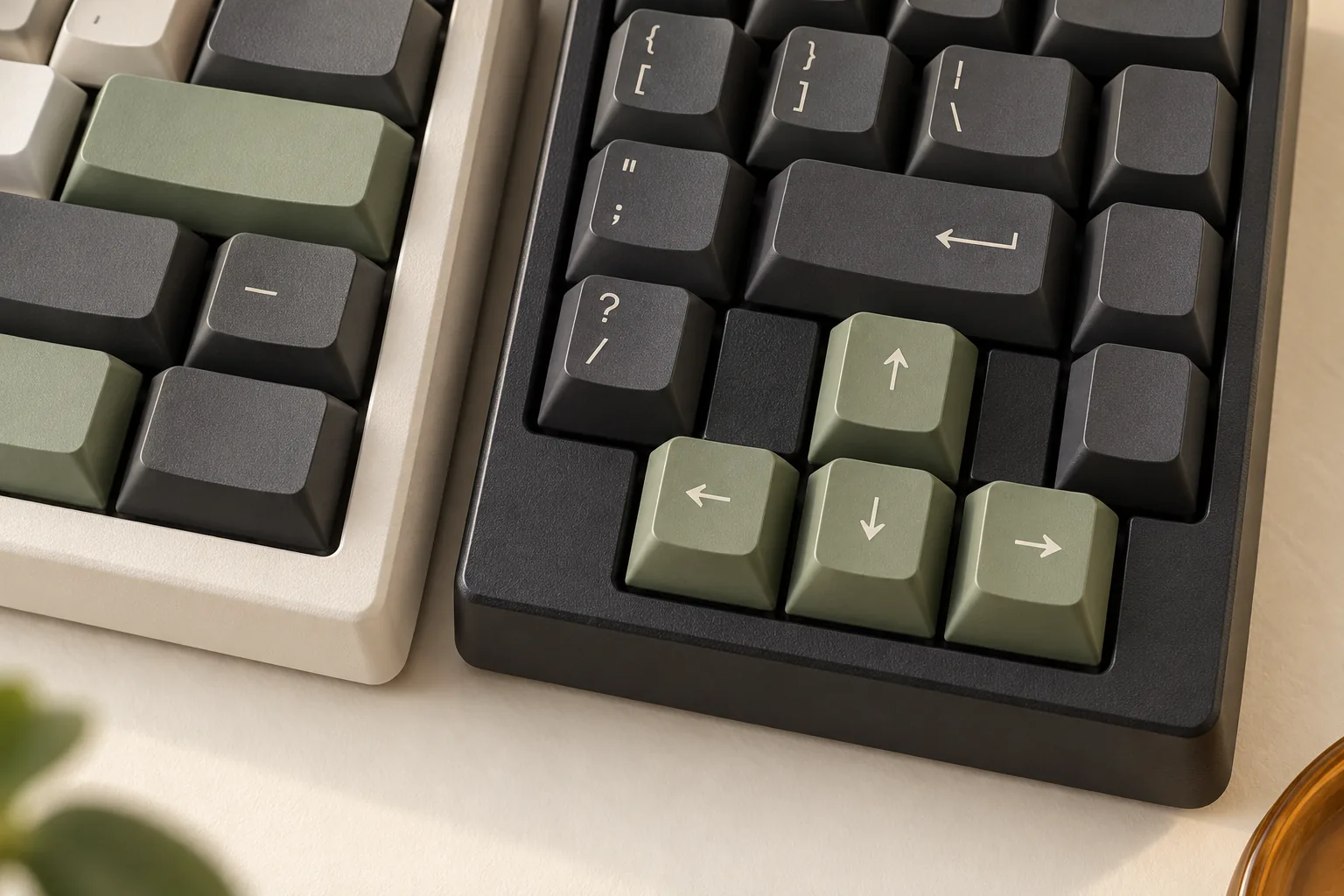
- 65% Layout (66-68 keys): Removes the F-row and number pad, but crucially retains dedicated arrow keys and a few navigation keys.
- Pros for Gaming: Very compact, freeing up significant mouse space, while still offering dedicated arrows often used in games or for navigation.
- Cons for Gaming: Requires using a function layer for F-keys, which can be an adjustment for games that rely on them.
- 60% Layout (61-62 keys): The most compact common layout, omitting the F-row, number pad, and dedicated arrow/navigation keys.
- Pros for Gaming: Maximizes mouse space, ideal for competitive FPS players who prioritize unrestricted mouse movement.
- Cons for Gaming: Heavy reliance on function layers for most non-alphanumeric keys, demanding muscle memory and potentially slowing down access to certain game functions.
Keycap Material and Profile for Feel and Durability
The material and profile of your keycaps contribute to the keyboard's tactile feel, grip, and long-term durability, directly impacting comfort and consistency during intense gaming sessions.
- Keycap Material:
- ABS (Acrylonitrile Butadiene Styrene): Commonly found, often thinner, and can develop a "shine" or slickness over time with heavy use. This wear can reduce grip and alter the feel.
- PBT (Polybutylene Terephthalate): Generally more durable and resistant to shine, maintaining its textured finish for longer. PBT keycaps often offer a slightly rougher, more tactile feel and consistent grip, which can be advantageous during prolonged gaming.
- Keycap Profile: Refers to the shape and height of the keycaps and how they are sculpted across the rows.
- OEM Profile: A common, sculpted profile with varying heights and angles across rows, designed for general typing comfort. Most gamers will find this familiar and comfortable.
- Cherry Profile: Similar to OEM but typically slightly lower in height. Many enthusiasts prefer its subtle sculpting and slightly reduced key travel, which can contribute to a faster feel.
- Other Profiles (e.g., DSA, SA): While offering unique aesthetics and feels, these are less common for dedicated gaming due to their uniform (DSA) or very tall, highly sculpted (SA) designs, which can alter muscle memory and potentially slow down rapid key presses. For gaming, familiar and ergonomic profiles like OEM or Cherry are often the most practical choice.
Ergonomic Considerations for Sustained Play
Maintaining proper posture and comfort is vital for preventing fatigue and potential injury during long gaming sessions. Ergonomic features can significantly enhance your experience.
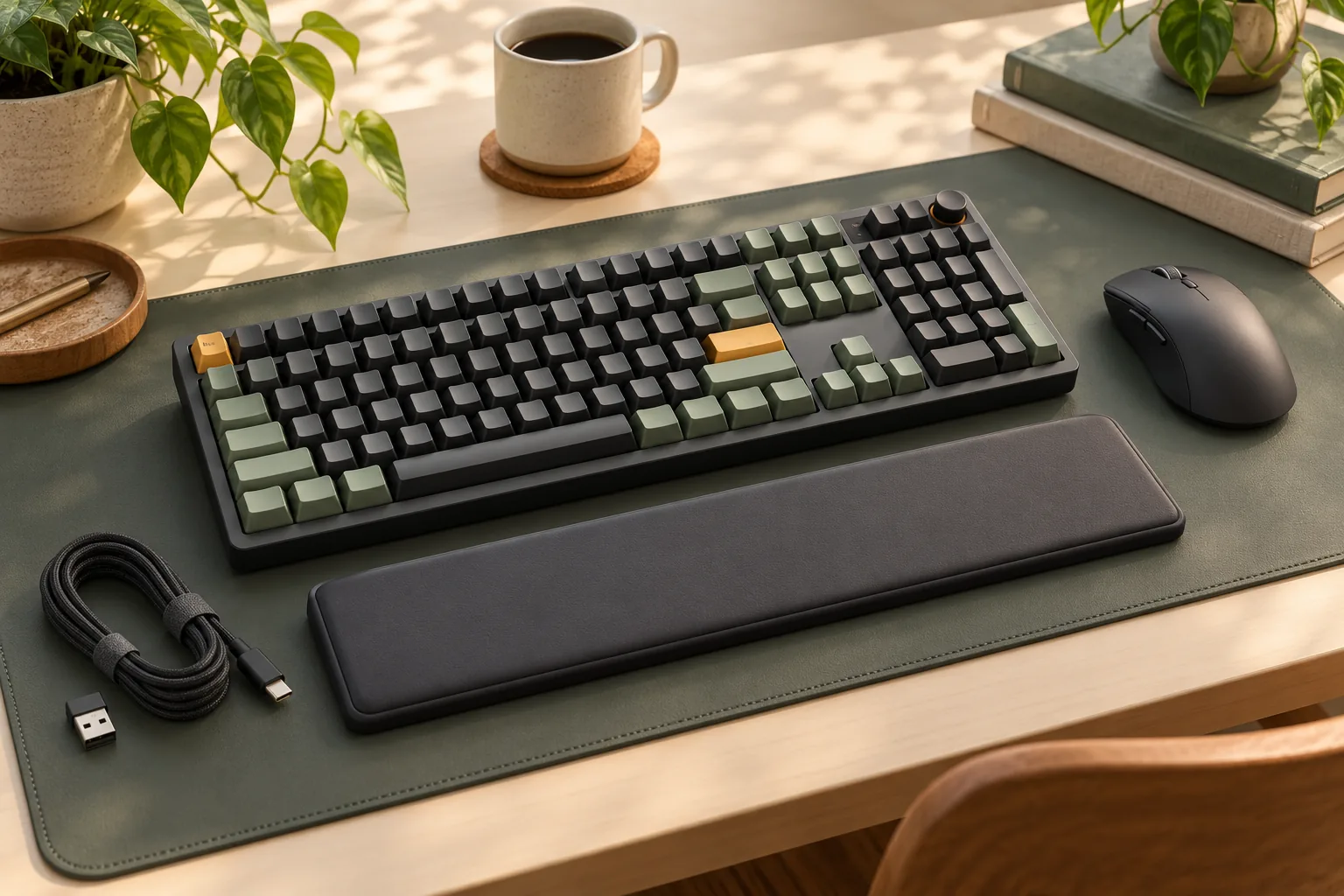
- Wrist Rests: A good wrist rest, whether integrated or separate, can provide support for your wrists, helping to keep them in a neutral position. This reduces strain on tendons and joints, crucial for preventing discomfort or repetitive strain injuries over time.
- Adjustable Tilt: Most mechanical keyboards include flip-out feet to adjust the typing angle. While some prefer a slight incline, for optimal wrist health, a flatter or even slightly negative tilt (where the front of the keyboard is slightly higher) is often recommended. Experiment to find an angle that allows your wrists to remain as straight as possible, avoiding excessive extension.
Careful consideration of these physical aspects ensures that your mechanical gaming keyboard not only performs well but also fits seamlessly into your setup and supports your long-term gaming health.
Beyond the Basics: Essential Features for Competitive Gaming
While the fundamental advantages of mechanical switches are clear, competitive gaming demands a closer look at features that directly impact performance, control, and long-term reliability. These advanced considerations move beyond basic functionality to offer a tangible edge and a more consistent experience.
-
N-Key Rollover (NKRO) & Anti-Ghosting For gamers, especially in fast-paced or complex titles, pressing multiple keys simultaneously is a frequent occurrence. N-Key Rollover (NKRO) ensures that every single keypress is registered accurately, regardless of how many keys are actuated at once. Without NKRO, a keyboard might fail to register certain inputs, leading to missed commands at critical moments. Anti-ghosting works in conjunction with NKRO by preventing "ghost" presses—unintended key registrations that can occur when specific combinations of keys are pressed. Together, these features are crucial for executing complex maneuvers, spell rotations, or simultaneous movement and ability commands without input drop-outs or erroneous actions.
-
Polling Rate The polling rate dictates how frequently your keyboard communicates its status to your computer, measured in Hertz (Hz). A 1000 Hz polling rate, for instance, means the keyboard reports its state 1000 times per second, or every 1 millisecond. A higher polling rate translates to lower input latency, meaning a more immediate response from your in-game character to your physical keypress. While the difference between very high polling rates might be imperceptible to the average user, competitive players often prioritize the lowest possible latency to ensure their actions are registered as swiftly as possible, potentially influencing reaction-time dependent scenarios.
-
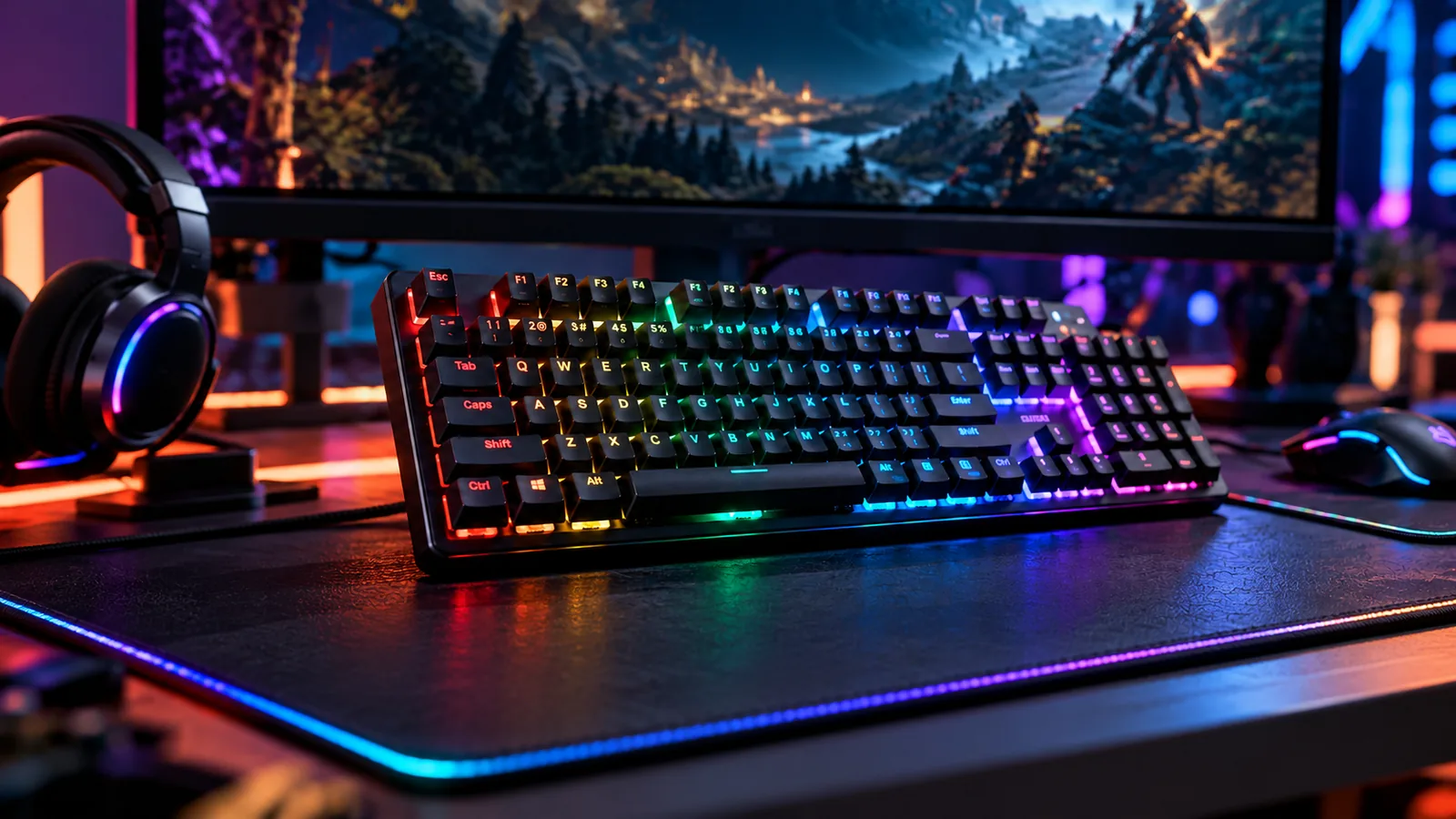
Customization & Software Modern mechanical gaming keyboards offer extensive customization options, often managed through dedicated software. Programmable macros allow users to assign a sequence of keypresses or actions to a single key, streamlining complex in-game commands or automating repetitive tasks. Key remapping provides the flexibility to alter the default layout, adapting the keyboard to specific game controls or ergonomic preferences. RGB lighting, while often seen as purely aesthetic, can also serve a functional purpose by highlighting critical in-game keys, indicating cooldowns, or signaling system statuses. The quality and intuitiveness of the accompanying software are paramount for effectively utilizing these customization features without frustration.
-
Build Quality & Durability The physical construction of a mechanical gaming keyboard significantly impacts its stability and longevity under the stress of competitive play. Chassis materials, such as robust plastics or aluminum, contribute to overall rigidity. An aluminum frame, for example, can reduce keyboard flex and provide a more stable platform, preventing unwanted movement during intense gaming sessions. Cable types also play a role in durability; braided cables offer enhanced protection against fraying and wear, while detachable cables improve portability, simplify cable management, and allow for easy replacement if damaged, mitigating a common point of failure for wired peripherals.
Making the Smart Choice: Trade-offs and Personal Considerations
Selecting a mechanical gaming keyboard involves navigating various trade-offs to align the device with your specific gaming style, environment, and budget. Understanding these compromises helps ensure your investment genuinely enhances your gameplay without unnecessary features or unforeseen drawbacks.
Balancing Cost with Desired Functionality
The price of a mechanical gaming keyboard often correlates with its feature set, build quality, and customization options. Deciding how much to spend involves weighing core performance against advanced functionalities.
- Prioritize Core Performance: On a tighter budget, focus on essential elements like reliable mechanical switches and sturdy construction. A keyboard with quality switches and a solid plate can still offer excellent responsiveness, even if it lacks extensive RGB lighting or advanced macro keys.
- Evaluate Advanced Features: Higher-priced models typically offer features like hot-swappable switch sockets, premium keycap materials (e.g., PBT), dedicated media controls, advanced software for macro programming, and customizable per-key RGB lighting. These can enhance user experience but may not be critical for every gamer's performance.
- Long-Term Value: Consider durability and potential for upgrades. A keyboard with hot-swappable switches, for example, might cost more upfront but offers longevity and customization options that could save money or enhance satisfaction over time.
Wired vs. Wireless Connectivity
Connectivity choice impacts latency, portability, and power management, directly affecting your gaming setup and experience.
- Wired Reliability: Wired keyboards offer the most consistent and generally lowest latency connection, crucial for competitive gaming where milliseconds matter. They require no battery management and are often more affordable. The primary trade-off is cable management and reduced portability.
- Wireless Freedom: Wireless keyboards provide a clutter-free desk and enhanced portability. Modern wireless technologies, particularly 2.4GHz connections, have significantly reduced latency, making them viable for many gamers. However, they require battery charging or replacement and can sometimes introduce minor latency variations compared to a direct wired connection. Bluetooth, while convenient for general use, typically has higher latency and is less recommended for critical gaming.
Considering Noise Levels
The sound produced by mechanical switches is a significant factor, influencing not just your personal experience but also those around you.
- Switch Type Impact: Different switch types inherently produce varying noise levels. Clicky switches (e.g., Cherry MX Blue equivalents) are the loudest, offering distinct auditory feedback. Tactile switches (e.g., Cherry MX Brown equivalents) provide a noticeable bump without a loud click. Linear switches (e.g., Cherry MX Red equivalents) are generally the quietest, offering a smooth press without tactile or auditory feedback.
- Environmental Context:
- Shared Spaces: If you game in a shared living area or an office, quieter linear or tactile switches may prevent disturbance.
- Streaming/Recording: Microphone pickup of keyboard noise can be an issue for content creators. Linear or silent tactile switches, possibly combined with sound-dampening measures like O-rings or foam, can mitigate this.
- Personal Preference: Some gamers prefer the audible click for confirmation of actuation, while others find it distracting.
- Mitigation Options: Beyond choosing quieter switches, solutions like O-rings under keycaps or keyboards with integrated sound-dampening foam can further reduce noise.
Maintenance and Longevity Insights
The lifespan and ease of upkeep for your mechanical keyboard can vary based on its design and components.
- Routine Cleaning: Regular cleaning is essential to prevent dust, crumbs, and debris from affecting switch performance and keycap aesthetics. A can of compressed air and a soft brush can help maintain optimal function.
- Hot-Swappable Switches: Keyboards featuring hot-swappable switch sockets allow users to easily remove and replace individual switches without soldering. This feature significantly extends the keyboard's lifespan by enabling replacement of faulty switches and offers unparalleled flexibility for customizing the typing or gaming feel over time.
- Keycap Durability: Keycaps, especially those made from PBT plastic, offer greater resistance to wear, shine, and fading compared to more common ABS keycaps. The ability to replace keycaps also allows for aesthetic customization and can refresh the keyboard's appearance after extensive use.
Common Pitfalls: What to Avoid When Buying a Gaming Keyboard
Navigating the vast market of mechanical gaming keyboards can be challenging, and even with a clear understanding of desired features, certain pitfalls can lead to buyer's remorse. Being aware of these common issues can help you make a more informed decision and secure a keyboard that truly enhances your gaming experience rather than hindering it.
Consider these potential drawbacks before committing to a purchase:
- Performance and Reliability Issues: Users frequently report problems that directly impact gameplay. These can include unresponsive keys, where a key press doesn't register consistently, or sticky switches, which feel sluggish or fail to return properly. RGB lighting, while visually appealing, can also be a source of frustration if individual LEDs malfunction or the software proves buggy. Such issues can significantly disrupt your focus and performance during critical gaming moments.
- Overlooking Compatibility: While most keyboards offer basic plug-and-play functionality, advanced features often rely on proprietary software. Compatibility with your specific operating system (e.g., macOS, Linux, or older Windows versions) or gaming platform (PC vs. console) is not always guaranteed. Ensure that features like macro programming, custom key assignments, and advanced RGB controls are fully supported by your setup to avoid disappointment.
- Neglecting User Reviews and Specifications: Relying solely on marketing materials can be misleading. Thoroughly researching user reviews on independent platforms can reveal recurring issues, build quality concerns, or software glitches that aren't apparent in product descriptions. Likewise, meticulously checking product specifications ensures the keyboard meets your functional requirements, such as key rollover, polling rate, and switch type, before you invest.
- Prioritizing Aesthetics Over Function: The visual appeal of a gaming keyboard, with its intricate designs and vibrant RGB lighting, is undeniably attractive. However, for a gaming peripheral, functional performance should always take precedence. A keyboard might look impressive, but if it lacks durable switches, a stable build, or essential gaming features like N-key rollover, its aesthetic value will quickly diminish when it fails to perform under pressure. Focus on the core mechanics and build quality that contribute to a responsive and reliable gaming experience first.
Frequently Asked Questions About Mechanical Gaming Keyboards
Navigating the world of mechanical gaming keyboards can raise several questions, especially for those new to the technology. Understanding these common queries can help solidify your purchasing decision and ensure you select a keyboard that genuinely enhances your gaming experience.
-
Are mechanical keyboards truly better for gaming than membrane keyboards? For gaming, mechanical keyboards generally offer distinct advantages over membrane alternatives. Their individual switches provide faster actuation, meaning the key registers a press with less travel distance and force, which can translate to quicker in-game reactions. Mechanical switches also offer more consistent and precise feedback, whether tactile or auditory, helping gamers confirm keypresses without bottoming out. This precision and responsiveness are critical in fast-paced competitive titles where milliseconds matter. Additionally, mechanical keyboards are typically more durable, designed to withstand millions of keystrokes, outlasting most membrane keyboards under heavy gaming use.
-
What is the 'best' switch type for competitive gaming? There isn't a universally "best" switch type for competitive gaming, as optimal choice often comes down to individual preference and specific game genres. Linear switches (e.g., often characterized by smooth, consistent travel without a tactile bump or audible click) are frequently favored by competitive players for their rapid, unobstructed actuation, allowing for quick double-taps and swift key presses. Tactile switches, which provide a noticeable bump without a click, offer physical feedback that some gamers find helpful for accurate key registration without being distracting. Clicky switches, with both a tactile bump and an audible click, are less common in competitive settings due to the sound potentially being distracting, but some users prefer the definitive feedback. The most effective approach is to try different switch types if possible to determine what feels most responsive and comfortable for your playstyle.
-
What does 'hot-swappable' mean for a mechanical keyboard? A "hot-swappable" mechanical keyboard allows users to remove and replace individual switches without needing to desolder them from the PCB (printed circuit board). This feature offers significant benefits for gamers:
- Customization: You can experiment with different switch types on various keys (e.g., linear switches for movement keys, tactile for abilities) to fine-tune your gaming experience without buying a new keyboard.
- Repair: If a single switch fails or becomes unresponsive, you can easily replace just that switch rather than the entire keyboard, extending its lifespan.
- Longevity: It future-proofs your investment, allowing you to adapt to new switch preferences or technologies as they emerge.
-
How do I maintain my mechanical gaming keyboard to ensure longevity? Proper maintenance is key to maximizing the lifespan and performance of your mechanical gaming keyboard. Regular cleaning is essential:
- Dust Removal: Use compressed air to blow out dust and debris from between and under the keycaps.
- Keycap Cleaning: Carefully remove keycaps (using a keycap puller) and clean them with a mild soap solution or isopropyl alcohol, allowing them to dry completely before reattaching.
- Switch Cleaning: With keycaps removed, gently wipe down the switch housings. If switches feel sticky, and your keyboard is hot-swappable, you might consider replacing or lubricating individual switches, though this requires specific tools and knowledge.
- Spill Prevention: Keep liquids away from your keyboard. In case of a spill, immediately unplug the keyboard, remove keycaps, and allow it to dry thoroughly before attempting to reconnect it.
- Cable Management: Avoid sharp bends or excessive tension on wired connections to prevent internal damage.
Your Path to a Superior Gaming Experience
Selecting a mechanical gaming keyboard is a strategic decision that directly influences your interaction with every game. Throughout this guide, we've emphasized that the most impactful features are those that enhance your precision, speed, and endurance in gameplay. From the precise actuation of various switch types to the practicalities of form factor and the assurance of robust build quality, each choice contributes to your overall gaming efficacy.
Your ideal keyboard isn't a one-size-fits-all solution; it's a personalized tool that should seamlessly integrate with your unique gaming style and preferences. Whether you're a competitive player demanding lightning-fast responses and minimal key travel, or an immersive gamer seeking satisfying tactile feedback and ergonomic comfort for extended sessions, aligning the keyboard's features with your specific needs is paramount. This thoughtful approach helps avoid common pitfalls, ensuring your investment genuinely elevates your experience rather than just adding another peripheral to your desk.
Ultimately, the most effective mechanical gaming keyboard is one that feels like a natural extension of your intent. Prioritize the performance characteristics that directly benefit your chosen genres, the durability that guarantees consistent functionality through countless battles, and the personal preference that makes every keystroke satisfying. By focusing on these core principles, you're not just buying a keyboard; you're equipping yourself with a critical component designed to unlock your full potential and provide a truly superior gaming experience.
Decision checklist for mechanical gaming keyboard
- Confirm the layout includes the keys and navigation functions required by your daily workflow.
- Verify switch, socket, keycap, firmware, operating-system, and connection compatibility before ordering.
- Compare sound, typing feel, ergonomics, repairability, and desk-space tradeoffs rather than one headline specification.
- Read the current warranty, return policy, and manufacturer documentation before making a final choice.