
As an Amazon Associate we earn from qualifying purchases.
The best ergonomic mechanical keyboard for your setup should let you reach your keys, position your hands, and use its palm supports within your actual workstation. Evaluate the keyboard with its supports and adjustment hardware installed. Choose by the movements and dimensions you need, then verify the exact package and seller’s return terms.
This guide is for people changing their typing setup who want to compare layout, height, support, and adjustment together. It draws on Occupational Safety and Health Administration (OSHA) guidance and manufacturer documentation captured on October 15, 2026. The product examples are based on published specifications, without hands-on testing or measured health outcomes.
Quick takeaways
- Start with your desk, chair, key reach, and hand movement.
- Record measurements with the supports and adjustment settings you intend to use.
- Check whether removing a support also removes an adjustment option.
- Keep your hands moving freely above the support while typing, following OSHA’s guidance.
- Budget for the actual seller’s return process before ordering.
In this guide: Layout and reach · Measurement worksheet · Palm support · Adjustment dependencies · Adaptation · Returns · FAQs
Choose the Best Ergonomic Mechanical Keyboard by Reach
Before comparing shapes, sit at your normal workstation and observe a familiar typing task. Note where you put the keyboard, which keys require a reach, and whether you reposition your arms to use shortcuts or the mouse. Treat these observations as questions a replacement must answer.
OSHA recommends coordinating the chair, desk, keyboard, and any wrist or palm support so the wrists can maintain an in-line, neutral posture. That makes the surrounding setup part of the decision: assess the keyboard in the position where you will actually use it. See OSHA’s workstation recommendations.
Use these questions to compare the main layout categories:
- Conventional one-piece: Does moving the whole keyboard closer or changing its position give you the key access you want?
- Angled one-piece or Alice-style: Does the fixed arrangement of the left and right key groups suit your hands? Check the actual layout rather than relying on the category name.
- Independent split: Do you need to position the halves separately? Verify the available separation, rotation, connection limits, and adjustment hardware for the exact model.
These questions help you identify the movement you need. If your main requirement is independent positioning, make that a purchase condition. If you are satisfied with your hand spacing but dislike your installed typing height, investigate height and workstation placement before choosing a different layout solely for its appearance.
Measure the Keyboard as You Will Use It
A product’s listed height is useful only when you know what was measured. For your comparison, distinguish the case’s front edge from the tops of the keys you actually press. Also distinguish the keyboard alone from the keyboard with its palm supports attached.
One adjustment to record is tenting, which raises the inner sides of the keyboard halves. For a documented example, the Kinesis Lift Kit provides selectable tenting settings. Record front-to-back slope separately so you can identify both adjustments in your comparison.
Use the worksheet below for your current setup and each candidate. It is a recording tool, not a set of universal ergonomic targets. Its support checks follow OSHA’s advice to match the support to the keyboard’s width, height, and front-edge slope.
| Check | What to record | Decision it helps you make |
|---|---|---|
| Workstation position | Chair setting, desk or tray used, and keyboard position relative to the desk edge | Can you evaluate candidates in a consistent setup? |
| Front-edge height | Distance from the work surface to the front of the case; note the measurement point | Does the front of the keyboard fit your intended support arrangement? |
| Key-surface height | Distance from the work surface to the tops of the keys you use; identify those keys | Where will your hands actually type? |
| Installed footprint | Width and depth with supports attached and halves positioned for use | Will the complete arrangement fit beside your mouse and other equipment? |
| Adjustment state | Tenting setting, front-to-back slope, and attached accessories | Are the dimensions tied to the configuration you want? |
| Support relationship | Support height, depth, width, and slope relative to the keyboard front | Can you rest your palms appropriately and move your hands freely while typing? |
Two manufacturer examples show why labels matter
ZSA states that each Moonlander half is 17 cm wide and 25 cm deep with the Wing, or 17 cm deep without it. Its stated board height is 3 cm including the keycaps. Those labels make the footprint distinction clear, but they do not identify front-edge height, individual key heights, or dimensions at a particular tenting angle. See ZSA’s Moonlander dimensions FAQ.
Kinesis lists the Freestyle Edge RGB Plus at 15.5 inches wide, 7.25 inches deep, and 1.25 inches high. The listing does not specify the support or tenting conditions for those dimensions, or identify the height as a front-edge or key-surface measurement. Preserve those unknowns rather than treating the figures as a matched comparison with another keyboard. See the Freestyle Edge RGB Plus specifications.
For example, if you are considering a Moonlander with its Wings, use the published 25 cm depth per half when planning that footprint. If you are considering the Kinesis with its supports, ask for clarification about the listed depth before drawing a similarly precise outline. Neither example establishes which keyboard will fit your hands better.
Evaluate an Ergonomic Keyboard With Wrist Rest
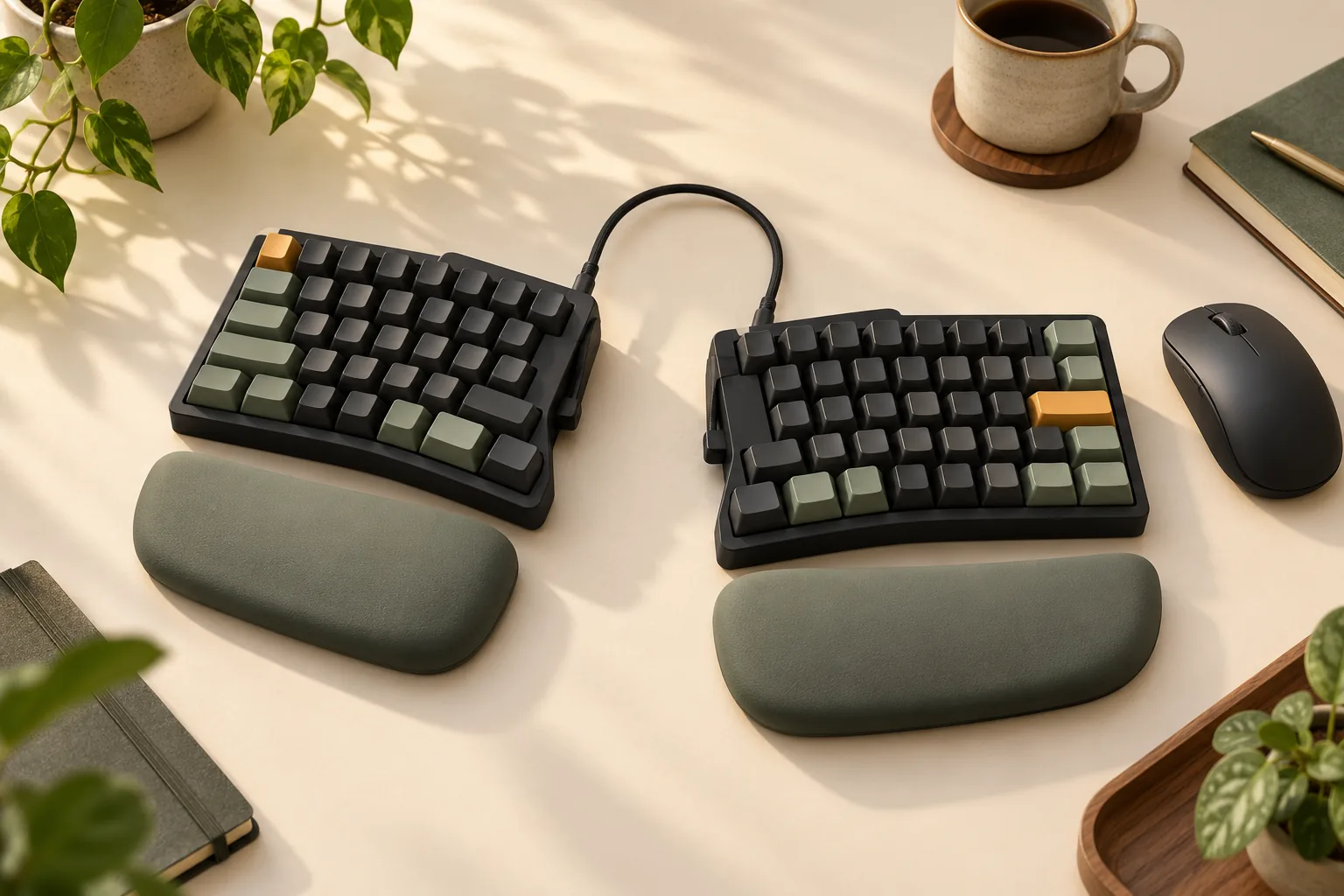
An included wrist rest deserves the same scrutiny as the keyboard. Check where it contacts your hand, whether its shape matches the keyboard front, and whether you can type without planting your wrists on it.
OSHA’s wrist and palm support guidance distinguishes typing from resting: hands should move freely above the support while typing; when resting, contact should be at the heel or palm of the hand rather than the wrist. OSHA also recommends a fairly soft, rounded support at least 1.5 inches (3.8 cm) deep, matched to the keyboard’s width, height, and front-edge slope.
Use that guidance as a practical check:
- With your hands resting, identify the contact point on the pad.
- Type a familiar passage and check whether your hands move freely above it.
- Compare the support’s height and slope with the keyboard front.
- Recheck the arrangement after changing the keyboard’s position or adjustment setting.
A bundled support gives you an accessory to evaluate. Its inclusion does not establish that it fits every user or provides a treatment benefit.
Check the Whole Package and Adjustment Dependencies
Adjustment features and palm supports can depend on each other. Check those dependencies alongside the complete installed footprint before deciding which configuration to buy.
Freestyle Edge RGB Plus: what is included
The Kinesis Freestyle Edge RGB Plus package list includes the keyboard, detachable palm supports, a detachable Lift Kit, four Mac modifier keycaps, a keycap and keyswitch removal tool, and a Quick Start Guide. Confirm those contents against the exact package offered by your seller.
The accessory dependency is especially useful to know before choosing this configuration. Kinesis’s AC910 Lift Kit documentation specifies 5°, 10°, and 15° settings and requires the palm supports to be attached. It also states that the Lift Kit is preinstalled on all Freestyle Edge RGB Plus keyboards.
If you want tenting while leaving the palm supports off, do not assume the included Lift Kit will provide that arrangement. Kinesis directs users seeking support-free tenting to its separate V3 Pro accessory; verify the exact accessory’s fit before ordering. The documented angles are available settings, not prescribed targets for every person.
Verify the exact switches and replacement limits
Kinesis identifies KB975-TAC as the Freestyle Edge RGB Plus with Gateron v1 Brown tactile switches, and KB975-LIN as the version with Gateron v1 Red linear switches. The listing describes the switches as hot-swappable, meaning individual switches can be removed and replaced using the supplied tool. Its compatibility specification covers 3-pin and 5-pin MX-style switches; MX-style is the switch format named in that specification. See the official model and switch specifications.
Match the model code to the option you intend to order, and use the full switch specification when checking replacements. Do not extend that compatibility statement to optical, magnetic, or low-profile switch families. Switch choice belongs in your personal evaluation, but the documentation here does not establish a health or typing-speed advantage for either version.
Plan Your Key Mapping and Personal Evaluation
Before changing keyboards, list the keys and commands that matter in your work. Include modifiers, navigation keys, application shortcuts, and any combinations you use repeatedly. Compare that list with the candidate’s actual layout and mapping options.
For the Freestyle Edge RGB Plus specifically, Kinesis documents programmable layouts and onboard key remapping through SmartSet. That is a documented option to investigate if the default arrangement does not suit your workflow; it does not establish identical mapping features on other keyboards. See Kinesis’s SmartSet description.
Use a simple evaluation log:
- Task: Record the document, application, or shortcut sequence you tried.
- Configuration: Note half placement, support attachment, tenting setting, and any remapped keys.
- Observation: Describe missed keys, awkward reaches, or settings you want to revisit.
- Next change: Adjust one variable, then repeat the task.
Keep your own observations separate from product claims. Set evaluation checkpoints around the seller’s return deadline rather than assuming everyone adapts within a fixed number of days.
Read the Return Policy Before Planning a Trial
A return window can make evaluation possible, but its costs and conditions belong in your purchase decision. For purchases directly from the Kinesis Store, the published 60-day window begins on the invoice date. Shipping and handling are not refunded, and the buyer pays for insured return shipping to Bothell, Washington. See the Kinesis direct-store return policy.
The same policy requires a return merchandise authorization (RMA) before sending merchandise back. A full purchase-price refund depends on like-new, resellable condition; obvious damage may result in a partial refund. Returns of five or more items from the same order incur a 15% restocking fee, and stated exclusions include special-order, discontinued, and specifically nonreturnable items. Read the complete policy for the item you intend to buy.
For a Kinesis keyboard purchased from Amazon or another reseller, Kinesis directs the buyer to that reseller’s return policy. Do not transfer the direct-store terms to that purchase, to ZSA, or to another manufacturer. The Kinesis policy also treats defect-related warranty replacement as a separate process.
The Freestyle Edge RGB Plus listing states a two-year limited warranty, but that heading does not supply the complete coverage conditions or replace change-of-mind return terms. Before checkout, verify the seller, model code, condition, included accessories, return deadline, shipping costs, and applicable warranty terms.
Frequently Asked Questions
Should I choose a split keyboard or an Alice-style layout?
Start with what you need to reposition. Ask whether a fixed arrangement of angled key groups suits you or whether you need to move the halves separately. Then check installed height and palm support in that arrangement. Use the layout category to narrow your questions, rather than treating it as proof of fit.
Can I remove an included palm support and keep tenting?
Check the exact adjustment hardware. The Kinesis AC910 Lift Kit requires attached palm supports, so that documented configuration does not provide tenting with the supports removed. Kinesis points to a separate accessory for that use; confirm its fit before buying. See the Lift Kit requirements.
Does the lowest published keyboard height mean the best fit?
A height figure alone cannot answer that question. Check whether it describes the case, includes keycaps, or applies with supports and tenting installed. Then evaluate the keys and support in your workstation. The Moonlander dimensions FAQ illustrates the value of explicitly labeled measurements.
Make Your Shortlist From the Complete Setup
Choose the best ergonomic mechanical keyboard by checking reach, installed dimensions, palm contact, and adjustment dependencies together. Keep unknown measurements visible in your comparison, and use seller-specific terms to plan your evaluation. Your next step is to complete the worksheet for your current setup, then request any missing dimensions or package details before ordering.