As an Amazon Associate we earn from qualifying purchases.
Unlock Customization: The Appeal of Hot-Swappable Mechanical Keyboards
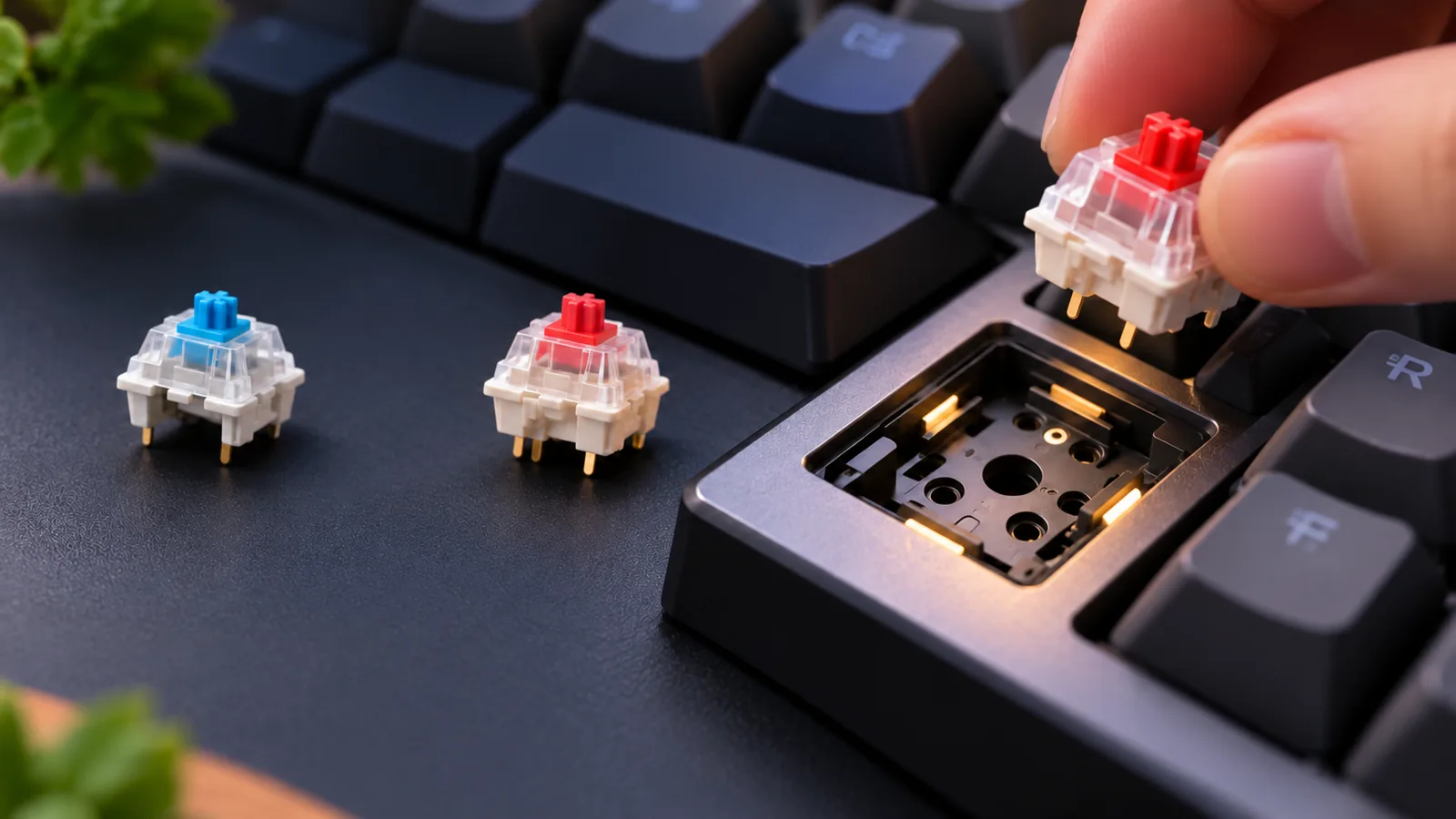
For many, a keyboard is more than just an input device; it's a primary interface that shapes daily interaction with a computer. Hot-swappable mechanical keyboards represent a significant evolution in personal computing peripherals, offering a level of adaptability previously reserved for dedicated enthusiasts with soldering skills. At its core, a hot-swappable mechanical keyboard allows users to remove and insert mechanical switches directly into the keyboard's circuit board without the need for desoldering or soldering.
This fundamental design choice unlocks unparalleled ease of customization. Imagine being able to instantly change the feel and sound of your typing experience, from a quiet, linear switch for late-night work sessions to a clicky, tactile switch for a satisfying gaming experience. This flexibility extends beyond personal preference, enabling users to adapt their keyboard for different tasks, experiment with new switch types, or even replace a single faulty switch without replacing the entire board.
This guide is designed for beginner to intermediate mechanical keyboard enthusiasts looking to purchase or upgrade their setup. We will explore the advantages of hot-swappable keyboards, delve into the critical aspects of switch and socket compatibility, and discuss potential durability and functional trade-offs. Our goal is to empower you to confidently choose a hot-swappable mechanical keyboard that not only meets your current needs but also provides the flexibility for future customization and personal evolution of your typing preferences.
How Hot-Swap Technology Works: Sockets and Switch Compatibility
Hot-swappable mechanical keyboards offer unparalleled flexibility by allowing users to change switches without soldering. This capability stems from specialized sockets integrated directly into the keyboard's Printed Circuit Board (PCB). Instead of switches being permanently soldered to electrical contacts, they plug into these sockets, making removal and insertion a straightforward process. This design empowers users to experiment with different switch types, replace faulty switches, or adapt their typing experience for various tasks without needing advanced tools or technical skills.
Understanding the types of hot-swap sockets is crucial for ensuring compatibility with your preferred switches. The primary distinction lies between 3-pin and 5-pin (often referred to as "MX style") sockets.
-
3-Pin Sockets (Plate-Mount):
- These sockets are designed to accommodate switches that have two metal electrical pins and one larger central plastic post for alignment.
- Switches with additional plastic "legs" (5-pin switches) will not fit into 3-pin sockets unless those extra legs are clipped off, a modification that can affect switch stability.
- Typically found in older or more budget-focused hot-swappable keyboard designs.
-
5-Pin Sockets (PCB-Mount):
- These sockets are the more versatile option, built to accept switches with two metal electrical pins, a central plastic post, and two smaller plastic guide pins.
- The additional guide pins provide enhanced stability when the switch is mounted directly to the PCB.
- Crucially, 5-pin sockets are backward compatible with 3-pin switches; the extra holes simply remain unused.
The type of socket in your hot-swappable keyboard directly dictates which mechanical switches can be used without modification. A board with 3-pin sockets offers a more limited selection unless you're prepared to alter 5-pin switches. Conversely, a board featuring 5-pin sockets provides broader compatibility, accommodating both 3-pin and 5-pin MX-style switches. While most hot-swappable keyboards utilize MX-style sockets, it's important to note that non-MX style switches, such as optical or low-profile variants, typically use proprietary socket designs and are not interchangeable with standard mechanical hot-swap sockets.
In recent years, there has been a clear trend towards greater universal compatibility. Many modern hot-swappable mechanical keyboards now incorporate 5-pin sockets as a standard feature. This widespread adoption simplifies the switch selection process for buyers, offering maximum flexibility and future-proofing their keyboard investment against evolving preferences or new switch releases.
Beyond the Basics: Why a Hot-Swappable Keyboard Solves Your Problems
For many new to mechanical keyboards, the sheer variety of switch types—each offering a distinct sound and feel—can be overwhelming. A traditional mechanical keyboard with soldered switches locks you into a single experience, making it a significant commitment, especially if you're unsure of your preference. This is where the hot-swappable design provides a direct solution.
The primary advantage of a hot-swappable mechanical keyboard is its unparalleled customization potential. It liberates you from the need to choose a "perfect" switch from the outset. You can easily experiment with linear switches for smooth, quiet presses, tactile switches for a distinct bump, or clicky switches for an audible confirmation, all on the same keyboard. This flexibility allows you to discover your ideal typing or gaming feel without purchasing multiple keyboards, directly addressing the common beginner's dilemma of "which switch is right for me?"
Beyond initial exploration, hot-swappability offers significant future-proofing. Mechanical switches, like any component, can eventually wear out or fail. On a soldered board, a single faulty switch might necessitate complex desoldering or even replacement of the entire PCB. With a hot-swappable board, a malfunctioning switch can be replaced in moments, extending the keyboard's lifespan and maintaining its functionality. Furthermore, the mechanical keyboard market is constantly innovating, with new switch designs and materials emerging regularly. A hot-swappable board allows you to easily adapt to these innovations, trying out the latest switch technologies without investing in an entirely new peripheral.
This adaptability translates into clear long-term value. Instead of buying a new keyboard every time your preferences change or a new switch piques your interest, you only need to acquire a set of switches, which is a more economical approach. This reduces the overall cost of ownership for enthusiasts who enjoy modifying their setup. For beginners, it minimizes the financial risk associated with a first-time purchase, making it an ideal entry point into the world of mechanical keyboards. It empowers users to evolve their setup as their preferences mature, ensuring their keyboard remains a relevant and enjoyable tool for years to come.
Essential Criteria: What to Look for in a Hot-Swappable Mechanical Keyboard
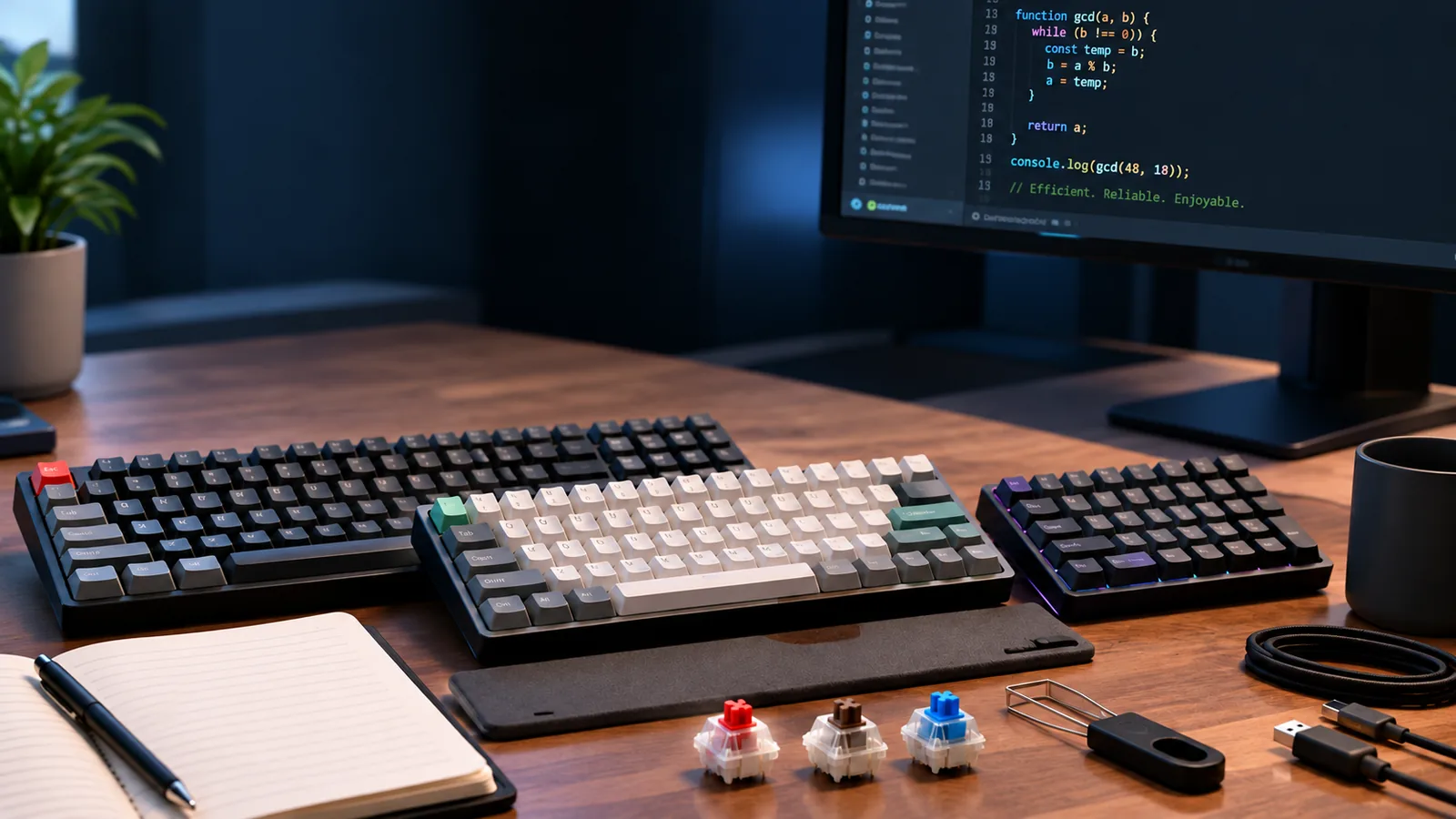
Selecting a hot-swappable mechanical keyboard involves more than just picking a color. The flexibility of hot-swap technology means you can change switches, but the underlying keyboard structure dictates its long-term utility and typing experience. Consider these key criteria to ensure your choice aligns with your needs for customization, durability, and daily use.
-
Form Factor and Layout The physical size and key arrangement significantly impact desk space, portability, and functionality.
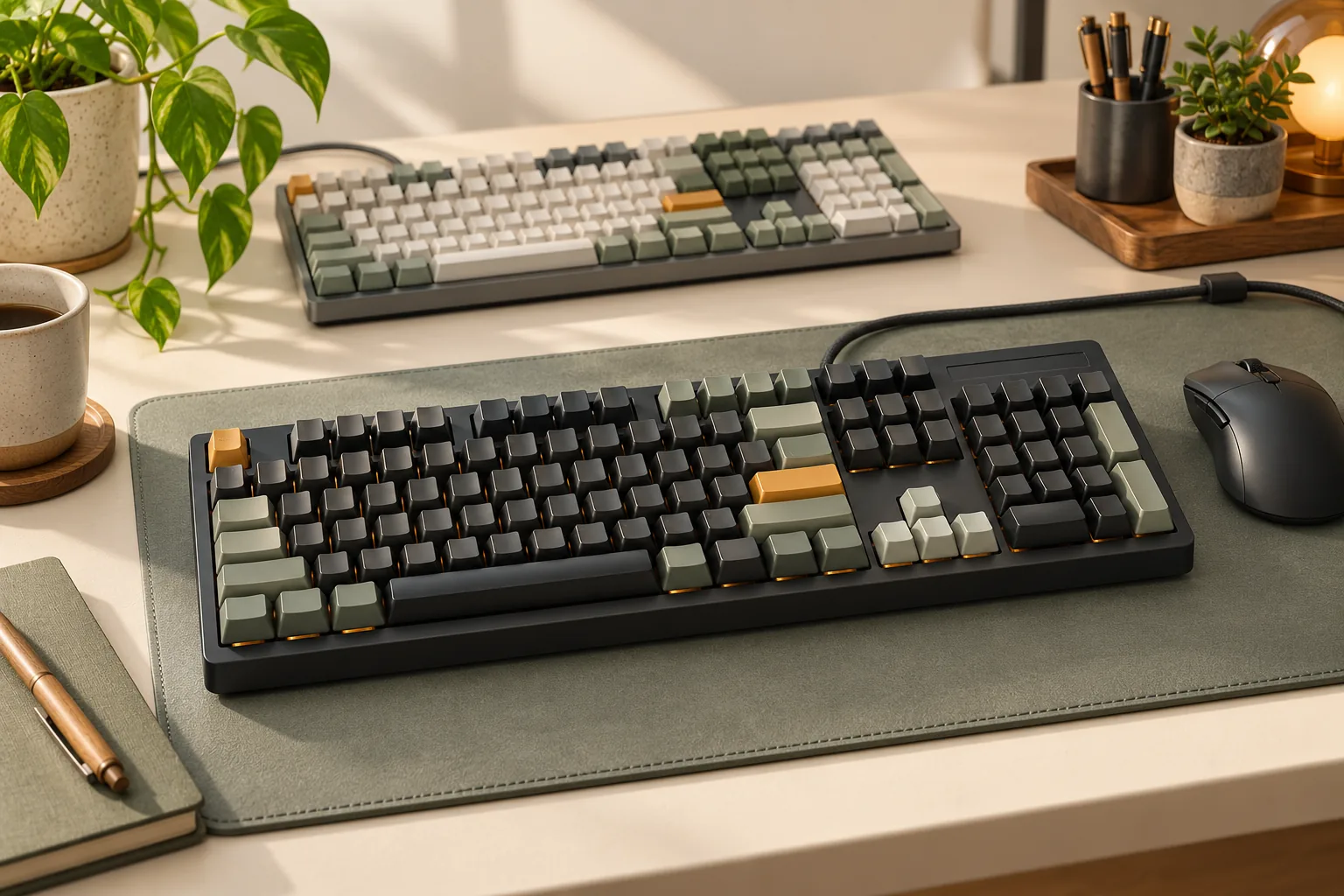
- Full-size (104/108 keys): Includes a Numpad and dedicated function row, ideal for data entry and users who rely on these keys. Takes up the most desk space.
- Tenkeyless (TKL, 87 keys): Omits the Numpad, offering a more compact footprint while retaining the function row and arrow keys. A popular choice for balancing productivity and space.
- Compact (75%, 65%, 60%): Progressively smaller layouts that remove dedicated function rows, arrow keys, or even some modifiers to maximize desk space and portability. Often requires using function layers for missing keys, which can be a learning curve.
- Impact: Your workflow (gaming, programming, general office) and available desk real estate should guide this decision.
-
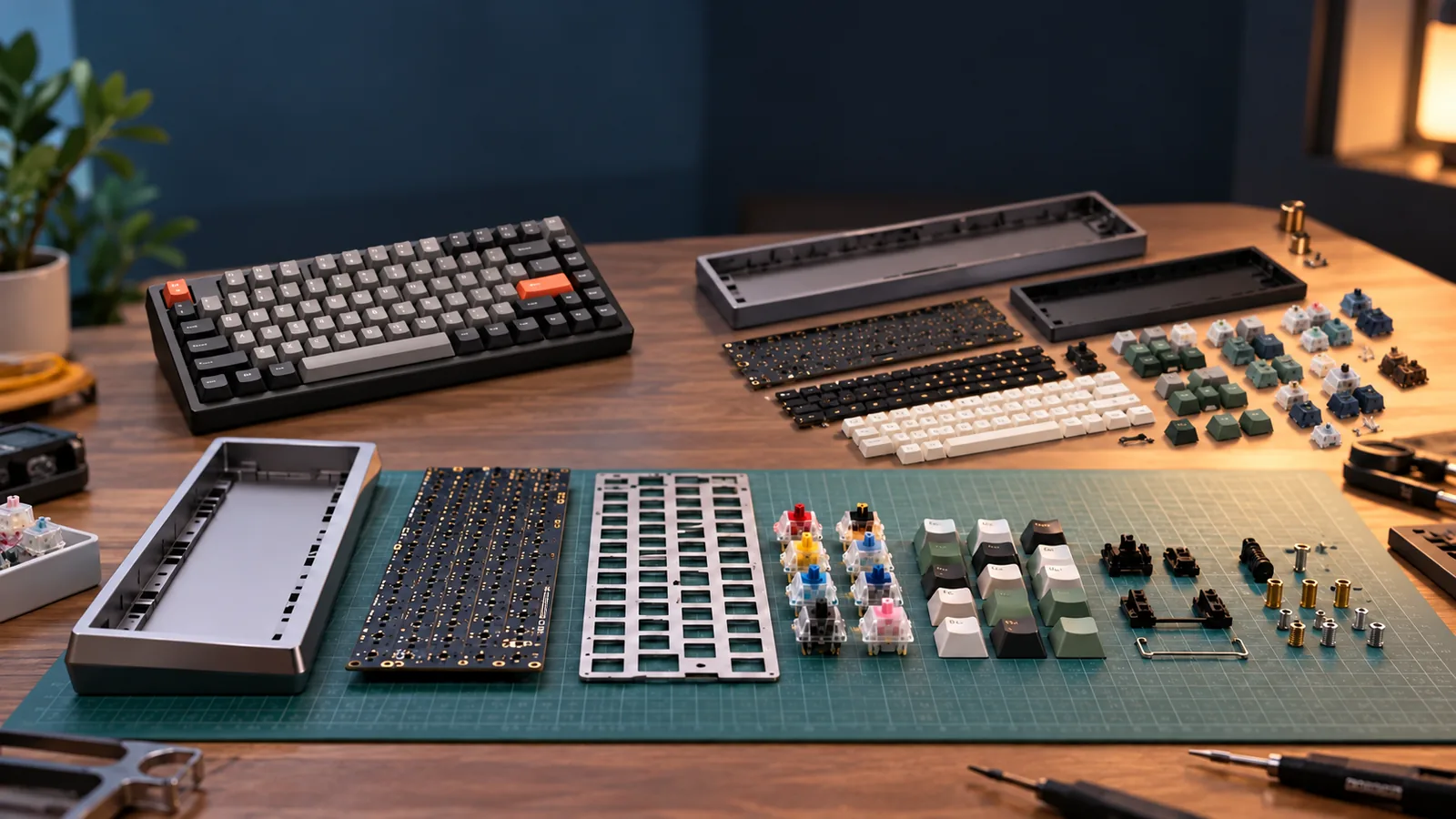
Build Quality and Materials The materials used for the case, plate, and PCB influence the keyboard's durability, acoustic profile, and typing feel.
- Case Material: Plastic cases are common for entry-level boards, offering lighter weight and lower cost. Aluminum or other metal cases provide greater rigidity, a more premium feel, and often a denser, more satisfying sound.
- Plate Material: The plate sits between the PCB and the switches. Materials like steel offer a firm, rigid typing experience, while aluminum or polycarbonate can provide more flex, altering the feel and sound.
- PCB Quality: A robust PCB with well-seated hot-swap sockets is crucial for longevity. Repeated switch changes can stress lower-quality sockets, potentially leading to connection issues over time.
-
Connectivity Options How your keyboard connects to your computer affects its versatility and setup.
- Wired (USB-C): Offers the most reliable, lowest-latency connection, essential for competitive gaming or ensuring consistent performance.
- Bluetooth: Provides wireless convenience for multi-device pairing (e.g., switching between a PC and a tablet) and a clutter-free desk. Latency can be a minor concern for some users.
- 2.4GHz Wireless: Often uses a dedicated USB dongle, offering lower latency than Bluetooth, making it a strong wireless option for gaming while maintaining a clean setup.
-
Software Features and Customization Robust software support enhances the user experience by allowing personalization beyond just switch changes.
- RGB Lighting Customization: Allows users to personalize backlighting patterns, colors, and brightness to match their setup or mood.
- Key Remapping: The ability to reassign key functions is invaluable for optimizing workflow or accommodating specific software needs.
- Macro Support: Creating sequences of commands (macros) can automate repetitive tasks, boosting productivity.
- QMK/VIA Compatibility: These open-source firmware options offer extensive, powerful customization for key mapping, layers, and macros, appealing to users who desire deep control over their keyboard's functionality.
-
Initial Switch Selection While hot-swappable, the switches included with the keyboard provide your initial typing experience.
- Starting Point: Even if you plan to experiment, a keyboard that comes with switches you generally enjoy (e.g., a common linear, tactile, or clicky type) means you can use it comfortably out of the box.
- Experimentation: Consider the pre-installed switches as a baseline. The hot-swap feature allows you to explore other options without immediate additional investment, but a decent starting point prevents immediate dissatisfaction.
Understanding the Trade-offs: Potential Challenges with Hot-Swap Keyboards
While hot-swappable mechanical keyboards offer significant advantages in customization and flexibility, it's important for buyers to be aware of potential drawbacks and common issues. Understanding these trade-offs can help manage expectations and inform careful handling practices.
-
Socket Durability and Wear: The core benefit of hot-swap technology—the ability to change switches—also introduces a point of potential wear. Each time a switch is removed and inserted, the contacts within the hot-swap socket experience a degree of stress. Frequent changes or improper insertion/removal techniques can lead to:
- Loosening of socket contacts, potentially causing intermittent switch actuation.
- Damage to the socket housing, making it difficult to secure switches firmly.
- Reduced lifespan of individual sockets compared to soldered connections, especially with cheaper components. Careful handling and minimizing unnecessary switch swaps can mitigate these risks.
-
Challenging Switch Removal: Not all switches or hot-swap sockets are created equal in terms of fit. Some combinations can be exceptionally tight, making switch removal a difficult task. Users may find themselves needing to apply significant force, increasing the risk of:
- Damaging the switch housing or stem during extraction.
- Scuffing or scratching the keyboard plate.
- Accidentally pulling the socket out of the PCB if excessive force is used without proper support. Using a quality switch puller and gentle, even pressure is crucial.
-
Cable Compatibility Limitations: Certain hot-swappable keyboards, particularly those with unique case designs, may feature non-standard or deeply recessed USB-C ports. This can limit the use of aftermarket or custom USB cables, which often have thicker connectors or specialized housing that may not fit. Buyers interested in personalizing their setup with custom cables should verify port dimensions.
-
Potential for Higher Initial Investment: Compared to some entry-level, non-hot-swappable pre-built mechanical keyboards, hot-swappable models can sometimes carry a higher initial price tag. This cost reflects the added engineering and components required for the hot-swap sockets and a more robust PCB design. While the long-term value through customization is often worth it, buyers should factor this into their budget.
-
Risk of Bent Switch Pins: The delicate metal pins on mechanical switches are susceptible to bending if not aligned perfectly during insertion into a hot-swap socket. Forcing a switch into a socket without proper alignment can result in:
- A bent or broken switch pin, rendering the switch unusable.
- Damage to the socket itself, potentially requiring repair or replacement of the PCB. Always ensure switches are oriented correctly and apply light, even pressure until they click securely into place.
Making Your Choice: Aligning a Hot-Swap Keyboard with Your Needs
Selecting a hot-swappable mechanical keyboard involves balancing personal preferences, budget, and intended use. While the flexibility of hot-swap technology offers significant advantages, a thoughtful initial choice can enhance your experience and minimize potential frustrations. Consider your primary needs and how different keyboard attributes contribute to them.
Budgeting for Flexibility and Features
Your budget often dictates the level of build quality, material choices, and advanced features available.
- Entry-Level (Under $80-100): These keyboards typically offer basic hot-swap functionality, often with plastic cases and fewer customization options for keycaps or software. While they provide an accessible entry point to the hot-swap world, durability of sockets might be a consideration with frequent switch changes.
- Mid-Range ($100-200): This segment, often considered a "sweet spot," balances cost with improved build quality, such as aluminum frames or better plastics, more robust hot-swap sockets, and enhanced software for customization. You'll likely find more layout options and better overall typing experiences.
- High-End ($200+): Premium materials like CNC-milled aluminum, advanced mounting styles (e.g., gasket mount), sophisticated programmable firmware, and specialized hot-swap sockets are common here. These often cater to enthusiasts seeking a highly refined and personalized typing feel.
Matching Your Keyboard to Specific Activities
The ideal hot-swappable keyboard setup can vary significantly based on how you intend to use it.
- For Gaming: Prioritize low-latency connectivity (often wired or 2.4GHz wireless), N-key rollover for simultaneous key presses, and potentially a compact form factor to maximize mouse space. Linear switches are frequently favored for their smooth, consistent actuation, but hot-swap allows experimentation.
- For Typing & Productivity: Focus on comfort, ergonomics, and a switch type that provides satisfying feedback. Tactile or clicky switches are popular for typing, as they offer a distinct bump or sound to confirm actuation. Layouts with a dedicated numpad (full-size or 1800-compact) might be crucial for data entry, while smaller layouts suit minimalists.
- For Programming: Programmability and macro capabilities can be highly beneficial for automating repetitive tasks. A robust software suite for key remapping and layers is key. Switch preference is personal, but many programmers appreciate a clear actuation point for accuracy during long coding sessions.
Prioritizing Key Features
With hot-swap keyboards, you're not just buying a keyboard; you're buying a platform for customization. Decide which aspects are most critical for your individual use:
- Form Factor: Do you need a numpad (full-size, 1800-compact), dedicated function row (TKL, 75%), or maximum desk space (65%, 60%)?
- Connectivity: Wired for reliability, Bluetooth for portability, or 2.4GHz wireless for gaming responsiveness.
- Socket Type: Ensure the keyboard's hot-swap sockets (e.g., 3-pin or 5-pin) are compatible with the switches you plan to use or experiment with.
- Build Materials: Plastic cases are lighter and generally more affordable; aluminum offers greater durability, weight, and a different acoustic profile.
- Software/Firmware: Look for robust software that allows key remapping, macro creation, and RGB lighting control without requiring a constant internet connection.
- Aesthetics: Consider RGB lighting, keycap compatibility (standard layouts make finding aftermarket keycaps easier), and overall design to match your setup.
Leveraging Community Insights and Reviews
While product specifications provide a foundation, real-world user experiences offer invaluable perspectives.
- Online Communities: Forums and subreddits dedicated to mechanical keyboards are excellent resources for discussing specific models, troubleshooting issues, and discovering new switches or mods.
- Video Reviews: Many content creators provide in-depth reviews, including sound tests, typing demonstrations, and discussions of build quality, which can help you visualize and hear a keyboard in action.
- Long-Term Feedback: Pay attention to reviews that discuss long-term durability, especially regarding hot-swap socket performance after multiple switch changes. Some users report that frequent switch removals can wear down socket interfaces or that certain custom cables may not fit well into recessed ports.
By carefully considering these factors, you can make an informed decision that leads to a hot-swappable mechanical keyboard that not only meets your current needs but also offers the flexibility to evolve with your preferences.
Frequently Asked Questions About Hot-Swappable Keyboards
As you consider a hot-swappable mechanical keyboard, you likely have questions about their practical use, compatibility, and long-term viability. Here are concise answers to some common inquiries that can help inform your decision.
-
Is it difficult to change switches on a hot-swappable keyboard? Changing switches is generally straightforward and one of the primary benefits of a hot-swappable design. It typically requires a switch puller tool to carefully extract the existing switches and then simply pushing new ones into the sockets. While most switches are designed for easy removal, some may fit more snugly than others, potentially requiring a bit more gentle force. The process does not involve soldering.
-
Do hot-swappable keyboards have durability issues compared to soldered ones? Hot-swappable keyboards introduce a socket interface between the switch and the PCB, which can experience wear over time if switches are changed very frequently or inserted/removed improperly. While a soldered connection is inherently more permanent and robust against repeated physical manipulation, for most users who change switches occasionally, the durability of hot-swap sockets is sufficient. Proper technique when changing switches helps mitigate potential issues.
-
Can I use any mechanical switch with any hot-swappable keyboard? No, not all mechanical switches are universally compatible with every hot-swappable keyboard. Compatibility primarily depends on the design of the switch (most commonly MX-style) and the type of hot-swap socket on the keyboard's PCB. Most hot-swappable keyboards support standard MX-style switches, but you should always verify the specific switch types and pin configurations your keyboard's sockets are designed for.
-
What's the main difference between 3-pin and 5-pin hot-swap sockets? The distinction lies in the number of plastic pins on the switch that engage with the socket. A 3-pin switch (also known as plate-mount) has two metal pins for electrical contact and one larger central plastic pin for alignment. A 5-pin switch (or PCB-mount) includes these three pins plus two smaller plastic "legs" on either side of the central pin, which provide additional stability and reduce switch wobble when mounted directly to the PCB. Most 5-pin sockets can accommodate both 3-pin and 5-pin switches, but 3-pin sockets can only accept 3-pin switches or 5-pin switches with their extra plastic legs clipped off.
-
Are hot-swappable keyboards a good option for competitive gaming? Yes, hot-swappable keyboards can be an excellent option for competitive gaming. They allow gamers to experiment with various switch types to find the optimal feel, actuation force, and response for their playstyle, which can be a significant advantage. The hot-swap technology itself does not introduce measurable latency or performance drawbacks compared to soldered boards. The ability to quickly replace a faulty switch without downtime is also a practical benefit for dedicated gamers.
Your Gateway to Personalization: The Right Hot-Swappable Keyboard Awaits
Embracing a hot-swappable mechanical keyboard opens up a world of customization, allowing you to fine-tune your typing experience to an unprecedented degree. This technology empowers you to move beyond static peripherals, offering a dynamic tool that can evolve with your preferences, whether for gaming, productivity, or simply the joy of a perfect keystroke. The ability to effortlessly change switches means your keyboard isn't just a purchase for today, but a flexible platform for tomorrow.
Throughout this guide, we've explored how hot-swap sockets liberate you from the limitations of soldered switches, offering longevity through easy maintenance and the freedom to experiment. Key considerations for your informed decision include:
- Switch and Socket Compatibility: Ensuring your chosen switches align with the keyboard's socket type (e.g., 3-pin vs. 5-pin, specific socket designs).
- Build Quality: Assessing the overall construction, as a robust chassis and reliable hot-swap interfaces contribute to durability.
- Intended Use: Matching the keyboard's layout, features, and potential switch choices to your primary activities, such as gaming responsiveness or typing comfort.
While the benefits of personalization and future-proofing are significant, it's also wise to acknowledge potential trade-offs, such as the occasional difficulty in switch removal or specific peripheral compatibility nuances. By understanding these aspects, you can confidently navigate the options and select a hot-swappable mechanical keyboard that not only meets your current needs but also serves as a versatile foundation for your evolving computing journey. Your perfect, personalized typing experience is now within reach.