As an Amazon Associate we earn from qualifying purchases.
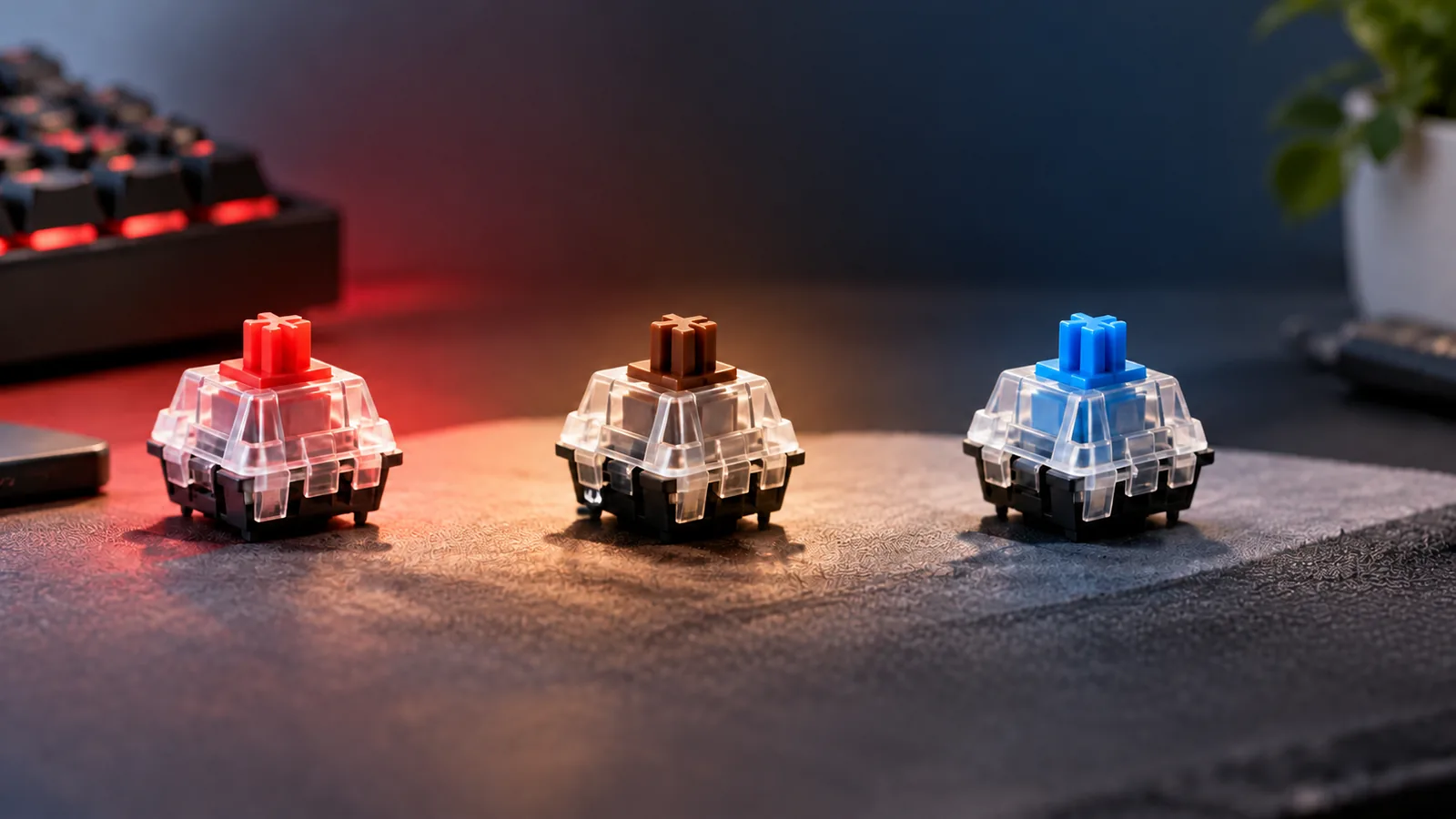
The main types of keyboard switches are linear, tactile, and clicky. Linear switches move without a tactile bump; tactile switches provide a noticeable bump; clicky switches combine tactile feedback with an audible click. These describe feedback, while compatibility depends on your keyboard’s supported switch platform and construction. CHERRY’s switch catalog explains these feedback categories.
For beginners buying replacement switches, the useful order is: confirm fit, choose feedback, assess noise, then calculate quantity and delivered cost. This guide walks through that decision using manufacturer specifications and a purchase worksheet.
Quick buying checklist
- Confirm your exact keyboard model, revision, and permitted replacement method.
- Match the documented detection platform, profile family, and switch footprint.
- Sample compatible feedback options before ordering a full set.
- Evaluate sound in context, especially for a shared room.
- Count the switches you need, choose your spare target, and compare complete orders.
Research basis: Manufacturer documentation and Kinetic Labs’ buying guidance captured October 15, 2026. Recommendations reflect documented specifications and selection criteria; no hands-on testing was performed.
Jump to: Compatibility · Switch types · Force and travel · Noise · Use cases · Quantity and budget · Purchase worksheet · FAQ
Check keyboard compatibility first
Treat compatibility as several separate checks. A familiar color, cross-shaped keycap stem, or matching pin count does not complete the decision. Kinetic Labs distinguishes MX-style contact, optical, and Hall-effect platforms; Gateron’s low-profile restriction provides a concrete example of why a pin label alone is insufficient. Platform guidance · Gateron’s compatibility restriction
Confirm the replacement method
Start with your keyboard’s manual or manufacturer support information. A hot-swap keyboard permits removable switches within its supported platform. Record the supported family and any restrictions before shopping; the word “hot-swap” alone does not identify which replacements fit. Kinetic Labs’ compatibility guide
CHERRY’s MX ULP Tactile Switch Kit illustrates a different service method: its switches are surface-mount components that require soldering, and CHERRY explicitly excludes hot-swap keyboards. That kit is unsuitable as an MX hot-swap replacement. CHERRY MX ULP Tactile Switch Kit
If your board’s replacement method is unclear, resolve that question with its manufacturer before ordering. Buying a preferred feel first can leave you with an unusable set.
Match detection technology and profile family
Keep these questions separate:
| Compatibility question | What to confirm |
|---|---|
| How does the keyboard detect a press? | The supported contact, optical, or Hall-effect platform |
| Which profile family does it use? | The exact standard/full-height, low-profile, or ultra-low-profile family |
| Which physical design does it accept? | Documented socket or solder footprint, housing, plate, and keycap requirements |
| Is the proposed replacement supported? | Confirmation for the exact board revision and switch version |
Kinetic Labs identifies MX-style, optical, and Hall-effect switches as different replacement platforms. CHERRY separately lists MX STANDARD, MX LOW PROFILE, and MX ULTRA LOW PROFILE families. A feedback label such as “linear” answers neither question. Kinetic Labs · CHERRY switch families
For example, the Gateron KS-33 Low Profile 2.0 Banana is a three-pin tactile switch. Its official page limits use to keyboards designed for Gateron low-profile switches and excludes replacement of other low-profile types. Its three-pin specification therefore cannot establish standard full-height MX fit or cross-brand low-profile fit. Your exact keyboard still needs documented support. Gateron KS-33 specifications
Types of keyboard switches compared
Once you have a supported platform, choose the feedback you want. The following mechanical keyboard switch chart uses CHERRY’s definitions; the selection prompts are practical preference questions rather than performance rankings. CHERRY feedback definitions
| Type | Feedback during a press | Start here if you prefer… | What to assess when sampling |
|---|---|---|---|
| Linear | Movement without a tactile bump | An uninterrupted press | Whether the resistance and travel suit your fingers |
| Tactile | A noticeable bump | A physical feedback point | Whether the bump feels pleasant during ordinary typing |
| Clicky | Tactile feedback with an audible click | Both physical and audible feedback | Whether the click is acceptable where you work or play |
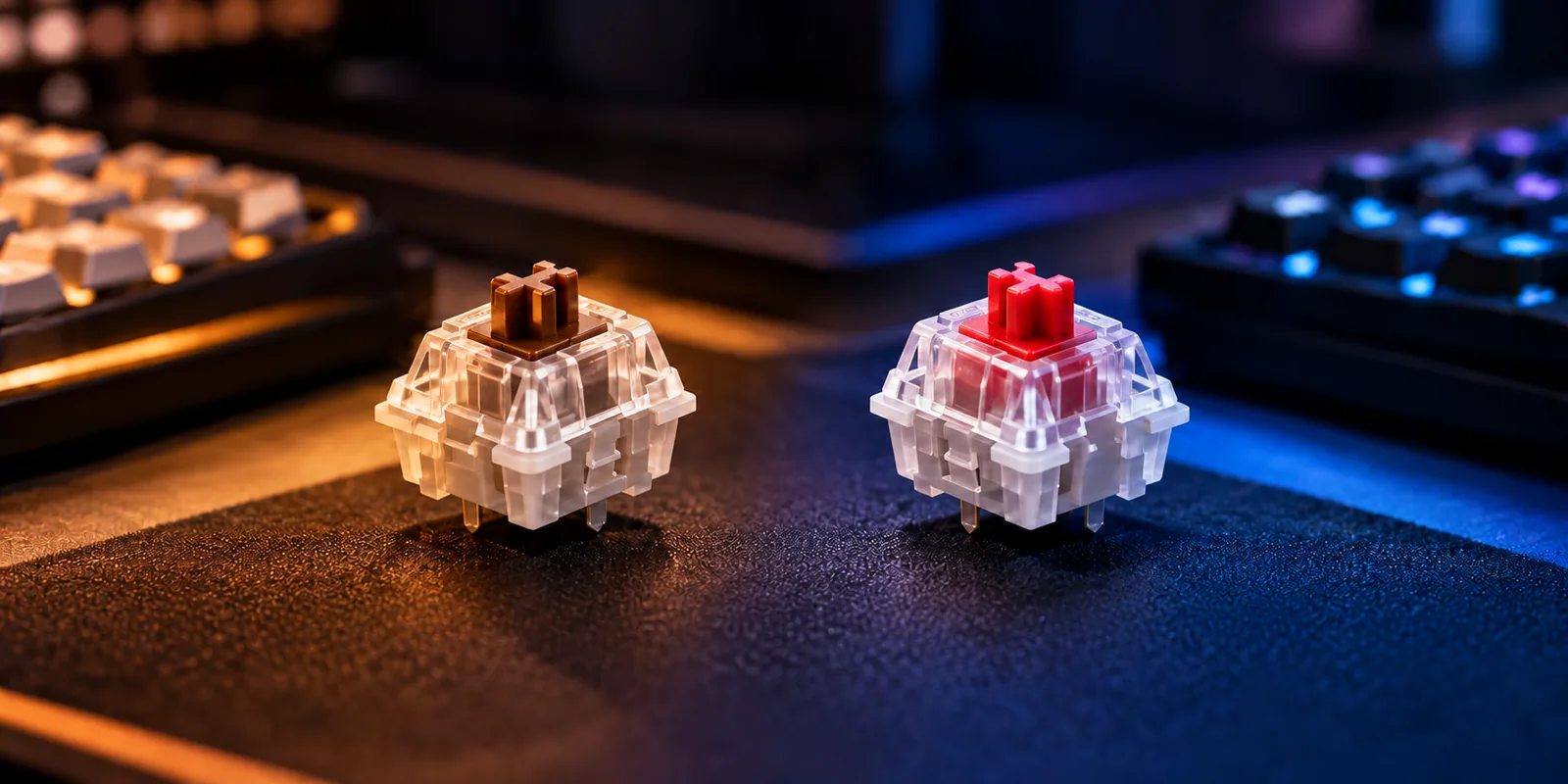
Within CHERRY’s lineup, Red, Brown, and Blue are examples of linear, tactile, and clicky switches, respectively. Those examples help explain the categories, but a color name cannot establish another brand’s force, sound, or compatibility. Compare the full model and version. CHERRY’s lineup
Read force and travel specifications
Feedback type leaves several questions unanswered. A linear switch can have different resistance at the beginning and end of its travel. Compare the same measurement across exact variants instead of treating one advertised force number as a complete description.
CHERRY’s published property table for article MX2B-L2NA, on its MX Low Profile Red page, lists:
- Initial force: 30 cN — the starting force specification.
- Actuation force: 45 cN — the force specification at actuation.
- Final force: 100 cN — the force specification at the end of travel.
- Pre-travel: 1.2 mm — travel before actuation.
- Total travel: 3.2 mm — the full specified travel.
These are manufacturer values for that exact article. The different initial, actuation, and final values demonstrate why linear does not mean constant force throughout the press. CHERRY MX2B-L2NA properties
Other manufacturers may publish different fields and tolerances. The Akko V3 Creamy Yellow Pro, for example, is documented as a five-pin linear switch with 50 gf ±10 gf operating force, 2.0 ±0.6 mm pre-travel, and 3.3 mm total travel. Preserve the “Pro” designation when checking its specifications; the page identifies it as a separate version from Creamy Yellow. Akko V3 Creamy Yellow Pro
For a shortlist, record the force label, unit, tolerance, pre-travel, and total travel exactly as supplied. If a listing gives tactile force, keep that field separate from operating force. Leave missing measurements blank, and use sampling to answer the preference questions the specification sheet cannot settle.
Assess noise in the whole keyboard
A sound recording demonstrates one setup. Kinetic Labs explains that recorded keyboard sound depends on keycap material and profile, case construction, mounting style, desk, room, microphone, and other factors. A different recording setup can change your impression of the same switch. Kinetic Labs’ sound guidance
Use several recordings as a screening aid. Favor demonstrations that identify the keyboard and keycaps, and note whether their setup resembles yours. Listen for characteristics you dislike as well as sounds you enjoy.
For a shared office or bedroom, make the acceptable noise level an early selection condition. A clicky switch deliberately adds an audible click; choosing it should be a conscious decision that includes the people nearby. Linear and tactile labels alone do not promise silence. CHERRY’s feedback categories
If you can obtain compatible samples, assess them in the intended keyboard using its documented replacement method. A tester can help you judge feedback, but reserve your final sound decision for the assembled setup. No complete-keyboard silence guarantee follows from this guide.
Choose by your use case
Use your actual task to decide what to sample. The chart below applies the documented feedback differences without declaring a universal winner for typing or gaming. Feedback definitions · Recording context
| Your situation | Useful starting shortlist | Question that decides the next step |
|---|---|---|
| You dislike a bump during repeated presses | Compatible linears | Do the resistance and travel suit your normal inputs? |
| You want physical feedback during writing | Compatible tactiles | Do you enjoy the bump through an ordinary writing session? |
| You actively want an audible click | Compatible clicky options | Is the click welcome in the intended room? |
| You share a quiet workspace | Supported options screened for acceptable sound | Does the assembled keyboard meet the room’s expectations? |
| You alternate work and gaming | Compatible samples with different feedback | Which option feels preferable across both tasks? |
Keep a short note for each sample: what you liked, what you disliked, and whether fit was confirmed. This gives you a reason to choose without relying on a category’s reputation or a recording’s popularity.
Calculate switch quantity and budget
Count the switch positions you intend to fill, then choose a spare target. Keep that target explicit so you can distinguish desired spares from surplus created by package sizes.
For one fixed pack size:
Packs required = round up ((needed switches + chosen spares) ÷ switches per pack).
Total purchased = packs required × switches per pack.
Surplus after installation = total purchased − needed switches.
As a hypothetical example, suppose you need 87 switches, want 5 spares, and are evaluating 45-piece packs. You need 92 switches in total, so two packs provide too few. Three packs provide 135 switches, leaving 48 after installation: your five chosen spares plus 43 more.
With a hypothetical 110-piece pack, one pack covers the same target and leaves 23 after installation. That difference does not establish which order costs less; compare the delivered totals for the exact selected offers.
The captured Akko V3 Creamy Yellow Pro page showed 45-, 90-, and 135-piece selector choices. The Gateron KS-33 Banana page showed 35- and 110-piece choices. These document package options, not a verified current purchase offer. A 45-piece option is not automatically enough for your board.
Complete your purchase worksheet
Copy this worksheet for each compatible candidate. Empty cells are intentional fields for your own verified information; leave unknowns empty until you can confirm them.
| Field | Your verified entry |
|---|---|
| Keyboard model and hardware revision | |
| Replacement method and supporting documentation | |
| Supported detection platform and profile family | |
| Exact switch model, version, and fit confirmation | |
| Preferred feedback and sample notes | |
| Noise assessment for the intended room | |
| Needed switch count and chosen spare target | |
| Selected pack size, pack count, and total switches | |
| Surplus after installation | |
| Seller, condition, and date checked | |
| Merchandise subtotal | |
| Shipping, tax, and any applicable import charges | |
| Discounts and final delivered total | |
| Return terms for the selected order |
Compare the total you must pay to fill your intended positions and obtain your chosen spares. A per-switch figure can supplement that comparison, but the complete order determines whether the purchase fits your budget. Current prices, availability, and return terms need a separate checkout check.
Frequently asked questions
Are red, brown, and blue switches standardized across brands?
Use those colors as examples within a documented lineup. CHERRY identifies Red as linear, Brown as tactile, and Blue as clicky. A matching color on another product does not establish equivalent specifications or fit; check the full manufacturer model and your keyboard’s requirements. CHERRY switch catalog
Does three-pin mean a switch will fit my keyboard?
Pin count alone is insufficient. Gateron’s three-pin KS-33 Low Profile 2.0 Banana has an explicit family restriction: it is intended for keyboards designed for Gateron low-profile switches. Confirm the exact supported platform and footprint before treating a three-pin label as purchase approval. Gateron’s restriction
Which keyboard switches are best for typing and gaming?
Start with confirmed compatibility, then sample the feedback you prefer. Linear, tactile, and clicky describe different feedback characteristics; the evidence here does not establish a universal performance winner. Judge supported samples during the tasks you actually do, including whether their sound suits the room. CHERRY feedback definitions
Make your choice
The useful difference between types of keyboard switches begins with feedback, but the purchase depends on documented fit, acceptable sound, and a complete quantity calculation. Choose a supported platform first, compare compatible samples, and price the required order. Your next step is to complete the worksheet using your exact keyboard documentation and selected offer.