As an Amazon Associate we earn from qualifying purchases.
Choose linear switches by confirming keyboard compatibility, comparing operating and bottom-out force, and sampling the return feel. For a focused starting comparison, try Gateron G Pro 3.0 Red if you want lower published force, or Yellow if you want a higher published bottom-touching force. Both list the same travel specifications. Gateron specifications
This guide is for buyers choosing switches for a standard mechanical keyboard. It explains how to find the best linear switches for your preferences through a documented Red-versus-Yellow comparison. Recommendations draw on manufacturer specifications and independent technical explanations; we have not performed hands-on testing.
Quick takeaways
- Confirm the exact keyboard platform and supported pin variant before ordering samples.
- Compare operating force and bottom-touching force separately.
- Evaluate return feel through compatible samples; a force label does not establish return speed.
On this page: Compatibility · Linear feel and sound · Force comparison · Travel · Return feel · Version checks · Quantity worksheet · FAQs · Final choice
Check your keyboard platform first
Start with your keyboard's exact model and revision. Ask its documentation or manufacturer whether it supports the specific G Pro 3.0 mechanical switch and pin variant you intend to buy. Treat compatibility as a requirement to verify before comparing colors.
The word linear does not establish a shared platform. For example, Keybumps' comparison includes standard mechanical, low-profile, optical, and magnetic entries under linear classifications. ThereminGoat's technical guide also distinguishes conventional MX-style contact-leaf switches from optical and Hall Effect designs.
Before choosing Red or Yellow, confirm:
- Switch technology: Your board explicitly supports the conventional mechanical switch you are considering.
- Socket and plate fit: Its documentation confirms the required physical fit.
- Pin option: The selected switch variant matches the board's documented requirements.
- Replacement procedure: You understand the board manufacturer's instructions for changing switches.
Gateron's published G Pro 3.0 Red and Yellow specifications list 3-pin and 5-pin variants. The samples in its documented 35PCS tester are specifically 5-pin. Match the sample and eventual full-set variant to your board; a tester's contents do not establish keyboard compatibility. Product specifications · Tester table
What makes a keyboard switch linear?
A linear mechanical keyboard switch has no intended tactile bump or click mechanism during its stroke. The classification describes its action, while resistance can still change through the press. It also leaves sound as a separate buying consideration: ordinary linear and silent-linear switches appear as distinct categories in published comparisons. Keybumps comparison · Force-curve explanation
Linear does not mean silent. Published comparisons describe audible characteristics for ordinary linears while separately identifying silent-linear models. If noise is your main concern, ask for sound evidence for the exact switch and keyboard setup instead of choosing solely by the linear label. Neither Red nor Yellow receives a verified noise-level rating in this guide. Keybumps · Clickyboard comparison
Compare operating force and bottom-out force
Operating force describes the force associated with actuation, when the switch registers a press. Bottom-touching force, Gateron's label for these models, describes the force at the end of travel. These are separate reference points; neither describes resistance throughout the entire stroke. ThereminGoat's guide explains why the start, stroke, and bottom-out regions matter when interpreting switch feel. Force-curve guide
Gateron G Pro 3.0 Red versus Yellow
| Published specification | G Pro 3.0 Red | G Pro 3.0 Yellow |
|---|---|---|
| Switch action | Linear | Linear |
| Operating force | 45 ± 15 gf | 50 ± 15 gf |
| Bottom-touching force | 50 gf | 67 gf |
| Pre-travel | 2.0 ± 0.6 mm | 2.0 ± 0.6 mm |
| Maximum total travel | 4.0 mm | 4.0 mm |
| Listed pin variants | 3-pin / 5-pin | 3-pin / 5-pin |
| Documented 35PCS tester sample | 5-pin, pre-lubed | 5-pin, pre-lubed |
Sources: Gateron's G Pro 3.0 product specifications, from a manufacturer search excerpt captured October 15, 2026; and Gateron's tester table, page text captured the same day. These are published specifications, not measurements made for this guide. The unit gf means gram-force.
The operating-force labels are close, but the published bottom-touching forces differ more substantially. If you usually press keys all the way down, give that second field particular attention when sampling. Red is the lower-force candidate in this comparison; Yellow is the candidate to try if you want more resistance near the end of travel.
The operating-force tolerances overlap. That makes it especially useful to try actual samples rather than assume every Yellow will require more actuation force than every Red. The table also cannot establish that either model is smoother, more comfortable, or faster to return.
Read travel without assuming speed
Pre-travel is the distance to actuation; total travel is the distance through the full press. Gateron lists 2.0 ± 0.6 mm pre-travel and 4.0 mm maximum total travel for both G Pro 3.0 Red and Yellow. Their published travel figures therefore provide no travel-based reason to choose one over the other. Gateron specifications
Preserve the tolerance and maximum labels when comparing listings. A specification of 2.0 ± 0.6 mm is not a promise that every sample actuates at exactly 2.0 mm. Likewise, retain “maximum” when recording the 4.0 mm total-travel figure.
For this pair, concentrate your comparison on resistance and your experience of the press and release. The published distance and force fields do not establish keyboard latency or a winner for repeated input. A force-versus-displacement curve also uses distance, rather than elapsed time, on its horizontal axis. ThereminGoat's explanation of curve axes
Evaluate return feel with compatible samples
On release, the spring expands and raises the stem toward its resting position. In conventional MX-style mechanical switches, contact leaves also contribute forces to the stroke. This helps explain why operating force alone is an incomplete description of how a switch presses and releases. ThereminGoat's force-curve guide
A force curve separates the downstroke, as the stem moves inward, from the upstroke, as it returns. The guide plots force in gf against displacement in mm. Those curves describe force through movement; they do not by themselves supply a timed Red-versus-Yellow return comparison.
Use this sampling routine after confirming compatibility and following your keyboard's replacement instructions:
- Compare a slow press. Notice the initial resistance and how the press develops toward the bottom.
- Compare a controlled release. Keep light contact with the key and notice the pressure as it rises.
- Try your normal repeated presses. Record which return feel suits your typing or game inputs.
- Repeat an ordinary task. Use the same text or input pattern for both candidates before choosing.
Keep your notes specific: “I prefer the pressure under my finger during release” is a useful buying observation. “This switch returns faster” requires suitable measurements. Neither operating force nor a spring-length specification alone provides that evidence.
Verify the exact version and stock lube
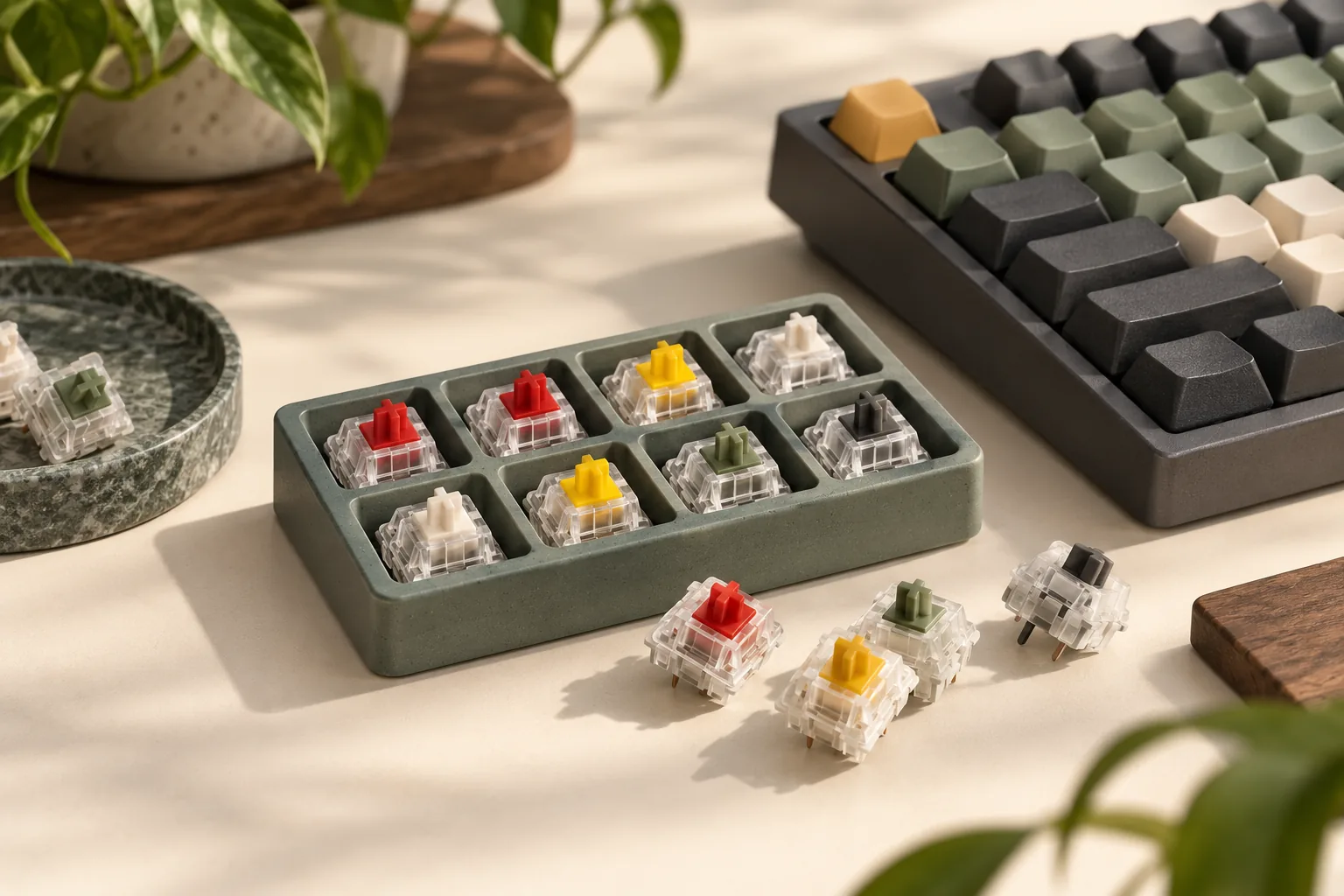
Gateron's Switch Tester With Sample Set offers separate 20PCS and 35PCS options. Its 35PCS table explicitly lists G Pro 3.0 Red and Yellow as 5-pin, pre-lubed linear samples, with the operating-force and travel figures shown above. That makes the documented 35PCS option a relevant sampling example for this comparison.
Before buying it, check the selected option and its listed contents. Do not assume the other tester option includes the same candidates. When moving from samples to a full set, verify the exact revision, color, pin option, and lubrication description again.
Record the full identity as Gateron G Pro 3.0 Red or Gateron G Pro 3.0 Yellow. If a listing provides housing or stem materials, keep those claims attached to that exact model and revision. Color alone is an inadequate purchasing record.
The tester's pre-lubed designation establishes a documented feature of those samples. It does not establish a universal smoothness winner or guarantee that a differently described full-set listing matches them. Ask the seller to resolve any mismatch before ordering.
Calculate switch quantities and checkout cost
Count the actual switch positions you plan to fill, then choose how many spares you want. Use the selected full-set pack size for the calculation. A mixed tester's sample count is separate from the number of your chosen switches needed for the keyboard.
| Worksheet item | What to record or calculate |
|---|---|
| Keyboard requirement | Actual switch positions you will fill |
| Spare allowance | Extra switches you choose to keep |
| Target quantity | Keyboard requirement + spare allowance |
| Pack size | Number of the exact selected switches per pack |
| Packs required | Target quantity ÷ pack size, rounded up |
| Switch subtotal | Packs required × selected pack price |
| Delivered total | Switch subtotal + shipping + applicable tax |
Hypothetical example: You count 84 switch positions and want 6 spares, making a target of 90 switches. If the selected full-set listing contains 35 identical switches per pack, you need 3 packs. That supplies 105 switches, or 15 more than your target. These numbers illustrate the arithmetic; they do not describe a verified current offer.
At checkout, confirm the model, variant, quantity, shipping destination, delivered total, and return terms. Calculate the tester separately if you buy one. A price displayed for the tester family does not establish the price of the selected 35PCS option.
Frequently asked questions
Are Red or Yellow switches better for typing?
For these exact G Pro 3.0 models, sample Red first if you want lower published resistance, especially at bottom-out. Try Yellow if you want a higher published bottom-touching force. Both have the same listed travel. Your sample comparison should settle the preference; the specifications do not establish a universal typing winner. Gateron specifications
Does Yellow return faster because it has a higher force rating?
That conclusion is not established here. Operating and bottom-touching forces describe particular points in the stroke, while a force curve describes force against displacement. Choosing a return-speed winner requires appropriate comparative evidence. For purchasing, evaluate the release pressure and repeated-press feel with compatible samples. Force-curve guide
Is the 35PCS tester a full set of my preferred switch?
Treat it as a mixed sampling set. Gateron's 35PCS table lists multiple switch models, including the G Pro 3.0 Red and Yellow samples discussed here. Verify the selected contents, then calculate your full-layout purchase separately using the pack size for the exact switch you choose. Official tester table
Choose the best linear switches for your keyboard
The best linear switches for your keyboard start with verified fit and a weight you prefer. In this documented pair, Red offers lower published force, Yellow offers higher published bottom-touching force, and both list the same travel specifications. Return feel remains a sampling decision. Gateron specifications
Your next step is to confirm your keyboard's exact requirements, then obtain compatible samples of these exact revisions before ordering enough for the layout.