As an Amazon Associate we earn from qualifying purchases.
Mechanical Keyboard Decision Framework
Navigating the world of mechanical keyboards often begins with understanding the core components: the keyboard itself, its switches, and the keycaps that top each switch. While the keyboard chassis and switch type lay the foundation for your typing experience, keycaps are the primary interface you interact with, significantly influencing both tactile feel and visual appeal. This guide serves as a starting point for anyone looking to optimize their mechanical keyboard setup, whether you're a first-time buyer, an enthusiast seeking customization, or simply looking to replace worn components.
This resource is designed for individuals who:
- Are exploring mechanical keyboards and want to understand how keycaps fit into the overall experience.
- Own a mechanical keyboard and are considering upgrading or personalizing its look and feel.
- Are facing issues with their current keycaps, such as wear, discomfort, or incompatibility.
The path to an informed keycap decision involves evaluating various profiles, materials, and compatibility standards. Understanding these factors will allow you to assess options against your personal preferences for typing comfort, sound, durability, and aesthetic goals. By the end of this guide, you will be equipped to make choices that align with your specific needs, ensuring a satisfying and long-lasting typing experience while mitigating common issues like poor fit or unexpected wear.
Mechanical-Keyboard Evidence buying criteria
Selecting the right keycaps for your mechanical keyboard involves a balance of tactile preference, visual appeal, and practical considerations. Understanding key criteria helps in making an informed decision that enhances your overall typing experience.
-
Key Features
- Material: The choice of material significantly impacts durability, feel, and sound.
- PBT (Polybutylene Terephthalate): Often noted for its resistance to shine and a slightly textured, drier feel. PBT keycaps are generally more durable and less prone to wear over time.
- ABS (Acrylonitrile Butadiene Styrene): Commonly found on many stock keyboards, ABS keycaps tend to have a smoother finish. They can be more vibrant in color but may develop a glossy sheen with prolonged use.
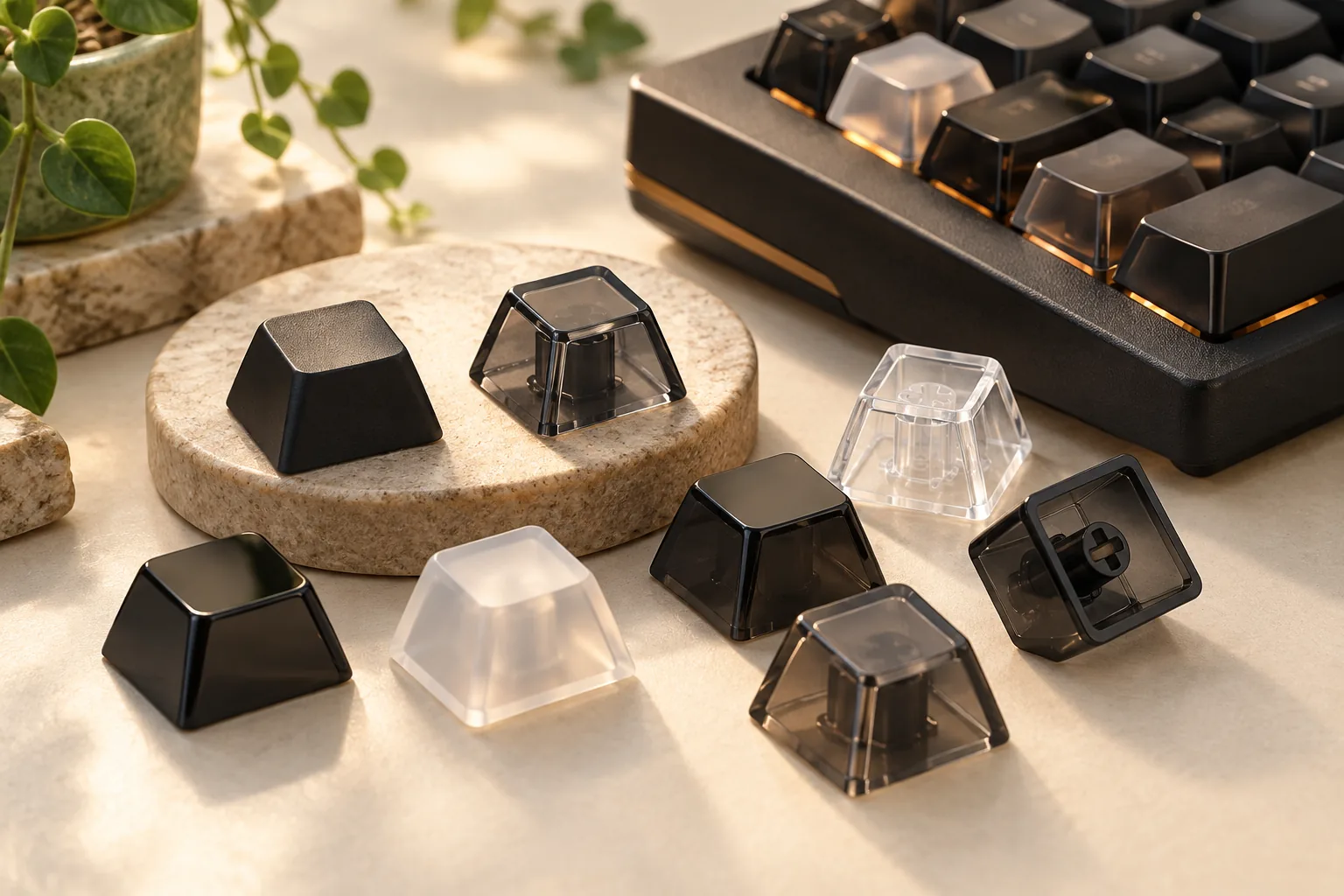
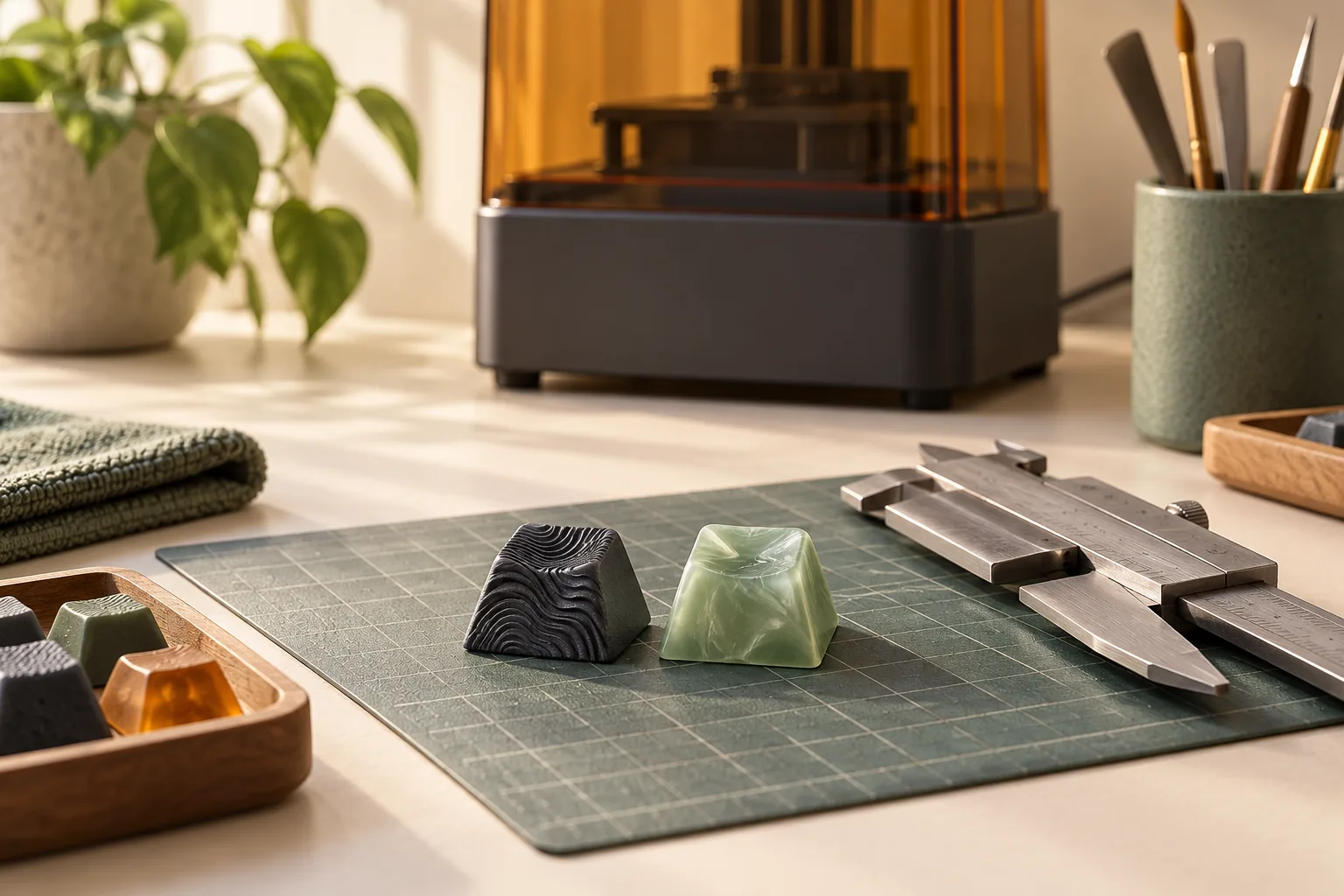
- Specialty Materials: Options like metal or resin keycaps offer unique aesthetics and weight, though they are less common for full sets.
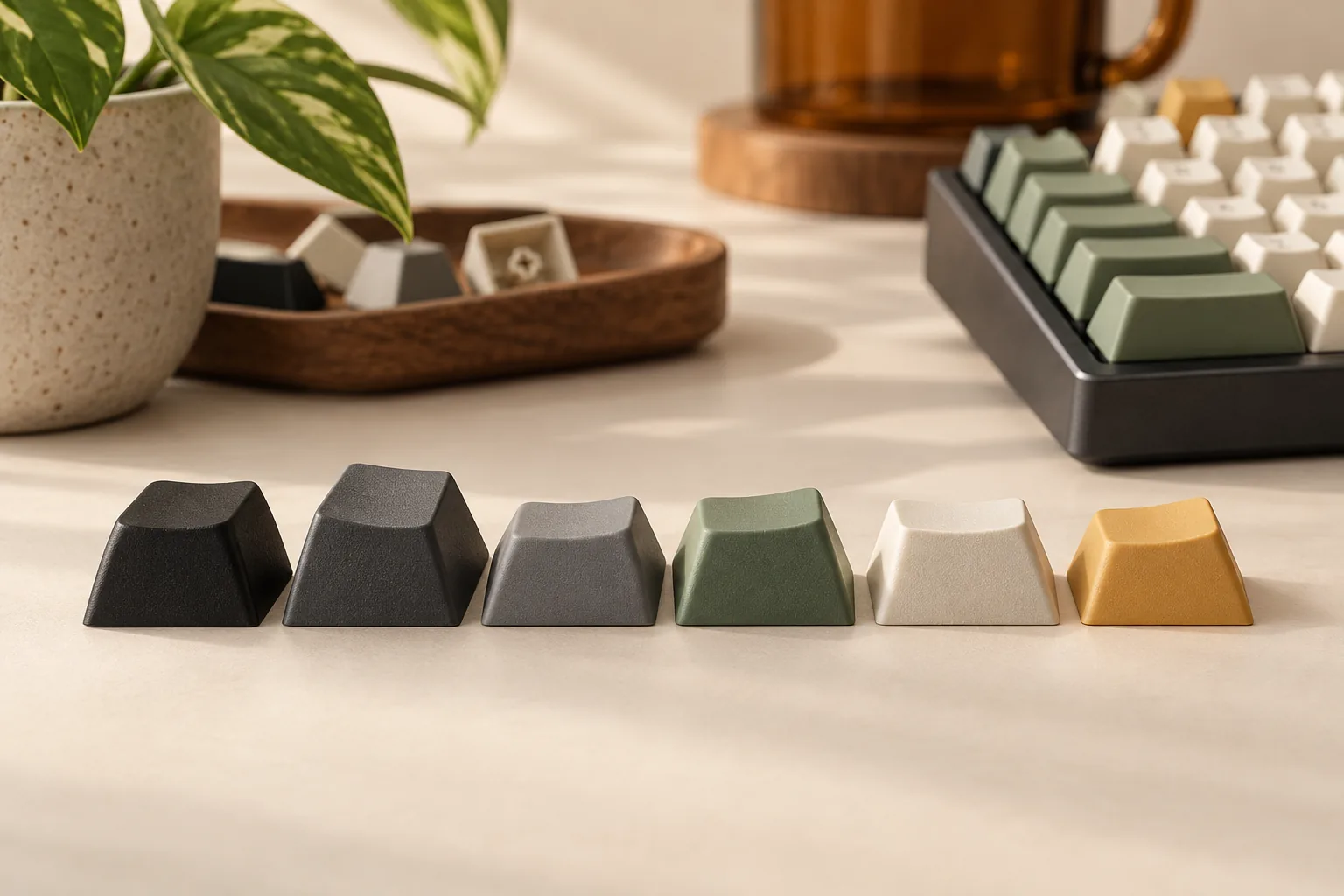
- Profile: Refers to the shape, height, and angle of the keycaps across the keyboard rows. This directly influences typing ergonomics and comfort.
- Uniform Profiles (e.g., DSA, XDA): All keycaps share the same height and spherical or cylindrical top, offering flexibility for key remapping.
- Sculpted Profiles (e.g., OEM, Cherry, SA): Keycaps vary in height and contour across different rows, designed to fit the natural curve of your fingers. OEM is a standard, widely available profile, while Cherry is a popular, slightly lower-profile alternative. SA offers a tall, spherical, vintage aesthetic.
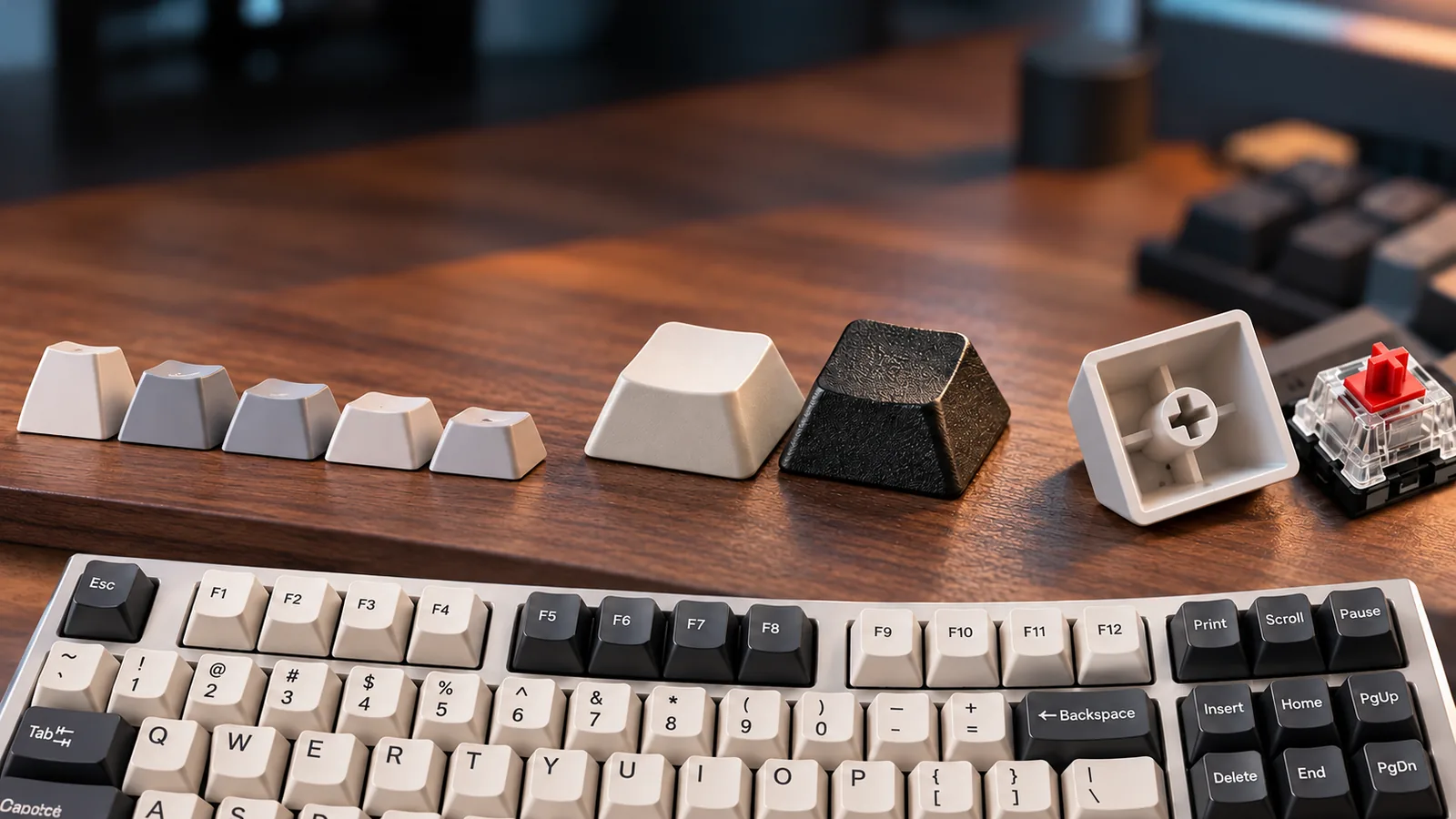
- Compatibility: Ensure the keycaps are designed for your keyboard's switches and layout. Most mechanical switches use a cross-shaped (MX-style) stem. Verify that the keycap set includes all necessary keycap sizes for your specific keyboard layout, such as spacebar length, shift keys, and other modifier keys.
- Material: The choice of material significantly impacts durability, feel, and sound.
-
Cost Considerations
- Manufacturing Process: Keycaps produced with doubleshot molding (where two plastics are injected to form the legend) typically cost more due to their superior durability and legend clarity compared to pad-printed or laser-etched options.
- Material and Design: PBT keycaps often command a higher price than basic ABS sets. Custom designs, artisan keycaps, or limited-run sets also influence the cost. Consider starting with a more affordable set to explore your preferences before investing in premium options.
-
Potential Risks
- Incompatibility: Keycaps may not fit your specific switch stems or could be the wrong size for certain keys on your layout, leading to an unusable set. Always double-check compatibility before purchasing.
- Premature Wear: Some keycap materials, especially thinner ABS, can show signs of wear, such as shine or fading legends, more quickly than others.
- Aesthetic Over Function: Prioritizing a visually striking design without considering the profile or material can result in a less comfortable or efficient typing experience.
- Quality Control: Manufacturing inconsistencies can lead to issues like warped keycaps, uneven legends, or poor molding. Consulting user reviews can help identify brands with consistent quality.
-
Personal Fit
- Typing Style: Consider how you type. Sculpted profiles might offer better ergonomic support for prolonged typing, while uniform profiles can be advantageous for users who frequently move their hands across the keyboard.
- Aesthetic Preference: Keycaps are a primary visual element of your keyboard. Choose colors, fonts, and designs that complement your setup and personal style.
- Sound Profile: The material and thickness of keycaps can subtly alter the acoustic feedback of your key presses. Thicker PBT keycaps might produce a deeper, more muted sound compared to thinner ABS.
- Usage Context: For gaming, a durable, grippy surface might be preferred. For extensive data entry, an ergonomic sculpted profile and shine-resistant material could be prioritized.
Mechanical-Keyboard Use Case options and use cases
The choice of keycap profiles and materials can significantly alter the tactile experience and visual appeal of a mechanical keyboard, aligning it with specific user needs or preferences. Understanding how different keycap characteristics perform in various scenarios helps in making an informed decision.
General Typing and Productivity
For users primarily focused on typing speed and comfort during long work sessions, the ergonomics and feel of the keycap are paramount.
- Profiles:
- Cherry Profile: Often preferred by typists for its slightly shorter height and subtle sculpting, which can facilitate faster key transitions and reduce finger travel. This profile aims for a comfortable and consistent typing experience.
- OEM Profile: As a standard, it offers a familiar and generally comfortable medium-height profile. It's a safe choice for those who want a balanced feel without extreme characteristics.
- Materials:
- PBT (Polybutylene Terephthalate): Known for its durability and resistance to shine over time. PBT keycaps often have a slightly textured surface, which can provide better grip and a pleasant feel for extended typing.
- ABS (Acrylonitrile Butadiene Styrene): While common and often more affordable, ABS keycaps can develop a smooth, shiny appearance with prolonged use, which some typists might find less desirable. High-quality ABS can still offer a smooth, comfortable feel.
Gaming Performance
Gamers often prioritize quick actuation, consistent grip, and the ability to easily distinguish keys without looking.
- Profiles:
- Cherry Profile: Its lower profile can contribute to quicker key presses, which is beneficial in fast-paced games where milliseconds matter.
- DSA Profile: This uniform, low-profile spherical design means all keycaps have the same height and shape, regardless of their row. This can be advantageous for gamers who move their hands across the keyboard frequently, as there's no sculpted difference to adapt to.
- Materials:
- PBT: The textured surface of many PBT keycaps can provide enhanced grip, preventing fingers from slipping during intense gaming sessions. Its durability also withstands aggressive key presses.
- ABS: Smooth ABS can allow for quick finger glides, but its tendency to shine might be a factor for some over time.
Aesthetic Customization and Enthusiast Builds
For those who view their keyboard as a canvas for personal expression, visual design and unique tactile experiences are key drivers.
- Profiles:
- SA Profile (Spherical All): Characterized by its tall, spherical tops and deeply sculpted rows, SA offers a distinct retro look and a unique, satisfying thocky sound profile. It provides a very different typing experience, which some enthusiasts seek for its novelty and appearance.
- Custom Profiles: The enthusiast market offers a wide array of less common profiles, each with unique aesthetics and feels, allowing for highly personalized builds.
- Materials:
- PBT: Excellent for vibrant, long-lasting colors due to its resistance to fading. Double-shot PBT keycaps offer legends that won't wear off.
- ABS: Can produce very sharp legends and often allows for a wider range of colors and intricate designs, although color stability and shine can be considerations.
- Metal Keycaps: Typically used for accent keys (e.g., escape, WASD). They offer a premium, weighty feel and a striking visual element, though they are significantly more expensive and can feel cold to the touch.
Durability and Longevity
Users seeking a keyboard that withstands heavy, prolonged use without showing significant wear will prioritize material resilience.
- Materials:
- PBT: This material is highly resistant to abrasion, chemicals, and the "shine" that develops on ABS keycaps from finger oils over time. It maintains its original texture and appearance for much longer, making it a robust choice for heavy daily drivers.
- Metal: For individual keys that experience extreme wear, such as gaming keys or frequently used modifiers, metal keycaps offer ultimate durability, albeit with a different tactile and thermal experience.
Mechanical-Keyboard Trade-Offs mistakes to avoid
Navigating the keycap market requires attention to detail to prevent common pitfalls that can diminish your typing experience or lead to buyer's remorse. Understanding potential missteps and how to verify quality can save time and frustration.
Common Keycap Mistakes
- Ignoring Material Wear Characteristics: ABS keycaps are often more affordable and can offer vibrant colors, but they are prone to developing a glossy "shine" over time with finger oils, altering their texture and appearance. PBT keycaps, while sometimes pricier, generally resist shine and maintain their textured feel longer. Choosing based solely on initial aesthetics without considering long-term wear can lead to disappointment.
- Overlooking Compatibility Beyond Switch Stems: While most aftermarket keycaps are designed for Cherry MX-style stems, compatibility extends to the keyboard's layout and row profiles. An entire set might fit your switches, but individual keys (like spacebars, shifts, or bottom row modifiers) might not match your specific keyboard's non-standard layout or the intended profile for that row. This can result in an uneven typing surface or keys that simply don't fit.
- Underestimating Profile Impact: Different keycap profiles (e.g., OEM, Cherry, SA, DSA) drastically change the feel and ergonomics of typing. Selecting a profile based solely on appearance without considering how it interacts with your hand position and typing style can lead to discomfort or reduced typing efficiency. A tall, sculpted profile like SA might look appealing but could feel awkward if you prefer a flatter, uniform surface.
- Unrealistic Quality Expectations for Budget Sets: While many affordable keycap sets offer good value, expecting the same level of legend crispness, plastic thickness, and consistent molding as premium, enthusiast-grade sets can lead to dissatisfaction. Thin keycaps can produce a higher-pitched, less satisfying sound, and inconsistent legends or minor warping might be more common in lower-cost options.
Essential Quality Checks
Before committing to a set or immediately discarding packaging, perform a few checks:
- Visual Inspection: Examine all keycaps for consistent color, clear and centered legends (if printed), and uniform texture. Look for molding imperfections such as excessive sprue marks on the underside, uneven edges, or signs of warping, particularly on larger keys like the spacebar.
- Thickness Assessment: Thicker keycaps generally contribute to a more substantial feel and a deeper sound profile. While not always specified, you can often gauge this by holding a keycap up to light or comparing it to existing keycaps.
- Fitment Test: Gently press a few keycaps onto your switches. They should fit snugly without excessive force, but also not be loose or wobble excessively. A loose fit indicates potential issues with the stem molding, which can lead to keycaps falling off or feeling unstable.
Return and Exchange Considerations
Keycaps are a personal choice, and sometimes a set that looks good online doesn't meet expectations in person.
- Review Return Policies Carefully: Before purchasing, understand the vendor's return window, whether the item needs to be in original packaging, and if there are any restocking fees. Some retailers have stricter policies for opened or used keycap sets due to hygiene or resale challenges.
- Document Defects Immediately: If keycaps arrive with manufacturing defects (e.g., broken stems, warped keys, incorrect legends), photograph or video the issues as soon as you unbox them. This documentation is crucial for a smooth return or exchange process.
- Test Promptly: Install and use the keycaps within the return period. This allows you to assess the feel, sound, and overall aesthetic in a real-world typing scenario, rather than discovering issues after the return window has closed.
- Consider Vendor Reputation: Researching reviews for a vendor's customer service and return process can provide insight into how they handle issues, especially for niche or custom keycap sets where problems can occasionally arise.
Mechanical Keyboard Keycaps FAQ
Navigating the nuances of mechanical keyboard keycaps can raise several questions for buyers. Understanding common concerns regarding cost, available alternatives, and potential pitfalls can help clarify your purchasing path.
-
How much do mechanical keyboard keycaps typically cost? Keycap prices vary widely based on factors such as material, manufacturing method, profile, and design complexity.
- Affordable Options: Basic ABS (Acrylonitrile Butadiene Styrene) keycap sets are often the most economical, frequently available for under $30-$50. These are common on many stock keyboards.
- Mid-Range: PBT (Polybutylene Terephthalate) sets, known for their durability and resistance to shine, generally range from $40-$100.
- Premium & Custom: High-end sets featuring advanced manufacturing (like doubleshot PBT), unique profiles (e.g., SA, DSA), or artisan designs can exceed $100, with specialized or custom-made keycaps reaching significantly higher price points. The cost reflects the investment in material quality, legend durability, and aesthetic design.
-
Are there alternatives to buying entirely new keycap sets for customization? Yes, a complete keycap set offers the most dramatic change, but several alternatives exist for those seeking specific accents or partial modifications:
- Artisan Keycaps: These are individual, often handcrafted keycaps made from various materials like metal, resin, or wood. They are typically used for accent keys (e.g., Esc, Enter, or number row) to add a unique, personalized touch without replacing the entire set.
- Novelty Keycaps: Similar to artisans but often mass-produced, these feature specific symbols, characters, or themed designs. They serve a similar purpose of adding visual flair to select keys.
- Partial Sets: Some vendors offer smaller keycap sets designed for specific sections of your keyboard, such as just the alphanumeric keys, modifier keys, or an arrow cluster. This allows for targeted color changes or material experimentation without the full investment.
- Cleaning and Restoration: For existing keycaps that are merely dirty or slightly worn, a thorough cleaning can improve their appearance and feel. However, this won't change material properties like the shine that can develop on ABS keycaps over time.
-
What are common mistakes to avoid when purchasing mechanical keyboard keycaps? Several common errors can lead to dissatisfaction with new keycaps, making careful consideration essential:
- Compatibility Issues: The most frequent mistake is buying keycaps that don't fit your keyboard's layout or switch stems.
- Switch Stem: Most mechanical keyboards use MX-style (cross-shaped) stems, but always verify your keyboard's switch type.
- Layout: Keyboards can have non-standard bottom rows (e.g., specific sizes for spacebar, right shift, or modifier keys), requiring specialized keycap sets. Always compare the layout of your keyboard with the keycap set's included keys.
- Ignoring Profile Differences: Keycap profiles (e.g., OEM, Cherry, SA, DSA) vary significantly in height, shape, and sculpting. Not understanding how a specific profile will feel can lead to an uncomfortable typing experience that deviates from your preference.
- Material Misconceptions: Expecting certain tactile or aesthetic outcomes without understanding material properties. ABS keycaps are known for vibrant colors but can develop a glossy "shine" over time from finger oils, whereas PBT keycaps offer a more textured feel and greater resistance to shine.
- Quality vs. Price: While budget-friendly options exist, extremely inexpensive keycap sets may suffer from thin plastic, inconsistent legends, or poor molding, which can negatively impact sound, feel, and durability. Conversely, new enthusiasts might overspend on a premium set before fully understanding their personal material and profile preferences.
- Not Starting Small: For those new to keycap customization, it's often advisable to start with a basic PBT or ABS set to explore preferences for material and profile before investing in more expensive, niche, or custom options.
- Compatibility Issues: The most frequent mistake is buying keycaps that don't fit your keyboard's layout or switch stems.
Mechanical-Keyboard-Pick buying path
Understanding the nuances of mechanical keyboard keycaps—from their profiles and materials to crucial compatibility factors—equips you to make informed decisions. The ideal keycap set is not universally defined; instead, it aligns with your personal typing style, aesthetic preferences, and the specific requirements of your mechanical keyboard.
To proceed with confidence:
- If you are still selecting a mechanical keyboard: Consider how keycap options integrate with different keyboard layouts (e.g., compact, ergonomic, or full-size) and switch types. Your choice of keyboard might influence the availability of compatible keycap sets, especially for non-standard layouts. Factor in whether you prioritize a quiet typing experience, which can be influenced by keycap material and profile, or if you need specific keycap legends for a particular operating system.
- If you already own a mechanical keyboard: Your next step involves identifying your keyboard's switch type (most commonly Cherry MX-style stems) and layout. With this information, you can focus on exploring keycap sets that match your desired profile (e.g., sculpted for ergonomics or uniform for versatility) and material (e.g., durable PBT for longevity or vibrant ABS for aesthetics). Pay close attention to reviews regarding fit and potential issues like loose stems or inconsistent legends to mitigate risk.
This guide clarifies that keycaps are a significant component of the overall mechanical keyboard experience, impacting both feel and function. Your journey continues by matching these insights to your specific setup or aspirational build, ensuring a satisfying and personalized result.