As an Amazon Associate we earn from qualifying purchases.
The Appeal of the 75% Mechanical Keyboard: Compact Power and Precision
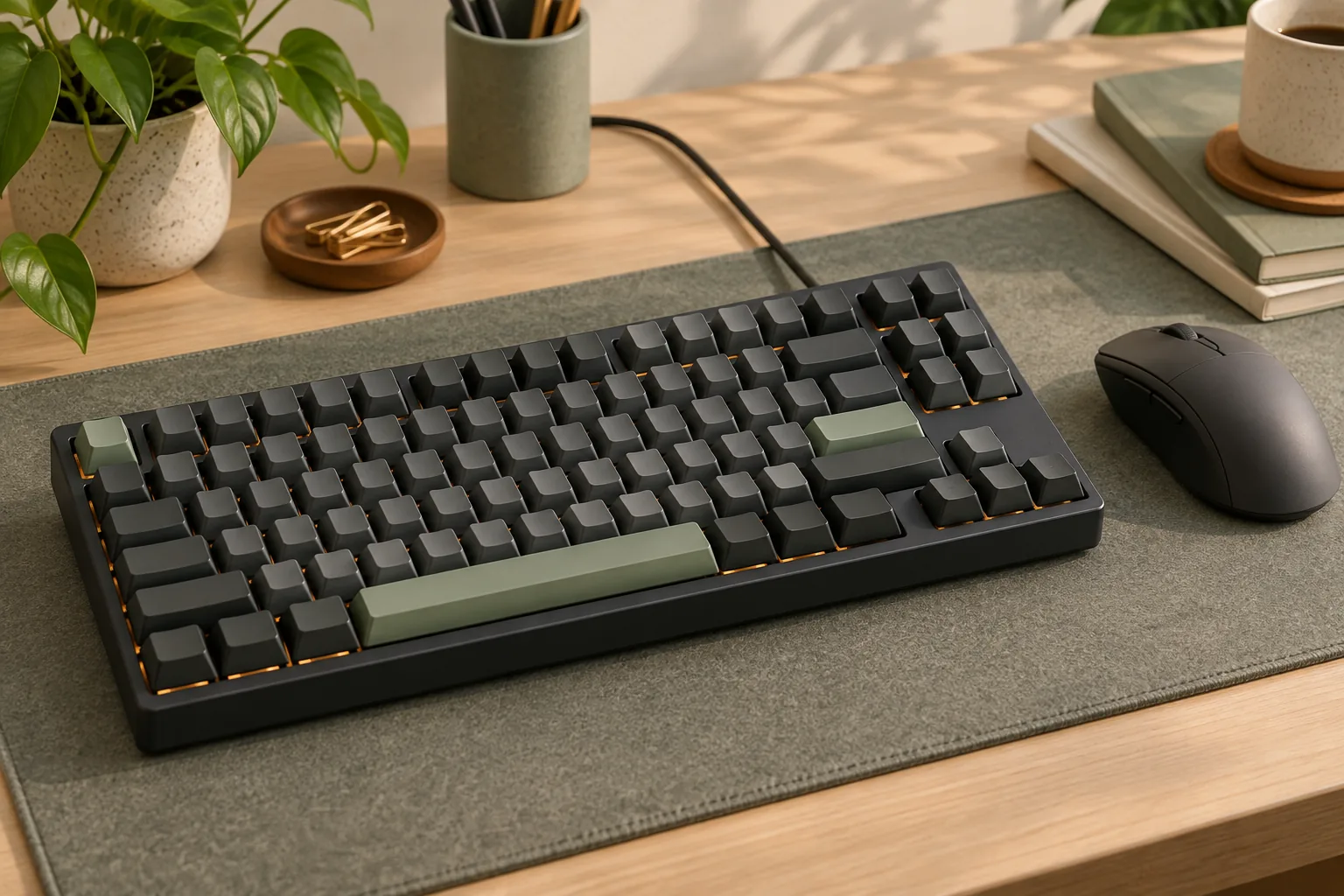
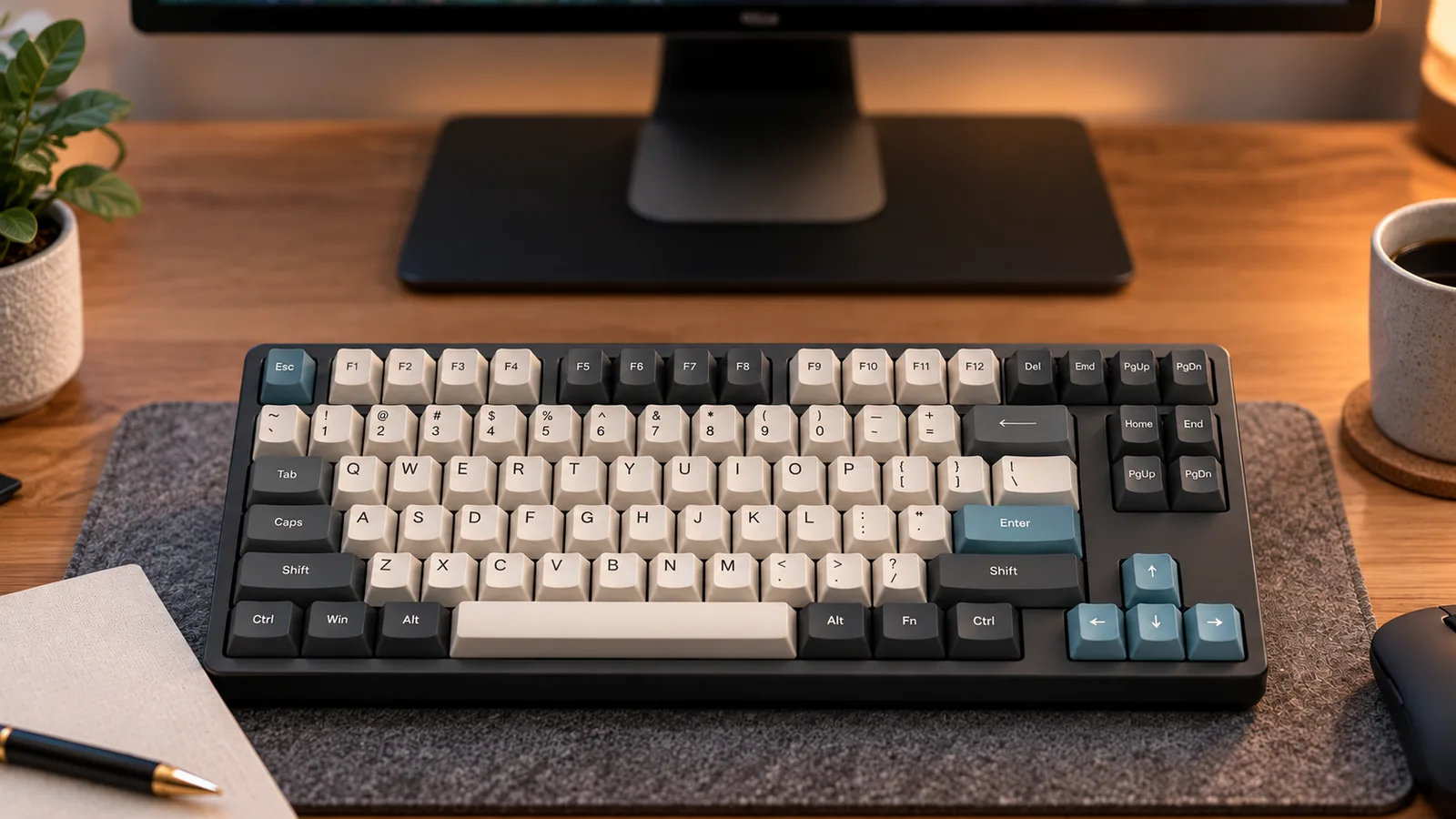
The 75% mechanical keyboard has emerged as a popular choice for users seeking a balance between a compact footprint and comprehensive functionality. This form factor typically includes around 80-84 keys, retaining all standard alphanumeric keys, the function row (F1-F12), and essential navigation keys (such as arrow keys, Home, End, Page Up, Page Down). It achieves its smaller size by tightly clustering these keys and omitting the dedicated number pad and some less frequently used keys found on full-sized layouts.
This design offers significant advantages for both productivity and gaming. For professionals, it frees up valuable desk space while keeping critical shortcuts accessible. Gamers often benefit from the reduced width, allowing for a larger mousepad area and more natural arm positioning during intense sessions. This blend of space efficiency and retained functionality makes it an appealing option for a diverse range of users.
This guide will explore the unique layout and navigation of 75% mechanical keyboards, detailing the specific benefits and potential trade-offs. We will also provide critical buying criteria to help you make an informed decision that aligns with your usage needs and preferences.
Decoding the 75% Layout: What Makes It Unique?
The 75% mechanical keyboard layout carves out a distinct niche by offering a compact footprint without sacrificing critical keys often omitted in smaller form factors. Its unique arrangement aims to strike a balance between space efficiency and comprehensive functionality, distinguishing it from both larger and smaller keyboard types.
At its core, the 75% layout is characterized by a compressed key cluster arrangement. Unlike full-size or tenkeyless (TKL) keyboards, the gaps between key sections—such as the function row, navigation cluster, and arrow keys—are significantly reduced or eliminated. This tight integration means keys are positioned closer together, often with the right Shift key shortened to accommodate dedicated arrow keys directly adjacent to the main typing block. The navigation cluster, typically including keys like Home, End, Page Up, Page Down, and Delete, is usually stacked vertically along the rightmost edge of the board, directly next to the Enter key and backspace.
This design philosophy directly contrasts with other popular layouts:
- Compared to Tenkeyless (TKL) keyboards, which remove only the number pad, the 75% layout goes further by compressing the remaining keys. While both retain the function row and arrow keys, the 75% achieves a smaller width by removing the spatial separation between key groups, resulting in a more desk-friendly size.
- Compared to 60% keyboards, the 75% layout retains a crucial set of keys that 60% boards typically relegate to secondary function layers. This includes a dedicated function row (F1-F12), essential for many productivity tasks and games, and dedicated arrow keys, which are vital for navigation without needing to hold down a modifier.
The compact arrangement can impact muscle memory and the initial typing experience. Users accustomed to the standard spacing of larger keyboards may find the closer proximity of keys requires an adjustment period. For instance, the integrated arrow keys, while dedicated, might be located differently than expected, and the compressed navigation cluster can lead to accidental presses until new muscle memory is formed. However, for those who value having these keys readily accessible without the bulk, the learning curve often proves worthwhile. The presence of a dedicated function row (F1-F12) is particularly important for users who frequently utilize these keys for software shortcuts, system controls, or in-game commands, providing immediate access rather than relying on layered key combinations.
For both gamers and professionals, the reduced width offers tangible benefits. Gamers, especially those who use low mouse sensitivities, gain significant desk space for broader mouse movements, potentially improving comfort and performance during extended sessions. Professionals benefit from a cleaner desk aesthetic and the retention of essential navigation and function keys, supporting workflows that demand quick access to these commands without the need for a full-sized board.
Is a 75% Keyboard Right for You? Use Cases and Advantages
The 75% mechanical keyboard form factor addresses a specific set of user needs by striking a balance between compactness and comprehensive functionality. This layout retains most essential keys found on a full-size keyboard while significantly reducing its overall footprint, offering distinct benefits for various user profiles.
- Optimized Desk Space: For individuals with smaller workstations or those pursuing a minimalist setup, the 75% layout provides a substantial reduction in desktop real estate compared to tenkeyless (TKL) or full-size keyboards. This allows for more room for other peripherals, documents, or simply a cleaner aesthetic.
- Enhanced Gaming Ergonomics: Gamers, particularly those who use low mouse sensitivity, often benefit from the reduced keyboard width. By moving the keyboard further to the left, the mouse can be positioned closer to the center of the body. This adjustment can lead to reduced shoulder abduction and more natural arm positioning during extended gaming sessions, potentially improving comfort and performance. The extra mousepad sweep gained without resorting to ultra-compact 60% boards is a notable advantage.
- Productivity Without Compromise: Unlike smaller layouts (e.g., 60% or 65%) that often omit the function row or dedicated navigation keys, the 75% keyboard typically preserves both. Users engaged in coding, data entry, or extensive document navigation retain access to the F-keys, arrow keys, and often Home, End, Page Up, and Page Down, all without the bulk of a full-size board's number pad. This makes it a viable option for professionals seeking efficiency in a compact form.
- Portability and Versatility: Its compact dimensions make the 75% keyboard a practical choice for users who frequently travel, commute, or switch between multiple workstations. It fits more easily into backpacks or laptop bags than larger keyboards, facilitating a consistent typing experience across different environments.
- Aesthetic Appeal: Beyond its functional advantages, the condensed layout of a 75% keyboard often presents a visually appealing, uncluttered design. This compact form factor can contribute to a more organized and modern desk aesthetic, aligning with contemporary design preferences.
Essential Factors When Choosing Your 75% Mechanical Keyboard
Selecting a 75% mechanical keyboard involves evaluating several key criteria to ensure the board aligns with your specific usage patterns and preferences. Given its compact nature, each component plays a significant role in the overall feel, sound, and functionality, impacting both gaming responsiveness and productivity comfort.
-
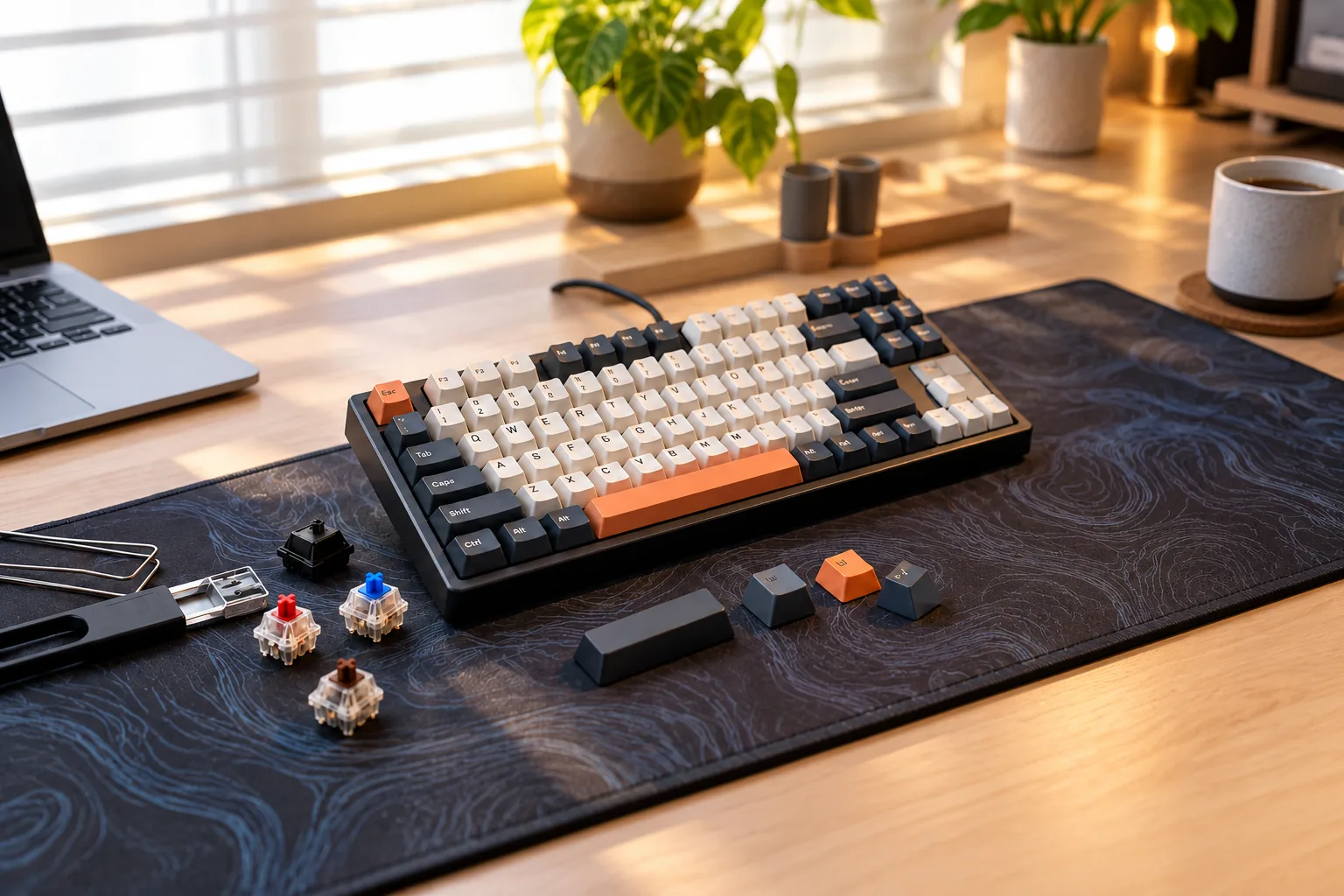
Switch Types and Hot-Swap Capability The choice of mechanical switches profoundly affects typing feel and sound. Linear switches offer a smooth, consistent press, often preferred by gamers for rapid key presses. Tactile switches provide a bump in the key travel, offering feedback without an audible click, suitable for typists who value confirmation. Clicky switches produce both a tactile bump and an audible click, favored by those who enjoy distinct feedback. Hot-swappable sockets allow users to change switches without soldering, offering significant flexibility for customization or future upgrades. This feature is particularly beneficial for 75% layouts, enabling experimentation to find the ideal feel for a board that serves multiple roles.
-
Build Quality and Materials The keyboard's construction materials influence its durability, weight, and acoustic properties. Cases are commonly made from plastic, which is lighter and more affordable, or aluminum, offering a premium feel, increased rigidity, and often a denser sound profile. The plate, positioned between the switches and the PCB, also impacts typing feel and sound. Materials like polycarbonate (PC) provide a softer, flexier typing experience, while brass or steel plates offer a firmer, more rigid feel. A well-constructed 75% board will feel substantial and resist flex during use.
-
Connectivity Options Modern 75% mechanical keyboards offer various connectivity choices. Wired connections, typically via USB-C, provide the most reliable and latency-free experience, which is crucial for competitive gaming. Wireless options include 2.4GHz via a dedicated dongle, offering low-latency performance comparable to wired, and Bluetooth, which provides greater versatility for connecting to multiple devices without cables. Multi-device pairing is a valuable feature for professionals who switch between a computer, tablet, or phone, allowing seamless transitions without re-pairing.
-
Software Customization and QMK/VIA Programmability is a significant advantage, especially for compact layouts like the 75%. Software customization allows users to remap keys, create macros for complex actions, and adjust RGB lighting effects. Support for open-source firmware like QMK (Quantum Mechanical Keyboard) or VIA offers advanced control, enabling deep customization of key layers, tap-and-hold functions, and sophisticated macros. This level of control can enhance workflow efficiency and adapt the 75% layout to specific user needs, compensating for the absence of dedicated keys found on larger boards.
-
Ergonomics: Typing Angle and Keycap Profile Comfort during extended use is paramount. The typing angle, whether fixed or adjustable via flip-out feet, influences wrist posture. A comfortable angle helps reduce strain. Keycap material and profile also contribute to ergonomics and typing feel. PBT (polybutylene terephthalate) keycaps are known for their durability and resistance to shine, while ABS (acrylonitrile butadiene styrene) keycaps can offer more vibrant colors and a smoother texture. Different keycap profiles (e.g., Cherry, OEM, SA, DSA) have distinct shapes and heights, altering the reach and feel of each key press.
-
Sound Profile The auditory feedback of a mechanical keyboard is a subjective yet critical factor for many enthusiasts. The sound profile—whether "thocky" (deep and muted), "clacky" (sharp and higher-pitched), or "muted"—is a cumulative result of the switches, keycaps, plate, case material, and internal dampening. Some users prefer a quiet typing experience, while others enjoy a more pronounced sound. Evaluating sound tests or trying out keyboards in person can help determine which sound profile aligns with your preference, contributing to a more satisfying typing experience.
Navigating the Downsides: Potential Issues with 75% Keyboards
While 75% mechanical keyboards offer a compelling blend of compactness and functionality, users should be aware of certain trade-offs and potential issues. Understanding these limitations before purchase can help manage expectations and ensure a more satisfying experience.
- Durability and Quality Control Variations: Not all 75% keyboards are built to the same standard. Some models, particularly those positioned at lower price points, may exhibit inconsistencies in manufacturing quality. Long-term usage reports for certain keyboards, such as the Aula F75, have indicated potential issues with overall durability or variations in build quality between units. These concerns can manifest as premature wear, unexpected component failures, or a less robust feel over time.
- Noise and Switch Inconsistencies: The sound profile of a mechanical keyboard is a significant factor for many users. While some 75% models are praised for their acoustics, others may come with switches that are unexpectedly noisy, or exhibit inconsistencies in key feel across the board. This can be due to manufacturing tolerances in switches, stabilizers, or case acoustics, leading to a less uniform typing experience than anticipated.
- Battery Life and Charging Port Vulnerabilities: For wireless 75% mechanical keyboards, battery performance and charging port integrity are critical. Some wireless models may offer shorter battery life than competitors, requiring more frequent recharging. Additionally, the charging ports, often USB-C, can be susceptible to damage from repeated use or improper handling, potentially leading to connectivity issues or complete charging failure over time.
- Learning Curve and Adaptability: The compressed nature of the 75% layout means keys are often repositioned or clustered more tightly than on full-size or TKL boards. While beneficial for space, this can introduce an initial learning curve. Users accustomed to traditional layouts might find themselves frequently miskeying or searching for navigation keys until muscle memory adapts to the new arrangement.
- Fixed Typing Angles: Ergonomics play a crucial role in long-term comfort. Some 75% mechanical keyboards are designed with a fixed typing angle, such as 5.5 degrees, offering no adjustability. This lack of customization can be a drawback for users who prefer to fine-tune their keyboard's tilt to match their wrist position or desk setup, potentially leading to discomfort during extended use.
Your Path to the Perfect 75% Mechanical Keyboard
Choosing a 75% mechanical keyboard involves synthesizing its unique layout and navigational benefits with your personal usage patterns and priorities. This form factor offers a compelling blend of compactness and functionality, but the "perfect" choice is subjective and aligns with individual needs.
Matching Features to Your Activities
Consider how you primarily use your keyboard to prioritize features. The 75% layout is versatile, but specific attributes can enhance either gaming or productivity.
- For Gaming:
- Compactness: The reduced width provides more desk space for mouse movement, which is particularly beneficial for low-sensitivity FPS players.
- Actuation Customization: Some advanced switches offer adjustable actuation points or rapid trigger features, allowing for quicker, more precise inputs that can be advantageous in competitive gaming.
- Polling Rate: Higher polling rates can reduce input latency, providing a more responsive feel.
- Build Stability: A robust, heavier build can prevent unwanted movement during intense gaming sessions.
- For Productivity & Office Use:
- Wireless Connectivity: Bluetooth or 2.4GHz wireless options offer a cleaner desk setup and greater flexibility.
- Switch Type: Linear switches often provide a smoother, quieter typing experience, while tactile switches offer a distinct bump for typing feedback. Consider noise levels if working in a shared environment.
- Programmability: Extensive remapping capabilities and macro support can streamline workflows for specific software or tasks.
- Ergonomics: Adjustable typing angles or compatible wrist rests can enhance comfort during long typing sessions.
Prioritizing Your Criteria
Not all features carry equal weight. Distinguish between your "must-have" essentials and "nice-to-have" enhancements.
- Essential Criteria (Must-Haves): These are non-negotiable for your core usage.
- Connectivity: Do you require wired, wireless (Bluetooth, 2.4GHz), or multi-device support?
- Switch Type: Is a specific feel (e.g., linear, tactile, clicky) crucial for your typing comfort or gaming performance?
- Hot-Swappability: If you plan to experiment with different switches without soldering, this is a key feature.
- Operating System Compatibility: Ensure full functionality with your primary OS (Windows, macOS, Linux).
- Desirable Enhancements (Nice-to-Haves): These add value but aren't critical for basic function.
- Premium Materials: Aluminum cases or PBT keycaps can enhance durability and aesthetics.
- RGB Lighting: Customizable backlighting for aesthetics or function (e.g., highlighting specific keys).
- Advanced Software: Deeper customization for key remapping, macros, and lighting effects.
- Sound Profile: For enthusiasts, the specific sound signature of the keyboard (influenced by case, plate, and switches) can be a significant factor.
Your budget will naturally influence this prioritization. Decide where you're willing to invest more for premium features versus where you can accept standard offerings.
Considering Trade-offs and Personal Tolerance
The 75% layout, while efficient, inherently involves certain trade-offs. Your tolerance for these will dictate your satisfaction.
- Key Clustering: The tight arrangement means less space between key groups. This might require an adjustment period for touch typists used to more separation.
- Reduced Key Count: While it retains most common keys, some less frequently used keys (like Print Screen, Scroll Lock, Pause) might be absent or require a function layer combination. Assess if your workflow relies heavily on these.
- Right Shift Key: Many 75% layouts shorten the right Shift key to accommodate dedicated arrow keys. This is often a significant point of adaptation for users.
- Fixed Typing Angle: Some models offer limited or no adjustability for the typing angle, which might not suit everyone's ergonomic preferences.
Final Self-Assessment Questions
Before making a decision, ask yourself these questions to confirm the 75% form factor aligns with your expectations:
- Am I comfortable adapting to a more compact layout, particularly the clustered navigation keys and potentially a shorter right Shift?
- Do the space-saving benefits outweigh the potential need to use function layers for certain keys?
- Is my primary use case (gaming, productivity, or a mix) adequately supported by the features I've prioritized?
- Have I considered the noise level of my preferred switch type in my intended environment?
- Does the aesthetic and build quality align with my long-term preferences and budget?
By thoughtfully addressing these points, you can navigate the options and select a 75% mechanical keyboard that genuinely enhances your computing experience.
Frequently Asked Questions About 75% Mechanical Keyboards
Understanding the nuances of a 75% mechanical keyboard can help clarify whether this compact layout aligns with your specific needs. Here are answers to some common inquiries.
What is the main difference between a 75% and a TKL keyboard? The primary distinction lies in key spacing and overall compactness. A Tenkeyless (TKL) keyboard removes the number pad but maintains the standard spacing between the alphanumeric block, function row, and navigation cluster. A 75% keyboard, however, compresses these sections, eliminating most gaps between key groups. This compression often results in a shorter right Shift key and a vertically stacked navigation cluster (Home, End, Page Up, Page Down) along the right edge, making it significantly more compact than a TKL while retaining similar key functionality.
Is a 75% mechanical keyboard good for gaming? Yes, a 75% mechanical keyboard can be highly beneficial for gaming. Its reduced width frees up significant desk space, allowing for a wider range of mouse movement, which is particularly advantageous for low-sensitivity FPS players. This design enables more natural arm and shoulder positioning during extended gaming sessions, contributing to comfort and potentially improving competitive performance by providing ample room for mouse sweeps without sacrificing essential keys like the function row or dedicated arrow keys.
Are 75% keyboards suitable for office work or programming? Absolutely. 75% keyboards retain all the keys typically considered essential for office productivity and programming, including the full function row (F1-F12) and dedicated arrow keys. These are crucial for navigation, shortcuts, and command inputs in various software applications and integrated development environments (IDEs). The compact form factor helps declutter your workspace without compromising on the functionality required for efficient work.
Can I customize the keycaps and switches on a 75% keyboard? Customization is generally possible, though with some considerations. Many modern 75% mechanical keyboards feature hot-swappable sockets, allowing you to change switches without soldering, offering significant flexibility to alter typing feel and sound. Regarding keycaps, most standard keycap sets will fit the majority of keys. However, due to the compressed layout, the right Shift key is often a non-standard size (shorter than usual), and some modifier keys on the bottom row might also deviate from standard sizes. This means finding a perfectly matching keycap set might require specific attention to layout compatibility.
What are common issues to look out for in 75% keyboards? While highly functional, potential concerns with some 75% mechanical keyboards can include:
- Keycap Compatibility: As mentioned, the non-standard sizing of certain keys (like the right Shift) can make finding complete aftermarket keycap sets challenging.
- Build Quality Variation: Some budget-friendly models might exhibit inconsistent quality control or durability issues over long-term use.
- Battery Performance: For wireless 75% keyboards, some models may experience shorter battery life or issues with charging ports.
- Fixed Typing Angle: Not all 75% keyboards offer adjustable feet or a comfortable ergonomic typing angle for every user, which can be a consideration for prolonged use.
The 75% Mechanical Keyboard: A Balanced Choice
The 75% mechanical keyboard stands out as a highly versatile form factor, adeptly bridging the gap between ultra-compact designs and larger, more traditional layouts. Throughout this guide, we've explored how its unique, compressed arrangement retains critical functionality—including the full function row and dedicated arrow keys—while significantly reducing its desktop footprint. This thoughtful design makes it a compelling option for those who value both space efficiency and comprehensive key access.
Its inherent balance offers tangible benefits across various use cases. For gamers, the reduced width translates to more expansive mouse movement, potentially enhancing comfort and performance during long sessions. Professionals and power users gain valuable desk real estate without sacrificing essential navigation keys or common shortcuts, fostering a cleaner and more organized workspace. This fusion of compactness and utility positions the 75% layout as a robust solution for a wide array of computing tasks.
Ultimately, the optimal mechanical keyboard is a deeply personal choice, shaped by individual workflow, ergonomic preferences, and aesthetic desires. While the 75% layout offers a compelling middle ground, careful consideration of your specific needs—such as the necessity of a number pad or extensive macro keys—will guide you to the best fit. By understanding its distinct advantages and potential trade-offs, you are well-equipped to make an informed decision that aligns perfectly with your unique typing and gaming requirements.