As an Amazon Associate we earn from qualifying purchases.
Yes—the Logitech G413 SE full-size mechanical gaming keyboard is a configuration to consider if you need a standard number pad. Logitech identifies it as full-size, and Connection's exact 920-010433 listing confirms a numeric keypad. The separately named G413 TKL SE omits the number pad, as PCMag's review explains. Logitech G413 SE · Connection configuration · PCMag review
This guide is for buyers who want one keyboard for games and regular number entry. Start with the exact model, then check its switches, desk footprint, connection, and controls against your requirements.
Quick buying summary
- Need the number pad? Keep the full-size G413 SE on your shortlist.
- Shopping for the US black configuration? Match part 920-010433 to the manufacturer sheet.
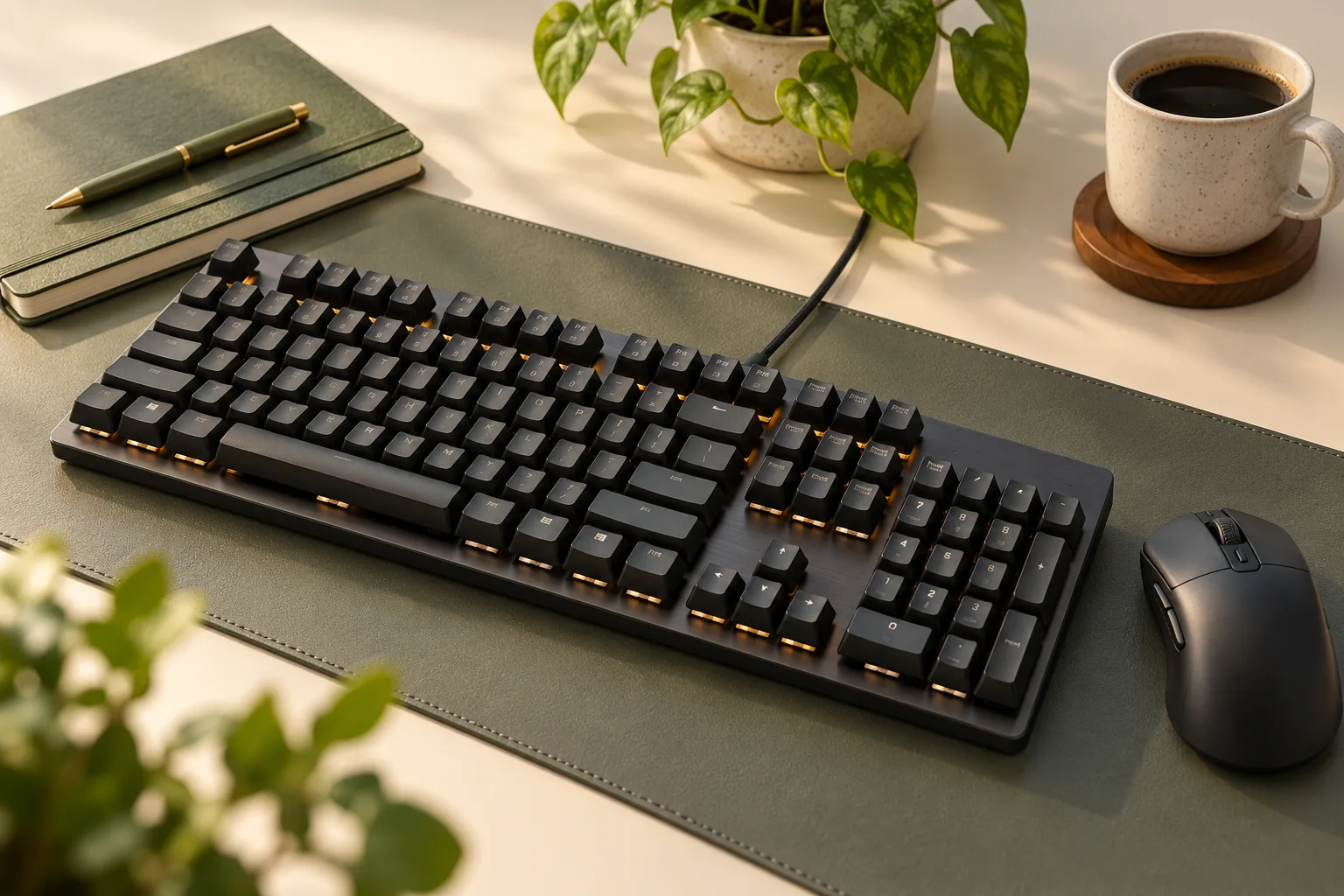
- Checking the core features? Look for tactile mechanical switches, PBT keycaps, white LED lighting, and 6-key rollover.
- Checking fit? Use the keyboard's physical dimensions, 435 × 127 × 36.3 mm, and its 1.8 m cable length.
These details come from Logitech's product description, the Logitech-branded specification sheet, and CDW's exact-model lighting description.
In this guide: Model and layout · Specifications · Desk fit · Controls · Buying checklist · FAQ
Match the full-size G413 SE before comparing features
The useful product identity is G413 SE, full-size, US black, 920-010433. Logitech's full-size product description establishes the model and size; the Logitech-branded 2022 specification sheet identifies the US black part number. Use those details together when evaluating an offer. Official full-size description · Manufacturer specification sheet
The TKL name matters because it identifies a separate layout. Logitech describes the G413 TKL SE as tenkeyless, and PCMag explicitly explains that this variant removes the number pad. If your requirement is a built-in numeric keypad, that difference decides which model to examine first. Official TKL description · PCMag's layout distinction
| Exact product | Layout and number pad | Selection condition |
|---|---|---|
| Logitech G413 SE, full-size | Full-size; the 920-010433 record confirms a numeric keypad. Logitech · Connection | Consider this configuration when a built-in number pad is required. |
| Logitech G413 TKL SE | Tenkeyless; the variant omits the number pad. Logitech · PCMag | Consider this separate layout only if you can give up the built-in number pad. |
For example, suppose your work involves entering quantities or spreadsheet values and you want to keep using a dedicated numeric area. Treat the number pad as a requirement before weighing other features. If your use centers on games and you do not need that area, examine the TKL model separately, using its own specifications.
Before checkout, reconcile the selected option, part number, and regional legends. Ask the seller to resolve conflicting details rather than assuming a broad G413 title identifies the configuration you want.
Logitech G413 SE full-size mechanical gaming keyboard specifications
The following specifications apply to the full-size SE configuration. Each check connects a documented feature to a buying decision; none represents a measured performance result.
| Specification | Documented configuration | What to check |
|---|---|---|
| US identity | Black, part 920-010433. Manufacturer sheet | Confirm the selected item and regional legends. |
| Switches | Tactile mechanical. Logitech | Decide whether tactile feedback suits your preference. |
| Keycaps | PBT keycaps. Logitech | Confirm the material without assuming replacement compatibility. |
| Lighting | White LED lighting. CDW | Decide whether white lighting meets your needs. |
| Key rollover | 6-key rollover with anti-ghosting. Logitech | Use the stated capability when checking your input requirements. |
| Physical dimensions | 435 × 127 × 36.3 mm, length × width × height. Manufacturer sheet | Measure the space where the keyboard will sit. |
| Weight | 780 g. Manufacturer sheet | Consider whether it suits your carrying plans. |
| Cable and port requirement | 1.8 m cable; USB 2.0 port required. Manufacturer sheet | Check the cable route and available connection. |
What the switch description establishes
Logitech describes the switches as tactile mechanical and says they provide feedback through actuation—the point at which a press registers. That supports choosing the keyboard as a tactile option. It does not establish that you will like its feel, sound, or response in your particular games. Logitech switch description
The evidence used here does not establish a specific switch manufacturer, actuation-force figure, or replacement socket. If your purchase depends on a particular switch design or upgrade path, obtain documentation for the full-size G413 SE before deciding. A listing's use of “mechanical” alone does not answer those questions.
Read keycaps, lighting, and rollover as separate features
PBT identifies the keycap material in Logitech's full-size product description. White LED lighting is separately supported by CDW's G413 SE description. Check both against your preferences, especially if lighting color is a purchase requirement. Logitech keycap specification · CDW lighting specification
Logitech also lists 6-key rollover with anti-ghosting. That is a published input capability; this guide provides no latency measurements or tests of particular simultaneous key combinations. If a specific combination is essential to your workflow, seek confirmation for that combination. Logitech rollover specification
Check desk space and cable routing
Use the physical specifications when planning your desk. The manufacturer sheet lists 435 mm length, 127 mm width, and 36.3 mm height. It presents package measurements separately, so shipping-box dimensions should not determine whether the keyboard fits your workspace. Manufacturer physical specifications
Mark a 435 × 127 mm rectangle where you intend to place the keyboard, with the long edge across the desk. Put your mouse, notebook, and other everyday items around that space. This simple planning exercise helps you judge the full arrangement before ordering; it is not an ergonomic assessment.
For a keyboard tray, check the available height as well as the rectangular footprint. The listed 36.3 mm height is a physical reference, not a comfort measurement or a guarantee that the tray will close with the keyboard installed. Include the space needed for your hands and cable in your own check.
The listed cable length is 1.8 m. Trace the intended route to your computer, including any path around a monitor or through a cable opening, and leave enough slack for your preferred position. Compare that route with the stated length rather than measuring only the straight-line distance. Manufacturer cable specification
The sheet requires a USB 2.0 port, while Connection identifies the wired connector as USB Type-A. Check your available port before buying; adapter or dock compatibility is not established here. Manufacturer requirement · Connection connector specification
Check the FN controls against your needs
The manufacturer sheet lists 12 function, or FN, keys covering volume, play/pause, track skipping, mute, lighting toggle, and Windows lock. These are the documented controls to compare with your routine. Manufacturer control list
Write down what you want to do from the keyboard. If your list includes adjusting volume, pausing playback, and toggling lighting, the listed functions address those categories. If it includes recording macros, remapping keys, or managing application-specific profiles, those requirements need separate exact-model confirmation.
A listed FN action does not establish a software customization feature. The sources used for this guide do not provide a complete current G HUB, firmware, or remapping feature matrix. If one of those capabilities is essential, resolve it before purchase rather than inferring support from the Logitech brand or another G413 model.
Use this checklist before checkout
Use the following sequence to turn the specifications into a purchase decision. The identity and package checks follow the manufacturer sheet; the number-pad check also follows Connection's exact-part record.
- Confirm the model and size. Match G413 SE and full-size to the selected item. Keep the separate TKL option out of a numpad-dependent purchase.
- Match the US configuration. For the black US model discussed here, check part 920-010433 and inspect the regional key legends.
- Check the switch requirement. Accept tactile mechanical as the supported description. Request exact-model documentation for any required switch maker or upgrade capability.
- Check the complete desk arrangement. Allow for the 435 × 127 mm footprint, listed height, and your surrounding equipment.
- Check the connection and controls. Compare the 1.8 m cable and listed FN actions with your setup. Resolve any essential software requirement separately.
- Confirm contents and seller terms. The manufacturer sheet lists the keyboard and user documentation. Confirm the offered condition, contents, delivered total, return window, and any return costs with the selected seller.
For a mixed spreadsheet-and-gaming setup, a practical decision might be: keep the full-size model because the number pad is required, confirm that the footprint fits, and proceed only if tactile switches and the documented controls meet your needs. If macros or switch replacement are mandatory, leave the decision open until those requirements are verified.
Current price, stock, selected seller, and return terms have not been verified for this guide. Check them at checkout; the part number identifies the product configuration rather than a guaranteed live offer.
Frequently asked questions
Does the full-size G413 SE have a number pad?
Yes. Logitech identifies the G413 SE as full-size, and Connection's 920-010433 record explicitly confirms a numeric keypad. This is the configuration to examine when a built-in number pad is required. Verify that the selected item matches the full-size model before ordering. Logitech · Connection
Is the G413 TKL SE the same layout?
No. Logitech identifies the G413 TKL SE as a separate tenkeyless product, and PCMag explains that the tenkeyless variant removes the number pad. Treat it as a separate layout choice. Use its own product specifications if you decide that a built-in numeric area is unnecessary. Logitech TKL page · PCMag
Which switches should a full-size G413 SE listing identify?
The supported description is tactile mechanical switches, matching Logitech's full-size G413 SE product description. The evidence used here does not establish a particular switch manufacturer or actuation-force figure. If a more specific switch identity determines your purchase, request documentation tied to the exact full-size SE configuration. Logitech
Can I assume hot-swap support or programmable macros?
Those capabilities are not established by the sources used here. The manufacturer sheet documents FN controls, including media and lighting actions, rather than a complete software or replacement-switch specification. If hot-swap support or programmable macros are essential, obtain exact-model confirmation before buying. Manufacturer control list
Choose by number pad, fit, and confirmed features
The Logitech G413 SE full-size mechanical gaming keyboard is worth considering when you need a built-in number pad and its documented configuration matches your requirements. Confirm the US black part 920-010433, measure your workspace, and compare the listed controls with your needs. Use the official full-size product page as your next reference before checking the selected seller's terms.
Sources and evidence basis
This research-based guide uses URL-bound search excerpts captured on October 15, 2026. It does not present a hands-on test or claim that complete source pages were read. Recommendations connect the documented configuration to buyer requirements; typing feel, gaming performance, and upgrade compatibility were not tested.
- Logitech G413 SE product description: full-size identity, tactile mechanical switches, PBT keycaps, and rollover.
- Logitech G413 TKL SE product description: separate tenkeyless model identity.
- Logitech-branded 2022 specification sheet, hosted by P.C. Richard & Son: US part number, physical specifications, connection requirement, FN controls, and box contents.
- Connection's 920-010433 product record: numeric keypad and wired USB Type-A connector.
- PCMag's G413 SE review: the tenkeyless variant's omission of the number pad.
- CDW's G413 SE 920-010433 description: white LED lighting.