As an Amazon Associate we earn from qualifying purchases.
Finding Your Typing Zen: The Quest for a Quiet Mechanical Keyboard
The satisfying click and tactile feedback of a mechanical keyboard are often a joy for typists and gamers alike. However, in shared office environments, late-night gaming sessions, or content creation spaces, that distinctive sound can quickly become a distraction, or even a source of irritation, for those nearby. The desire for a responsive, durable mechanical keyboard experience often clashes with the need for a peaceful, focused atmosphere.
A quiet mechanical keyboard aims to bridge this gap, offering the beloved mechanical feel without the disruptive auditory output. It's about achieving a typing experience that is both engaging for the user and unobtrusive to others, allowing for concentration and harmony in your workspace. This guide will help you navigate the options to find a solution that fits your specific needs.
The overall sound profile of a mechanical keyboard is a complex interplay of several components. Key contributors to keyboard noise include the type of switches used, the design and materials of the keyboard case, and even the keycaps themselves. Understanding how each element influences the acoustic output is crucial for anyone seeking a truly quiet setup.
Deconstructing the Clatter: Why Mechanical Keyboards Get Loud
Mechanical keyboards are renowned for their distinct feel and responsiveness, but this often comes with a characteristic sound. Understanding the sources of this sound, or "clatter," is crucial for anyone seeking a quieter typing experience. The noise generated by a mechanical keyboard is a complex interplay of its components and how they are used.
A primary determinant of keyboard acoustics lies within the mechanical switches themselves:
- Linear switches offer a smooth, consistent keystroke from top to bottom, without a tactile bump or audible click. The primary sound comes from the keycap hitting the switch housing or the switch stem hitting the PCB (known as "bottom-out").
- Tactile switches provide a noticeable bump partway through the keystroke, indicating actuation. While they don't produce an explicit click sound, the tactile bump itself can generate a subtle sound, in addition to the bottom-out noise.
- Clicky switches are designed to produce both a tactile bump and a distinct audible click, often through a separate click jacket or mechanism. This intentional design makes them the loudest category of switches.
Beyond the switch, other elements significantly contribute to the overall sound profile. Keycaps, for instance, play a role through their material and profile. Thinner keycap materials, such as ABS plastic, can produce a higher-pitched, sharper sound, sometimes described as "clacky." Denser materials like PBT plastic often result in a lower-pitched, more subdued sound. Similarly, taller keycap profiles can create a larger resonant chamber, potentially amplifying the sound compared to shorter profiles.
The keyboard's structural components, specifically the case and plate, also influence sound resonance. The case material—whether plastic, aluminum, or a composite—and its internal volume can affect how sound waves are reflected or absorbed. A hollow plastic case might amplify sounds and create an echo, while a dense, well-filled case can dampen them. The plate, which holds the switches, also impacts acoustics. Stiffer plate materials like steel or brass can transmit switch sounds more directly, leading to a sharper acoustic profile. More flexible materials, such as polycarbonate or FR4, can absorb some vibrations, resulting in a softer sound.
Finally, individual typing style and the force applied during keystrokes are significant factors. Typists who consistently "bottom out" their keys—pressing them all the way down until the switch stem hits the keyboard's plate or PCB—will inherently generate more noise than those who actuate switches with a lighter touch, stopping just after the actuation point. The impact of the keycap against the switch housing or the switch against the board creates a substantial portion of the audible output.
Engineering Silence: Key Components for a Whisper-Quiet Keyboard
Achieving a truly quiet mechanical keyboard experience involves more than just selecting a specific model; it's about understanding the synergy of its internal components and design. Each element plays a role in mitigating sound, from the initial keystroke to the overall resonance of the device.
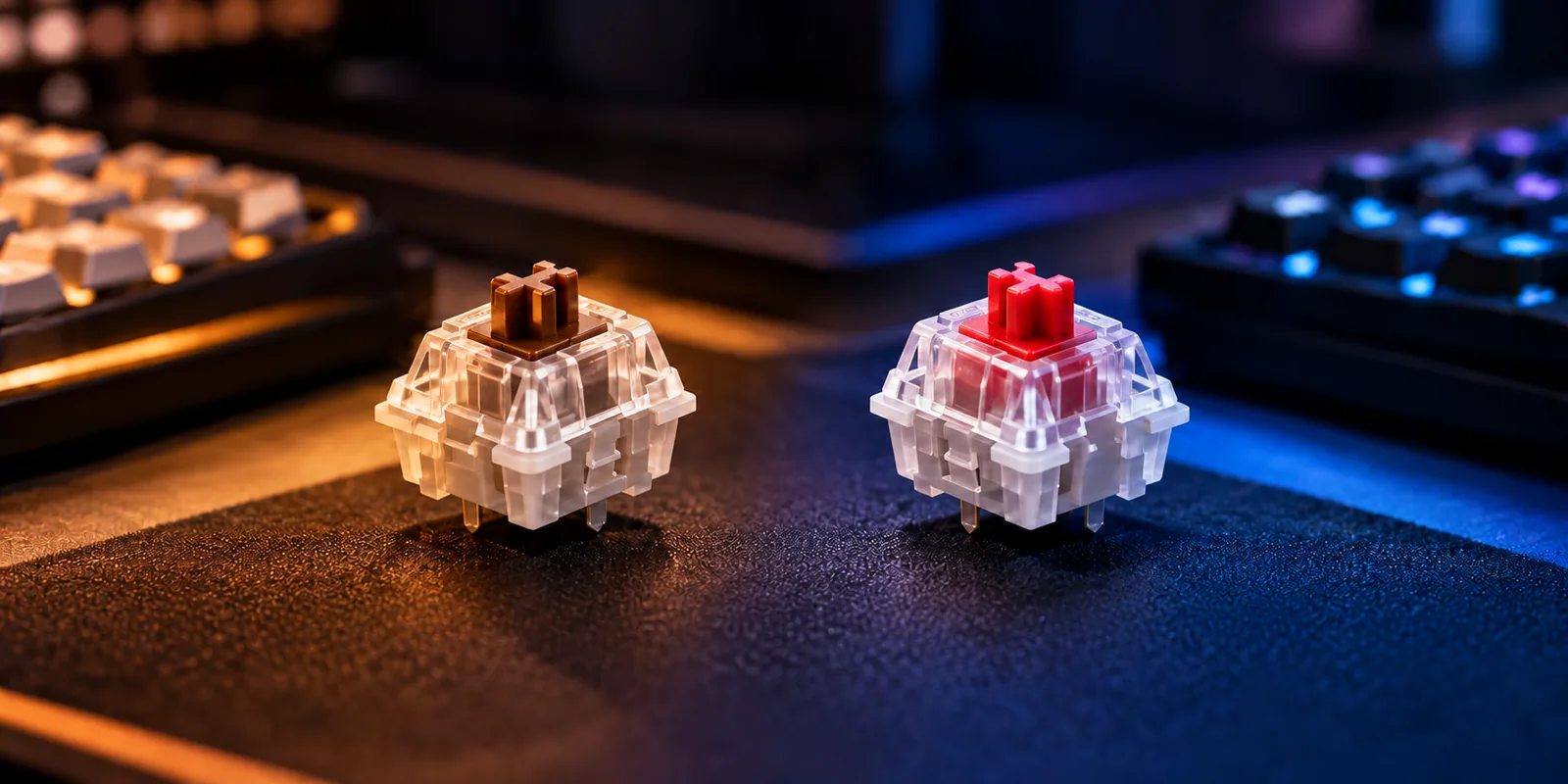
Central to a silent typing experience are dampened mechanical switches. Unlike traditional switches that allow the key stem to directly impact the switch housing at the top and bottom of its travel, silent switches incorporate small, soft dampening pads made of rubber or silicone. These pads cushion the impact points, significantly reducing the "bottom-out" sound when the key is fully pressed and the "top-out" sound when it returns to its resting position. Common examples include "silent linear" (like Silent Reds) and "silent tactile" (like Silent Browns) variants, which retain their linear or tactile characteristics but with a subdued acoustic profile. The trade-off for this quietness can be a slightly softer or "mushier" feel compared to their non-dampened counterparts, as the hard plastic-on-plastic collision is replaced by a cushioned stop.
Beyond the switches, internal sound dampening techniques are critical for absorbing vibrations and preventing sound from reverberating within the keyboard's case.
- Acoustic Foam is strategically placed in various locations, such as between the plate and the PCB (Printed Circuit Board), or within the empty space at the bottom of the case. This material works by absorbing sound waves and vibrations, preventing them from bouncing around and amplifying. The type, density, and thickness of the foam can alter the keyboard's sound signature, often leading to a deeper, "thockier" sound profile.
- O-rings are small rubber rings that can be installed on the stem of each keycap. When a key is pressed, the O-ring acts as a bumper, preventing the keycap from fully bottoming out against the switch housing. This reduces the harsh impact sound, though it also slightly shortens the key's total travel distance, which some users may find alters the typing feel.
- Gasket Mounts represent a structural dampening technique. In a gasket-mounted keyboard, the plate (which holds the switches) is not screwed directly to the case. Instead, it's suspended between pieces of soft material (gaskets) that are compressed when the case is assembled. This isolation prevents vibrations from the switches and plate from transferring directly into the case, resulting in a softer, more uniform sound and typing feel.
Stabilizer modification, specifically lubrication, addresses another significant source of noise: rattle from larger keys. Keys like the spacebar, shift, and enter use stabilizers to ensure even key presses. Factory stabilizers can often exhibit a metallic ticking or rattling sound due to friction and loose tolerances. Applying a small amount of lubricant (such as dielectric grease) to the stabilizer wires and housings reduces friction and tightens tolerances, effectively eliminating these unwanted noises and contributing substantially to a keyboard's overall quietness.
Finally, the case design and material choices significantly influence a keyboard's acoustic performance. Denser materials like aluminum or heavy plastics tend to absorb more sound and resonate less than lighter, hollow plastics. The internal geometry of the case also matters; cases with less empty space or those designed with internal dampening structures can further reduce echo and reverberation. A well-designed case, combined with the right internal dampening and switch choices, can transform a potentially loud keyboard into a whisper-quiet typing instrument.
Beyond the Box: Customizing Your Way to Silence
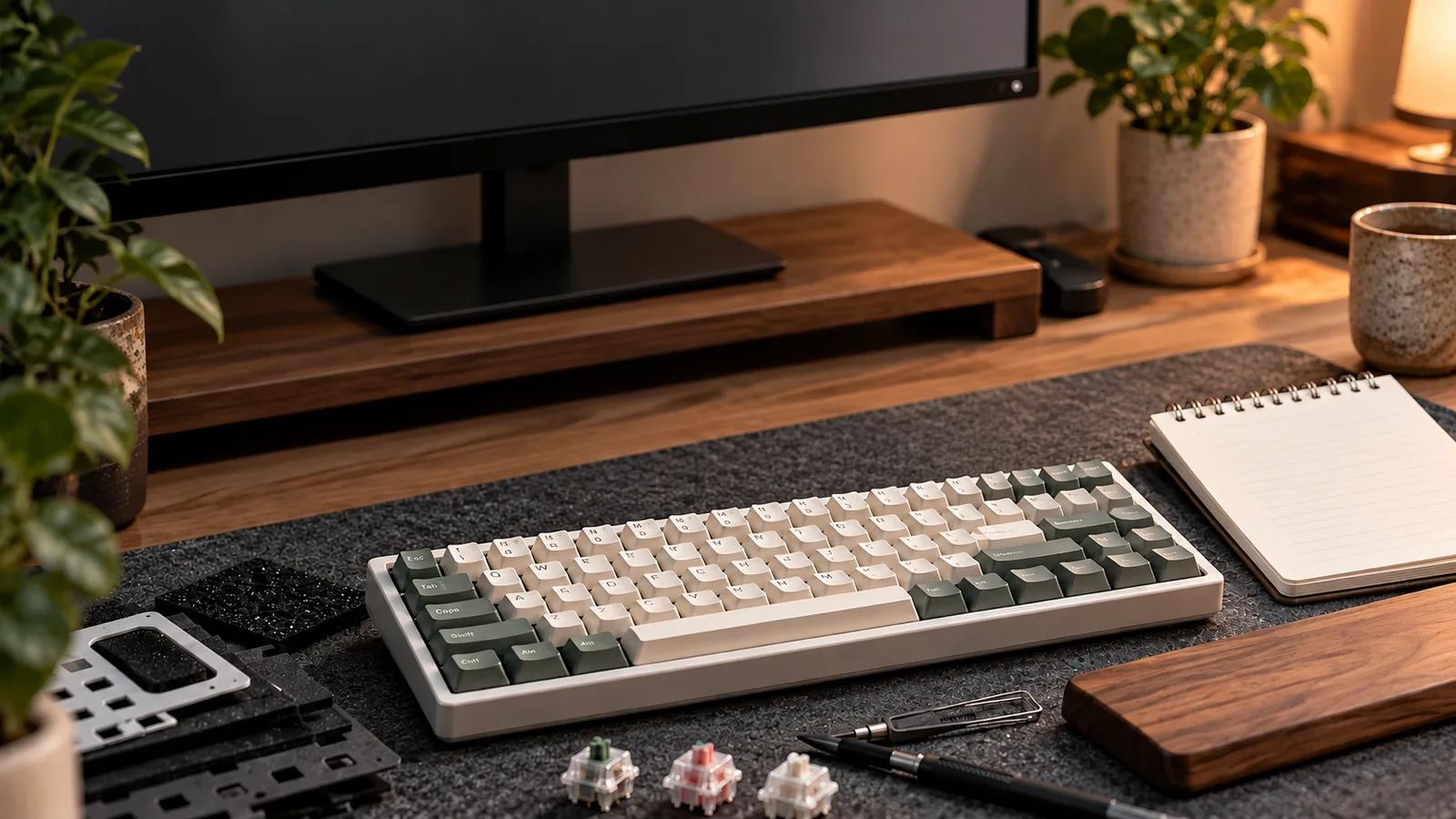
While some mechanical keyboards offer quiet operation out of the box, achieving a truly silent typing experience often involves thoughtful customization. For those who already own a mechanical keyboard or are considering a build, several modifications can significantly reduce unwanted noise, transforming a standard setup into a quieter, more office-friendly tool. These adjustments often involve a balance between sound reduction and subtle changes to typing feel.
Consider these actionable steps to tailor your keyboard's acoustics:
- Install Silent Switches: For keyboards with hot-swappable sockets, replacing standard switches with "silent" variants is a direct path to noise reduction. Silent switches incorporate dampening material, often silicone or rubber, within the switch housing to cushion the impact of the stem against the top and bottom. This significantly reduces the sound generated at the top and bottom of each keystroke, which are primary sources of noise. While they offer substantial acoustic benefits, the integrated dampeners can subtly alter the feel, often resulting in a slightly softer or "mushier" bottom-out compared to their non-dampened counterparts.
- Apply O-Rings to Keycaps: O-rings are small rubber rings that can be placed on the stem of a keycap before it's mounted onto a switch. Their primary function is to absorb the impact when a keycap bottoms out against the switch housing, effectively reducing the noise. This modification is simple and cost-effective, but it also shortens the total key travel distance, providing a slightly firmer and shallower typing experience.
- Lubricate Switches and Stabilizers: Friction and rattling are significant contributors to keyboard noise. Applying specialized lubricant to mechanical switches reduces scratchiness and ensures smoother travel, resulting in a lower-pitched, more consistent sound profile. Similarly, lubricating stabilizers—the components that support larger keys like the spacebar, enter, and shift—can eliminate metallic rattling and wobbling, which are often prominent noise sources. This process requires careful application to avoid over-lubrication, which can negatively impact switch feel.
- Add Internal Foam Dampening: Introducing foam layers inside the keyboard case can dramatically alter its sound signature. Foam sheets, placed between the PCB and the case, or even between the plate and the PCB, absorb sound waves that would otherwise reverberate within the hollow space of the keyboard. This reduces hollowness and echo, creating a denser, more muted sound. Various foam types and thicknesses are available, allowing for fine-tuning of the acoustic outcome, though installation may require disassembling the keyboard.
- Select Noise-Reducing Keycaps: The material and thickness of your keycaps influence the sound they produce. Keycaps made from PBT (polybutylene terephthalate) plastic are generally denser and more rigid than common ABS (acrylonitrile butadiene styrene) keycaps. This density often results in a lower-pitched, more subdued sound when bottoming out. Thicker keycaps, regardless of material, also tend to produce a less resonant, more solid sound compared to thinner alternatives. Choosing a keycap profile that minimizes keycap wobble can also contribute to overall quietness.
Making Your Choice: What to Consider for a Quiet Mechanical Keyboard
Selecting a quiet mechanical keyboard involves more than just picking a model; it requires aligning specific features with your personal needs and environment. A thoughtful approach ensures your investment delivers the desired blend of performance and acoustic discretion. Consider these factors to guide your decision toward a keyboard that truly fits.
-
Identify Your Primary Use Case: Your main activity dictates key priorities. For an office environment or shared space, absolute quietness is often paramount, favoring silent linear or tactile switches and robust sound dampening. Gamers might prioritize responsiveness and lower latency, potentially leaning towards wired connections and specific linear switch types, while still seeking reduced noise. For general typing, a balance of comfortable feel, moderate sound reduction, and desired tactile feedback is often preferred.
-
Evaluate Budget for Pre-built vs. Custom: Your financial commitment influences the level of customization and quietness you can achieve. Pre-built keyboards offer convenience and a range of price points, from entry-level to premium options. They are a good starting point for those seeking a quiet experience without extensive modification. Custom builds, while potentially more expensive, provide unparalleled control over every component—from switches and stabilizers to case materials and foam—allowing for precise acoustic tuning to achieve a specific quiet profile.
-
Determine Preferred Connectivity: How your keyboard connects impacts its versatility and performance. Wired connections offer the most reliable, lowest-latency experience, ideal for stationary setups and competitive gaming. Wireless 2.4GHz dongles provide a low-latency alternative for a clutter-free desk. Bluetooth connectivity is convenient for multi-device pairing and portability, though it typically introduces slightly more latency. Consider your desk setup and mobility needs.
-
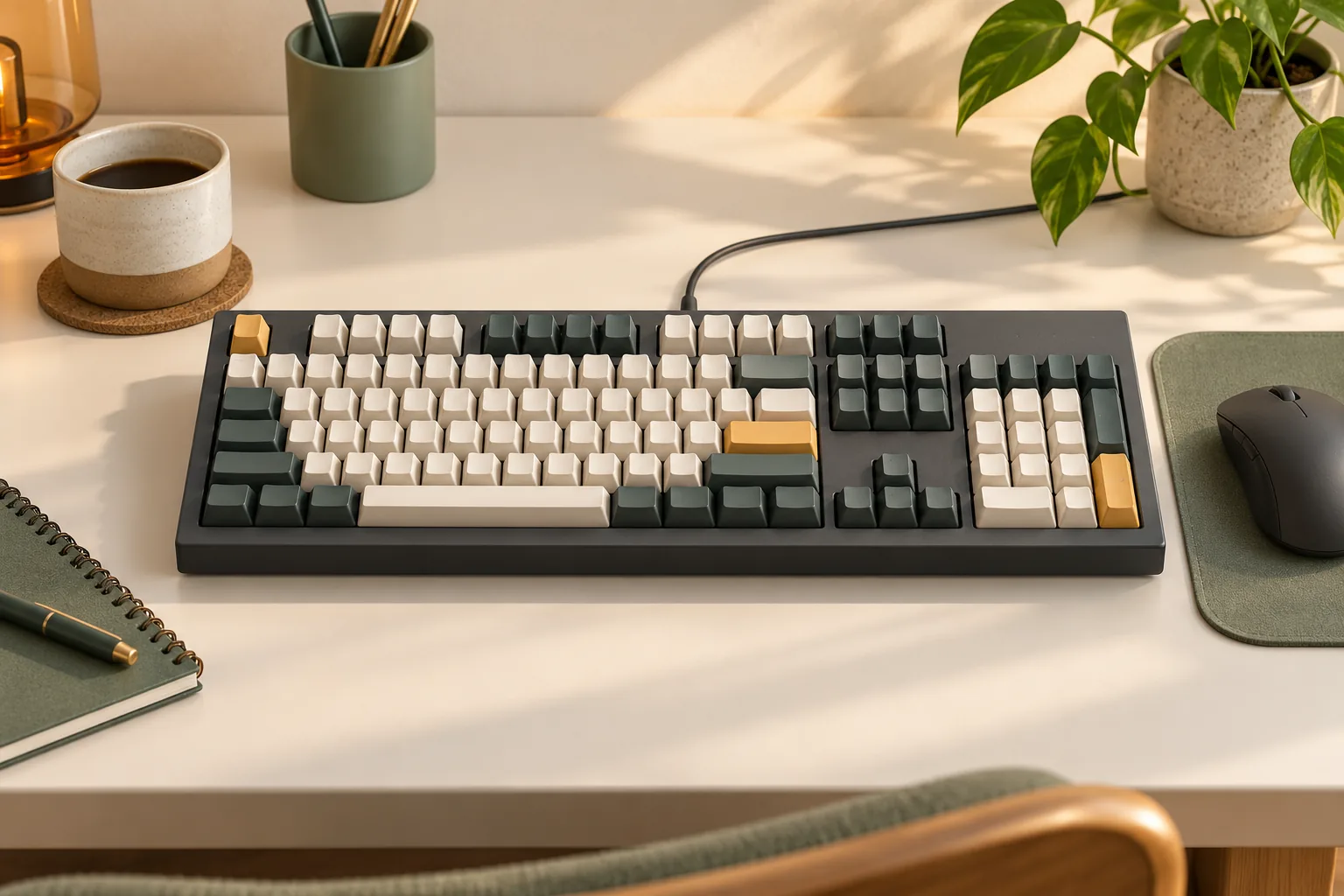
Select an Appropriate Form Factor: The physical size and layout of your keyboard affect desk space and key accessibility. Full-size keyboards include a numpad, function row, and navigation cluster, suitable for data entry or extensive productivity. Tenkeyless (TKL) layouts omit the numpad, saving space without sacrificing essential function keys. More compact options like 65% or 60% keyboards significantly reduce footprint, often requiring function layers for less frequently used keys, ideal for minimalist setups or travel.
-
Prioritize Customization and Hot-swappability: If fine-tuning sound and feel is important, look for features that allow modification. Software customization (e.g., QMK/VIA compatibility or robust proprietary software) enables key remapping, macro creation, and lighting adjustments, tailoring the keyboard to your workflow. Hot-swappable switch sockets are crucial for quiet mechanical keyboards, allowing you to easily experiment with different silent switch types without soldering, facilitating future upgrades or acoustic adjustments.
-
Define Your Acoustic Profile Preference: "Quiet" isn't a single sound. Some users seek a truly muted, near-silent experience, where keystrokes produce minimal sound. This is often achieved with silent switches and extensive dampening. Others prefer a "thocky" sound—a deeper, more resonant, yet still quiet, acoustic profile. This often involves specific case materials, mounting styles, and internal foam layers to absorb higher-frequency sounds and enhance lower tones. Understanding your preferred quiet sound helps narrow down component choices.
The Quiet Compromise: Understanding Trade-offs and Limitations
While achieving a quiet mechanical keyboard experience offers significant benefits for shared environments, it's important to approach this goal with a clear understanding of potential trade-offs and challenges. Prioritizing silence often means navigating a landscape of compromises that can affect typing feel, cost, and customization flexibility.
- Altered Tactile Feedback: Silent switches, designed with dampeners to reduce bottom-out and top-out noise, often present a different tactile experience. The dampening material can subtly soften or "cushion" the keypress, potentially reducing the sharp "crispness" or distinct tactile bump that some users prefer in traditional mechanical switches. This can lead to a feeling that is less defined than their non-silent counterparts.
- Increased Investment: Components specifically engineered for quiet operation, such as silent switches, acoustic dampening foams, or more robust case materials, typically come at a higher price point. Pre-built quiet mechanical keyboards, especially those with advanced dampening features, may also carry a premium compared to standard mechanical keyboards.
- Limited Component Variety: The selection of silent switch types, while growing, is generally narrower than the vast array of standard mechanical switches available. This can limit options for users seeking a very specific feel or actuation force within the silent category. Similarly, certain quiet-focused keyboard models might have a more restricted range of features or designs.
- Customization Effort and Learning Curve: For those opting for a DIY approach to maximize quietness (e.g., lubing switches, adding foam, modifying stabilizers), there's a notable investment of time and effort. This process involves a learning curve to understand techniques and component compatibility, which can be a barrier for users new to keyboard customization.
- Software and Feature Constraints: Some quiet mechanical keyboard models, particularly those prioritizing a streamlined, silent design, might come with simpler software interfaces or fewer advanced features compared to their more feature-rich, but potentially louder, counterparts. Users might find limited options for extensive macro programming, RGB customization, or other advanced settings.
Common Questions About Quiet Mechanical Keyboards
When considering a quiet mechanical keyboard, many users have specific concerns about performance, feel, and the extent of noise reduction. Addressing these common questions can help clarify expectations and guide your decision-making process.
-
Are silent switches truly silent? Silent switches are designed to significantly reduce the acoustic output compared to standard mechanical switches, but they are not entirely silent. The term "silent" refers to the incorporation of dampening materials, typically silicone or rubber pads, within the switch stem. These dampeners cushion the impact when the keycap bottoms out and when it returns to its resting position (top-out), absorbing much of the plastic-on-plastic noise. While they drastically cut down on high-frequency sounds, some residual noise from keycap wobble, case resonance, and spring ping can still be present. The goal is a substantially quieter experience, not absolute silence.
-
Can I make any mechanical keyboard quiet? To a certain extent, most mechanical keyboards can be made quieter, but the degree of improvement and the effort required vary significantly. Key modifications include:
- Switch Replacement: Swapping existing switches for dedicated silent switches (if the keyboard is hot-swappable).
- Lubrication: Applying lubricant to switches and stabilizers reduces friction and eliminates rattling sounds, contributing to a smoother, quieter operation.
- Sound Dampening Materials: Adding foam layers (case foam, plate foam, PE foam) inside the keyboard case helps absorb internal resonance and hollow sounds.
- Keycap Material: Thicker PBT keycaps can sometimes produce a deeper, less sharp sound profile than thinner ABS keycaps. Keyboards with hot-swappable sockets are generally easier to quiet through switch replacement, as soldering is not required. For soldered boards, modifying switches or adding foam are still viable options, though more involved.
-
What's the quietest switch type? Generally, silent linear switches are considered the quietest mechanical switch type. They offer a smooth, consistent keystroke without a tactile bump or an audible click mechanism. The integrated dampeners in silent linear switches specifically target the bottom-out and top-out sounds, which are the primary noise sources in linear switches. Silent tactile switches also offer significant noise reduction while retaining a tactile bump for feedback, making them a close second for quietness.
-
Do quiet mechanical keyboards feel different to type on? Yes, quiet mechanical keyboards, particularly those utilizing silent switches, often have a distinct feel compared to their undampened counterparts. The dampening material inside silent switches creates a slightly "cushioned" or "softer" bottom-out sensation. This can feel less harsh than the hard plastic-on-plastic impact of standard switches. Some users appreciate this softer landing, finding it more comfortable for extended typing sessions, while others might perceive it as slightly "mushy" or less crisp if they are accustomed to a very firm bottom-out. This difference is a key trade-off for the reduced noise.
-
Is a quiet mechanical keyboard good for gaming? A quiet mechanical keyboard can be excellent for gaming, especially in shared environments or when using voice chat. The reduced noise minimizes distractions for both the player and others nearby, allowing for better concentration during intense gameplay. Silent linear switches, in particular, maintain the fast actuation and responsiveness desired by many gamers, without the loud bottom-out or click sounds. While the softer bottom-out feel might be a minor adjustment for some, it generally does not impede gaming performance and can even contribute to a more comfortable experience over long sessions.
Embrace the Quiet: Your Path to a Serene Typing Experience
The pursuit of a quiet mechanical keyboard isn't just about reducing noise; it's about enhancing focus, minimizing distractions for others in shared environments, and creating a more harmonious workspace. As you've explored, achieving a truly quiet typing experience involves a nuanced understanding of switches, case acoustics, and even your desk setup.
Your ideal quiet mechanical keyboard is a personal reflection of your specific environment, typing habits, and aesthetic preferences. It's crucial to prioritize what matters most to you:
- Acoustic Profile: How quiet does it need to be for your specific setting?
- Typing Feel: Do you prefer linear, tactile, or a specific key travel?
- Budget & Customization: Are you looking for a pre-built solution or interested in modifying components like switches, keycaps, or foam?
Ultimately, a serene typing experience is an achievable goal. By making informed decisions about the components that contribute to sound, and considering the trade-offs between noise reduction and typing feel, you can select or customize a mechanical keyboard that delivers both responsiveness and tranquility. The journey to a quieter keyboard is about finding the sweet spot where satisfying mechanical feedback meets the demands of a peaceful environment.
Decision checklist for quiet mechanical keyboard
- Confirm the layout includes the keys and navigation functions required by your daily workflow.
- Verify switch, socket, keycap, firmware, operating-system, and connection compatibility before ordering.
- Compare sound, typing feel, ergonomics, repairability, and desk-space tradeoffs rather than one headline specification.
- Read the current warranty, return policy, and manufacturer documentation before making a final choice.
Frequently Asked Questions About quiet mechanical keyboard
Is quiet mechanical keyboard the right choice for every user?
No. The right fit depends on layout, switch feel, sound tolerance, operating-system support, connection needs, desk space, and whether the user values repairability or customization.
What should I verify before buying quiet mechanical keyboard?
Confirm the physical layout, switch and socket compatibility, keycap support, firmware features, connection modes, operating-system mappings, warranty, and return policy using current manufacturer documentation.