As an Amazon Associate we earn from qualifying purchases.
Choose your Keychron barebones keyboard by connection needs and case material first. The original V1 suits a wired build with an ABS plastic case. The V1 Max adds Bluetooth and 2.4 GHz wireless connectivity while retaining ABS plastic; its official excerpt also documents wired operation. The Q1 Max combines an aluminum case with wired, Bluetooth, and 2.4 GHz connections. Sources: V1, V1 Max, and Q1 Max.
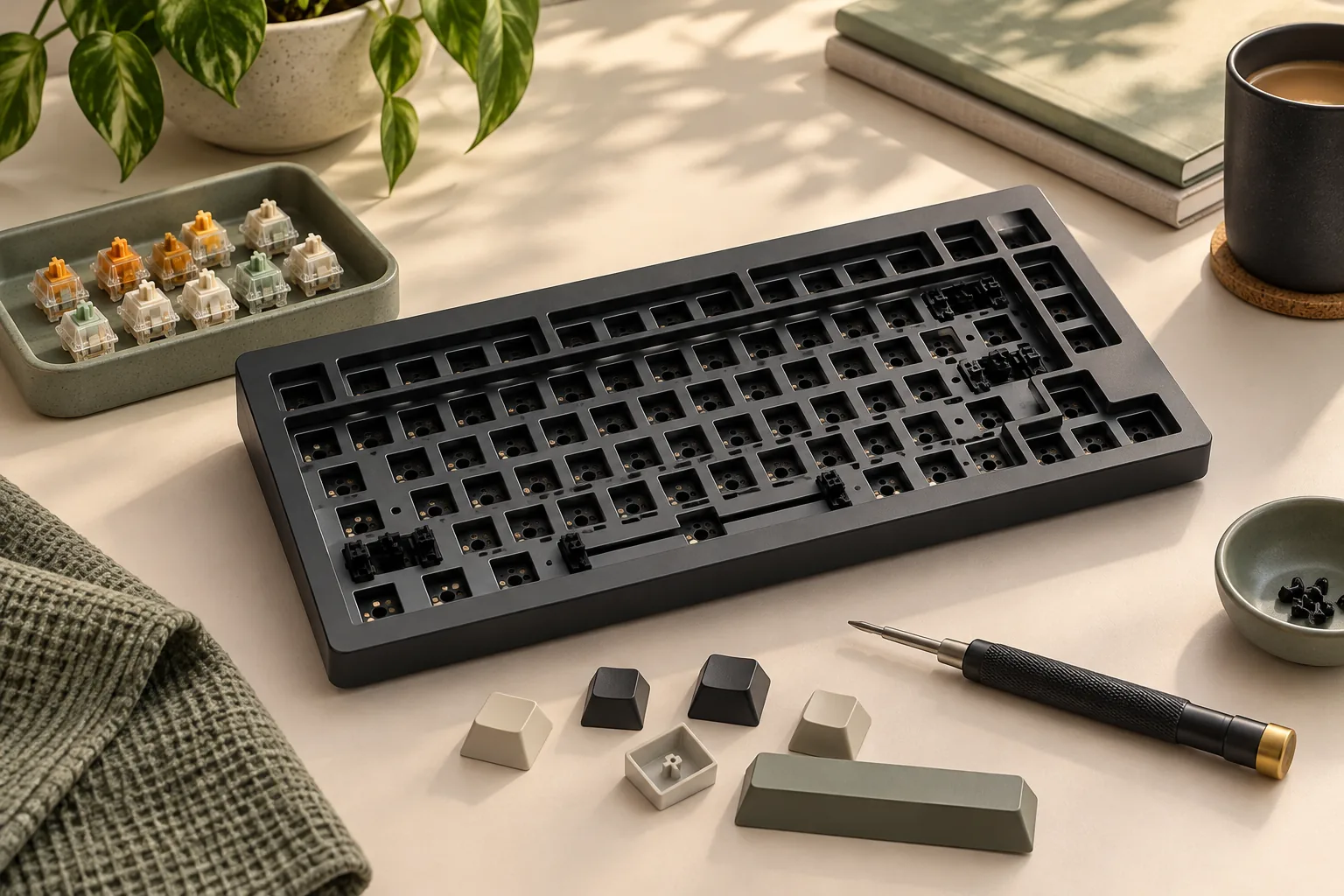
For these three models, barebones means the package excludes switches and keycaps. You choose those components separately or verify that parts you already own fit. The assembled versions have their own component descriptions, so confirm which package you have selected on the linked official product page.
This guide is for builders choosing among the documented 75% ANSI knob configurations. It compares their specifications, then helps you verify parts and calculate a finished cost.
Quick takeaways
- For wired use, consider all three models; wireless needs narrow this comparison to the V1 Max and Q1 Max.
- Between the two Max models, ABS plastic versus aluminum is a documented case-material distinction.
- Choose the exact barebone configuration before checking components and totaling the build.
How this guide was prepared: The comparison uses official product and support search excerpts captured October 15, 2026. Recommendations follow documented specifications, without hands-on testing or complete readings of the linked pages.
On this page
- Identify the exact configuration
- Compare the three models
- Verify switches, keycaps, and other parts
- Match software and firmware
- Calculate the finished cost
- Frequently asked questions
- Make your final choice
Identify the exact Keychron barebones keyboard configuration
Record your intended purchase before comparing components. A useful configuration record includes the complete model name, layout, knob option, and package type. Keep the product description or order summary alongside your parts list so each compatibility check refers to the same keyboard.
Work through these details in order:
- Model and generation: original V1, V1 Max, or Q1 Max.
- Layout: this comparison covers the documented 75% ANSI configurations. Use the exact layout diagram when checking individual keys.
- Knob option: confirm that the selected package matches the knob configuration you planned.
- Package: select Barebone or Barebone Knob, as applicable to the listing.
- Final selection: check the complete configuration again in the cart.
The official V1, V1 Max, and Q1 Max excerpts distinguish assembled packages from barebone options. Switches and keycaps described for an assembled package should not be counted as barebone contents.
If you want the components supplied with an assembled configuration, compare that exact package against your planned build. Barebones is a useful starting point when choosing your own switches and keycaps is part of the goal. Whether it saves money depends on the finished total.
Compare the original V1, V1 Max, and Q1 Max
Read case material, mount, and plate as separate specification fields. The table preserves the manufacturer's construction labels so you can compare the selected listing against them. These three examples do not establish specifications for every Keychron V, Q, or Max keyboard.
| Decision point | Original V1 | V1 Max | Q1 Max |
|---|---|---|---|
| Documented configuration | 75%, ANSI, knob | 75%, ANSI, knob | 75%, ANSI, knob |
| Case | ABS plastic | ABS plastic | Aluminum |
| Mount | Tray mount | Gasket mount | Gasket mount |
| Plate | Steel | PC | PC |
| Documented connections | Wired | Wired, Bluetooth, and 2.4 GHz | Wired, Bluetooth, and 2.4 GHz |
| Firmware and remapping names | QMK firmware; Keychron Launcher | QMK/VIA | QMK firmware; Keychron Launcher |
| Operating systems named | macOS and Windows | macOS, Windows, and Linux | macOS, Windows, and Linux |
| Official source | Original V1 | V1 Max | Q1 Max |
The V1 Max connection summary names Bluetooth and 2.4 GHz, while another passage in the same captured excerpt explicitly refers to wired operation. Wired use therefore belongs in its comparison too. Source: Keychron V1 Max.
Choose the original V1 when its wired construction fits your plan
Shortlist the original V1 when wired use meets your needs and you want the documented ABS plastic, tray-mount, steel-plate configuration. Its official excerpt also explicitly lists hot-swap support for 5-pin and 3-pin switches. Keep that socket statement attached to this model when checking components. Source: Keychron V1.
Wired use alone does not distinguish the V1 from both Max models. Make the next decision using construction preferences and the completed parts cost.
Choose the V1 Max for wireless options with an ABS case
The V1 Max fits a plan that calls for Bluetooth or 2.4 GHz connectivity and an ABS plastic case. Its gasket mount and PC plate also distinguish it from the original V1. You can include wired operation in your requirements without excluding this model. Source: Keychron V1 Max.
Choose the Q1 Max when aluminum is a requirement
The Q1 Max is the documented aluminum option here, with a gasket mount, PC plate, and wired and wireless connections. If the V1 Max and Q1 Max both satisfy your connection needs, case material gives you a clear next decision. These construction specifications alone do not establish a sound or typing-feel winner. Source: Keychron Q1 Max.
Verify switches, keycaps, and other parts
Once you have a model, verify the exact components you intend to buy. Separate three questions: Does the part fit? Do you have enough? Is it already included? Answering them separately prevents a complete-looking shopping cart from hiding an unresolved requirement.
Check switch compatibility before quantity
For the original V1, the official excerpt specifies hot-swappable 5-pin and 3-pin switch support. Use that as one compatibility checkpoint, then check the proposed switch's own documentation. The pin-count statement does not certify every switch sold under either description. Source: Keychron V1 switch support.
For a V1 Max or Q1 Max build, verify the selected model's socket requirements rather than carrying over the original V1's explicit pin-count statement. Record the exact switch model and the documentation supporting its fit. After confirming compatibility, count the switch positions in your chosen layout and compare that requirement with each pack's quantity.
Check keycap coverage key by key
Ask the keycap seller to document coverage for your exact layout and proposed switch stem. Compare the set's included sizes and row positions with the keyboard's layout diagram. Include the spacebar, modifiers, navigation keys, and any operating-system legends you want.
Resolve each uncertain key before ordering. If a required size is unclear, request confirmation or choose a set with explicit coverage. A large total key count does not answer whether the set contains every key your configuration needs.
Confirm the rest of the package
Check the selected barebone package for the PCB, plate, stabilizers, connection accessories, and any tools you expect to use. Mark each item as included, already owned, separately required, or unresolved. This is a verification list; it does not imply those items are missing from every kit.
Before treating the build as complete, resolve any unclear essential item with the seller. These product excerpts establish the switch and keycap exclusions, but they do not certify a complete third-party build or every accessory in the selected package.
Match software and firmware to the exact model
Keep the software description attached to the exact keyboard. The captured descriptions name:
- Original V1: QMK firmware and Keychron Launcher for remapping and macros, with macOS and Windows support. Official V1 source.
- V1 Max: QMK/VIA remapping and macros, with macOS, Windows, and Linux support. Official V1 Max source.
- Q1 Max: QMK firmware and Keychron Launcher for remapping and macros, with macOS, Windows, and Linux support. Official Q1 Max source.
Record your operating system and intended remapping tool before ordering, especially if customization is a purchase requirement. An operating system omitted from one captured description remains a question to verify; that omission does not establish incompatibility.
Firmware identity needs the same care. Keychron's official downloads distinguish V1 from V1 Max and separate layout and knob variants. The captured listing includes V1 ANSI, ISO, and JIS entries and V1 Max ANSI and ISO knob entries. Source: Keychron firmware and JSON listings.
Match the complete model name, layout, and knob status before selecting documentation or downloads. Do not substitute a similarly named model's file. For the Q1 Max, begin with its own product documentation; the linked V and V Max download page does not establish a Q1 Max firmware choice.
Calculate the finished build cost
Use the same accounting method for every candidate. All three documented barebone versions exclude switches and keycaps, so the kit price alone leaves required components outside the comparison. The worksheet turns those exclusions into a finished-cost check. Sources: V1, V1 Max, and Q1 Max.
| Cost line | What to record | Check before adding it |
|---|---|---|
| Barebone kit | Selected configuration's price | Model, layout, knob option, and package match |
| Switches | Cost of enough complete packs | Compatibility and required quantity are confirmed |
| Keycaps | Cost of the set and required extra kits | Stem, sizes, rows, and layout coverage are confirmed |
| Missing essentials | Cost of required items absent from the package | Exclude included items and usable owned parts |
| Shipping | Checkout charge for each order | Include separate component orders |
| Tax and applicable fees | Amounts for your destination | Use actual checkout information |
| Finished total | Sum of required cost lines | Account for every essential component |
Finished cost = kit + switch packs + keycaps + missing essentials + shipping + tax and applicable fees.
For switch packs, round the number of packs upward until their combined quantity covers the required switches. Keep optional spares and cosmetic accessories separate from the cost of completing the keyboard. For owned parts, mark the item as owned after confirming fit, then exclude it from new spending.
For example, one builder may already own a documented compatible keycap set. Another choosing the same keyboard may need a set plus an extra coverage kit. Their totals should reflect those different requirements even though the keyboard model is identical.
Verify the selected purchase channel's return conditions and warranty terms for your region before ordering. Record who handles a problem with the kit and who handles separately purchased components. Use those answers alongside the finished total when comparing purchase options.
Frequently asked questions
Does a Keychron barebones keyboard include switches and keycaps?
The documented V1, V1 Max, and Q1 Max barebone versions exclude both. Buy them separately or verify that parts you already own fit. Components described for an assembled package should not be counted as barebone contents. Check the selected package on the official V1, V1 Max, or Q1 Max page.
Should I choose the V1 Max or Q1 Max?
Both support wired operation, Bluetooth, and 2.4 GHz connectivity in the supplied evidence. Both documented configurations use a gasket mount and PC plate. Choose between the ABS plastic V1 Max and aluminum Q1 Max according to case preference, verified parts needs, and finished cost.
Can I use the same firmware for the V1 and V1 Max?
Treat them as separate firmware targets. Keychron's official listings distinguish the models and identify layout and knob variants. Match all those details before choosing a file, and follow the exact model's support documentation. A shared model number does not establish interchangeable downloads. Source: Keychron firmware listings.
Make your final choice
For a wired build, keep all three candidates in consideration and choose by construction preferences and finished cost. If Bluetooth or 2.4 GHz is required, compare the V1 Max and Q1 Max, using case material as a documented distinction.
Turn your preferred Keychron barebones keyboard into a specific purchase: record the exact configuration, verify the parts, and complete the cost worksheet. Open its official product page and confirm the selected barebone package before ordering.